VeSync
- 5.83K
- 4.6
- Installs
- 1.00M
- Price
- Free

Screenshots
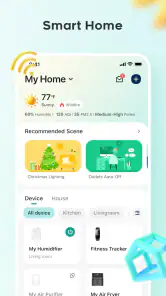
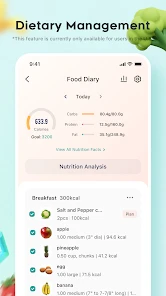
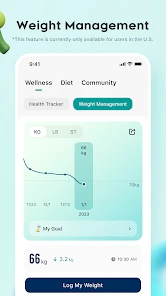

Analysis by Reviewed
I find VeSync most useful when smart devices are part of a routine rather than novelties I control once and forget. Instead of opening separate controls for each connected device, I can use one lifestyle app to make everyday tasks feel more coordinated. That convenience is the point: less fiddling with individual controls, more time getting on with the day.
Why scheduling matters more than it first appears
The capability I’d build around is scheduling. A device that follows a regular routine can quietly take a small task off your mind: lights can come on around the time you expect to be home, or a connected appliance can be set around a predictable morning. The benefit isn’t dramatic automation; it’s not having to remember the same little action every day.
I’d start with one schedule, then live with it for a few days before adding more. That makes it easier to spot whether the timing actually fits your household, especially when plans change. Schedules are most helpful for habits that stay fairly consistent; for irregular days, manual control is often simpler than maintaining a complicated set of rules.
How it fits into a normal day
Picture arriving home with your hands full as the evening gets underway. If your lighting routine is already set, you avoid searching for a switch or opening the app just to make the room comfortable. Later, voice-assistant integration offers another way to control compatible devices when reaching for your phone is inconvenient. I see these as useful alternatives, not reasons to automate every action.
VeSync is developed by Vesync, and it sits in the lifestyle category rather than being only a device dashboard. It’s free, rated for Everyone, and has a 4.6 average from around 34,000 ratings, with over 1 million installs. Those figures suggest a well-used option, but they don’t guarantee that every device you own will work with it. I’d check compatibility for the specific product before building a routine around the app.
Getting Started with VeSync
First off, setting up VeSync is a breeze! The app is available for both Android and iOS, so no matter what your device preference is, you’re covered. After downloading it, the installation process guides you smoothly through account creation and device pairing. I connected my smart plugs and bulbs in no time. The interface is super intuitive, and even if tech isn’t your thing, you won't struggle. Trust me, if I can do it, anyone can!
Features that Stand Out
One of the coolest features of VeSync is its scheduling capability. You can set your devices to operate on a schedule that suits your lifestyle. For instance, I’ve set my living room lights to turn on at sunset. It’s like having a personal assistant who never forgets! Plus, the app allows you to monitor energy usage, which is a game-changer if you're trying to be more eco-conscious.
More From Our News Desk

Clash of Clans Is Won Between the Battles

Android Auto Makes the Case for Quieter Car Software

MobiOffice: Transforming Mobile Productivity with Seamless Integration

EA SPORTS FC™ Mobile Soccer: Redefining Mobile Sports Gaming

How Microsoft OneDrive Became a Mobile Productivity Giant

How Google Translate Breaks Language Barriers Effortlessly
Energy monitoring is most valuable when you use it to compare habits over time, rather than treating a single reading as a verdict on your whole household. I’d use it to notice which connected appliance is regularly drawing power, then decide whether a schedule or a change in routine makes sense. It can inform a choice, but it doesn’t replace checking the device itself or considering how often you use it.
Another handy feature is the integration with voice assistants like Alexa and Google Assistant. I could control my devices without even lifting a finger. It was quite amusing to impress my friends by commanding my lights with just my voice. The future is here, folks!
Real-Life Usability
So, how does VeSync hold up in day-to-day life? Pretty darn well, I’d say. I’ve come to rely on it for managing my home’s environment. Whether it’s adjusting the lights for movie night or making sure the coffee maker is ready for my morning brew, it’s made my life just a tad easier. And in today’s world, every little bit helps.
The practical question is whether you want one place to manage supported smart-home products or prefer the familiar controls from each device’s manufacturer. A single app is easier for routines that involve several products, while separate apps may feel more direct if you only use one device or already have a setup you like. I would keep the workflow simple: pair a device, give it an easy-to-recognize name, test manual control, and only then rely on a schedule or voice command.
There’s also a useful distinction between convenience and certainty. A scheduled action can reduce the number of things you need to remember, but I wouldn’t make an important household task depend on an app response without checking that the device behaves as expected. If a command is delayed, trying the device’s own control or waiting for its response is more sensible than repeatedly tapping buttons and creating uncertainty about what happened.
However, like any tech, it’s not without its quirks. Occasionally, there might be a slight lag in response time, especially if you’re controlling devices from a remote location. But honestly, it’s a minor hiccup in an otherwise smooth experience.
Making schedules work around real life
A schedule is easiest to trust when it has a clear job. For example, I’d use a living-room light routine to make an evening arrival more comfortable, but I wouldn’t keep adding timed actions just because the option exists. If bedtime changes from day to day, a fixed switch-off time can become one more thing to correct. A small routine that consistently helps is more useful than a long list that needs constant attention.
There’s a practical way to test whether a schedule belongs in your day: choose a device and a recurring moment, then notice when the action feels helpful and when it gets in the way. A light that comes on as you settle in may be welcome; the same light turning on while you’re away may not be. I’d adjust the timing based on how the room is actually used, rather than trying to make a routine look clever.
For a household with different routines, it also helps to think about whether everyone benefits from the same timing. A shared schedule can be convenient when people generally arrive or wake around the same time, but it can feel intrusive when their days vary. In that case, keeping the schedule limited to a common area, and using manual control elsewhere, is a sensible compromise.
A more careful approach to connected appliances
Lights are a forgiving place to experiment because the outcome is easy to notice and usually easy to reverse. I’d be more deliberate with a connected appliance: first confirm that its normal operation suits timed control, then try a schedule while I’m around to observe what happens. The useful lesson is not to assume that every device should be automated in the same way just because it can be controlled through the app.
For a morning routine, I’d separate “ready when I wake up” from “starts operating without me checking.” Those sound similar, but they are not the same level of reliance. A schedule can help with a predictable task, while a manual check remains the better choice when the device’s state matters. That distinction keeps convenience from turning into misplaced confidence.
Energy monitoring can support this kind of decision-making, too. Rather than checking it once and drawing a broad conclusion, I’d compare readings for the same device under similar routines. If the pattern changes, I’d first consider whether the appliance was used differently before changing the schedule. That makes the information more useful as a guide to habits, not a scorecard for the whole home.
Where it sits beside other control options
Compared with opening a separate manufacturer app for each product, a shared control point can make ordinary tasks feel less scattered, especially when compatible devices from more than one product line are involved. The trade-off is that a dedicated app may be the more familiar place to adjust an individual device. I wouldn’t switch every interaction to one dashboard automatically; I’d use VeSync for routines and connected-device tasks that benefit from being together, while keeping a product’s own controls available when those are more direct.
It also isn’t the same as a universal smart-home system that promises to bring every brand in a home together. Compatibility is the deciding factor, so the best first move is to check the exact devices you plan to use rather than assuming that a product with smart features will pair. If your home already relies on another ecosystem and its devices are not supported, staying with that setup is likely less frustrating than trying to make VeSync the center of everything.
For someone who has only one connected device, the choice is simpler: if its own controls already do the job, adding another app may not make life easier. VeSync becomes more compelling when its scheduling, monitoring, and shared controls solve a repeated annoyance. That is the standard I’d use before investing time in setting up a broader routine.
Small setup choices that prevent friction
Clear device names matter more once you have several similar products. I’d use names that describe both the item and where it is, so a voice command or a quick glance is less likely to leave me guessing. It’s a small bit of setup work, but it pays off when you are busy and don’t want to open each device screen to work out which one is which.
I’d also test a new routine at a time when I can see the result. If a light turns on at the wrong point in the evening, the mistake is obvious and easy to fix. Once the timing feels right, I can leave it alone and see whether it continues to match the household’s habits. This gradual approach is less frustrating than building several schedules before learning how the first one behaves.
When a command seems slow, I’d pause before sending it again. A delayed response can make repeated taps confusing because I may not know whether the first request is still pending or whether the device failed to respond. Waiting briefly, checking the device, and then deciding what to do gives me a clearer picture than stacking commands on top of one another.
Who will get the most from it
I’d recommend it to someone who already owns compatible smart devices, likes a predictable home routine, and wants scheduling and energy monitoring alongside everyday controls. It’s also a reasonable starting point if you’re curious about smart-home habits but don’t want to begin with a complicated control system. The current version is 5.7.50, and the app dates back to September 29, 2017, so it has been around long enough to be an established option; I’d still make the compatibility check the first step.
On the other hand, if you don’t own supported devices, don’t expect the app by itself to make a home smart. It also may not suit someone who prefers not to manage devices through a phone, or who wants a single control center for products that aren’t compatible. In those cases, a device’s own controls or another ecosystem that matches the products already in your home may be a better fit.
I’d especially consider it if a repeated task is easy to describe in one sentence: “turn this light on around the time I get home,” or “help me keep an eye on how this connected appliance is used.” That kind of clear goal makes it easier to judge whether the app is earning a place on your phone. If you can’t name a routine you want to simplify, there may be little reason to set up smart controls yet.
People who share a home can also benefit if they agree on a few simple routines and device names. The value comes from making controls understandable to everyone, not from creating a highly automated house that only one person knows how to manage. If the rest of the household prefers switches and direct controls, I’d keep those options easy to use rather than treating the app as a replacement for them.
Final Thoughts
All in all, VeSync is a solid app for anyone looking to streamline their smart home experience. It’s easy to use, packed with useful features, and integrates well with other smart home systems. While it’s not perfect, it’s pretty darn close. If you're diving into the world of smart devices, this app is a great companion to have by your side. So why not give it a whirl and see how it fits into your life?
Remember, the future of home automation is here, and VeSync is leading the charge.
VeSync Frequently Asked Questions
Is VeSync free to download, and what should I know about its cost?
VeSync is free to download, and the app is intended to help you manage compatible smart home products. The original app information also mentions possible optional in-app purchases, while describing device control and scheduling as core features available at no cost. If you are deciding whether it suits your needs, check the app’s current purchase details before using any paid option.
Who develops VeSync, and what kind of app is it?
VeSync is a Lifestyle app developed by Vesync, with the store summary “Smart & Healthy Living.” It is designed around managing compatible smart home products rather than serving as a general-purpose home automation tool for every device. Before downloading, consider whether you already own, or plan to use, products that work with VeSync so the app’s main purpose matches what you need.
Can I use VeSync without owning a compatible smart device?
VeSync is a Lifestyle app for managing compatible smart home products, so its main purpose is to connect you with devices you can control. You can download the app for free, but the features that make it useful depend on having a supported product to add. If you are considering a device, check its compatibility with VeSync before getting started.
Which phones can run VeSync?
VeSync is available for Android and iOS devices, and its minimum operating system requirement is version 8.0. Before downloading, check that your phone or tablet meets that requirement and has enough room for the app. The app is free, and its Everyone age rating makes it suitable for a broad audience.
What is VeSync and what devices are compatible with it?
VeSync is a smart home management app designed to control a variety of devices such as smart plugs, air purifiers, and more. It is compatible with both Android and iOS devices, allowing users to remotely manage their smart home products seamlessly. Before downloading, ensure your specific smart devices are compatible with the VeSync app.
Pros
- Easy device pairing
- User-friendly interface
- Remote control capability
- Energy usage tracking
- Customizable schedules
Cons
- Limited device compatibility
- Occasional connectivity issues
- Requires Wi-Fi for full functionality
- No offline mode
- Subscription needed for advanced features
- Category
- Lifestyle
- Version
- 5.7.50