Unlimited MP3 Music Downloader
- 10.12K
- 4.8
- Installs
- 10.00M
- Price
- Free

Screenshots

Analysis by Reviewed
I’d approach Unlimited MP3 Music Downloader as a practical listening companion rather than a replacement for every music service. Its appeal is the combination of music access and offline listening, especially for people who want to keep tracks available when a connection is unreliable. The key question is whether that straightforward role matches how you actually listen.
What the free price does—and doesn’t—tell you
The app is free to install, while optional in-app purchases range from $0.99 to $7.99 per item. That gives you a way to try it without paying upfront, but it doesn’t tell you which purchase, if any, is worthwhile for your routine. I’d start with the free experience and only consider spending if a specific limitation affects you; there’s little reason to buy first just because the app offers purchases.
It’s made by Whim Music and sits in the music and audio category. A 4.8 average from around 269,000 ratings and more than 10 million installs suggest it has found a broad audience, though popularity alone can’t guarantee that its music sources or listening style will suit you. It’s rated for teens, runs on Android 5.0 or later, and its current version is 624.
Where the value shows up in ordinary routines
For me, the most useful way to judge it is by a specific moment: choosing a few tracks before leaving home, then listening during a commute where mobile reception comes and goes. Offline playback can make that kind of trip less dependent on a live connection. I’d also use downloads for a workout playlist or background music while doing chores, rather than assume the app needs to become my only library.
A small but useful habit is to download music while connected and check that the tracks are available offline before heading out. That simple check helps avoid the frustrating surprise of opening a music app in a dead zone and finding that the songs you expected to hear aren’t ready. Keep the collection focused, too: saving only the music you’re likely to play makes it easier to find what you want later.
Making downloads work for you
I’d treat offline listening as something to prepare, not something to assume. Before a long trip, I’d pick a short set that suits the journey, download it while connected, then switch away from the network briefly and confirm the tracks still play. That quick test answers a practical question better than seeing a download indicator: whether the music is actually ready for the situation where I need it.
It also helps to think in listening contexts rather than collecting everything that catches your eye. I might keep separate small groups in mind for a quiet commute, an energetic workout, or low-key music at home, then save only the tracks I expect to use. This makes offline choices easier to browse and reduces the chance that a large pile of downloads becomes harder to navigate than the original search.
More From Our News Desk

Weather by Xiaomi Review: Clear at a Glance, Less Clear Up Close

X Under Pressure: Can It Recover When Posting Goes Wrong?

Clash of Clans Is Won Between the Battles

Android Auto Makes the Case for Quieter Car Software

MobiOffice: Transforming Mobile Productivity with Seamless Integration

EA SPORTS FC™ Mobile Soccer: Redefining Mobile Sports Gaming
If you share a device or regularly hand it to someone else, I’d be deliberate about what you leave open and what you download. A music app can be personal even when the device is not: your recent searches and saved tracks may reflect tastes or routines you would rather not mix. I wouldn’t assume that a download is private or organized in a particular way without checking how the app presents saved music on your own device.
How it compares with familiar music options
Compared with a conventional streaming service, this app puts more emphasis on finding and downloading MP3 music than on a polished subscription-based listening ecosystem. That can be a better fit if offline files are your priority and you prefer to try an app without an upfront fee. A mainstream streaming service may suit you better if you want a familiar, curated experience or already rely on its playlists and listening habits.
It’s also different from simply keeping music files you already own: a downloader is useful when you want to discover tracks inside the app, while a personal player gives you more direct control over a library you’ve organized yourself. I’d think about which of those jobs you need before switching from an app that already works for you.
What to check before you build a routine around it
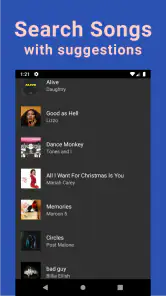
Search is a good place to judge whether the app fits your taste. Instead of testing only a famous artist, I’d try a few searches that reflect how I actually look for music: a precise track title, an artist name, and a less familiar song. If those searches lead to useful results, the app may be worth keeping in my listening mix. If I often need to guess at names or sift through mismatches, the convenience of downloading matters less.
I’d also compare a result with the track I intended to find before saving it. Similar titles, versions, or artist names can make a search result look right at a glance. Listening to a brief portion first is a simple way to avoid filling an offline collection with the wrong recording. It is a small extra step, but it matters more when you are preparing music for a trip and will not have a reliable connection to replace a mistake.
The tradeoffs I’d keep in mind
The large selection and easy downloads are attractive, but “unlimited” shouldn’t be read as a promise that every song you want will be available or that every result will match your expectations. Search results and music availability can shape the experience, so I’d test it with a few artists and tracks I genuinely listen to before building a routine around it. Sound quality can also vary from track to track; a good result on one song doesn’t guarantee the same on another.
Downloads are most valuable when you can use them conveniently and locate them again. If you tend to save music impulsively, take a moment to keep your offline choices intentional instead of accumulating tracks you won’t revisit. And if you want a carefully organized collection, artist-focused recommendations, or a fully predictable catalog, a dedicated streaming service or music player may be the less frustrating choice.
There is another trade-off in the word “free”: installing the app does not mean every optional purchase is automatically useful, and a purchase should solve a need you have actually encountered. I’d use it for a while before deciding whether spending anything makes sense. The price range gives a boundary for the listed items, but it cannot tell you which one changes the experience in a way you personally value.
For listeners who need exact control over files, tags, folders, and a carefully maintained library, this may not be the best starting point. A conventional player built around music you already own is usually a more direct fit for that job. Likewise, anyone who depends on reliable editorial playlists or a highly consistent catalog may prefer a mainstream streaming service. The downloader’s appeal is narrower: convenient access and the option to prepare music for offline listening.
Who is most likely to get value from it?
I can see it suiting someone who wants to explore MP3 tracks, listen casually, and have a few choices ready when the network is unreliable. It may also be handy as a secondary app beside a paid service: one for a familiar daily rotation, the other for particular tracks or situations where a prepared offline selection is enough. That division lets you judge the app on its own strengths without expecting it to replace every feature you already use.
It is less appealing if you want a guaranteed song-by-song catalog, carefully made recommendations, or a library that stays perfectly organized without attention. It is also not a great match for someone who never listens offline and already has a service that covers all their needs. In that case, adding another music app could mean more searching and maintenance without enough practical benefit.
My everyday test would be a commute with patchy reception. Before leaving, I’d search for a handful of familiar tracks, check each result, and make sure the downloads play with the connection unavailable. If that goes smoothly, I have a useful travel option. If it takes too much effort to find the right versions or confirm playback, I’d return to the service or files I already trust rather than force the app into my routine.
A few practical questions worth settling early
Can I rely on it when I am offline? I would rely only on tracks I have downloaded and tested before leaving a connection, not on the assumption that a search result will remain available to stream. Does it replace a subscription service? For me, not automatically: it has a different emphasis, and listeners who value curation, familiar playlists, or a predictable catalog may still prefer their usual service. Is paying necessary? The free install lets you try it first, and I would consider an optional purchase only after identifying a specific benefit I want.
Will it suit every phone? It runs on Android 5.0 or later, which gives older Android devices a route to use it, but a compatible operating system alone does not settle whether the app suits your device or habits. Is it for younger listeners? Its teen rating is a useful signal for families, though I’d still make a personal decision about what is appropriate for a particular teenager and how they use music apps.
Have you ever felt the thrill of discovering a new song that perfectly fits your mood? Well, that’s the magic Unlimited MP3 Music Downloader brings to the table. I spent a good few hours diving into the app, and let me tell you, it’s a real game-changer for music lovers.
All About That Easy Access
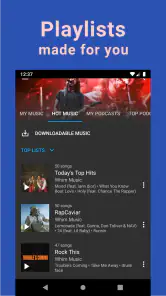
First things first, let’s talk about the interface. It’s super friendly and intuitive. From the moment you launch the app, it feels like a breeze. No clutter, no unnecessary frills, just straight-up access to a world of music. I found myself navigating through the app with such ease, it felt like I had been using it for ages.
Endless Music Library
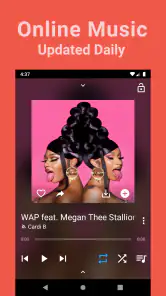
What really caught my attention, though, is the vast collection of music. The app lives up to its name by offering a seemingly limitless library of tracks. Whether I was in the mood for some classic rock or the latest pop hits, the app didn’t disappoint. It’s like having a jukebox that knows no bounds right in your pocket.
Quality Sound, Anytime
Now, I’m a bit of a stickler when it comes to sound quality, and I was pleasantly surprised by how crisp and clear the music sounded. Each track streamed without a hitch, and even when I decided to download a few tracks for offline listening, the quality remained top-notch.
Offline Listening Made Simple
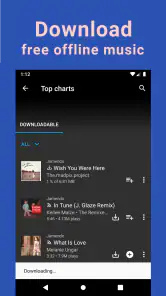
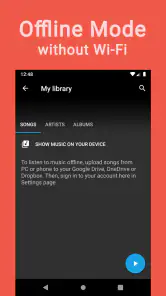
Speaking of downloads, the process is as straightforward as it gets. With just a tap, I could download my favorite tracks and have them ready for offline listening. It’s perfect for those times when you’re off the grid but still want your musical fix. And the best part? I didn’t have to jump through hoops to make it happen.
Why It Stands Out
In a market flooded with music apps, this app stands out with its user-friendly design and expansive music library. I’ve tried my fair share of music apps, and this one definitely ranks high on my list. The ease of use combined with the extensive selection makes it a must-have for any music aficionado.
So, if you’re on the hunt for a reliable music downloader that won’t let you down, give this app a try. It’s got the tunes, the ease, and the quality you need to keep your music journey going strong. Trust me, your ears will thank you!
Unlimited MP3 Music Downloader Frequently Asked Questions
Does Unlimited MP3 Music Downloader work on iPhone or only on Android?
Unlimited MP3 Music Downloader is designed for Android devices, and it requires Android 5.0 or later. If you use an iPhone or iPad, this app is not the right option for your device. Before installing on Android, check your device’s operating system version and make sure you are downloading the app intended for your platform.
Who makes Unlimited MP3 Music Downloader, and is it intended for all ages?
The app is developed by Whim Music and is categorized as a Music & Audio app. Its content rating is Teen, so it may not be suitable for every younger user. If you are choosing an app for a child or sharing a device with family members, review the age rating and consider whether it fits your household’s preferences before installing.
Is Unlimited MP3 Music Downloader still maintained, and what version is available?
Unlimited MP3 Music Downloader is currently listed at version 624. It was released on November 27, 2019, and its current version information can help you check whether the app on your device matches the one you intend to install. Keep your app updated through the appropriate app store when updates are available, so you can use the version offered for your device.
Can I listen to music offline after downloading it?
The app is described as offering offline music, and the published review explains that users can download tracks for listening without an internet connection. This can be useful when travelling or when you want to save mobile data. Downloaded files still need to be available on your device, so it is worth checking that you have enough storage before saving a large music collection.
What does Unlimited MP3 Music Downloader offer besides searching for songs?
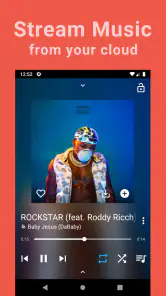
Unlimited MP3 Music Downloader is a Music & Audio app from Whim Music, with a store summary describing unlimited music, MP3 downloads, and offline music from a cloud drive. The app is free to download, has a Teen content rating, and offers in-app purchases. Its short description is “Unlimited MP3,” giving a concise sense of its focus on finding and saving music.
Pros
- Unlimited downloads available
- High-quality audio files
- User-friendly interface
- Supports multiple formats
- Fast download speeds
Cons
- Contains ads
- Requires internet connection
- Limited offline features
- Not available in all regions
- Occasional download errors
- Category
- Music & Audio
- Version
- 624











