

Tide Table Chart
- 35.00
- 3.0
- Installs
- 10.00K
- Price
- $4.99

Screenshots
Analysis by Reviewed
I often decide whether a coastal outing is worth the trip based on one practical question: will the water be where I need it to be? Tide Table Chart is a paid Travel & Local app from AppMosaic that puts tide forecasts at the center of that decision. Its appeal is straightforward, but I’d treat it as a planning aid rather than a complete guide to conditions on the shore.
Start with the kind of decision you need to make
A tide chart is most useful when the changing water level affects what you plan to do, not simply because you happen to be near the coast. I’d reach for this app when choosing a time to explore a tidal beach, deciding when to arrive at a familiar fishing spot, or checking whether a low-water window fits into a short visit. Those are focused questions, and a chart can help answer them more directly than a general travel or weather app.
It is less helpful as a stand-alone answer to “Is it safe to go?” Tide timing is only one part of a coastal plan. Local access, surf, wind, weather, currents, and the shape of the shore can all matter, so I would use tide information alongside local advice and conditions rather than treat a forecast as permission to enter the water.
What the price means in practice
The app costs $4.99, so I’d think of it as a one-time purchase decision rather than assume there is a free tier to try first. That price makes most sense if checking high and low tides is something you do regularly, or if a mistimed visit would waste a drive or a narrow window for fishing. If you only visit the coast occasionally, checking a tide source you already use may be enough.
It is rated for Everyone, and the current version is 1.8.2. Those details help identify the app, but they don’t change the key value question: do you want a dedicated tide chart close at hand, often enough to justify paying for it?
Why Tide Information Can Change a Coastal Plan
If you’re like me and love spending time near the ocean, understanding the tide patterns can really make or break your day. There’s nothing worse than setting up your beach chair only to find the water creeping up to your toes unexpectedly. With the Tide Table Chart app, I’ve found it incredibly easy to plan my beach trips without any surprises.
Features That Make It Stand Out
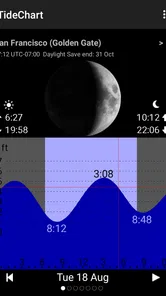
One of the first things I noticed about this app is its sleek and user-friendly interface. Upon opening it, you’re greeted with a clean dashboard that gives you all the tide information you need at a glance. The app provides detailed tide data for thousands of locations worldwide, so no matter where you are, you can access accurate tide forecasts.
More From Our News Desk

 Instagram
Instagram’s Power Comes From Its Place in Your Phone
A close look at how Instagram turns Meta’s reach, recommendation systems and everyday camera habits into durable platform power—and what that costs users.

 Gmail
GmailGmail in a Busy Inbox: Who Benefits Most?
From first account to crowded workday, Gmail earns its place through dependable search and flexible sorting—but its best fit depends on how much inbox maintenance you can tolerate.

 Prime Video
Switching to Prime Video: What Changes in Your Viewing Routine
Prime Video can make a compelling second home for streaming, but switching means learning a different catalog, rental layer, and route from browsing to playback.

 Universal TV Remote Control
Universal TV Remote Control Works Best as a Reliable Backup
A phone remote earns its place through quick setup and reliable habits. Here is how to get more from Universal TV Remote Control—and where its limits show.

 Weather - By Xiaomi
Weather by Xiaomi Review: Clear at a Glance, Less Clear Up Close
Xiaomi’s weather app makes everyday forecasts quick to scan, but its calm surface can leave useful details and recovery paths harder to find than they should be.

 X
XX Under Pressure: Can It Recover When Posting Goes Wrong?
A resilience-focused review of X, examining setup, mistaken posts, interruptions, weak connections, and the gaps that matter when recovery needs to be dependable.
Latest News



What really impressed me is the real-time updates. The app continually refreshes its data, ensuring that you have the most current information. Whether you’re planning a fishing trip, a surfing session, or just a relaxing day at the beach, you can rely on its accuracy.
For a simple outing, the most useful habit is to check the relevant location before leaving home, then note the high and low points against the hours you expect to be on the water. A chart is easier to act on when you connect it to a plan: a beach walk may work better around a lower tide, while launching or returning a small craft can make the changing water level more consequential. I would still keep local signs and conditions in view; a tide forecast does not tell you whether a particular stretch is safe to enter.
Personal Experience and Usability
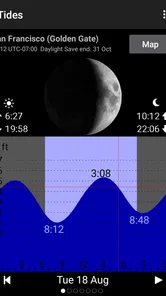
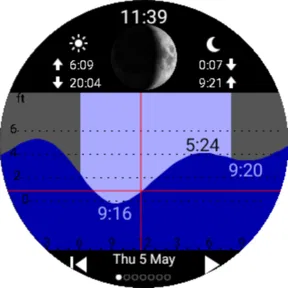
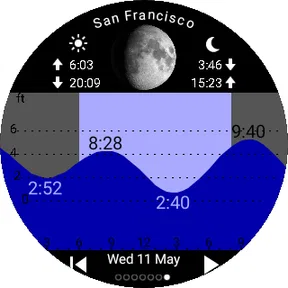
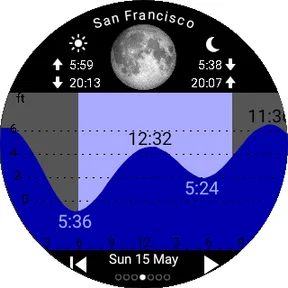
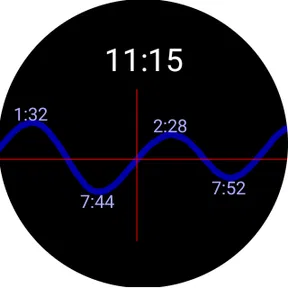
Using the app is as straightforward as it gets. You can easily search for your desired location, and it will present you with a comprehensive tide chart, including high and low tide times, and even sunrise and sunset times. I’ve found the visual graphs particularly handy for quick glances when I’m in a hurry.
Additionally, there’s an option to set alerts for your favorite spots. This feature has saved me countless times from missing the perfect tide for surfing. Just a simple notification on my phone, and I’m ready to grab my board and hit the waves.
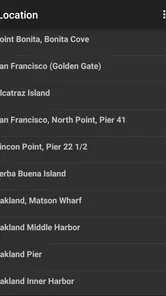
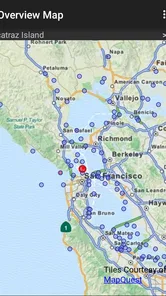
One small but valuable planning trick is to save the places you revisit, then check the chart before you commit to a departure time. That turns a quick glance into a useful routine for a regular fishing spot or a beach you know well. If you’re visiting somewhere new, search for the intended area rather than assuming the nearest familiar town will represent the shoreline you plan to use; a forecast is only helpful when the selected location matches your destination.
For example, if I’m arranging a morning walk with a friend, I can check the high and low tide times alongside sunrise and sunset, then choose a departure that suits both the light and the shoreline. It answers a useful planning question without requiring me to interpret a long report. For a surf session, I’d use the alert as a reminder to check the chart, not as a promise that the waves or weather will be right when it arrives.
A Practical Routine for Using the Chart
For a weekend plan, I’d check the destination before setting off, then compare the predicted tide changes with the time I actually expect to arrive and leave. That last step is easy to overlook: a low tide at breakfast does not automatically mean the beach will still be exposed when you reach it after a long drive. Working backward from the outing helps turn a forecast into a decision instead of a number on a screen.
If I’m going with someone who has a different schedule, I’d use the chart to identify a workable window rather than chase one ideal moment. A walk, picnic, or casual visit often has more flexibility than fishing from a particular ledge or launching a small boat. That distinction matters because a tide app is best at helping organize timing; it cannot make an inflexible plan fit a tide that does not cooperate.
For repeated visits, I’d keep the saved location tied to the exact stretch of coast I use and revisit it before each trip. This is a practical safeguard against relying on memory or selecting a nearby place simply because its name is familiar. Even when two locations seem close, the useful question is whether the selected chart represents the actual destination well enough for the decision at hand.
Room for Improvement
While the Tide Table Chart app is superb in many ways, there’s always room for tweaks. For instance, integrating weather forecasts might be beneficial, as tides often correlate with weather conditions. It would be a one-stop shop for all my beach day planning needs!
That distinction matters when comparing it with broader weather apps or general coastal-planning tools. Those may be the better first stop if your main concern is rain, wind, or a wider forecast; a dedicated tide chart is more directly useful when the timing of high and low water is the question. I wouldn’t use the chart alone to judge surf quality, storm risk, or safe conditions, and I’d check an appropriate local source for those decisions.
The app’s rating is 3.2 from 211 ratings, with 34 written reviews, and it has 10K+ installs. I take that as a reason to approach the purchase with measured expectations, not as proof that it will or won’t suit a particular routine. The main trade-off is paying for a focused tool when a broader service may cover enough for an occasional beach visit.
That rating is worth reading as context rather than a verdict. Tide planning is a narrow job, and people may judge a specialized app against very different expectations: some want a quick chart, while others expect a full coastal forecast in one place. I’d decide based on whether its central task matches my own routine, and I’d avoid assuming that a tide display alone guarantees accuracy for every local activity or shoreline.
Compared with checking a general weather app, a dedicated chart keeps the question of high and low water in focus. The trade-off is breadth: a weather service may be more useful for deciding whether to postpone an outing, while this app is more relevant when the tide itself determines the best time. If I already have a trusted source that presents tide times clearly, buying another tool could add little. If I usually have to search around to find that information, having a chart ready may be a worthwhile convenience.
There is also a difference between using a chart for a flexible beach visit and relying on it for a consequential decision. For a casual walk, it can help me choose a better time. For boating, exposed rocks, or a location where being cut off by rising water would be dangerous, I would want local guidance and a careful understanding of the route as well. I would not let convenience replace checking conditions on the ground.
Who Is Likely to Get Their Money’s Worth?
I’d recommend it most to people who return to the coast often and want a quick way to plan around tide changes: anglers choosing when to reach a familiar spot, surfers keeping an eye on a preferred location, or walkers trying to time access to a beach. It is less compelling if you rarely need tide times, expect one app to combine tides with weather and safety guidance, or prefer not to pay for a specialized reference.
Before buying, I’d ask myself two things: will I check tide times often enough to use a dedicated app, and do I already have a source that answers that need well? If the answer to the first is yes and the second is no, the $4.99 cost may feel reasonable. If not, I’d skip it and use a familiar alternative until a regular coastal routine makes a dedicated chart worthwhile.
A realistic example is a family planning a short visit to a beach with a broad stretch of exposed sand. I’d check the tide before choosing the time, then leave enough flexibility to arrive and enjoy the place without treating the predicted low as a precise appointment. The chart can help avoid turning up at an inconvenient stage of the tide, while a local check still helps with access and safety. For a long journey built around a narrow fishing window, I’d be more cautious and verify the plan through a source suited to that specific activity.
For someone new to tide charts, the useful approach is to start with one familiar outing and observe how the chart relates to what is happening at the shore. That builds a practical sense of how to use the information without pretending the app itself teaches every coastal condition. If a user cannot identify the right location or interpret the timing for their activity, a local guide or established source may be a better starting point than relying on a quick glance.
The strongest fit is not necessarily a professional mariner or an expert angler. It may simply be someone who visits the same beach often and wants to stop guessing when to go. Conversely, travelers who mainly want directions, lodging ideas, weather, or broad trip planning should look to those tools first; this app’s focused purpose is an advantage only when tide timing is genuinely part of the decision.
AppMosaic’s Tide Table Chart is a specific purchase, not an all-purpose coastal companion. I’d judge its value by how often its tide charts and reminders save me time or help me choose a better visit. The price can be sensible for a recurring habit, but there is no reason to pay for a dedicated reference if an existing option already serves occasional needs. That is the trade-off I’d settle before installing it: convenience and focus in exchange for a paid tool with a narrower role.
Overall, the Tide Table Chart has been a game changer in how I plan my coastal adventures. It’s reliable, easy to use, and packed with essential features that cater to both casual beach-goers and seasoned seafarers. So, if you find yourself by the water as often as I do, this app is definitely worth checking out. Happy beaching!
Tide Table Chart Frequently Asked Questions
Is Tide Table Chart intended for a particular kind of user?
Tide Table Chart is a Travel & Local app from AppMosaic for people who want quick access to high and low tide forecasts. It may be useful when planning a fishing trip, a surf session, or a visit to the beach, since tide timing can affect those plans. Its focus is tide information rather than a broad collection of travel-planning tools.
What is Tide Table Chart app used for?
Tide Table Chart is an app designed to provide users with detailed and accurate tide predictions. It is particularly useful for fishermen, surfers, and beachgoers who need to know the best times for their activities. The app offers a comprehensive chart that displays tidal movements, helping users plan their visits to coastal areas accordingly.
How accurate is the tide information provided by the app?
The Tide Table Chart app sources its data from reliable and authoritative tide prediction services, ensuring high accuracy. Users can trust the app to deliver precise tidal information which is crucial for activities like fishing and surfing. However, it's always advisable to cross-check with local conditions as weather changes can affect tidal patterns.
Does the app work offline?
Yes, the Tide Table Chart app offers offline functionality, allowing users to access tide information even without an internet connection. This feature is particularly beneficial for users who are in remote areas or on the water where connectivity might be limited. However, initial data downloads require an internet connection.
Are there any costs associated with using Tide Table Chart?
Tide Table Chart is a paid app priced at $4.99, so you should expect to purchase it rather than download it for free. The earlier description of free basic access and a premium subscription does not match this price. Before buying, consider whether quick access to high and low tide forecasts suits your needs and whether you will use it often enough to justify the cost.
Pros
- User-friendly interface for easy navigation.
- Accurate tide predictions for various locations.
- Customizable alerts for tide changes.
- Offline access to tide data.
- Regular updates with new features.
Cons
- Limited free features without subscription.
- Requires internet for initial data download.
- Ad-supported free version.
- May consume significant battery life.
- Occasional bugs in data synchronization.













