Map Chart Mosaic
- 4.00
- 3.3
- Installs
- 5.00K
- Price
- $3.99

Screenshots
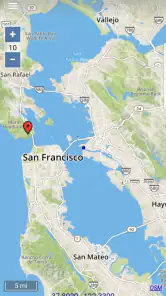
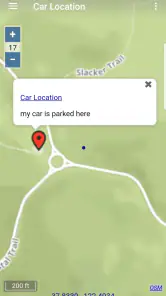
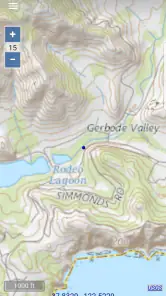
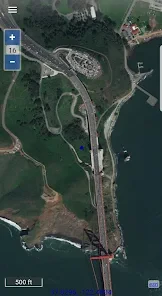
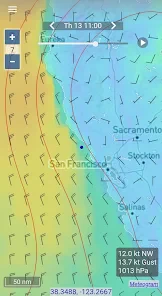
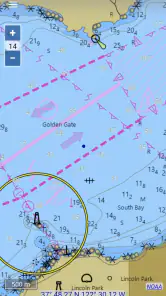
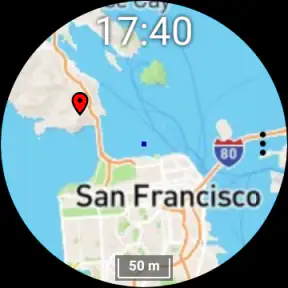
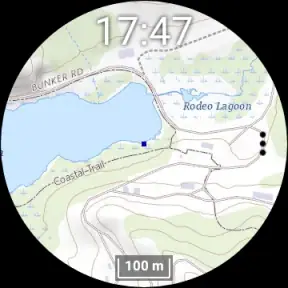
Analysis by Reviewed
I reach for an offline map when I want to orient myself without relying on a live connection, and that is the practical appeal of Map Chart Mosaic. It is a paid Maps & Navigation app from AppMosaic, priced at $3.99, with a focus on map viewing on a phone and a smartwatch. That makes it a different proposition from the everyday turn-by-turn apps most people already have: it is more about having map material available to consult than being guided through a drive.
Before choosing it, I would ask what I need a map to do. If I mainly want directions between familiar addresses, a conventional navigation app is likely the simpler choice. If I want to look at terrain or satellite imagery while planning a walk, trip, or outdoor route, offline access becomes more valuable. The app is rated 3.3 on average from around 52 ratings, so I would treat it as a niche tool worth judging against my own needs rather than an automatic replacement for a general map app.
Choose it for prepared map viewing
The key decision is whether I am comfortable preparing for a map session instead of expecting the app to handle every travel task. Offline maps can be useful when reception is weak, but they work best when I think ahead about the area I will need. For a day out, that means checking the map before leaving and making sure the places I care about are covered. That small planning step is a real trade-off: less dependence on a connection in the moment, in exchange for more responsibility beforehand.
A realistic example is a weekend walk that starts near town and continues into a wooded area. I would use a connected service at home to decide where to go, then rely on an offline map for checking my position and nearby terrain once the signal becomes unreliable. I would still keep a charged phone and use ordinary safety judgement; a map app is a useful aid, not a guarantee that a route is suitable or that every detail will be current.
Mapping Your World
First things first, the user interface. When you fire up the app, you're greeted with a sleek and intuitive design. It's not cluttered with unnecessary features, which I personally appreciate. The app focuses on its core functionality – creating map mosaics – and does it exceptionally well. Navigating through the app is a breeze, even if you're not a tech-savvy individual. The buttons are clearly labeled, and the instructions are straightforward, making the whole experience quite user-friendly.
Features That Stand Out
Now, onto the features. What I love about the Map Chart Mosaic is its ability to integrate various map sources. Whether you're pulling data from Google Maps, OpenStreetMap, or any other mapping service, this app has got you covered. You can easily combine different map layers and customize them to your liking. This flexibility is a game-changer, especially if you're working on projects that require multiple data sources.
Another highlight is the app's customization options. You can adjust the transparency, color schemes, and even the size of the mosaic pieces. This level of control allows you to create maps that are not only informative but also visually appealing. Plus, the app supports exporting your creations in various formats, which is a huge plus if you need to share your maps with others or incorporate them into presentations.
More From Our News Desk

Weather by Xiaomi Review: Clear at a Glance, Less Clear Up Close

X Under Pressure: Can It Recover When Posting Goes Wrong?

Clash of Clans Is Won Between the Battles

Android Auto Makes the Case for Quieter Car Software

MobiOffice: Transforming Mobile Productivity with Seamless Integration

EA SPORTS FC™ Mobile Soccer: Redefining Mobile Sports Gaming
Why You’ll Love It
One useful way to approach a complex map is to build it for a specific question rather than trying to display everything at once. For example, separating a terrain view from a satellite view can make each easier to interpret when I am comparing a possible route with the shape of the land. If I am assembling a mosaic for someone else, I would keep the visual choices consistent and export a version that is easy to read at a glance. That makes the customization more than decoration: it can help a map communicate its purpose.
There is also a practical question about the smartwatch angle. I would see a watch as a quick-reference companion, not a substitute for studying a larger map on the phone before setting out. Small screens are handy for a glance but less comfortable for comparing map details or planning a longer route. If close inspection and turn-by-turn directions are the priority, a regular navigation app on the phone will usually feel more direct.
One of the things that sets Map Chart Mosaic apart is its community-driven approach. The app encourages users to share their mosaics and collaborate on projects. This feature fosters a sense of community and opens up opportunities for learning and inspiration. I’ve discovered some fantastic map designs from other users, and it’s amazing to see how creative people can get with this tool.
Moreover, the app's performance is top-notch. It runs smoothly without any noticeable lag, even when working with large datasets. This is crucial for professionals who rely on the app for their work. You don’t want to be stuck waiting for your maps to render, and thankfully, that’s not an issue here.
Where another map app may suit you better
For daily commuting, live traffic, and spoken directions, I would choose a mainstream navigation service first. Those tools are designed around reaching a destination, while this app’s appeal is its offline map focus and the ability to work with map views. For finding a business or checking current road conditions, a general-purpose map service is also the more natural starting point. I would not make this the only map on a phone used for every kind of trip.
It is a better fit for people who enjoy examining maps, plan outdoor outings, or need a visual map they can prepare in advance. Casual users who rarely leave reliable coverage may not get enough benefit to justify a paid download. The Everyone age rating makes it broadly accessible, but the app’s value still depends on whether its map-focused workflow matches the way someone travels.
Plan for the offline trade-off
One question I would settle before relying on any offline map is how to prepare the areas I need and how much detail I want to keep available. I would test the intended map view while still connected, then check it again with connectivity unavailable before depending on it outdoors. That simple rehearsal can reveal whether I have the right area in view and whether the map is legible on the device I plan to use. It is a sensible habit rather than a claim that every map behaves identically.
The same preparation matters when switching from a familiar navigation app. I would keep the old app for address search and live directions while learning this one for map consultation, rather than deleting a trusted tool immediately. After trying it on a short, low-stakes outing, I could decide whether the offline workflow earns a regular place in my routine. This gradual switch avoids making a paid app carry tasks it may not be designed to replace.
Why You’ll Love It
The app's developer, AppMosaic, has kept the focus on maps rather than trying to be an all-in-one travel companion. The current version is 1.4.4, and it has been available since August 10, 2018. With over 5,000 installs, it remains a specialist choice rather than a universal navigation pick. I would consider the $3.99 cost worthwhile if offline map access and map exploration are regular needs; for occasional directions alone, I would stick with a free general navigation option.
One of the things that sets Map Chart Mosaic apart is its community-driven approach. The app encourages users to share their mosaics and collaborate on projects. This feature fosters a sense of community and opens up opportunities for learning and inspiration. I’ve discovered some fantastic map designs from other users, and it’s amazing to see how creative people can get with this tool.
Moreover, the app's performance is top-notch. It runs smoothly without any noticeable lag, even when working with large datasets. This is crucial for professionals who rely on the app for their work. You don’t want to be stuck waiting for your maps to render, and thankfully, that’s not an issue here.
The Final Verdict
In conclusion, Map Chart Mosaic is more than just a mapping tool – it's a creative platform that allows you to visualize data in a new and exciting way. Whether you're a geography buff, a researcher, or just someone who loves playing around with maps, this app is definitely worth checking out. The easy-to-use interface, robust feature set, and community aspect make it a standout in the mapping app category. So, go ahead and give it a try – you might just find yourself creating map masterpieces in no time!
Map Chart Mosaic Frequently Asked Questions
What does Map Chart Mosaic offer for offline navigation?
Map Chart Mosaic is an app in the Maps & Navigation category, described as offering offline maps for phones and smart watches, including topographic maps and satellite images. That makes offline map access its most relevant feature for people planning to navigate away from a steady connection. Its current version is 1.4.4, and the app is rated for Everyone.
What is Map Chart Mosaic and how does it work?
Map Chart Mosaic is a dynamic application that allows users to create personalized maps by combining different chart elements. It provides a variety of templates and tools to customize maps according to user preferences, making it an ideal tool for educators, students, and professionals who need to visualize geographical data effectively.
Is Map Chart Mosaic available for both Android and iOS devices?
Yes, Map Chart Mosaic is available for download on both Android and iOS platforms. Users can find the app on Google Play Store for Android devices and on the Apple App Store for iOS devices. This cross-platform availability ensures that users can access the app regardless of their device preference.
Can I use Map Chart Mosaic offline, or do I need an internet connection?
Map Chart Mosaic offers offline functionality for creating and editing maps, which is particularly useful for users who do not have constant access to the internet. However, an internet connection is required for downloading new templates and sharing your creations online, ensuring a seamless experience when connected.
Are there any costs associated with using Map Chart Mosaic?
Map Chart Mosaic costs $3.99. The earlier description of a free version with in-app purchases does not match that price, so check the purchase details on your platform before downloading. Map Chart Mosaic is developed by AppMosaic, and the price is worth considering if you are comparing it with other map apps.
Pros
- Intuitive interface for easy navigation.
- Wide range of map customization options.
- Supports high-resolution map exports.
- Frequent updates with new features.
- Cross-platform availability.
Cons
- Limited free version features.
- Occasional app crashes reported.
- Requires internet for some features.
- Complex features may overwhelm beginners.
- In-app purchases to unlock full potential.
- Category
- Maps & Navigation
- Version
- 1.4.4













