Swagbucks Play Games + Surveys
- 47.58K
- 4.3
- Installs
- 10.00M
- Price
- Free

Screenshots

Analysis by Reviewed
I treat reward apps as a small side activity, not a way to earn dependable income. That distinction matters with Swagbucks Play Games + Surveys: it brings several kinds of tasks together, so I can use a spare moment for a game or a survey, but the rewards are best viewed as occasional extras. If you want a simple way to pass time while working toward a redeemable balance, it may suit you; if you need predictable pay for your time, I’d look elsewhere.
Deciding whether it fits your routine
Before installing a rewards app, I’d ask two practical questions: do I like the activity itself, and can I stop when the time no longer feels worthwhile? Those questions matter more here than the promise of a balance. The app combines games and surveys, but neither option turns spare time into a reliable wage. I’d use it when I’m already in the mood for a casual task, not when I need to make a specific amount by a deadline.
It is a free lifestyle app from Prodege. Its average is 4.3 from around 443,000 ratings, and it has over 10 million installs. Those figures show that it has a large audience, but they do not guarantee that the available activities will suit your interests or schedule. It is rated Teen, so it is not aimed exclusively at adults.
The best fit, in my view, is someone who likes having a choice between answering questions and trying games, and who is comfortable treating any reward as a modest extra. If you dislike either activity, the variety may not be enough to keep you interested. And if your main goal is steady income, a task-based rewards app is the wrong tool to rely on.
What I’d weigh before installing
Swagbucks is a free lifestyle app from Prodege, and its mix of games and surveys is the main reason to consider it over a single-purpose rewards app. It has a 4.3 average from around 443,000 ratings and more than 10 million installs, which suggests it has reached a broad audience, though popularity alone can’t tell you whether its tasks fit your routine. It is rated Teen, so it is not aimed exclusively at adults.
The practical question is whether you enjoy the activities even when the reward is modest. I’d choose a task because I’m happy to spend time on it, then treat any SB earned as a bonus. That mindset helps avoid turning a casual app into a frustrating hunt for the best-paying option.
Getting Started with Swagbucks
First things first, downloading and setting up Swagbucks Play Games + Surveys is a breeze. Available on both Android and iOS, just hop onto your app store, search for it, and you'll be good to go in no time. Once installed, you’ll need to sign up or log in. If you're already a Swagbucks user, just use your existing credentials. Otherwise, creating a new account is quick and simple.
More From Our News Desk

Weather by Xiaomi Review: Clear at a Glance, Less Clear Up Close

X Under Pressure: Can It Recover When Posting Goes Wrong?

Clash of Clans Is Won Between the Battles

Android Auto Makes the Case for Quieter Car Software

MobiOffice: Transforming Mobile Productivity with Seamless Integration

EA SPORTS FC™ Mobile Soccer: Redefining Mobile Sports Gaming
The Fun in Playing Games
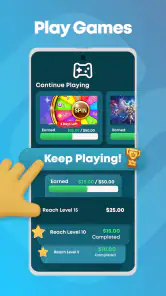
Once you’re in, you’ll find a variety of games to choose from. Whether you’re into puzzles, action, or strategy, there’s something here for everyone. I personally love the fact that I can switch between games depending on my mood. Plus, each game offers a different amount of Swagbucks (SB), the app’s currency, upon completion. It's like being paid to have fun!
What I found particularly appealing is that the games are not only entertaining but also a great way to unwind. It’s a win-win situation; you get to relax and make some money on the side. Who could say no to that?
Make short sessions count
For me, the useful trick is to check a task’s instructions before I commit, then decide whether it fits the time I actually have. A game can be a better choice when I want to relax without answering personal questions; a survey makes more sense when I’m ready to focus and give consistent answers. I wouldn’t start either one in a queue or during a quick break if I can’t finish thoughtfully.
A realistic routine might be opening the app after dinner, looking at the available options, and choosing one activity rather than jumping between several. I’d also keep expectations modest: an activity earns SB, but the app is not a substitute for paid work, and the value of a short session depends on what is available to me at that moment.
Choosing the right moment for a task
I’d treat surveys as a focused activity rather than something to tap through while distracted. If I start one, I want enough time to read each question and answer consistently. Apart from making the experience less annoying, that approach helps me avoid rushing through a task only to find that I can’t complete it. When I have only a couple of minutes, browsing the options and coming back later is a better use of the app than beginning a survey I may need to abandon.
Games call for a different kind of judgment. I’d check what a task asks me to do and decide whether I’d enjoy the game even without the reward. That is a useful safeguard against turning a relaxing pastime into a chore. If the goal requires more attention or patience than I want to give that day, I can choose something else rather than treating every available task as an obligation.
Surveys: Sharing Opinions for Rewards
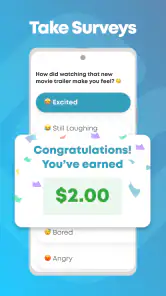
Besides games, the app also offers surveys. Now, I know what you’re thinking - surveys can be a drag. But hear me out. The surveys on Swagbucks are straightforward and usually pretty short. They range from questions about your shopping habits to your opinions on various products and services.
Taking these surveys is an easy way to boost your SB balance. Plus, I found it kind of fun to share my opinions and see what brands are interested in. It’s like having your voice heard while getting paid for it. Not too shabby, right?
Who is likely to enjoy the mix
This combination works best for people who don’t want every visit to feel identical. On one day I might be willing to answer questions; on another, I’d rather spend a little downtime with a game. Having those two broad routes makes the app more flexible than a survey-only service, especially if I’m not always in the mood to read and respond to prompts.
It is less appealing if I want uninterrupted gaming, since the reward purpose can make me think about task conditions instead of simply playing. A regular mobile game is the cleaner choice when entertainment is all I want. Likewise, if I only want to complete questionnaires, a dedicated survey app may be more direct. Swagbucks is useful as a middle ground, not a universal replacement for either kind of app.
When another kind of app fits better
Compared with apps focused only on surveys, Swagbucks gives me another route when I’d rather play than answer questions. Dedicated survey services may be a better fit if surveys are the only activity I want, while a conventional mobile game is the clearer choice if I care more about uninterrupted play than rewards. Swagbucks sits between those options: variety is its advantage, but a person who dislikes both surveys and reward-driven games probably won’t get much from it.
One trade-off is that the reward framing can change how a game feels. If I’m playing solely to reach a milestone, I may notice the task requirements more than the game itself. I’d use it for games I would be willing to try anyway, rather than forcing myself through something just because it promises SB.
Cash Out Options
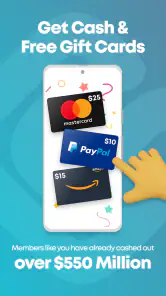
So, what do you do with all the Swagbucks you earn? Well, once you’ve accumulated enough, you can redeem them for gift cards from popular retailers like Amazon, Walmart, and Starbucks. Alternatively, you can opt for cash via PayPal. I personally love the flexibility this offers because it means I can choose whatever suits my needs at the moment.
Redeeming my SB for gift cards has been seamless, and I’ve never encountered any issues. It’s incredibly satisfying to see the fruits of my downtime turned into something tangible.
Make the reward useful to you
Before I begin collecting, I’d think about what I would actually use: a gift card or the PayPal option. That choice gives the balance a purpose, but it is worth checking the options in the app rather than assuming every redemption works the same way. A specific retailer card may be less useful if I rarely shop there, so I’d keep the finish line flexible unless I know exactly what I want.
I also wouldn’t judge a task only by the reward attached to it. The time and attention it asks for matter just as much. If I’m choosing between a survey that needs concentration and a game I’d play anyway, the latter may feel like a better fit even if the balance grows differently. The point is to keep the activity worthwhile on its own terms.
Think about the finish line
Before spending time on tasks, I’d decide whether I’m saving toward a gift card or prefer the PayPal option. That gives the balance a purpose and makes it easier to judge whether an activity is worth doing. I wouldn’t assume every reward choice has the same threshold or value; check the redemption options shown in the app before planning around one. If you only want a particular retailer’s card, make sure that option suits you before investing time.
Switching to another rewards app may mean learning a different task mix and starting a separate balance, so I’d first try Swagbucks lightly rather than abandoning it after one disappointing session. The app is on version 5.46.1 and supports Android 8.0 or later; on either platform, my recommendation is to keep it as an optional pastime, not a daily obligation.
Trying it without turning it into a project
If I were new to the app, I’d begin with one activity that already sounds appealing and then decide whether the experience was worth repeating. That small trial tells me more than chasing every option on the screen: I can see whether I enjoy the game or survey format, whether I have the patience for its instructions, and whether the rewards feel motivating enough for casual use. There is no reason to build a daily routine around it before I know I like the tasks.
That also makes it easier to switch later. A separate rewards service might suit someone who prefers only surveys, while a normal game is better for someone who does not want reward conditions involved. The practical cost of changing is mostly giving up momentum on a balance and getting used to another app’s activities, so I’d compare what I actually enjoy rather than installing several services just to chase small differences.
In conclusion, Swagbucks Play Games + Surveys is a fantastic app if you're looking to make the most out of your spare moments. Whether you’re a gamer or just someone who loves sharing their opinion, there’s something for everyone. It’s a fun, rewarding experience that I’d recommend to anyone looking to make a bit of extra cash without much hassle.
My recommendation
I’d recommend it to a friend who likes casual games or surveys and wants a flexible way to make downtime feel a little more purposeful. I would not recommend relying on it for income, or choosing tasks that feel tedious simply because a reward is attached. Its strongest point is the choice between two kinds of activity; its main limitation is that the reward angle can make both feel less enjoyable if you focus on the balance too much.
My advice is to try it with a modest expectation, check the redemption choices before setting a goal, and keep only the tasks you genuinely don’t mind doing. If that sounds like your kind of pastime, Swagbucks is worth a look. If you want pure entertainment or a more focused survey experience, a conventional game or a survey-first alternative will probably suit you better.
Swagbucks Play Games + Surveys Frequently Asked Questions
How much phone storage should I have before installing Swagbucks Play Games + Surveys?
Swagbucks Play Games + Surveys is a free app, but you will still need enough available storage to install it and keep it updated. The space used can vary by device and may change over time, so check the app’s download page and your phone’s storage settings before installing. Games or other activities may also use additional space on your device.
What operating system does Swagbucks Play Games + Surveys require?
The minimum operating-system requirement is Android 8.0. Before downloading, check your device’s software version in its settings to make sure it meets that requirement. A compatible operating system helps the app install and run as intended, though performance can also depend on your device. If your phone is older, confirm compatibility in the relevant app store first.
Do I need an account to use Swagbucks Play Games + Surveys?
To take part in reward activities and keep track of what you earn, expect to use a Swagbucks account. Having an account gives you a place to manage your activity and rewards rather than treating the app as a collection of games alone. Review the sign-up details and any privacy information before sharing personal information, especially if you plan to answer surveys.
Can I earn a reliable income with Swagbucks Play Games + Surveys?
Swagbucks Play Games + Surveys is better approached as a casual rewards app than as a dependable source of income. The activities available and the rewards associated with them can vary, and completing tasks does not guarantee a particular amount of earnings. If you decide to try it, use it in your spare time and avoid relying on rewards to cover regular expenses.
Does Swagbucks Play Games + Surveys work without an internet connection?
The app’s activities involve online features such as surveys, offers, and reward tracking, so you should plan to have an internet connection when using it. A connection lets the app load available tasks and record your progress. If you lose access while completing an activity, check the app afterward to see whether your progress was recorded before trying the task again.
Pros
- Earn rewards for playing games.
- Variety of tasks to choose from.
- User-friendly interface.
- Frequent updates and new games.
- Compatible with most devices.
Cons
- Limited earning potential.
- Some tasks are time-consuming.
- Requires stable internet connection.
- Occasional app glitches.
- Certain tasks may not be available.
- Category
- Lifestyle
- Version
- 5.46.1












