Sony | Sound Connect
- 7.66K
- 4.3
- Installs
- 10.00M
- Price
- Free

Screenshots

Analysis by Reviewed
I judge Sony | Sound Connect by a practical question: does it help me make a compatible Sony audio device sound more like I want it to? That is where this free tools app earns its place. It is not a music library or a streaming service, and I would not install it expecting one. I see it as a companion for shaping the listening experience around the equipment I already own.
Sound control is the point
The most useful capability in my experience is sound customization. An equalizer gives me a way to adjust the balance to suit my preferences instead of simply accepting one fixed presentation. That may mean nudging the sound toward a fuller feel for casual listening, or choosing a gentler balance when I want music in the background. The benefit is personal rather than universal: a setting I enjoy may not suit another listener or every track.
I find that restraint matters more than dramatic changes. If I push several controls at once, it becomes difficult to tell whether the result is actually better or merely louder in one part of the sound. I prefer to make one small adjustment, replay something familiar, and give my ears a moment to settle. That is a simple way to make the app useful without turning listening into a technical project.
How I would use it day to day
My routine would be to connect a compatible Sony audio device, make a modest adjustment, and then return to the music app I normally use. Sound Connect is most helpful at the point where I want to manage the listening setup, not when I want to search for a new album or organize playlists. Keeping those jobs separate makes the experience clearer: the streaming service supplies the music, while this app helps me tailor the connected Sony equipment.
A realistic example is settling in after work with headphones. I might find that the sound I liked on the commute feels too prominent in a quiet room. Rather than changing my music service or abandoning a playlist, I can use the companion app to make a personal adjustment for that device. If the result feels less comfortable after a few songs, I can return to a more neutral choice. The useful habit is to judge the change over a real listening session, not just a quick test.
Getting Started with Sony | Sound Connect
Setting up Sony | Sound Connect is a breeze. The moment you launch the app, you’re greeted with a sleek interface that’s super intuitive. I didn’t have to fiddle around much to get my devices connected. Whether you’re using a Sony speaker, headphones, or any other compatible device, the app seamlessly pairs with them. It’s like they’re old friends catching up!
Features that Make a Difference
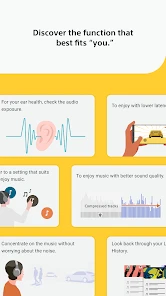
One of the standout features of this app is its ability to customize sound settings. I’m talking about fine-tuning the equalizer to match your personal taste, whether you’re into bass-heavy beats or crisp classical notes. The app gives you the power to tweak the audio output to your liking, which is something I found incredibly satisfying.
More From Our News Desk

Weather by Xiaomi Review: Clear at a Glance, Less Clear Up Close

X Under Pressure: Can It Recover When Posting Goes Wrong?

Clash of Clans Is Won Between the Battles

Android Auto Makes the Case for Quieter Car Software

MobiOffice: Transforming Mobile Productivity with Seamless Integration

EA SPORTS FC™ Mobile Soccer: Redefining Mobile Sports Gaming
That customization is most useful when I switch between very different listening situations. I might want a fuller sound for a relaxed evening, then prefer a more restrained balance while listening quietly. Rather than changing how I listen to every track, I can treat the equalizer as a personal adjustment to the sound coming through a compatible Sony device. I’d make small changes, listen to a familiar song, and keep only the settings that genuinely improve it for me. That simple comparison is more reliable than turning several controls at once and trying to guess which change helped.
Another cool feature is the multi-room listening capability. Imagine walking from your living room to your kitchen and having the music follow you. It’s like living in a music video! Setting this up was surprisingly simple, and it’s perfect for house parties or just a chilled evening at home.
My Audio Adventure
I decided to put the app to the test with some of my favorite playlists. The audio quality was nothing short of amazing. I could hear every instrument in detail, and it felt like the artists were performing right in my living room. The app also supports a wide range of audio formats, which is a big plus if you’re someone who values high-quality sound.
For a normal weekday, I’d use it less like a music player and more like a control point: connect a compatible Sony audio device, settle on a sound that suits the room, then leave the phone aside. If I move between rooms, multi-room listening is a more practical reason to open the app than browsing through playlists. It can help keep the listening setup consistent at home, while a regular streaming service remains the better place to choose music and manage a library. That distinction matters: Sound Connect complements those services rather than replacing them.
Plus, the app is super responsive. No lag, no awkward buffering times. Just pure, uninterrupted music streaming. It’s those little things that really enhance the listening experience.
A practical home listening routine
For multi-room listening, I would plan the setup around the way I actually move through the home. A speaker in the room where I spend most of my time is more useful than trying to make every room part of the experience. Before guests arrive, I would connect and test the setup while there is no pressure, then choose music in the service I already use. That small bit of preparation helps avoid spending the first part of an evening troubleshooting a listening arrangement.
There is also a useful trade-off between a shared sound and a personal one. A carefully adjusted headphone profile is personal; music playing through a home setup is something other people may hear too. If the room is shared, I would keep the sound choice broadly comfortable rather than tuning it around my own taste alone. This is not a reason to avoid customization, but it is a reminder that the best setting depends on who is listening and where.
For commuting, studying, or a short walk, the most sensible workflow is even simpler: make any adjustment before leaving, then use the music app for playback. I would not expect Sound Connect to replace the controls in a streaming service, and I would not want to switch between apps just to pick each track. Its role is narrower and more useful when treated that way.
Who Will Get the Most from It
I’d recommend this app most to someone who already uses compatible Sony audio equipment and wants a more personal say in how it sounds. The equalizer is the practical draw: it lets you make the listening experience feel better suited to your preferences instead of accepting one fixed sound. The app is free, and Sony Corporation develops it; its Everyone age rating also makes it suitable for a broad audience.
By contrast, if you don’t own a compatible Sony device, or you mainly want an app for streaming songs, organizing a collection, or discovering artists, I’d choose a music service or a device-neutral audio app instead. Sound Connect’s value depends on having Sony equipment to connect and adjust. It is not a reason on its own to change the headphones or speaker you already like.
Where it sits beside other audio apps
Compared with a streaming service, Sound Connect solves a different problem. A streaming app is where I browse, save, and play music; this companion is relevant when I want to shape the sound from compatible Sony equipment. Compared with broad phone sound controls, it is more tied to a particular brand’s listening setup. That trade-off is sensible if I already own the equipment, but less attractive if I want one tool that works across different brands.
This distinction also answers a common decision: do I need it if my music app already has an equalizer? I would keep both only if the companion offers useful control for the Sony device I use. If I am already happy with the sound and can make all the adjustments I need elsewhere, adding another app may not improve my routine. I would try it because it is free, but keep it only if the device connection or sound control proves worthwhile in everyday use.
Compatibility is the first thing I would check before building a routine around it. The app is intended to work with compatible Sony audio devices, so owning Sony equipment alone should not be treated as a guarantee that every control will be available for every product. The options can depend on the connected device. I would connect the specific headphones or speaker I plan to use, then look at the controls it exposes before spending time designing a sound profile.
Trade-offs and Everyday Judgement
The app’s narrow focus is both its strength and its main limitation. I like being able to tune sound and use a connected listening setup, but I wouldn’t keep it open as my everyday music destination. Its usefulness also depends on the particular audio device and the options that device supports, so I’d check compatibility before making it part of my routine. If your current setup already sounds right to you, there may be little reason to spend time adjusting it.
A useful habit is to keep one familiar track as a reference when experimenting with sound. Listen at the same volume, adjust only one part of the equalizer at a time, and pause before deciding that a stronger bass or brighter treble is actually better. Small changes can make a sound profile more comfortable over a long listening session without making every song feel exaggerated. And if you share a device with someone at home, remember that your preferred balance may not suit them; a quick reset or a less customized setting can be the sensible choice.
For people comparing it with the usual alternatives, the key question is what they want the app to do. A streaming app is built around finding and playing music; a general phone sound control is useful across different equipment. Sound Connect is more appealing when the goal is to adjust a compatible Sony listening setup. I’d use it alongside the music app I already prefer, not instead of it. That division keeps the workflow simple and avoids expecting one tool to handle jobs it wasn’t designed for.
What to expect before making it part of your setup
I would treat the first session as a compatibility check rather than a full customization project. Connect the device I expect to use, see which controls are available, and make one conservative adjustment. If that control is useful, I can refine it later; if it is not, there is no need to spend time searching for a more elaborate workflow. This approach is especially helpful for someone who wants quick practical results rather than audio experimentation as a hobby.
It is also worth asking whether the app fits the way I listen. Someone who uses one Sony device regularly at a desk or at home may appreciate having a companion for sound preferences. Someone who changes between equipment from several brands, relies on a phone speaker, or simply presses play and rarely adjusts anything may get less from it. In those cases, the music app or built-in device controls may be enough, and keeping another tool in the routine adds little.
Sony Corporation’s app has an average rating of 4.3 from around 335,000 ratings, with over 10 million installs. Those figures suggest plenty of people find a use for it, but I’d still make the decision based on your equipment and habits. It was released on February 28, 2017, and remains a free tools app. I see it as an optional companion: worthwhile when its sound controls or connected listening fit your home, easy to skip when they don’t.
Final Thoughts
In a nutshell, Sony | Sound Connect is more than just an app; it’s a gateway to an immersive audio experience. Whether you’re an audiophile or just someone who enjoys good music, this app has something for everyone. With its user-friendly interface and robust features, it’s a solid addition to any music lover’s digital toolkit.
If you’re on the hunt for an app that goes beyond the basics, give this one a shot. You’ll be amazed at how much more enjoyable your music sounds. So go ahead, download it, and let the good times roll!
Sony | Sound Connect Frequently Asked Questions
Can I use Sony | Sound Connect without a compatible Sony audio device?
Sony | Sound Connect is intended to personalize your music experience and manage compatible Sony audio devices from a mobile device. If you do not own a compatible Sony product, many of the app’s device controls may not be useful to you. Before downloading, consider whether you have a Sony audio device you want to connect and personalize.
Is Sony | Sound Connect free to download, and are there possible extra costs?
Sony | Sound Connect is free to download on Android and iOS devices. There are no subscription fees associated with the app itself. However, if you plan to use premium music streaming services through the app, those services might have their own subscription fees. Always check the terms and conditions of third-party services before using them through the app.
Who develops Sony | Sound Connect, and what is the app for?
Sony | Sound Connect is an audio-focused tools app developed by Sony Corporation. Its purpose is to help personalize your music experience and manage compatible Sony audio devices from a mobile device. It may be useful if you want a convenient place to adjust supported audio settings, but what you can do depends on the device you connect. The app is free to download.
What features does Sony | Sound Connect offer?
Sony | Sound Connect offers a range of features designed to enhance your audio experience. Users can enjoy wireless connectivity with their Sony audio devices, access to music streaming services, and the ability to control sound settings directly from their smartphone. The app also supports multi-room listening, allowing you to play music in multiple rooms simultaneously. Additionally, it includes voice control functionality, making it easier to manage your audio preferences hands-free.
Is Sony | Sound Connect compatible with all Sony devices?
Sony | Sound Connect is primarily designed to work with a wide range of Sony audio devices, including speakers, soundbars, and home theater systems. However, it's important to check the specific compatibility list provided by Sony, as not all devices may be supported. Compatibility can also depend on the model and year of your device. Always ensure your device's firmware is up to date for optimal app performance.
Pros
- High-quality sound output
- User-friendly interface
- Seamless device connectivity
- Customizable sound settings
- Supports multiple audio formats
Cons
- Requires stable internet connection
- Limited free features
- In-app purchases can be costly
- Occasional app crashes
- Battery consumption is high
- Category
- Tools
- Version
- Varies with device









