SmartWatch & BT Sync Watch App
- 2.37K
- 4.0
- Installs
- 10.00M
- Price
- Free

Screenshots
Analysis by Reviewed
For me, a smartwatch is most useful when it helps me decide whether a phone interruption needs my attention right now. SmartWatch & BT Sync Watch App is a communication app from Devolutionapps built around connecting a watch and phone over Bluetooth so notifications can reach your wrist. That can make a small but meaningful difference to the rhythm of a busy day: I can glance at an alert without automatically reaching for my phone, while still choosing when to reply or give it my full attention.
Choose the kind of connection you need
The question I would ask before installing a Bluetooth notification app is not simply whether I want alerts on my wrist. It is which moments I want to make easier. If I regularly miss calls while my phone is in a bag, or want to notice a message while my hands are busy, a wrist notification can solve a practical problem. If I already check my phone constantly, adding another place for alerts may just spread the same habit around.
That distinction matters because a smartwatch is not automatically a better communication device than a phone. It is better at discreet, brief awareness; the phone is still the more comfortable place to read a long conversation, compare details, and write a considered reply. I think the app makes the most sense when the watch serves as a first checkpoint rather than a smaller substitute for the whole phone.
Seamlessly Connect Your Devices
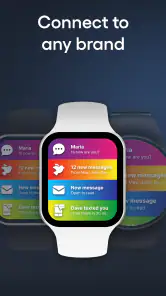
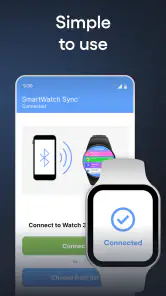
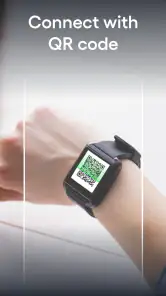
First off, let's talk about the main attraction—the app's ability to sync your smartwatch with your phone. Whether you're an Android aficionado or an iOS enthusiast, this app plays nice with both platforms. With a few taps, your devices are in sync, allowing you to receive notifications, control your music, and even track your fitness goals without missing a beat.
Where a Wrist Notification Helps
The most useful case is not constant checking; it is getting enough context to make a choice. Imagine cooking, carrying groceries, or talking with someone when a message arrives. A wrist alert can tell you that something happened without pulling you into the stream of apps on your phone. I find that distinction valuable: the watch can act as a quick filter, not a reason to answer every message immediately.
This setup is best for someone who already owns a compatible smartwatch and wants phone notifications to be part of that routine. If you mainly want a standalone watch experience, or need a particular brand-specific health platform to manage everything, the watch maker's own companion app may be the better starting point. A Bluetooth notifier is useful for bridging devices, but it is not automatically a replacement for every feature in a manufacturer's ecosystem.
Easy Setup and Intuitive Interface
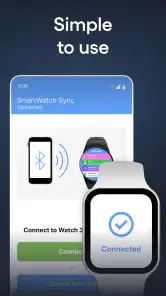
The setup process is painless. Upon downloading, the SmartWatch & BT Sync Watch App guides you through a simple pairing process. Even if you're not the most tech-savvy person out there, you'll find the interface straightforward and easy to navigate. Once connected, the dashboard displays all your synced apps and settings with clarity.
More From Our News Desk

Weather by Xiaomi Review: Clear at a Glance, Less Clear Up Close

X Under Pressure: Can It Recover When Posting Goes Wrong?

Clash of Clans Is Won Between the Battles

Android Auto Makes the Case for Quieter Car Software

MobiOffice: Transforming Mobile Productivity with Seamless Integration

EA SPORTS FC™ Mobile Soccer: Redefining Mobile Sports Gaming
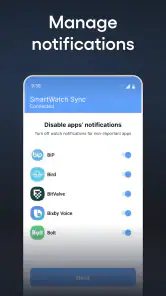
One practical habit helps keep the experience clear: begin with the notifications you genuinely need on your wrist, then adjust from there. If every app is allowed to interrupt, the watch can recreate the same noisy phone routine on a smaller screen. I would treat pairing as the first step, not the finish line, and check the available settings against the way I actually use my phone. That makes a wrist glance more likely to answer a question than create another one.
Make the alert stream useful, not exhaustive
A useful way to set up any watch-based notification routine is to think in terms of decisions. Which alert would change what you do in the next few minutes? A call from someone you are expecting may deserve a wrist glance; a routine update that can wait until lunch probably does not. Even if the available controls differ between devices, this is a good principle for deciding what to allow through: prioritize by urgency, not by how often an app sends something.
There is also a small social benefit to keeping the stream selective. When I am with another person, checking a phone can look like I have stepped out of the conversation. A brief glance at a watch can be less disruptive, but it can still signal divided attention if I keep doing it. I would use it to resolve uncertainty quickly, then put my focus back where it was. The watch is a quieter route to awareness, not a free pass to monitor every notification in company.
Features Galore
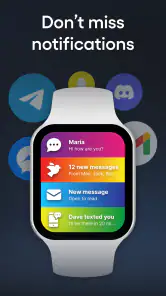
You might be wondering, "What can this app really do for me?" Well, it's loaded with features designed to enhance your smartwatch experience. From displaying incoming calls and messages directly on your wrist to offering customizable watch faces and widgets—this app has it all. There's even a handy feature that lets you locate your phone in case it decides to play hide and seek.
For communication, the trade-off is between convenience and interruption. A short glance may be enough to decide whether a call can wait; reading every alert as it arrives can pull your focus away even when the phone stays in your pocket. I would use wrist notifications as a screening layer and save longer replies for the phone. That approach is especially helpful in a meeting or while commuting, when noticing an urgent message matters but responding instantly may not be appropriate.
Compared with leaving the phone's notifications to handle everything, a watch can make incoming alerts easier to notice without repeatedly unlocking the screen. Compared with relying only on a watch maker's companion app, this app's appeal is its focus on syncing Bluetooth notifications. The right choice depends on what is causing friction: if you want a glanceable connection, this may suit you; if you need deeper control over a particular watch's specialized functions, its dedicated companion app may be more suitable.
A realistic day with the watch
Consider a workday when the phone is tucked away during a commute and then left on a desk while you prepare lunch. A call or message can reach the wrist, letting you judge whether to pause what you are doing or deal with it later. That is a modest convenience, but it can prevent the repeated cycle of taking out the phone, unlocking it, and getting sidetracked by unrelated alerts. The benefit is strongest when the watch gives enough context to make a decision and the phone remains the place for a proper conversation.
For someone working in a setting where phones are awkward to handle, this can be especially practical, provided wearing and checking a watch is appropriate there. It is less useful when the job requires uninterrupted concentration or when any visible notification would be unwelcome. In those situations, I would rather keep the watch quiet and check the phone during a natural break. The point is to make communication fit the situation, not to make every situation available for communication.
Fitness enthusiasts will appreciate the health tracking capabilities. The app syncs seamlessly with your smartwatch's health sensors to record steps, heart rate, and even sleep patterns. It's like having a personal trainer and a health monitor all in one!
Where it sits among the alternatives
The common alternatives are to rely on the phone alone, use the watch maker's own companion software, or silence most alerts and check messages at chosen times. Each solves a different problem. The phone-only approach is simple and avoids another layer of setup, but it can be easy to miss an alert when the phone is out of reach. A manufacturer companion app is usually the sensible first choice when watch-specific configuration is the priority. A deliberate check-in routine is better for anyone trying to reduce interruptions rather than make them easier to notice.
I would choose this kind of Bluetooth bridge when the specific need is a connection between phone notifications and a watch, rather than a complete management system for every watch function. That is a useful distinction to keep in mind before installing it: an app can be helpful for one part of a routine without replacing the tools that handle other parts. If the watch already works well through its own companion app, I would compare the two roles instead of assuming one should displace the other.
Reliability and Performance
Now, let's address the elephant in the room—performance. No one wants an app that drains their battery or lags when you need it the most. Thankfully, the SmartWatch & BT Sync Watch App is optimized for performance efficiency. It runs smoothly in the background, ensuring your smartwatch is always connected without hogging your phone's resources.
During my time using the app, I didn't encounter any major hiccups or crashes. It's reliable, which is crucial when you're relying on it for important notifications and data tracking.
As with any Bluetooth pairing, connection quality depends on both devices staying connected and configured as intended. If alerts stop appearing, I would first check that the watch and phone remain paired and revisit the app's notification settings before assuming the app itself has failed. This simple troubleshooting order can save time, especially after changing phones or adjusting notification preferences.
Small troubleshooting steps that save frustration
When a notification does not show up, I would troubleshoot in a calm order rather than immediately reinstalling anything. First, check whether the watch and phone are still paired. Next, look at the notification choices on both the phone and within the app, since a change on either side can alter what reaches the wrist. If the issue began after switching devices or changing settings, retrace those changes before treating it as a permanent fault.
This is also why I would test the setup with ordinary, low-stakes alerts before relying on it for something time-sensitive. A quick check during a normal day can reveal whether the arrangement is useful and predictable for your own phone and watch. It is better to discover that an alert is not reaching the wrist while you are at home than to assume a watch notification is a dependable substitute for checking a critical message.
Keeping Attention on Your Terms
Smartwatches can make communication more immediate, but immediacy is not always helpful. I would keep wrist access for people or apps whose alerts are time-sensitive and let less important updates wait for a phone check. That creates a boundary: the watch helps me notice, while I decide when to engage. If you prefer to keep messages entirely off your wrist, or find discreet alerts more distracting than useful, this kind of syncing may not fit your habits.
The app is free to download, with in-app purchases ranging from $0.99 to $89.99 per item. It is rated for Everyone, has a 4.0 average from around 97,000 ratings, and has passed 10 million installs. Devolutionapps released it on May 24, 2016; version 420.0 requires Android 7.0 or later. Those details make it easy to judge whether it fits your device and budget, but I would still consider how much notification access I actually want before connecting a watch.
Who will get the most from it
I would recommend trying it if you already wear a compatible smartwatch, want to notice calls and messages with less phone handling, and are comfortable spending a little time shaping your alert routine. It is a particularly reasonable fit for people who move between tasks and need occasional awareness without opening the phone every time it lights up. The free download also makes it possible to evaluate whether the basic idea suits your habits before deciding whether any optional purchases are worthwhile.
I would skip it, or start with another option, if your main goal is a specialized watch setup managed by the manufacturer, if you do not want messages appearing on your wrist, or if you are trying to make communication less immediate. In the last case, turning on more notification routes can work against the boundary you are trying to create. A quiet phone routine, with planned times to check messages, may be more effective than adding a watch to the loop.
Final Thoughts
At the end of the day, the SmartWatch & BT Sync Watch App is a must-have for anyone looking to maximize their smartwatch's potential. It's user-friendly, feature-packed, and reliable. Whether you're new to the world of smartwatches or a seasoned pro, this app will make your life a whole lot easier. So, if you're ready to take your smartwatch game to the next level, give this app a try and watch as it transforms your tech experience.
My more measured verdict is that its value depends on the boundary you want between your phone and your attention. If you already wear a compatible watch and want a convenient way to notice calls and messages, it could make everyday communication feel less tied to the phone screen. If you expect a full replacement for a watch manufacturer's ecosystem, or want fewer interruptions rather than more visible ones, I would look at other options first. Used selectively, it can make alerts easier to manage without making every alert feel urgent.
A more useful way to judge the fit
After setting it up, I would judge the app by a simple question: did the wrist alert help me make a better choice about what to do next? If I noticed an important call while occupied and could leave routine updates for later, the connection was serving a purpose. If I found myself checking the watch repeatedly just because it was there, I would narrow the notifications or reconsider whether I wanted this extra channel at all.
That is the real social verdict for me. This app is not valuable because every phone event can become a watch event; it is valuable when it helps me stay reachable without making me permanently available. With a selective setup, it can create a little distance between noticing a message and responding to it. For anyone who wants a more direct connection between phone alerts and a smartwatch, that is a useful everyday role. For anyone who wants communication to retreat further into the background, fewer alerts—not another screen—are likely the better answer.
SmartWatch & BT Sync Watch App Frequently Asked Questions
Is SmartWatch & BT Sync Watch App free to download, and does it include in-app purchases?
SmartWatch & BT Sync Watch App is free to download, so you can try its Bluetooth notification-syncing purpose without paying upfront. It also offers in-app purchases, with items ranging from $0.99 to $89.99. Check the purchase details in the app before buying, especially if you only need basic smartwatch and phone connectivity.
What is SmartWatch & BT Sync Watch App designed to do?
SmartWatch & BT Sync Watch App is a communication app from Devolutionapps designed to sync a smartwatch with a phone and provide Bluetooth notifications. Its short description is “SmartWatch & BT Sync,” and its focus is helping users receive phone notifications through a connected smartwatch. The app is intended for people who want a watch-to-phone connection for staying informed.
What is the primary function of the SmartWatch & BT Sync Watch App?
The SmartWatch & BT Sync Watch App is primarily designed to seamlessly connect your smartwatch with your smartphone via Bluetooth. Its main function is to allow users to sync notifications, health data, and other essential features from their smartwatch to their mobile device, ensuring you stay connected and updated without needing to constantly check your phone.
Is the SmartWatch & BT Sync Watch App compatible with all smartwatch brands?
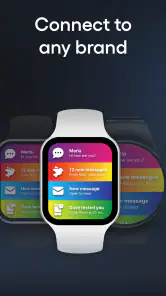
The app is compatible with a wide range of popular smartwatch brands, including Samsung, Apple, Garmin, and others. However, it is always advisable to check the specific compatibility details on the app's download page or within the app itself to ensure it supports your particular smartwatch model before downloading.
Does the SmartWatch & BT Sync Watch App consume a lot of battery power?
The app is designed to be energy-efficient, minimizing battery consumption on both your smartphone and smartwatch. By optimizing Bluetooth usage and data synchronization processes, it ensures that your devices maintain a longer battery life while still providing all the necessary connectivity features.
Pros
- Seamless synchronization with various smartwatch brands.
- User-friendly interface for easy navigation.
- Real-time notifications directly on your smartwatch.
- Customizable watch faces and themes.
- Efficient battery usage for prolonged smartwatch life.
Cons
- Limited compatibility with older smartwatch models.
- Occasional lag in notification updates.
- Requires Bluetooth always on
- draining phone battery.
- Some features locked behind a paywall.
- Complex initial setup for non-tech-savvy users.
- Category
- Communication
- Version
- 420.0












