Smart TV Cast: Screen Share
- 334.00
- 4.4
- Installs
- 5.00M
- Price
- Free

Screenshots
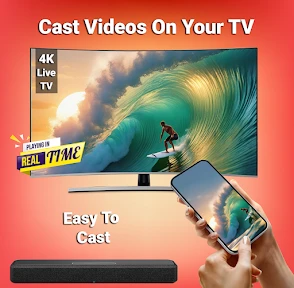
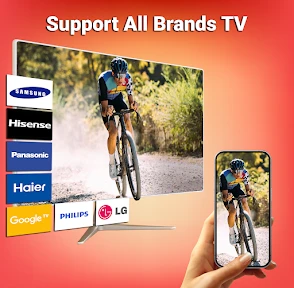

Analysis by Reviewed
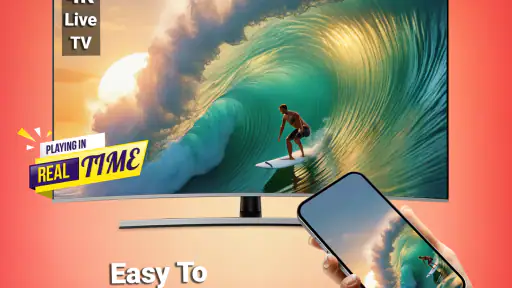
If you're like me and love streaming content right from your phone to your TV, then you've probably been on the hunt for the perfect app to make your life easier. Well, folks, let me introduce you to Smart TV Cast: Screen Share. This screen-mirroring tool is aimed at the familiar household task of getting phone content onto a television, and its simple idea is easy to understand: use a larger screen when a small one is awkward to share. So, let’s dive into why this app may fit into a shared home routine.
Setting Up: A Seamless Experience
First things first, setting up the app is a breeze. The app is available for both Android and iOS, so no worries if you're switching between devices. Just download, install, and you’re good to go. The app walks you through the connection process in a way that even your grandma could understand. Trust me, I've tested it. All you need is to make sure both your smartphone and your smart TV are connected to the same Wi-Fi network.
Making a shared screen work for everyone
That shared-network requirement is worth thinking about before everyone gathers around the TV. In a typical evening, one person might want to show holiday photos while another is ready to watch a video. I’d settle on whose phone is casting before starting, then leave the TV input and connection alone until the handoff. That small bit of coordination avoids the familiar cycle of people tapping around and wondering why the picture disappeared.
For a household with several phones, the app is most useful when the person sharing is also the person choosing what appears on the television. Treat casting as a temporary handoff of the screen, not as a shared family library or a way to merge accounts. If you’re showing personal pictures or opening an app that contains private material, take a moment to put the right item on screen first. A big display makes accidental swipes and notifications much more visible than they are in your hand.
A simple routine helps when several people want a turn: finish one person’s share, stop or disconnect that session, and then let the next person connect from their own phone. I would avoid passing around one unlocked phone as the household’s casting remote. Besides keeping account boundaries clearer, this makes it easier to tell which device is currently supplying the picture if the TV suddenly shows something unexpected.
For example, after dinner I might put a few trip photos on the TV for everyone, then hand over to someone else for a short clip. I’d select the photos before connecting, keep the phone with me, and agree on the handoff rather than letting several people tap at once. That is a small distinction, but it reduces both privacy surprises and the chance that a casual share turns into a troubleshooting session.
Features That Make a Difference
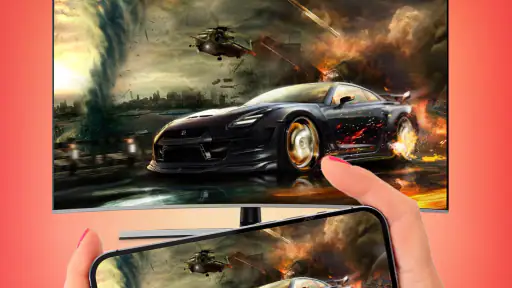
Now, let's get into the juicy details. What sets this app apart is its variety of features that make screen sharing a delight. Whether you're streaming your favorite show, sharing photos, or even playing games on the big screen, it handles it smoothly. There's minimal lag, which is a huge plus. I mean, who wants to deal with buffering when you're in the middle of a Netflix binge?
More From Our News Desk

Weather by Xiaomi Review: Clear at a Glance, Less Clear Up Close

X Under Pressure: Can It Recover When Posting Goes Wrong?

Clash of Clans Is Won Between the Battles

Android Auto Makes the Case for Quieter Car Software

MobiOffice: Transforming Mobile Productivity with Seamless Integration

EA SPORTS FC™ Mobile Soccer: Redefining Mobile Sports Gaming
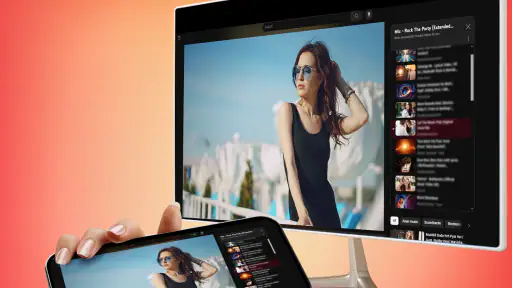
Another cool feature is the ability to control your TV's volume and playback from your phone. It's like having a super remote in your pocket. Not to mention, the app supports multiple formats, so you can cast videos, music, and even documents without any hiccups.
For a more practical result, I’d use the phone-to-TV route differently depending on the material. Photos and documents are best when you already know which item you want to show; searching through a crowded gallery while everyone waits can make a quick share feel slow. For a video, keep the phone nearby so you can pause or adjust playback without passing the television remote around. If the image stutters, I’d first check that both devices remain on the same Wi-Fi network and reduce other activity on the phone, rather than assuming the TV itself is at fault.
There is also a useful distinction between mirroring and using a service’s built-in TV app. Mirroring is handy when the thing you want to show is already on your phone, especially a personal photo or a document. A native TV app is usually the better choice for a long film or series if it is available, because it avoids keeping the phone involved throughout playback. For interactive games, the phone-to-TV setup can make the picture easier for others to see, but it does not turn a touchscreen into a physical controller; fast or precision-heavy games may still feel better on a console.
One trade-off worth keeping in mind is that a mirrored picture depends on the phone remaining part of the experience. If a call, notification, or accidental touch interrupts what you are showing, everyone sees the result on the television. I’d silence distractions where appropriate and keep the phone within reach, rather than treating the TV image as if it were a separate, unattended stream. That approach is especially useful for presentations or recipes, where a surprise screen change can be more disruptive than a brief pause.
For documents, I’d also think about legibility before inviting everyone to read from the couch. A page designed for a phone may look small or crowded on a television, even when the connection itself is working well. Zooming in or turning the phone can help in some situations, but it can also make the shared view less convenient to navigate. If the goal is to review a long document together, a computer connected to the TV may be more comfortable than trying to steer a phone-sized layout from across the room.
When choosing between this kind of mirroring and a cable, I’d consider how often I need to move around. A cable can be a predictable option for a fixed setup, but it ties the phone to the television and may require the right adapter. Wireless sharing is more convenient for passing around photos or a short video, while the same Wi-Fi dependency that makes it easy can also be the weak point. For a one-off occasion where reliability matters more than convenience, testing the connection in advance is the sensible choice.
Design and User Interface
The design of the app is sleek and modern, which is always a nice touch. The user interface is intuitive, making it easy to navigate through the app’s features. Everything is just a tap away, and the icons are self-explanatory, so you don’t spend ages trying to figure out what does what. It's a straightforward experience, which is often a rarity with tech apps.
One thing I appreciate is the absence of intrusive ads. Yes, there are ads, but they aren’t overwhelming, so they don't ruin the experience. Plus, if you're someone who prefers an ad-free experience, there’s an option to go premium.
Since the app is free to download but includes optional purchases, I’d start with the free experience and see whether it suits the way I use my TV. Occasional photo sharing is a different need from frequent casting, so there’s little reason to spend before knowing whether the basic connection fits your home. The listed in-app purchase range runs from $4.99 to $49.99 per item; I’d check what an offer covers in the app and decide whether that specific benefit matters to me rather than assuming an upgrade is necessary.
For shared-device use, I would keep the distinction between the phone owner and the viewers clear. The person holding the phone chooses what is mirrored, so handing the device to a child or guest also hands over access to whatever is open on it. I would prepare the screen before connecting and stay nearby while someone else uses the phone. That is ordinary device care, not a substitute for account-level privacy settings or parental controls.
A useful setup habit is to check both ends before troubleshooting: confirm the TV is ready to receive a connection, then confirm the phone is on the same Wi-Fi network. If the TV is being used by another person or left on a different input, changing settings on the phone alone may not solve the problem. I’d also avoid changing several connection settings at once. One small check at a time makes it clearer whether the issue is the network, the television’s readiness, or simply a device that needs reconnecting.
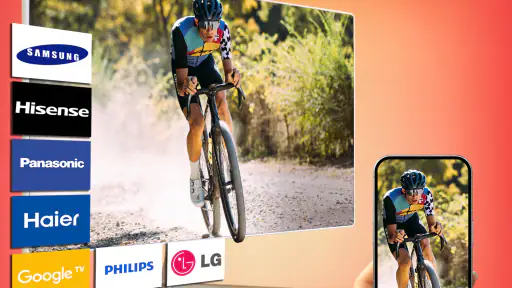
Compatibility is another practical question to settle before a planned gathering. The app is intended for phone-to-TV sharing, but the experience still depends on a compatible television and a working wireless connection. If your TV does not offer the kind of screen-receiving support the app needs, installing it on the phone will not by itself make every television ready to mirror. I’d try a brief connection before relying on it for a presentation, a visit, or a movie night.
Age, trust, and household fit
The app is free to download and is rated for Everyone, which makes it broadly approachable as a screen-sharing tool. It is developed by Technoline Apps, has a 4.4 average from around 83,000 ratings, and has passed five million installs. The current version is 9.3, with Android 7.0 or later required; in-app purchases range from $4.99 to $49.99 per item. I’d weigh those details against how often your household actually casts before considering a paid option.
That age rating describes the app’s audience, not every video, website, or document someone might display through it. For a family movie night, I’d choose the content on the phone first and check what is visible before mirroring. If children share a device, the adult should handle the connection and keep control of the phone. This is especially sensible when switching between personal accounts, since screen sharing reflects what the phone is showing rather than creating a separate viewing profile.
I’d particularly recommend this setup to people who already keep the content they want on their phones: someone sharing a photo album with visitors, a student showing a class-related document at home, or a friend pulling up a clip everyone has been discussing. The advantage is not that it replaces every way of watching TV. It is that the content can move from a personal screen to a shared one without first rebuilding the experience on the television.
On the other hand, I would skip it as the main solution if the household wants separate viewing profiles, child-specific restrictions, or a polished long-form streaming routine. Those needs are better served by the relevant service’s own TV app and its account settings, where available. It is also a poor fit if nobody wants to keep a phone nearby or if the wireless network is unreliable in the room where the TV sits. The convenience of mirroring depends on those everyday conditions.
Final Thoughts
All in all, Smart TV Cast: Screen Share is a solid app for anyone looking to enhance their screen mirroring experience. It’s easy to set up, packed with features, and has a user-friendly design that even a tech novice would appreciate. If you’re tired of squinting at your phone screen and want to enjoy your media on the big screen, this app is definitely worth a try. So, grab your popcorn, get comfortable on your couch, and let the app do its magic. Happy streaming!
I’d recommend it most to someone who regularly needs to show phone-based content to other people and is comfortable keeping both devices on the same Wi-Fi network. It is less compelling if you mainly watch subscription video services that already have convenient TV apps, need a separate child-safe viewing space, or expect a perfect connection in every room and network condition. The practical test is simple: try it with a short clip or a few photos before planning a whole evening around it. If that connection works reliably in your home, it can make casual sharing easier; if not, the TV’s own apps or a direct cable may be a better fit.
Smart TV Cast: Screen Share Frequently Asked Questions
Can Smart TV Cast: Screen Share connect to a TV without Wi-Fi?
The app is intended to connect a phone to a TV for screen mirroring and video streaming, and the existing setup guidance uses Wi-Fi for the connection. For the straightforward wireless setup described, connect the phone and TV to the same Wi-Fi network before trying to cast. This is worth checking before downloading if you plan to use the app somewhere without a suitable wireless network.
Will Smart TV Cast: Screen Share work with my iPhone or iPad?
The stated minimum operating-system requirement is Android 7.0 or later, so the version covered here is for Android phones. If you use an iPhone or iPad, check the app’s availability and requirements for your device before proceeding. The screen-mirroring experience can also depend on whether your television supports a compatible connection method, so device compatibility matters on both sides.
Do I need to install anything on my TV to use Smart TV Cast: Screen Share?
The app is designed to connect a phone to a smart TV for mirroring, and its setup guidance relies on the phone and TV sharing a Wi-Fi network rather than cables or adapters. Before downloading, check that your television offers a compatible screen-sharing method and is ready for a wireless connection. A compatible TV is important even though the app is installed on the phone.
Can I use Smart TV Cast: Screen Share to mirror my phone during a presentation?
The app’s screen-mirroring purpose may be useful when you want to show phone content on a larger television, including material for a presentation. It can also be used for videos, photos, music, and games, although the experience depends on the phone, TV, and Wi-Fi setup. If you plan to present, it is sensible to test the connection and the content you need beforehand.
Could protected videos be blocked when I cast with Smart TV Cast: Screen Share?
Some content may be restricted by copyright protections, so a video that plays normally on your phone may not necessarily appear on the TV through mirroring. This is relevant for streaming services and other protected material. The app can be used for a range of phone content, but the availability of any particular video may depend on its protection rules rather than the app alone.
Pros
- Easy to use interface
- Supports multiple devices
- High-quality video streaming
- No lag during casting
- Compatible with popular apps
Cons
- Requires stable internet
- Free version has ads
- Limited file format support
- Initial setup can be tricky
- Consumes a lot of battery
- Category
- Tools
- Version
- 9.3









