Screen Mirroring TV & Miracast
- 14.54K
- 4.6
- Installs
- 5.00M
- Price
- Free
Screenshots
Analysis by Reviewed
Have you ever struggled trying to watch your favorite show on a tiny phone screen? I get it, it’s a real pain! That’s why I hopped on the bandwagon and tried out Screen Mirroring TV & Miracast. Spoiler alert: it’s a game-changer!
Getting Started with Screen Mirroring TV & Miracast
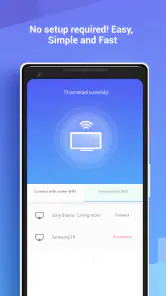
Let’s dive right into how this app works. First things first, setting it up is a breeze. You just have to make sure your smartphone and TV are connected to the same WiFi network. Then, open the app and follow the simple instructions to connect your devices. Voilà! Your phone’s display is now on your TV.
Features that Stand Out
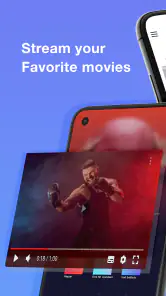
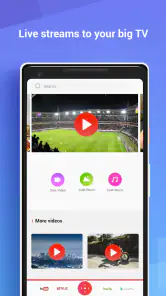
What’s really cool about Screen Mirroring TV & Miracast is its versatility. You can easily stream videos, play games, or even give presentations, all from the comfort of your couch. The app supports a wide range of formats, which means you won’t have to worry about compatibility issues.
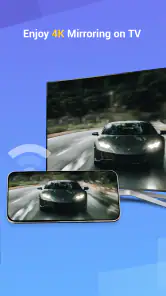
Another noteworthy feature is the real-time mirroring. There’s no noticeable lag, so you can enjoy your content just as you would on your phone. The app also supports high-quality resolutions, ensuring a crisp and clear display on your TV. Seriously, it makes binge-watching so much more enjoyable!
Why You Should Try It
Honestly, I was impressed by how user-friendly Screen Mirroring TV & Miracast is. Even if you’re not tech-savvy, you’ll find it easy to navigate. Plus, it’s a great way to share your media with friends and family. Whether it’s watching a movie together or showing off your vacation photos, this app makes it a communal experience.
The best part? It’s free! You don’t have to shell out any cash to enjoy the perks of screen mirroring. Of course, there are some ads, but they’re not intrusive at all, so it’s a small price to pay for such a handy tool.
In conclusion, if you’re looking for a reliable and efficient way to cast your phone’s screen to your TV, you should definitely give this app a shot. It’s straightforward, effective, and makes watching content on a big screen a reality. So go ahead, download it now and say goodbye to squinting at your phone!
Pros
- Easy setup with intuitive interface.
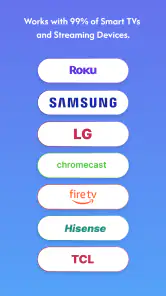
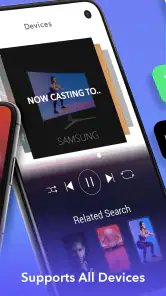
- Supports a wide range of devices.
- High-quality video streaming.
- Low latency for real-time mirroring.
- Compatible with most smart TVs.
Cons
- Requires stable Wi-Fi connection.
- Limited features in free version.
- May drain battery quickly.
- Occasional connectivity issues.
- Ads in the free version are intrusive.

- Category
- Tools
- Version
- 2.0.26











