Ring - Always Home
- 84.37K
- 4.6
- Installs
- 10.00M
- Price
- Free

Screenshots
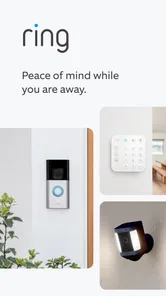
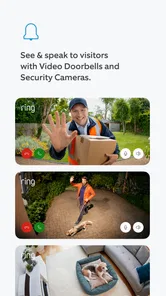
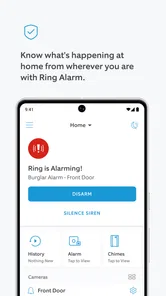
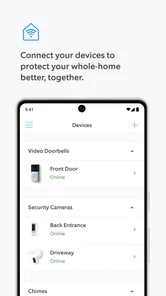
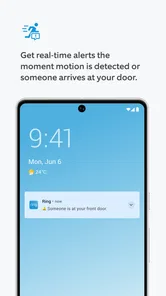
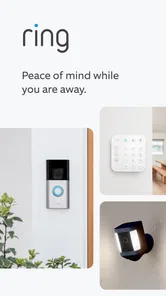
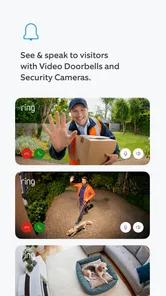
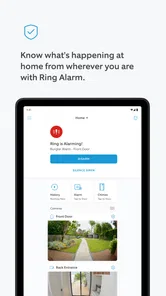
Analysis by Reviewed
Ring makes the most sense when you already use compatible Ring home-security devices and want a straightforward way to check in while away. I’d treat it as a companion to that equipment, not as a security system on its own: the app can help you see activity and respond, but it cannot watch a home without devices connected to it.
Where it fits into a daily routine
A practical use is checking a delivery when you’re out, then using two-way talk to let the courier know where to leave it. At home, motion alerts can help you decide whether an interruption needs attention or can wait. I’d take a little time to adjust motion zones after installation; a view that includes a busy pavement or road can create alerts that soon become easy to ignore.
For households, it also helps to agree on who will respond to alerts and when. If several people check the same activity, a quick conversation about what counts as urgent can prevent duplicate calls or unnecessary worry. I find that kind of routine matters as much as knowing where the live view and talk controls are.
What the app depends on
Live video and motion tools are useful only when the relevant Ring device is installed, connected and positioned well. Before relying on a camera for a particular entrance, check its view from the app and consider what might block it. A camera pointed at a bright window, for example, may not give you the view you expect. I’d test the setup during the day and after dark rather than assuming one placement works equally well at every hour.
There’s a trade-off between sensitivity and quiet. Narrower motion zones can reduce distractions, but they may also exclude part of the area you want to monitor. Start with the area that matters most, then review the alerts you actually receive over a few days and adjust from there. That is more useful than trying to eliminate every alert at once.
Choosing it over simpler alternatives
Compared with a basic camera app or a standalone doorbell viewer, Ring is most appealing if you want its home-security devices and neighborhood information in one place. If you only need occasional indoor viewing, a simpler camera app may be easier to justify. And if you don’t plan to use Ring hardware, this app is unlikely to provide much value by itself.
Ring is a Lifestyle app from Ring.com, free to download and rated for Everyone. Its average rating is 4.6 from around 448,000 ratings, with more than 10 million installs. Those figures suggest broad adoption, though they can’t tell you whether a particular device setup will suit your home. The app’s current version is 3.91.1, and it supports devices running Android 9 or later.
More From Our News Desk

Weather by Xiaomi Review: Clear at a Glance, Less Clear Up Close

X Under Pressure: Can It Recover When Posting Goes Wrong?

Clash of Clans Is Won Between the Battles

Android Auto Makes the Case for Quieter Car Software

MobiOffice: Transforming Mobile Productivity with Seamless Integration

EA SPORTS FC™ Mobile Soccer: Redefining Mobile Sports Gaming
If you’re on the hunt for a reliable home security app, let me introduce you to Ring - Always Home. This app has become my trusty sidekick in keeping my home safe and sound. Let me walk you through my experience with this handy app.
Getting Started with Ring
First things first, setting up Ring - Always Home was a breeze. The app is available on both Android and iOS, so whether you’re team Android or an iPhone lover, you’re covered. Downloading and installing the app was quick and painless. After a simple sign-up process, I was ready to dive into the features.
Features That Stand Out
One of the features I absolutely love is the live video streaming. It’s like having a personal security guard who never takes a break. Whether I’m at work or on vacation, I can check in on my home anytime, anywhere. The video quality is top-notch, and it even works well at night thanks to the night vision capability.
Another cool feature is the customizable motion zones. I was able to set specific areas I wanted the camera to monitor. This means I’m not getting bombarded with alerts every time a car drives by – only when it really matters.
Ease of Use
The app’s interface is super user-friendly. Everything is laid out in a way that makes sense, and I didn’t feel overwhelmed by too many options. The developers definitely kept the user in mind when designing this app. Plus, the integration with other smart home devices is seamless. Whether it’s connecting to my Alexa or other Ring devices, it just works.
Because the app puts cameras, alerts and other connected devices in one place, I’d use it as a quick check-in point rather than a substitute for every smart-home control. If you’re deciding whether to add a device, first think about the action you want to take when an alert arrives: checking a live view is different from needing a light or another household system to respond. Keeping the setup focused can make the app easier to use.
Privacy and everyday expectations
Home monitoring is personal, so I’d be deliberate about where cameras point and who in the household can access them. A camera should cover the entrance or area you mean to check, not capture more of a neighbor’s space than necessary. It’s also worth telling regular visitors when monitoring is in use. Those small choices make a security setup feel more considerate and help avoid surprises.
One question people often have is whether the app replaces a physical security response. I wouldn’t rely on a phone notification alone for that. Alerts are prompts to check what is happening, and a phone may be muted, offline or out of reach. If you need a different kind of protection, compare dedicated security services or other equipment for that specific need rather than assuming an app covers every situation.
Making alerts useful rather than noisy
A useful habit is to treat a new alert as the start of a small decision, not as an instruction to react immediately. If I’m in a meeting, for instance, I can wait until I’m free to check the event unless the location or situation makes it urgent. That approach is more sustainable than opening every notification as it arrives, and it keeps routine movement from becoming a constant interruption.
When a camera covers a shared entrance, I’d also think about the difference between watching a live view and reviewing an alert later. The first is useful when I’m expecting someone; the second can help me understand what happened while I was occupied. A quick check of the camera’s framing and notification behavior after a change in furniture, planting or seasonal daylight can catch problems before I depend on it for a delivery or visitor.
Peace of Mind
What really sets this app apart is the peace of mind it provides. Knowing that I can keep an eye on my home, and even communicate with visitors through the two-way talk feature, gives me a level of security that’s hard to match. It’s like having an extra layer of protection that’s always vigilant.
Oh, and did I mention the Ring Neighborhood feature? It’s a great way to stay informed about what’s happening in your area. It’s like having a neighborhood watch in your pocket. Pretty neat, right?
I’d use neighborhood posts as useful context, not as proof that something has happened exactly as described. Community reports can help you notice a local concern, but they are still reports from other people. Checking details before reacting keeps the feature informative without letting an unverified post create unnecessary alarm.
Who benefits most from the connected setup
I’d recommend the app most readily to someone who already has Ring devices at home, checks their phone regularly and wants a convenient way to handle visitors or motion events while away. It can also suit a household where one person manages the setup and others need a simple way to check activity. The value is less clear for someone who wants only a one-off camera view, dislikes phone alerts, or has no interest in adding compatible equipment.
For example, if I’m heading home with groceries and a delivery arrives, I can check the entrance before deciding whether to speak to the courier or deal with the parcel later. That’s a small convenience, but it shows where the app earns its place: bringing a specific view and a response option together. If I need a camera that works independently of a broader home-security setup, I’d compare standalone camera apps on that basis instead.
Product changes and what to watch
Ring has been available since November 18, 2014, and version 3.91.1 is the current release. That confirms the app has continued to a newer version, but a version number by itself does not tell me which features changed or how an update will affect a particular phone. Existing users should keep the app current and check that their connected devices still appear and respond as expected after an update.
For someone choosing it now, the useful question is less “What changed?” than “Does this fit the devices and habits I already have?” I’d watch how reliably alerts reach my phone, whether the camera view suits the location, and whether the neighborhood feed is helpful rather than distracting. Those everyday checks tell you more about the fit than a feature list alone.
If you already use the app, a sensible after-update check is modest: open the relevant device, confirm that its usual view is available, and make sure notifications still match the areas you care about. That is more practical than assuming every update changes the way you work, or assuming nothing could have changed. For a new user, I’d begin with one clear purpose, such as checking a front entrance, and add complexity only if it solves a real problem.
Final Thoughts
In conclusion, Ring - Always Home has become an integral part of my home security setup. Its ease of use, combined with powerful features, makes it a must-have for anyone serious about home security. Whether you’re tech-savvy or not, this app makes it easy to keep your home safe. So, if you’re still on the fence about whether or not to give it a try, I’d say go for it. Your peace of mind is worth it!
Ring - Always Home Frequently Asked Questions
Can I use Ring - Always Home without owning a Ring device?
Ring - Always Home is most useful when paired with compatible Ring home-security equipment, such as a doorbell, camera, or alarm system. Without a Ring device, there may be little to monitor or manage through the app. If you are considering a purchase, first check that the Ring products you plan to use are supported and suit the way you want to keep an eye on your home.
Does Ring - Always Home let me check my home when I’m away?
Yes. The app is intended to let users see who is there from anywhere, helping you check compatible Ring devices remotely. Depending on the equipment you have, you can open a live view, review alerts, or manage security settings from your phone. A dependable internet connection and a compatible Ring device are important to making remote monitoring useful in everyday situations.
Is Ring - Always Home available for both Android and iPhone?
Ring - Always Home is a mobile app for managing Ring devices. On Android, it requires version 9 or later, so check your phone’s system version before installing. The app is also available for iOS users, though the exact system requirements can differ. In either case, your device must be able to run the app and connect to the Ring equipment you want to manage.
Is Ring - Always Home free to download, and what devices can run it?
Ring - Always Home is a free Lifestyle app from Ring.com, designed to help users manage compatible Ring devices. It supports devices running Android 9 or later, so it is worth checking your phone’s operating system before downloading. The app itself is free, while some optional services and features may involve separate subscription fees.
What is Ring - Always Home, and how does it work?
Ring - Always Home is a smart home security application that allows users to monitor and manage their home security remotely. The app connects to Ring devices such as doorbells, cameras, and alarms, enabling real-time video streaming, motion alerts, and customizable security settings. Users can watch live footage, communicate through built-in microphones, and receive instant notifications on their smartphones, making home security both accessible and convenient.
Pros
- User-friendly interface for easy navigation.
- High-quality video streaming and recording.
- Real-time motion alerts enhance security.
- Seamless integration with other Ring devices.
- Customizable settings for personalized security.
Cons
- Requires a stable internet connection.
- Subscription needed for advanced features.
- May have privacy concerns for some users.
- Installation can be complex for beginners.
- Limited features without a subscription.












