Rewarded Play: Play and Earn
- 64.49K
- 4.2
- Installs
- 10.00M
- Price
- Free

Screenshots


Analysis by Reviewed
I approach Rewarded Play: Earn Gift Cards as a way to add a small perk to gaming I would do anyway, not as a reliable way to make money. It is a free lifestyle app from Influence Mobile, Inc., and its basic idea is easy to grasp: play selected mobile games, work toward goals, and collect points that can be exchanged for gift cards. The app has a 4.2 average from around 241,000 ratings, and more than 10 million installs, so it has clearly found an audience. What matters in practice is whether its reward loop suits your habits.
Who will enjoy this kind of reward loop?
I’d recommend it most to someone who already plays casual mobile games and likes having a small goal to work toward. The best fit is a player who can treat points as a pleasant extra, rather than a promise of meaningful income. If you enjoy trying different titles, the app can give your usual downtime a little structure: choose a game, check its milestone, and see whether you’re still having fun as you progress.
It is less suitable for anyone who dislikes mobile games, wants a fixed payment for a fixed amount of time, or feels compelled to finish every task once it appears. The reward loop only makes sense when the game itself holds your interest. I would also skip it if earning points would make you buy something in a game or spend more time on your phone than you intended. A gift card is not a bargain if the route to it changes your habits in a way you do not like.
Play and Earn: The Core Concept
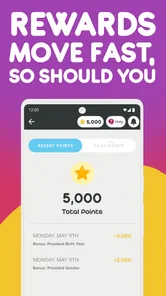
At its heart, Rewarded Play: Earn Gift Cards is exactly what it sounds like. You play games, and in return, you earn points that can be redeemed for gift cards. Sounds too good to be true, right? But after giving it a whirl, I found that it’s surprisingly legitimate. Upon downloading, you’ll be greeted with a straightforward interface that’s easy to navigate. No steep learning curves here; you’re up and running in no time!
Getting Started
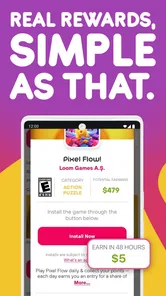
Once you’ve set up an account, you’re presented with a variety of games to choose from. The app keeps things fresh by offering a wide range of genres. Whether you’re into puzzles, strategy, or casual gaming, there’s likely something that’ll pique your interest. The app incentivizes you to try new games by rewarding you with points for each milestone you reach.
One thing to note is that the points aren’t just handed out willy-nilly. You have to work for them by hitting specific goals in the games you choose. This adds a layer of challenge that keeps the gaming experience engaging. Plus, there’s a certain satisfaction in knowing that you’re working towards a tangible reward.
Choosing a game with a sensible plan
Before installing a title, I would pause long enough to read its listed goal and decide whether the kind of play it asks for suits the time I have. A milestone that sounds simple can still be a poor match if it calls for sustained attention when I only have a few minutes. I’d pick a game that fits an ordinary break, not one that requires me to reorganize the day around it.
More From Our News Desk

Weather by Xiaomi Review: Clear at a Glance, Less Clear Up Close

X Under Pressure: Can It Recover When Posting Goes Wrong?

Clash of Clans Is Won Between the Battles

Android Auto Makes the Case for Quieter Car Software

MobiOffice: Transforming Mobile Productivity with Seamless Integration

EA SPORTS FC™ Mobile Soccer: Redefining Mobile Sports Gaming
That small check also helps with a question new users often have: should you try every game that appears? I wouldn’t. Trying a title only makes sense if it looks enjoyable on its own. A practical approach is to choose one game at a time, make reasonable progress, then decide whether to continue before adding another. That keeps the app from turning into a collection of unfinished games competing for your attention.
Making a Repeatable Routine
I’d treat the game goals as a small routine rather than an invitation to keep tapping indefinitely. Before starting a new title, I would check what milestone the app is asking me to reach and decide whether I would enjoy that game even without points. That quick choice helps avoid spending an evening on a genre I dislike just because a reward is visible. It also makes progress easier to judge: play when it fits your downtime, then stop when the game ceases to be fun.
A realistic use case is a short break after dinner. I might open the app, continue a game I already chose, and work toward its listed goal while waiting for a kettle or winding down before bed. The points remain a bonus, not a reason to delay chores or extend screen time. If I’m choosing between this and a game I already love, I’d pick the familiar game unless the offered title genuinely appeals to me.
Small habits that make the process smoother
For a more repeatable routine, I’d keep the app’s goal visible in my mind rather than relying on vague progress. Before a session, I’d remind myself what I’m trying to reach and set a natural stopping point, such as the end of a level or the moment I need to get back to something else. This isn’t a special app feature; it’s simply a way to prevent the reward from quietly taking over a break.
I’d also avoid switching titles just because a different option catches my eye. Each switch means learning a new game and starting to work toward a different target, which can make play feel scattered. Sticking with one suitable choice until I know whether it’s a good fit makes it easier to judge the time and attention it asks for. If it stops being enjoyable, I’d move on without treating the points already earned as a reason to continue.
Settings and Expectations
There is no complicated system to master, but I would still check the app’s current game goals and reward choices before committing time. Offers and redemption options are the details that shape whether a session feels worthwhile, so it is sensible to look at them in the app rather than assume every game or card has the same terms. Keep the app updated as well: version 13.3.2 is the current version, and using the current release is a straightforward way to avoid relying on an outdated interface.
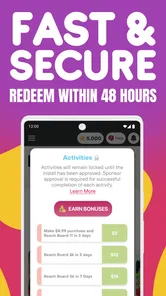
The app is free and rated for Everyone, which makes it approachable for casual users, though that does not mean every game will suit every person. Its minimum operating system is Android 9. If you are on an older device, check compatibility before planning to use it. I’d also keep expectations modest: the points are tied to specific milestones, so a quick session may not move you far toward a card. The store summary suggests rewards can arrive quickly, but I would not plan a purchase around a particular turnaround.
What to check before putting in more time
As I use it, I’d treat the currently displayed goal and reward choices as the practical reference, not assume that a game I saw earlier will remain the best use of my time. A quick check before beginning a longer session can help me decide whether I still want to pursue that particular target. It also answers a common concern: the number of points on screen is not the same thing as a gift card already in hand, so I would check the redemption options before building expectations around a specific reward.
The same caution applies to the phrase “fast” in the app’s store summary. My own plan would be to enjoy the games first and regard any redemption timing as something to check in the app, rather than promise myself a card by a certain day. If I need a gift for a fixed occasion or have a specific purchase to make, I’d use a more dependable option. Rewarded Play is better approached as a casual bonus that may accumulate over time.
Redeeming Your Rewards
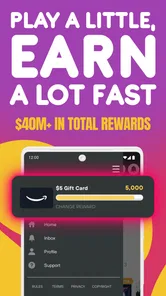
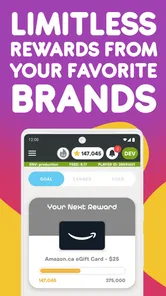
Once you’ve amassed enough points, the redemption process is pretty straightforward. The app offers a variety of gift cards from popular retailers like Amazon, Walmart, and more. It’s as simple as selecting your reward and confirming the transaction. Before you know it, you’ve got a gift card ready to use on your next shopping spree.
However, bear in mind that patience is key. It can take a bit of time to rack up enough points for a substantial gift card, but if you’re already spending time gaming, it’s a nice bonus to look forward to.
Making a reward useful rather than theoretical
I’d choose a card with an actual use in mind instead of collecting points toward whichever option looks appealing in the moment. If I regularly shop with one of the retailers shown in the app, that card can feel more practical than a reward I would have to remember to use. This is a personal budgeting habit, not a reason to spend more: I would only count the card as a benefit if it replaces something I would otherwise buy.
Before redeeming, I’d review the options on screen and make sure the reward I want is available there. If my preferred choice is not listed at the time I’m ready, I would wait or reconsider rather than assume every card is always offered. And if I’m close to a milestone but no longer enjoy the game, I’d weigh the remaining effort honestly; being near a target does not automatically make the rest of the play worthwhile.
Where It Fits Among Reward Apps
Compared with survey apps or cashback tools, Rewarded Play centers its activity on trying mobile games and meeting in-game milestones. That is a better fit if you would rather play than answer questionnaires or track purchases. On the other hand, someone who wants a predictable return for a defined task may prefer a survey or cashback option, because game progress depends on how much time and interest a particular title holds for them. I would not treat this as a substitute for paid work or a dependable source of spending money.
For experienced users, the useful habit is to be selective, not to chase every available game. Check the goal first, choose a title you would be happy to play, and keep track of whether the required progress still feels enjoyable. That simple filter is more valuable than trying to optimize every minute. It also helps answer the practical question of whether a reward is worth pursuing: if reaching it would require play you do not want to do, skip it.
When another option is the better choice
The comparison with surveys and cashback is not only about how a person earns points; it is about what activity feels natural. If I’m already shopping and prefer a benefit tied to purchases, a cashback service may fit better. If I want to complete short, clearly defined tasks without installing or learning games, surveys may be the more direct route. Neither alternative is automatically better, but they ask for a different kind of attention than this gaming-focused app.
Rewarded Play makes most sense when playing is already part of my downtime and I’m open to trying something new. It is a weaker choice when I need to know exactly how much I’ll receive for a particular amount of effort. Game milestones can vary in how appealing they feel, and personal enjoyment is a major part of whether the arrangement is worthwhile. I’d make the decision based on the play, not on a comparison that treats every point as guaranteed cash.
Limits worth keeping in view
The main trade-off is that the reward is attached to attention and time, and a visible target can make it tempting to continue after the fun has faded. I would not let a nearly completed milestone dictate the rest of an evening. A useful boundary is to stop when I planned to stop, then return only if I still want to play later. That keeps a casual activity from turning into a chore driven by points.
Another limit is personal compatibility: a broad choice of genres does not guarantee that a particular title will suit my taste or play style. I’d be willing to abandon a poor match rather than push through just to avoid feeling that earlier time was wasted. If the only games I find appealing demand more attention than I can spare, the app simply may not be for me at that point. It is better to recognize that early than to turn a free app into an obligation.
My Personal Take
Overall, my experience with Rewarded Play: Earn Gift Cards has been pretty positive. It’s not going to replace your day job, but as a side hustle, it’s a fun way to earn a little extra while indulging in some casual gaming. The interface is user-friendly, and the variety of games keeps the boredom at bay. Plus, who doesn’t love a free gift card now and then?
If you’re someone who enjoys mobile gaming and the thrill of rewards, this app is definitely worth checking out. Just remember, it’s all about having fun and not getting too caught up in the grind. Happy gaming!
Rewarded Play: Play and Earn Frequently Asked Questions
Who develops Rewarded Play, and what kind of app is it?
Rewarded Play is a Lifestyle app developed by Influence Mobile, Inc. Its focus is combining mobile games with gift-card rewards, so it may appeal to people who already enjoy casual gaming and would like to earn rewards as they play. The app is free to download, but it is worth reviewing its setup prompts and the details of individual games before getting started.
What devices and operating systems can run Rewarded Play?
Rewarded Play is available for Android devices through the Google Play Store. The app requires Android 9 or later, so check your device’s operating-system version before downloading. It is not available for iOS devices, so iPhone and iPad users will not be able to install this version. If you are using Android and meet the requirement, you can download it for free.
Does Rewarded Play require an account, and what should I expect during setup?
Rewarded Play is a Lifestyle app focused on playing games and earning gift-card rewards. Before getting started, expect to follow the app’s own setup steps and review any permissions or account details it requests. Taking a moment to understand those prompts can help you decide whether the app suits your preferences before you begin using it.
What is Rewarded Play and how does it work?
Rewarded Play is a mobile application that allows users to earn gift cards by playing games. Once installed, users can browse through a variety of games and start playing to accumulate points. These points can then be redeemed for gift cards from popular retailers. The app offers a fun way to enjoy gaming while earning rewards at the same time. Its store summary highlights gift cards from retailers such as Amazon and Walmart, alongside the promise of fast earning.
Is Rewarded Play available for both Android and iOS devices?
Rewarded Play is primarily available for Android devices through the Google Play Store. Unfortunately, there is currently no version available for iOS devices. Android users can download the app for free and start earning rewards by playing games right away. Before downloading, also check that your Android device meets the app’s minimum operating-system requirement.
Pros
- Simple interface for easy navigation
- Wide variety of games to choose from
- Earn gift cards for playing games
- Regular updates with new games
- Compatible with most Android devices
Cons
- Limited to Android platform only
- Requires constant internet connection
- Gift cards may take time to redeem
- Some game choices are not popular
- Contains in-app advertisements











