PressReader: News & Magazines
- 787.00
- 4.6
- Installs
- 10.00M
- Price
- Free

Screenshots
Analysis by Reviewed
I would approach PressReader: News & Magazines as a digital reading shelf rather than a replacement for every news app on my phone. Its appeal is the breadth of newspapers and magazines in one place, especially if I like browsing several kinds of publications instead of following only a handful of breaking-news feeds. The app is free to install, though some content or options may involve in-app purchases, so I would check what is available to me before building a routine around a particular title.
What to expect from a digital newsstand
PressReader is a News & Magazines app from PressReader Inc. Its catalogue spans international publications, which makes it useful when I want to compare how different outlets cover a topic or simply switch from daily news to a magazine feature. The experience is closer to opening a publication than scrolling an endless stream of short updates. That can be a welcome change when I want to sit with a story, but it may feel slower than a conventional headline-first news reader.
The app has a 4.6 average from around 40,000 ratings and over 10 million installs. It is rated Teen, and its current version is 7.2.250930, with Android 7.0 as the minimum operating system. Those details give a first-time reader a useful sense of its reach and compatibility, but the best test is still whether the publications I actually care about are accessible in the way I expect.
Who gets the most from a broad catalogue
I think PressReader is especially worthwhile for people whose reading crosses borders or formats: someone following news from a home country while living elsewhere, a reader comparing how publications frame the same event, or a magazine fan who wants more than one subject in their regular rotation. It can also suit a household where different people want different kinds of reading, provided each person is happy to browse in the same app rather than keep separate specialist services.
It is less compelling if I have already settled on one publisher and only want its latest alerts, or if I rarely read beyond short headlines. In those cases, the publication breadth may become clutter rather than a benefit. I would also think twice if I want a completely predictable subscription arrangement: the app is free to install, but individual in-app purchases can vary, so I would inspect each offer instead of assuming the whole catalogue is included.
Getting Started with PressReader
Setting up PressReader is as easy as pie. Once you download the app, you're greeted with a sleek interface that’s both user-friendly and intuitive. The app guides you through a quick sign-up process, and before you know it, you're diving into a vast ocean of content. Whether you’re into the latest fashion trends, tech updates, or global politics, PressReader has you covered.
Make the first session count
For a first visit, I would search for one publication I already know and one topic I want to explore. That small test is more useful than browsing a huge catalogue without a goal: it shows whether the app suits my reading habits and helps me decide what to save. If I am unsure about spending, I would first explore the free access available in the app and look carefully at any purchase prompt before confirming it. The listed in-app purchase range runs from $0.99 to $209.00 per item, so I would treat individual offers as something to review, not assume they all work the same way.
More From Our News Desk

Weather by Xiaomi Review: Clear at a Glance, Less Clear Up Close

X Under Pressure: Can It Recover When Posting Goes Wrong?

Clash of Clans Is Won Between the Battles

Android Auto Makes the Case for Quieter Car Software

MobiOffice: Transforming Mobile Productivity with Seamless Integration

EA SPORTS FC™ Mobile Soccer: Redefining Mobile Sports Gaming
Make the first read a simple success
My first meaningful session would be modest: find an issue I genuinely want to read, open one article, adjust the text to a comfortable size, and save a second piece for later. That sequence checks the basics without requiring me to master every menu or make a purchase. If I am trying PressReader on a busy day, I would choose a familiar publication first; an unfamiliar title can be fun to discover, but it is a poor test of whether the app itself fits me.
For example, on a weekday morning I might use search to locate coverage of a subject I already follow, read a short piece over breakfast, and save a longer feature for a quieter break. Before a train journey, I could then download a chosen publication while connected. The useful lesson is to start with a single destination and one reading task, rather than treating the catalogue as a checklist. A broad selection is more manageable when I know what I came to find.
A World of Content
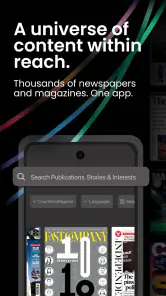
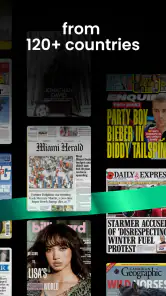
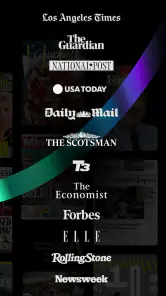
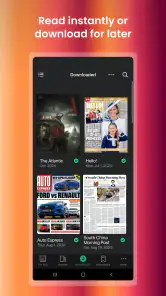
One of the standout features of the app is its extensive collection of publications. We’re talking thousands of newspapers and magazines from around the globe. From The Washington Post to Vogue, the diversity is impressive. What’s even cooler? You can download these publications and enjoy them offline. So, whether you’re on a long flight or chilling at a remote cabin, your favorite reads are just a tap away.
That offline option is most useful when I plan ahead: I can pick a title before commuting or travelling, download it while connected, then read without relying on a steady signal. I would also avoid downloading several issues impulsively if device storage is tight; choosing one or two for the journey keeps the reading queue manageable. For someone who mainly wants fast alerts about a developing story, a dedicated news app may be a better companion, while PressReader makes more sense for longer reading and publication variety.
How it compares with familiar news apps
The main difference I notice is the unit of reading. A typical news feed is built to surface quick updates, often in a stream that changes throughout the day. PressReader is more appealing when I want to open a publication, browse its pages, and spend time with a longer article or a magazine feature. That makes it a complement to a fast news app for some readers, not necessarily a replacement. I would keep a headline-and-alert app for urgent local developments and turn to PressReader when I have time to read more deliberately.
Compared with going directly to each publisher, the advantage is having a shared place to explore a range of titles. The trade-off is that the experience is organized around the app’s catalogue and reading tools, rather than the habits or extras of one publication’s own app. If I rely on a particular outlet’s notifications or follow a very specific set of sections, its dedicated app may serve that narrow routine better. If I am still exploring what I like, a wider newsstand can make discovery easier.
Reading Experience
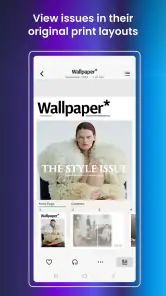
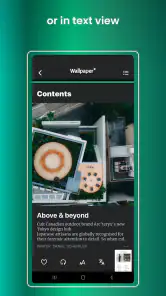
The reading experience on PressReader is nothing short of delightful. The app allows you to customize your reading preferences, which is a neat feature. You can adjust the font size, switch to night mode, and even listen to articles with the app’s text-to-speech function. It’s like having a personal reading assistant!
Those options can help in different situations rather than just making the screen look nicer. I would increase the text size for a longer session, use night mode when reading late, and try text-to-speech when my eyes need a break or I am occupied with a simple task. I would still choose the format that suits the moment: listening is convenient, but it is not the same as scanning a page or seeing a story’s layout. A publication app also asks for more deliberate attention than a quick feed, so it is best when I have a few uninterrupted minutes.
Small habits that keep browsing useful
With a large catalogue, my instinct would be to limit the number of titles I actively check at first. I would pick a few publications that cover different needs—perhaps one for general news and another for a hobby—then add more only if I find myself wanting them. This is a practical way to prevent choice from turning into indecision. It also makes it easier to notice whether I am returning to a publication because I enjoy it, rather than because it happened to appear while I was browsing.
Text-to-speech is another feature I would test on a short article before relying on it for a long read. It may be handy while doing a simple chore, but listening asks for a different kind of attention and will not suit every article or setting. Likewise, offline reading is strongest as a planned convenience, not a reason to download everything. A little selection before leaving home can make the app feel ready when the network is not.
Social Features
PressReader doesn’t just stop at reading; it goes a step further by integrating social features. You can comment on articles, share them with friends, or even save them for later. It’s a great way to engage with content and connect with like-minded readers.
I would use sharing selectively: sending a specific article is more helpful to a friend than forwarding a whole issue without context. Saving something for later is also a practical way to separate “interesting now” from “read when I have time.” If I prefer a quiet, private reading habit and never comment or share, these social tools can simply stay in the background; they do not need to be the reason to use the app.
One feature that really caught my eye is the ability to create collections. It’s super handy for organizing your favorite articles and magazines. Plus, the app’s smart search function makes it easy to find specific topics or publications, saving you time and effort.
Keep saved reading from becoming a backlog
Collections are most useful to me when they answer a real question, such as “what do I want to read on the weekend?” or “which pieces should I share with a friend?” I would name and use them around those intentions instead of creating a collection for every passing interest. Otherwise, saving becomes a form of postponing: the article is technically kept, but I never return to it. A quick review of saved items now and then can keep the feature useful without making it another chore.
Search and collections also solve different problems. Search helps when I can name the publication or subject; a collection helps after I have already found something worth keeping. When I remember only a general topic, I would try a few clear search terms and then browse the results with a specific goal. This is more effective than repeatedly scrolling the catalogue and hoping the same story turns up again.
Build a useful routine
Collections and search work best when I give them a little structure. I might keep one collection for stories I want to discuss and another for pieces to revisit, rather than saving every appealing headline into one pile. Search is a good starting point when I know a publication or subject, but browsing still has a role: it can turn up a magazine or perspective I would not have thought to look for. That balance between deliberate lookup and relaxed discovery is one of the app’s more appealing trade-offs.
A realistic routine could be to check a few publications over breakfast, save one longer read for a lunch break, and download a chosen issue before leaving home if I expect to be offline. That gives the app a clear job without turning it into another endless feed. If I only want quick local alerts or a single outlet’s free headlines, my usual news app may be simpler; if I enjoy varied publications and longer-form reading, PressReader is the more natural fit.
What to check before making it a habit
Before I build a daily routine around any particular title, I would verify that the access available to me matches what I intend to read. The app’s free installation does not mean every publication or option should be assumed to be included at no cost. Since purchase offers can differ, I would pause at the point where an offer appears, read its terms on screen, and decide whether that specific choice is worth it. This avoids confusing a free app download with unlimited free access to every item.
I would also give the app a fair trial across more than one reading situation: a quick article at home, a longer feature when I have time, and a planned offline session if that matters to me. One successful browse can be satisfying, but a repeat visit is the better test of whether the catalogue and reading style fit my real week. If I find myself opening it only out of curiosity and not returning to anything saved, a simpler source may be a better match.
Final Thoughts
Overall, PressReader: News & Magazines is a fantastic app for anyone who loves to stay informed. It’s convenient, comprehensive, and offers a personalized reading experience that’s hard to beat. Whether you’re a news junkie or a casual reader, this app is a must-have on your device. So, why not give it a try and explore the world of news and magazines at your fingertips?
I would recommend trying it with a specific reading goal rather than expecting every title or feature to suit everyone. The free starting point lowers the barrier, but the range of paid items means it is worth checking costs as you explore. If you want a broad reading shelf, offline access for planned trips, and tools for adjusting how you read, it is an easy app to test. If you mainly want instant alerts or a narrow, no-frills source of headlines, another news app may fit better. For me, its strongest case is making a deliberate reading habit feel convenient without limiting me to one publication.
PressReader: News & Magazines Frequently Asked Questions
Can I browse publications before deciding what to read?
Yes. PressReader is designed around browsing a broad library of newspapers and magazines, so you can look through available publications and choose titles that interest you. Its collection spans publications from around the world, which can make it useful both for keeping up with familiar sources and for discovering new ones. Access to particular issues may depend on the option you choose in the app.
What does PressReader cost, and are purchases optional?
PressReader is free to download, with in-app purchases available from $0.99 to $209.00 per item. Some publications may be accessible without a purchase, while paid options can open up more reading choices. Before selecting anything, review the price and terms shown in the app so you understand what you are choosing. The free download does not mean every title or issue is included at no cost.
What kind of publications can I find on PressReader?
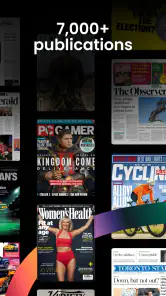
PressReader is a News & Magazines app for browsing newspapers and magazines from around the world. Its library includes more than 7,000 publications, so it can suit readers who want to explore familiar titles as well as discover publications from other places. The selection is the central appeal: you can browse digital issues and choose what to read rather than relying on a single publication.
Is PressReader suitable for younger readers?
PressReader has a Teen content rating, which is useful to consider when deciding whether it is suitable for someone in your household. The app brings together many newspapers and magazines, so the material can vary by publication and subject. Parents and guardians may want to consider the individual titles a younger reader plans to access, rather than assuming every publication is intended for the same audience.
What is PressReader and how does it work?
PressReader is a digital platform that provides access to thousands of newspapers and magazines from around the world. Users can read their favorite publications on their devices, download them for offline reading, and even customize their reading experience by selecting specific topics or regions of interest. The app offers a user-friendly interface, making it easy to browse and discover new content.
Pros
- Wide variety of newspapers and magazines.
- Offline reading capability.
- User-friendly interface.
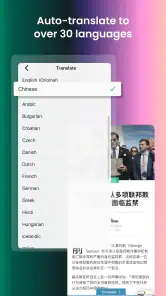
- Supports multiple languages.
- Customizable reading preferences.
Cons
- Requires subscription for full access.
- Some ads in free version.
- Occasional app crashes.
- Limited free content.
- Heavy data usage for downloads.
- Category
- News & Magazines
- Version
- 7.2.250930











