Notepad, Notes, Easy Notebook
- 12.52K
- 4.8
- Installs
- 10.00M
- Price
- Free

Screenshots
Analysis by Reviewed
I like to decide what belongs in a note before choosing where to put it. A quick reminder, a shopping list, and a set of class notes do not need the same amount of structure, and trying to force all three into a complicated system can become a chore. Notepad, Notes, Easy Notebook makes sense when I want a simple place to capture everyday thoughts and turn some of them into things I can act on.
A useful role in a wider routine
I would treat this as one part of a productivity routine, not as a complete command center. A note is good for holding information; a routine is what brings me back to it. For example, I can capture an errand when it occurs to me, then check my list before leaving home. That small habit matters more than making a beautiful collection of notes I never reopen.
That approach also helps set expectations. The app is a free productivity app from Simple Design Ltd., and its straightforward notepad focus suits people who want low-friction capture rather than a system built around projects, calendars, or team workflows. It is rated for Everyone, so its basic use is approachable for a broad range of people.
Start with a capture habit, not a bigger system
Before adopting any notes app, I find it useful to decide what I expect it to catch. This one is a natural home for small personal details that would otherwise land in a text to myself, on a scrap of paper, or in my memory: a book someone recommends, a question to ask at an appointment, or the brand of a household item I need to replace. Keeping those quick captures together reduces the mental effort of deciding where every thought belongs.
A simple rule helps prevent the notebook from becoming a second inbox that I never clear. I would capture freely during the day, then make a short pass later to decide whether each note is still useful, should become a reminder, or can be deleted. The point is not to maintain a perfect archive. It is to make sure the few notes that matter are easy to find when the right moment arrives.
This approach also answers a practical question: does using a notepad mean I have to move my entire planning system into it? I would not. I would keep longer-term project tracking, shared work, and scheduled appointments in tools built for those jobs, while using this app as a quick personal landing place. That division keeps capture fast without pretending every kind of information needs the same treatment.
First Impressions
When I first opened Notepad, Notes, Easy Notebook, I was greeted by a clean and intuitive interface. It's like a breath of fresh air in the often chaotic world of productivity apps. The design is straightforward, which means you can dive right in without spending an eternity figuring things out. And honestly, who has the time for complicated tutorials?
You May Like

Clash of Clans Is Won Between the Battles

Android Auto Makes the Case for Quieter Car Software

MobiOffice: Transforming Mobile Productivity with Seamless Integration

EA SPORTS FC™ Mobile Soccer: Redefining Mobile Sports Gaming

How Microsoft OneDrive Became a Mobile Productivity Giant

How Google Translate Breaks Language Barriers Effortlessly
Features That Stand Out
One of the first things I noticed is the app’s ease of use. Creating a new note is as simple as tapping a button. If you’re anything like me, this simplicity is a huge plus. But don’t be fooled by the minimalist design; this app is packed with features.
First off, the app supports voice notes. Yes, you heard me right! You can simply speak your thoughts, and the app transcribes them for you. This feature is a game-changer for those moments when typing just isn't practical.
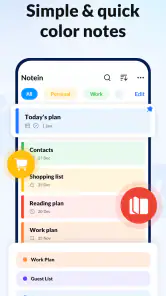
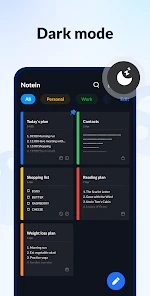
Another cool feature is the ability to organize notes with tags and colors. It's like having a rainbow of organization at your fingertips. Plus, everything is synced across devices, so your notes are always where you need them, when you need them.
Capture, then make it findable
Tags and colors are most useful when they follow a small, consistent rule. I would use a few broad labels—such as errands, home, and ideas—rather than inventing a new tag for every note. Color can then act as a quick visual cue, while the tag gives the note a reusable place in my system. The trade-off is that organization only pays off if I keep the scheme simple enough to maintain.
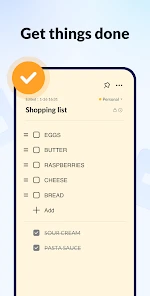
A realistic use is planning a grocery run: I can add items as I notice they are missing, then review the list before shopping instead of trying to remember everything at the store. For a busy day, a separate note can collect small tasks that do not merit a full project manager. Voice capture is especially handy when my hands are occupied, though I would still review a dictated note afterward so a misheard item does not become a misleading reminder.
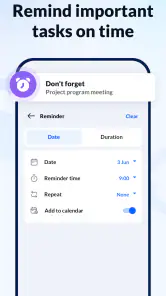
The app’s summary includes reminders, which can help connect a note to a moment when I need to act on it. I would use reminders for time-sensitive errands, not for every thought; too many prompts can become background noise. If a task needs dependencies, shared ownership, or a clear calendar schedule, I would move it to a dedicated task or calendar app rather than asking a notepad to do that job.
A repeatable routine for everyday notes
A useful workflow can be as modest as three passes: capture, sort, and act. I would write the note as soon as the thought appears, add a broad tag only if I am likely to look for it again, then check the relevant notes when planning the day or preparing to leave. This keeps the app from demanding constant attention while still giving captured information a route back into daily life.
For instance, imagine I notice the kitchen is nearly out of coffee while making breakfast, remember that a parcel needs collecting, and think of a question for a class later. I can record each item quickly instead of relying on memory. Before heading out, I check the errand note; before the next class, I glance at the question. The notes are useful because they are tied to a real decision point, not because they have been elaborately formatted.
There is a small but important trade-off here: tags and colors are optional organizational aids, not a substitute for reviewing the content. If I add a label to every note but never return to the list, I have only made a more colorful pile. I would begin with a few categories, keep action items phrased as clear next steps, and resist making a new category unless the same kind of note appears often enough to justify it.
Why You Should Consider It
Now, I know there are a ton of note-taking apps out there, but what sets this one apart is its balance of functionality and simplicity. It's not bogged down with unnecessary features that you'll never use. Instead, it focuses on what really matters: helping you keep track of your thoughts efficiently.
And let me tell you, the app's performance is smooth. There's nothing more frustrating than an app that lags or crashes at the most inconvenient times. Thankfully, I've had zero issues with Notepad, Notes, Easy Notebook. It runs like a dream.
For someone choosing between this and the notes app already on their phone, I would focus less on which one has the longer feature list and more on whether the current tool makes capture easy. A built-in notes app may be enough if all I need is occasional text. This app becomes more appealing if I want a dedicated place for personal notes, lists, tags, colors, voice transcription, and reminders without building a large filing system first.
It is also worth thinking about where I will use it. Voice capture can be a practical way to record a thought while carrying bags or walking between tasks, but it is not a reason to dictate sensitive or easily misunderstood details without checking them. For exact names, quantities, or instructions, I would review the transcription while the context is still fresh. That quick check is a better habit than discovering later that a useful note captured the wrong word.
Where it fits—and where it doesn’t
Against a paper notebook, the appeal is having notes on a device and being able to sort them with tags and colors; paper may still be better when I want to sketch freely or avoid looking at a screen. Compared with feature-heavy digital notebooks, this app’s lighter approach can make quick capture less distracting, but people who depend on elaborate folders, collaborative editing, or research tools should choose an app designed around those needs.
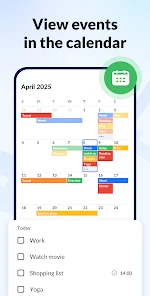
Compared with a task manager, a notepad is less suitable when work involves a queue of tasks with owners, deadlines, and dependencies. Compared with a calendar, it is not where I would keep a schedule that needs to be seen at a particular time. The useful middle ground is personal, lightweight planning: a short list for the shop, a reminder to bring something along, or a few notes to review before a conversation. Choosing that boundary makes the app more helpful, not less.
It has a substantial audience: it has passed 10 million installs and holds a 4.8 average from around 392,000 ratings, with about 13,000 written reviews. Those figures suggest many people find the basic idea useful, but they do not tell me whether its particular workflow will suit you. The app is free to start, with optional in-app purchases ranging from $3.99 to $30.99 per item, so I would check the purchase details before paying for anything.
For practical upkeep, I would set aside a brief moment at the end of the day to remove completed reminders and add a useful tag to any note I may need again. That tiny review prevents a simple notebook from turning into a digital pile. I would also avoid treating a note as the only copy of critical information; for anything essential, keeping an appropriate backup elsewhere is sensible.
One question I would settle early is whether this should hold private or important material. I would use it for everyday planning and ordinary reference notes, but I would be cautious about making any one app the sole home for information I cannot afford to lose. Another is whether reminders will help or overwhelm me: I would reserve them for tasks that have a genuine time or place attached, and leave general ideas as notes. Those choices keep alerts meaningful and the notebook manageable.
Who will get the most from it
I would recommend trying it if you often need to jot down small things quickly and prefer a personal notebook to a full project-management setup. Students can use it for short reminders and questions to revisit, while keeping substantial course material in a system better suited to long documents. Someone managing household errands may appreciate collecting shopping items and routine tasks in one place. People who think aloud may find voice transcription useful when typing is inconvenient, provided they check the result.
I would steer away from it if I needed several people to edit the same notes, detailed document layout, research references, or a complex plan with linked tasks. A shared workspace, a dedicated calendar, or a more advanced notebook may take longer to set up, but that extra structure is worthwhile when other people need access or the work has many moving parts. The best choice is the one that matches the demands of the information, rather than the one with the most options.
The practical question is whether I will return to what I capture. If a simple end-of-day check and a few broad tags fit naturally into my routine, this can be a useful home for everyday notes. If I know I will never review a growing list, I should choose a tool that puts tasks directly into the schedule or workflow I already follow instead.
Final Thoughts
In a world where we're constantly bombarded with information, having a reliable app to jot down thoughts, ideas, and reminders is crucial. Notepad, Notes, Easy Notebook has made my life infinitely easier, and I genuinely think it could do the same for you. Whether you’re a student, a professional, or just someone who loves keeping things organized, this app is worth a try.
The current version is 1.3.7.88 and supports Android 6.0 or later. I would recommend it to someone who wants quick personal notes, lists, and reminders without a steep learning curve. I would skip it if my work depends on deep document formatting, team collaboration, or a carefully managed project structure; in those cases, a more specialized tool is worth the extra setup.
So, if you’re ready to say goodbye to sticky notes and hello to a more organized life, I’d highly recommend giving it a shot. Trust me, your future self will thank you!
Notepad, Notes, Easy Notebook Frequently Asked Questions
Is Notepad, Notes, Easy Notebook suitable for quick notes and everyday planning?
Yes. Notepad, Notes, Easy Notebook is aimed at everyday writing and organization, so it can suit quick thoughts as well as simple planning. Its store summary highlights notes, memos, to-do lists, shopping lists, and reminders. If you want one place to jot something down and keep track of routine tasks, those uses make it a straightforward productivity option.
Who develops Notepad, Notes, Easy Notebook?
Notepad, Notes, Easy Notebook is developed by Simple Design Ltd. It is a productivity app centered on simple note-taking and everyday organization, rather than a dedicated project-management tool. Knowing the developer can help you identify the app when browsing an app store, especially if several similarly named notepad apps appear in search results.
What age group is Notepad, Notes, Easy Notebook intended for?
Notepad, Notes, Easy Notebook has an Everyone content rating, so it is intended for a broad audience. Its basic uses—writing notes, making lists, and setting reminders—can be relevant to many kinds of users. Parents should still consider whether the app’s features and any optional purchases are appropriate for the person who will be using it.
Is Notepad, Notes, Easy Notebook free to download?
Yes, Notepad, Notes, Easy Notebook is free to download and use as a productivity app. It also offers in-app purchases, with items ranging from $3.99 to $30.99, so check the purchase details in your app store before buying. The app is rated for Everyone, making it suitable for a broad audience.
What can I use Notepad, Notes, Easy Notebook for?
The app is designed for everyday writing and organization. You can use it as a notepad for quick thoughts, keep memos, create to-do lists, and prepare shopping lists. Reminders can help you keep track of tasks, making it useful for capturing ideas as they come up and organizing things you need to do.
Pros
- User-friendly interface with intuitive navigation.
- Supports voice notes for hands-free use.
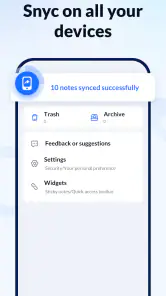
- Easily syncs across multiple devices.
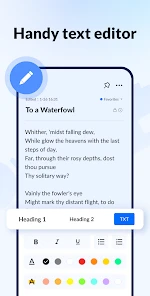
- Rich text formatting options available.
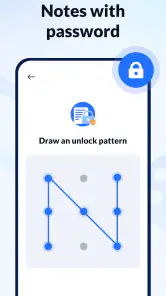
- Secure with password protection feature.
Cons
- Limited cloud storage options available.
- Ads can be intrusive for free users.
- No collaborative editing features.
- Limited export options for notes.
- Occasional syncing issues reported.
- Category
- Productivity
- Version
- 1.3.7.88













