Node Video - Pro Video Editor
- 530.00
- 4.5
- Installs
- 10.00M
- Price
- Free

Screenshots
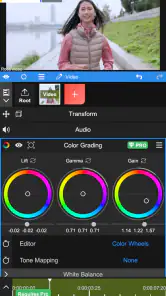
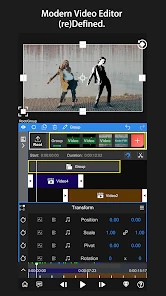
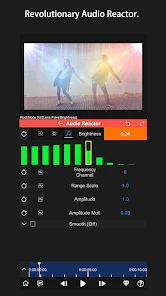
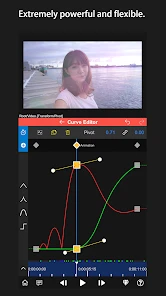
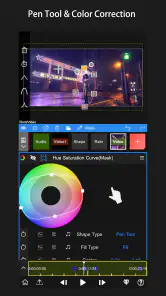
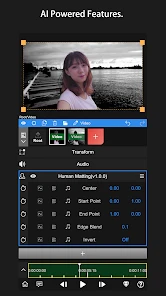
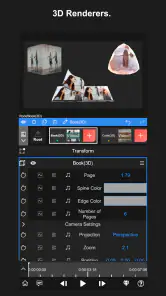
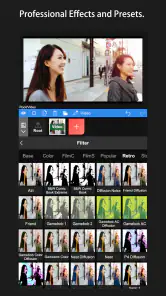
Analysis by Reviewed
I like Node Video - Pro Video Editor most when I treat it as a small editing workspace rather than a quick filter app. It is a mobile video editor from Shallway Studio, and its layered approach gives me room to shape a shot instead of simply trimming the beginning and end. The app is free to install, rated for Everyone, and has a 4.5 average from around 62,000 ratings, with over 10 million installs. That popularity makes it easy to see why creators curious about mobile editing give it a try, though its controls reward patience more than instant results.
A practical starting workflow
For a first project, I would keep the goal modest: bring in a few clips, arrange them on the timeline, then add only the layers the idea actually needs. A title, an audio track, and one visual adjustment are enough to learn how the pieces relate. With several layers available, it is tempting to start adding effects everywhere; I find it more useful to get the timing right first, then build the look around the edit.
That order also makes revisions easier. If a clip feels too long, I can fix the cut before spending time refining its treatment. I would save a clean version of the project before trying a more ambitious effect, too. This is a simple habit rather than a special feature, but it keeps experimentation from turning into a frustrating rebuild when I decide the simpler version works better.
Choosing an editor for the job
Compared with the usual quick-edit apps, this one makes more sense when I want to adjust how separate pieces of a video behave, not just apply a template and export. A basic editor is often faster for trimming, captions, and a ready-made look; Node Video is the more interesting choice when a particular shot needs layered treatment or deliberate movement. That extra control is useful, but it is not automatically better for every clip.
I would also distinguish it from desktop software. A phone makes it convenient to shape a short social post while the footage is fresh, whereas a large, intricate project may be easier to manage with a bigger screen and familiar desktop controls. I see this app as a capable mobile workspace, not a reason to force every editing task onto a phone.
Features That Stand Out
First off, let's talk about the features. When I first launched Node Video, I was greeted with an interface that was both intuitive and rich with options. It offers a multi-layer timeline that you usually only find in desktop-grade software. This means you can stack various elements like video clips, audio tracks, and effects, adjusting each to your heart's content.
The app also supports 3D rendering, which, let's be honest, is a game-changer for mobile video editing. I had a blast experimenting with the 3D effects, and the results were nothing short of spectacular. The precision and control you get over the edits are impressive, allowing even the most intricate adjustments.
More From Our News Desk

Weather by Xiaomi Review: Clear at a Glance, Less Clear Up Close

X Under Pressure: Can It Recover When Posting Goes Wrong?

Clash of Clans Is Won Between the Battles

Android Auto Makes the Case for Quieter Car Software

MobiOffice: Transforming Mobile Productivity with Seamless Integration

EA SPORTS FC™ Mobile Soccer: Redefining Mobile Sports Gaming
One more thing that caught my eye was the AI-powered features. The app offers AI motion tracking and automatic keyframe generation. This translates to less time fiddling with the technical details and more time unleashing your creativity. It's a huge plus for those who might not have advanced editing skills but still want to produce professional-quality videos.
Settings and habits that help
Before committing to a complicated composition, I check the project settings and make sure the framing suits where I intend to share the finished video. Choosing the right orientation at the start saves awkward cropping later. I also preview a demanding effect on a short section before applying the same visual idea across a whole sequence; it is a practical way to judge whether the treatment helps the footage or merely makes the timeline harder to manage.
Motion tracking is most useful when I have a clear subject and a specific reason to follow it, such as keeping a moving person or object visually prominent. I would not use tracking just because it is available: busy backgrounds and abrupt movement can make any tracked result less convincing, so checking the result through the full shot matters. Automatic keyframes can speed up a first pass, while a deliberate review of timing and position keeps the movement from feeling mechanical.
Making repeat edits quicker
For recurring social clips, a repeatable routine is more valuable than piling on effects. I would start with the same sequence of steps each time—select the strongest moments, arrange the cuts, add the essential audio and text, then apply a consistent visual treatment. Once that basic pattern is familiar, I can spend my attention on the story rather than rediscovering where each adjustment belongs.
A realistic example is a short clip from a weekend market: I might combine a wide shot of the stalls, a close-up of a product, and a brief walking shot, then use a title layer to give the sequence context. If I want one moving detail to stand out, tracking offers a focused experiment; if it distracts from the scene, I can leave it out. This kind of small, purposeful edit is a better test of the app than trying to make every shot look like a visual-effects demo.
Performance and Usability
Now, let's chat about performance. I tested the app on both Android and iOS devices, and it ran smoothly on both platforms. The rendering speed was quick, and I didn't experience any crashes, which is a common issue with some other editing apps.
The user interface is sleek and user-friendly. Whether you're a seasoned editor or a complete newbie, you'll find navigating through the app's features a breeze. The developers have clearly put a lot of thought into making sure the app caters to a wide audience, and it shows.
Who will appreciate its depth
I would recommend it to someone who wants to combine clips, sound, effects, and more precise motion work without moving to a desktop editor for every project. The layered timeline, 3D rendering, tracking, and keyframe tools give curious creators several ways to go beyond a basic cut. It is also a sensible place to learn how layers and animated changes fit together, provided you are willing to explore rather than expecting every decision to be automatic.
On the other hand, if your usual task is trimming a clip and adding a quick caption before sharing it, a simpler editor may be the better choice. Apps focused on fast templates and one-tap polish generally ask less of you; Node Video is more appealing when you want control and can spare time to make choices. Its free starting point lowers the barrier, but in-app purchases range from $1.99 to $29.99 per item, so I would check the purchase options before relying on anything that may sit behind one.
Advanced control has a learning cost
The main trade-off is that depth can make the first sessions feel less effortless than a basic mobile editor. A multi-layer timeline is powerful, but it also means keeping track of which element you are changing and how it interacts with the rest of the composition. I find it helps to make one adjustment at a time and preview the result, especially when combining 3D work with tracking or animated changes.
For longer or visually demanding edits, I would work in short passes and review the finished sequence before sharing it. That makes it easier to spot a timing issue or an effect that overwhelms the footage. Version 8.1.4 is the current release, and the app supports Android 7.0 and later; those details make it worth checking compatibility before planning a project on an older device. The experience can still vary with the complexity of the edit, so I would not assume that a short test guarantees the same ease on a much larger composition.
Small-project habits that pay off
When editing on a phone, I find it helps to decide what the viewer should notice before opening the effects controls. If the point is a person speaking, clean cuts and readable text may matter more than a dramatic treatment. If the point is a visual detail moving through the frame, tracking may be worth testing. This decision-first approach keeps the project focused and prevents the timeline from becoming a collection of effects without a clear purpose.
I also recommend checking the whole sequence at normal playback speed, not only inspecting individual moments while editing. A movement can look polished when viewed as a still frame and feel distracting once the clip plays. Likewise, a title that seems readable on a large preview may compete with the footage in a smaller social-media viewing context. A final watch-through is a small step that catches these practical issues before sharing.
Why You Should Give It a Go
In a world overflowing with video editing apps, it's easy to get lost in the options, but Node Video - Pro Video Editor manages to stand out. With its powerful features, ease of use, and reliable performance, it checks all the boxes for what you would want in a video editing tool.
Whether you're looking to create content for your social media channels, produce short films, or simply have fun experimenting with video editing, this app has got you covered. Plus, it’s constantly being updated with new features and improvements, which shows the developers are committed to keeping it fresh and relevant.
So, if you're ready to take your video editing game to the next level, give Node Video a whirl. You might just find it's the perfect addition to your creative toolkit.
My take after weighing the trade-offs
For me, the strongest reason to choose this editor is the balance between mobile convenience and hands-on control. It is not the option I would reach for when I need a finished clip in a minute, but it makes sense when I want to experiment with layers, movement, and 3D elements on a phone or tablet. The 4.5 average and 530 reviews suggest a substantial audience, but the more useful test is whether its workflow matches the way you like to edit.
I would begin with one short project, learn the timeline by making a clean cut, and add a single effect only after the basic sequence works. If that process feels satisfying, the app has room to grow with your skills. If it feels like too much setup for a simple share, choosing a lighter editor is not a compromise; it is the right tool for that job.
Node Video - Pro Video Editor Frequently Asked Questions
Is Node Video - Pro Video Editor easy to learn for someone new to video editing?
Node Video is presented as a modern effects editor, but its range of advanced tools may take time to learn if you have never edited video before. Expect to explore the controls and experiment with your projects rather than relying on a very simple, one-tap workflow. It may appeal to beginners who want room to develop their skills, as well as experienced editors looking for more control.
Can I try Node Video - Pro Video Editor without paying?
Node Video is free to download, so you can start using the app without making an upfront purchase. Some features and editing options may require in-app purchases, which are priced from $1.99 to $29.99 per item. Before buying, review the options shown in the app and decide whether the tools available to you meet your needs.
What devices should I check before downloading Node Video - Pro Video Editor?
Node Video - Pro Video Editor is an app in the video editing category, and its minimum operating system requirement is version 7.0. Before downloading, check that your device runs a compatible system version and has enough available storage for the app and your projects. Editing video can also be demanding, so device performance may affect how smoothly complex projects work.
What features does Node Video - Pro Video Editor offer?
Node Video offers a comprehensive suite of features for professional video editing, including multi-layer editing, keyframe animation, and advanced color grading. Users can also utilize its AI-powered tools for object tracking and background removal. The app supports 4K video exports and provides a variety of filters and effects to enhance video projects.
Is Node Video - Pro Video Editor free to use?
Node Video is free to download, and its free version offers basic features suitable for standard editing tasks. However, to unlock the full potential of the app, such as accessing premium effects and advanced tools, users can make in-app purchases. Those purchases range from $1.99 to $29.99 per item, so it is worth checking the available options before buying.
Pros
- Advanced editing tools for professionals
- Supports 4K video resolution exports
- Real-time video effects editing
- Intuitive and user-friendly interface
- Regular updates with new features
Cons
- Steep learning curve for beginners
- Requires high-performance device
- Limited free version features
- Occasional app crashes reported
- In-app purchases can be costly
- Category
- Video Players & Editors
- Version
- 8.1.4











