Nextplus: Phone # Text + Call
- 22.89K
- 4.2
- Installs
- 10.00M
- Price
- Free

Screenshots

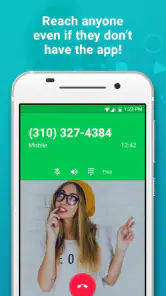

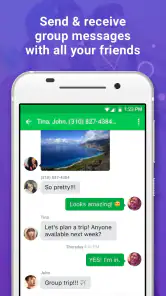
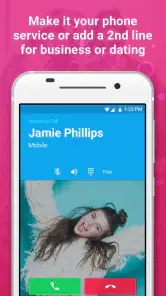



Analysis by Reviewed
I tested Nextplus as a practical communication app rather than treating it like a replacement for every phone service. My overall impression is clear: it is most useful when you need a separate number for texting and calling through an internet connection, especially on a device that does not have active cellular service. That narrow purpose is also its biggest strength. Instead of tying every conversation to your main number, you can use a second identity for selected contacts and situations.
Nextplus is a free communication app from textPlus, aimed at Android and iOS users who want texting and calling without relying on a traditional mobile connection. It is available to Everyone, supports devices running Android 7.0 or later, and its current version is 3.3.6. The app has reached over ten million installs, with a 4.2 average from roughly 149 thousand ratings, so it is clearly being used at a substantial scale.
What using Nextplus feels like in everyday communication
The first thing I noticed is that the app makes more sense when I think of it as a second line, not as a complete replacement for my regular carrier. That distinction matters. If I want a separate number for online selling, temporary projects, travel planning, or casual contact with people I do not know well, the concept is convenient. I can keep my personal mobile number reserved for family, work, banking, and accounts that require a conventional phone service.
The app’s core appeal is simple: texting and calling happen over an internet connection. That means Wi-Fi can be enough for communication on a compatible device, which is helpful for a spare phone, a tablet-like setup, or a handset whose cellular plan has expired. I would still want reliable Wi-Fi or mobile data before depending on it, because an internet-based number cannot solve a weak or missing connection by itself.
In a normal day, I could use the extra number for a marketplace conversation. A buyer might need to call briefly, but I would not necessarily want to publish my personal number in a public listing. Nextplus gives that interaction its own boundary. Once the conversation is finished, I can stop checking that line without mixing it into my primary messages. That separation is more valuable than the basic ability to send another text.
It can also help when a family member needs a communication option on a Wi-Fi-only device. The Everyone age rating makes the app broadly accessible, although I would still set expectations about online contact and explain that an internet connection is necessary. For a child or older relative, the usefulness depends less on the app itself and more on whether the device remains connected and easy to manage.
A second number is useful only when you plan its boundaries
The best way to use Nextplus is to decide in advance what the second number is for. I would not hand it out everywhere and then treat it as disposable without considering the consequences. A number used for deliveries, local groups, short-term work, or classified ads can reduce clutter in a primary inbox. A number used for important account recovery or sensitive services deserves much more caution, because not every service treats app-based numbers the same way.
More From Our News Desk

Weather by Xiaomi Review: Clear at a Glance, Less Clear Up Close

X Under Pressure: Can It Recover When Posting Goes Wrong?

Clash of Clans Is Won Between the Battles

Android Auto Makes the Case for Quieter Car Software

MobiOffice: Transforming Mobile Productivity with Seamless Integration

EA SPORTS FC™ Mobile Soccer: Redefining Mobile Sports Gaming
This is one of the less obvious trade-offs. The convenience of separating conversations can create a new maintenance task: I have to remember which contacts belong to the second line, keep the app available, and monitor messages often enough not to miss something important. It is excellent for compartmentalization, but less attractive if I want one dependable number that every organization will accept without questions.
I also found that the app’s value depends on the quality of the connection at the exact moment I need it. A text can wait, but a call is less forgiving. If I am moving between networks or dealing with unstable Wi-Fi, I would rather use my normal carrier line for an urgent conversation. Nextplus is a useful layer alongside ordinary phone service, not an automatic substitute for it.
Where it compares well with ordinary phone service
Traditional mobile service is usually the simpler choice when I already have a dependable plan and only need one personal number. It is familiar, broadly accepted, and generally easier for urgent calls. Nextplus becomes more compelling when the problem is not “how do I replace my phone?” but “how do I add a separate communication channel without adding another full mobile plan?”
Compared with a standard messaging app, its advantage is the phone-number format. Some people and businesses are more comfortable texting or calling a number than joining a separate platform. That makes the app practical for contacts who do not want to install the same messenger I use. The compromise is that an internet-based line may not behave exactly like a carrier number in every situation, so I would not assume universal compatibility.
Compared with using my main number for everything, the privacy benefit is more about organization and exposure than invisibility. A second number can keep casual contacts away from my primary line, but it should not be treated as a guarantee of anonymity. I would still avoid sharing unnecessary personal details and would be selective about where the number appears.
The strongest reasons I would keep it installed
My favorite use is short-term separation. Suppose I am arranging a repair, selling an old device, or joining a temporary volunteer project. I can give those contacts a dedicated route without turning my personal number into a permanent directory entry. This is a realistic advantage that is easy to overlook because the store summary focuses on texting and calling rather than on how much cleaner a divided contact system can feel.
Another useful workflow is a backup communication setup for a spare device. I could connect that device to Wi-Fi and use Nextplus when I do not want to move my SIM card or pay for another cellular line. It is not the same as having full carrier coverage, but for a home office, shared household device, or occasional travel preparation, the distinction may be acceptable.
I also like the possibility of keeping project conversations separate from personal chats. A freelancer, tutor, event organizer, or small seller may not want every inquiry arriving at the same number used by friends and relatives. The second line can make it easier to decide when I am “on duty.” The app does not create that boundary automatically; the benefit comes from using the number deliberately.
Because the app is free to install and use at its basic level, it is easy to try before deciding whether the workflow fits. There are in-app purchases ranging from $0.99 to $44.99 per item, so I would pay attention to any optional extras before spending. The free starting point is helpful, but I would not assume that every convenience associated with the service is included without cost.
The friction that keeps it from being my only phone line
The main weakness is dependence on internet access. A carrier number can remain useful in places where Wi-Fi is unavailable, while Nextplus needs a working connection for its central purpose. That makes it a poor sole option for someone who travels through coverage gaps, works outdoors, or regularly needs to make urgent calls from unpredictable locations.
There is also a social and practical limitation to second numbers: people may not know which line to use. If I give one number to a contact and later switch between lines, messages can become fragmented. The app helps create separation, but separation can become confusion if I do not keep a simple rule for who gets which number.
I would also be careful with high-stakes communication. For routine conversations, casual calls, and temporary arrangements, an internet-based second line can be a good fit. For emergency planning, critical work availability, or services that insist on a conventional mobile number, I would choose my regular carrier or another option specifically suited to that requirement. This is not a criticism of the app so much as a reminder to match the tool to the consequence of failure.
Call quality is another area where expectations should stay realistic. The app’s purpose is attractive, but any internet calling experience can be affected by congestion, weak signal quality, or a busy network. I would test it with a trusted contact before giving the number to clients or relying on it for a time-sensitive appointment. That small trial can reveal whether my usual connection is good enough for conversations, not just messages.
Who gets the most value from it
I would recommend Nextplus to people who want a practical second number and already understand the limits of internet communication. It suits users with a spare phone, a Wi-Fi-focused setup, a temporary project, or a reason to keep personal and public conversations apart. It is also a sensible option for anyone who wants to try a separate line without immediately committing to another traditional mobile plan.
Small sellers and occasional service providers are a particularly good match. If I were listing furniture, coordinating local appointments, or accepting inquiries for a short project, I would prefer a number that keeps those conversations away from my family chat history. The important habit is to use the line consistently and avoid presenting it as an emergency contact.
It may also work for travelers who plan ahead and expect to spend much of their time on dependable Wi-Fi. I could use the second number for arrangements with hosts, local contacts, or temporary groups while keeping my primary number unchanged. I would still retain another way to communicate when leaving the network, because planning around Wi-Fi is different from having uninterrupted mobile coverage.
On the other hand, I would tell someone to skip it if they want a single, universally accepted phone identity with no connection concerns. It is not my first recommendation for a person who already has an affordable carrier plan and no need for separation. I would also steer away from making it the only line for critical work, urgent family contact, or account processes where an app-based number might not be accepted.
Setup habits that make the second line more useful
Before sharing the number, I would create a clear contact policy. For example, personal contacts stay on my regular line, while marketplace buyers and short-term projects use Nextplus. This sounds basic, but it prevents the most common problem with a second number: forgetting why I gave it out and then allowing unrelated conversations to accumulate there.
I would also test both a message and a call while connected to the network I expect to use. Testing at home is not enough if I plan to rely on the app at a workplace, community center, or hotel. A quick trial helps me judge whether the service fits my real routine instead of my ideal one.
For a spare device, I would keep the app easy to find and make sure the device is charged before leaving it available for incoming contact. A second number is only useful when I can actually notice incoming communication. This is an important operational detail: the app can provide the channel, but I still need a habit for checking it.
I would treat optional purchases thoughtfully as well. Since the app is free but includes in-app purchases, I would first use the basic experience long enough to understand what I genuinely need. Spending makes sense only if an added convenience solves a problem I actually have; otherwise, the free setup may already cover the second-line use case.
My verdict after weighing convenience against reliability
Nextplus succeeds because it solves a specific problem cleanly: adding a communication line without requiring a second conventional mobile plan. Its strongest qualities are flexibility, separation, and usefulness on internet-connected devices without active cellular service. Those benefits are real, especially for temporary contact, spare devices, and people who want to protect the boundaries around their main number.
Its limitations are equally important. The experience depends on connectivity, a second number requires organization, and I would not assume that every important service or situation will treat it like a carrier line. Anyone expecting a complete replacement for ordinary phone service may be disappointed, while someone seeking a controlled extra channel is much more likely to appreciate it.
The app’s long availability, broad adoption, and current 3.3.6 release suggest a mature option in this particular niche, but popularity does not remove the need to choose carefully. I would judge it by my connection quality and by what I plan to do with the number, not simply by the install count or rating.
My final recommendation is straightforward: try it if you need a separate number for everyday, lower-risk communication and can stay connected to the internet. Keep your regular carrier line for situations where coverage, continuity, or universal acceptance matters more. Used with that distinction in mind, Nextplus is a useful companion rather than an exaggerated all-in-one phone replacement, and that focused role is exactly where it performs best.
Nextplus: Phone # Text + Call Frequently Asked Questions
Does Nextplus need Wi-Fi or mobile data to make calls and send texts?
Yes. Nextplus uses an internet connection for its calling and messaging features, so you need Wi-Fi or mobile data to use them. The app’s store summary highlights calling and texting over a second number without cell service, but that does not mean it works offline. If your connection is unreliable, calls and messages may be interrupted or delayed.
Can I use Nextplus while traveling or in another country?
Nextplus works through an internet connection, which can make it useful when you have Wi-Fi or mobile data while traveling. However, number availability and features may vary by country, and calling destinations can be subject to regional limits. Before relying on it abroad, consider whether you will have dependable internet access and review the app’s current terms for your location.
Will Nextplus work on my Android or iPhone?
Nextplus is a communication app for making calls and sending texts over an internet connection. On Android, it requires Android 7.0 or later. Before downloading, check that your device meets the operating-system requirement and that you can connect to Wi-Fi or mobile data; the app’s calling and messaging features depend on internet access.
What is Nextplus: Phone # Text + Call, and how does it work?
Nextplus is a communication app that provides users with a secondary phone number for calling and text messaging. After installing it, you can choose an available number and use the app over Wi-Fi or mobile data instead of relying exclusively on your carrier’s regular phone service. It is especially useful for separating personal and online communications, although availability and features may vary by country.
Is Nextplus completely free to use?
Nextplus offers free calling and messaging features in supported regions, but the free experience may include advertisements and certain limitations. Some optional services, such as removing ads, reserving a preferred number, or obtaining additional calling credits, may require payment. In-app purchases range from $0.99 to $44.99 per item. Before downloading, review the current pricing and subscription details in the app store and inside the application, since plans and included features can change.
Pros
- Provides a second phone number for calls and texts.
- Useful for separating personal and work communications.
- Supports calling and messaging over Wi-Fi or mobile data.
- Voicemail features help manage missed calls.
- Available on both Android and iOS devices.
Cons
- Free numbers may expire after periods of inactivity.
- Some features require credits or a paid subscription.
- Advertising can appear prominently in the free version.
- Call and text quality depends heavily on your internet connection.
- Number availability varies by location and may be limited.
- Category
- Communication
- Version
- 3.3.6












