Nebula: Horoscope & Astrology
- 8.47K
- 4.2
- Installs
- 5.00M
- Price
- Free

Screenshots

Analysis by Reviewed
I tend to open astrology apps for a quick daily reading, then stay only if I can find my way around without turning the experience into a project. Nebula: Horoscope & Astrology is a lifestyle app from OBRIO that brings zodiac material, compatibility readings, and birth-chart tools into one place. Its appeal is the chance to explore several parts of astrology in a single app; whether that feels useful depends on how much weight you give the readings.
Choosing a useful starting point
If you are new to astrology, it is tempting to jump straight into a detailed chart and expect it to explain everything. I’d resist that urge. Begin with a general reading, notice which ideas actually interest you, and then use the chart material to explore those questions. This gives you a natural route through the app without requiring prior knowledge of every astrological term.
It also helps to decide what you want from the experience before opening it. A few minutes of light entertainment, a prompt for journaling, and a deeper look at birth-chart concepts are different goals. Nebula can serve the first two particularly well; if you want a systematic lesson in astrology, you may find yourself needing a separate book or reference source to fill in the background.
A flexible routine, not a rulebook
One practical way to keep readings in perspective is to write down a prediction or theme before the day gets busy, then review it later without trying to force events to match. That turns the horoscope into a small reflection exercise rather than a schedule you have to obey. I find this especially useful for readers who enjoy the ritual but don’t want an app’s language to shape every decision.
For a busy morning, one short reading is more realistic than opening every section. Save chart exploration for a quieter moment, when you can pause over unfamiliar ideas and decide what they mean to you. If you only have a brief break, the app’s breadth can become a distraction: there is always another topic to tap, so setting your own stopping point is a useful habit.
When a simpler alternative is better
Compared with a single-purpose horoscope page, Nebula gathers several astrology-related formats in one place, which is convenient if you like moving from a daily prompt to relationship compatibility or birth-chart material. The trade-off is that a focused source may be quicker when all you want is one short forecast. A print guide or specialist reference is a stronger choice when you want to study concepts in a fixed order, compare explanations, or return to a stable reference without browsing a lifestyle app.
I would also choose a non-astrology source for decisions that need dependable evidence. Readings can be enjoyable prompts, but they can’t establish what another person thinks, predict a work outcome with certainty, or replace advice from a qualified professional. Keeping that boundary clear lets you enjoy the app without asking it to do a job it isn’t suited for.
More From Our News Desk

Weather by Xiaomi Review: Clear at a Glance, Less Clear Up Close

X Under Pressure: Can It Recover When Posting Goes Wrong?

Clash of Clans Is Won Between the Battles

Android Auto Makes the Case for Quieter Car Software

MobiOffice: Transforming Mobile Productivity with Seamless Integration

EA SPORTS FC™ Mobile Soccer: Redefining Mobile Sports Gaming
Comfort depends on the moment
Accessibility is not just a matter of whether an interface looks simple. A chart or a long passage may demand sustained attention, and that can be tiring if you are already dealing with a crowded environment or limited time. I’d use the shorter material when I’m on the move and leave more detailed reading for a setting where I can concentrate. If reading small or dense text is uncomfortable for you, check how it appears on your own device before relying on the app for extended sessions.
There is a similar choice around social use. Someone who enjoys comparing interpretations may find community discussion adds interest, while someone who prefers private reflection can stay with readings and articles. You do not need to make astrology a social activity for the app to be useful, and it is worth choosing the parts that feel comfortable rather than treating every section as essential.
Exploring the Cosmos with Nebula
I’d use this section to think about how the app’s layout and mix of astrology content can shape a reading session, especially when I’m deciding whether to browse briefly or settle in with a chart. The practical question is not just what I can explore, but which parts feel manageable and worthwhile for me.
Readability and navigation
First off, let's talk about the interface. It's sleek, user-friendly, and honestly, feels like it was designed by someone who truly understands the cosmic vibes. Navigating through the app is a breeze, whether you're a seasoned astrology buff or someone just dipping their toes into the celestial waters.
That straightforward feel matters if you want to check one topic and leave, rather than hunt through a complicated chart of menus. I’d start with a daily reading, then explore a birth chart only when I had time to look at the different details. This makes the app easier to approach than astrology resources that assume you already know the terminology, while still giving curious readers somewhere to go beyond a sun-sign summary.
Features That Shine
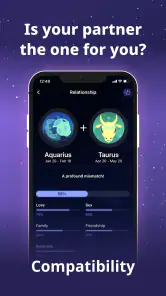
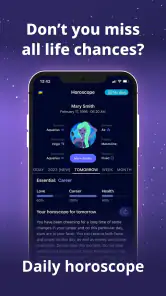
The app offers a plethora of features that cater to all your astrological needs. From daily horoscopes to personalized astrology readings, Nebula seems to have it all. I particularly love the compatibility section. It's always fun (and sometimes a bit too revealing) to see how the stars align when it comes to relationships.
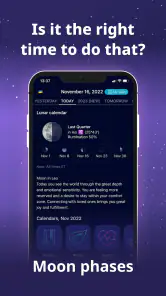
Another standout feature is the moon phase calendar. It’s a neat addition that helps you plan your activities around the lunar cycle. Trust me, after using this, you might just start timing your critical events with the full moon!
A practical way to use compatibility readings is as a conversation starter, not a verdict on whether a friendship or relationship will work. If you’re comparing charts with someone, treat the result as a prompt to discuss differences and expectations; it can make the feature more enjoyable without letting an app make personal decisions for you. Likewise, a moon calendar may suit someone who enjoys noting patterns in their routines, but I wouldn’t use it as a substitute for practical planning or professional advice.
Your Personal Guide
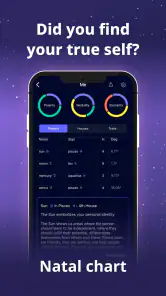
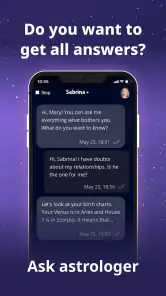
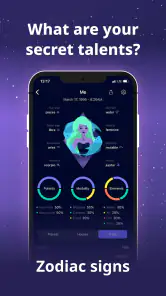
What truly sets Nebula: Horoscope & Astrology apart is its personalized approach. You can input your birth details, and the app churns out a detailed natal chart that's spookily accurate. It's like having a personal astrologer at your beck and call.
For a more useful first chart, have your birth information ready before you begin and check it carefully as you enter it. Small mistakes in personal details can make a reading feel less relevant, so it’s worth slowing down rather than rushing through setup. If you’re unsure of the details, you can still explore general zodiac content first and return to the chart later.
Moreover, the app offers insightful articles and tips on how to harness the power of the stars in everyday life. Whether it's advice on career, love, or personal growth, Nebula has got your back.
Using it in everyday life
A realistic routine might be to read a short horoscope over breakfast, save a longer chart exploration for a quiet evening, and use the articles when a topic feels relevant. That separation helps keep astrology light and optional instead of letting every notification or prediction steer the day. I’d especially recommend this approach to newcomers who want to learn the vocabulary gradually rather than trying to interpret a full chart all at once.
Compared with a basic horoscope page, Nebula brings more personal and relationship-focused material together with chart content. A book or specialist astrology site may be better if you want a structured course, extensive reference material, or a method you can inspect in depth. This app is more suited to browsing and reflection than to treating astrology as a formal system that settles questions for you.
Access across different situations
For motor and sensory needs, the clearest advantage is that the app’s content can be explored at your own pace: you can focus on one reading rather than needing to complete a long session. Still, I wouldn’t assume that a clean interface alone makes every screen comfortable for every reader. Long passages, detailed chart information, or a busy moment can call for more concentration than a quick horoscope, so choosing a calm time and taking breaks may help.
The app is free to download and is rated for Everyone. It has a 4.2 average from around 63,000 ratings, with over 5 million installs; those figures suggest a substantial audience, but they don’t tell you whether its style will suit you personally. In-app purchases range from $0.99 to $299.99 per item, so I’d check the price of anything offered before committing. If you want a completely purchase-free experience, or prefer astrology without personalized prompts, a simple general horoscope source may be a better fit.
Endless Cosmic Possibilities
One of the app's most engaging aspects is its community feature, where users can share their astrological experiences and insights. It's a vibrant space that adds a social element to the otherwise solitary pursuit of astrology.
If you prefer to keep personal reflections private, you can focus on the individual reading and article side instead of making community participation part of your routine. That distinction is useful: the social area may appeal to people who enjoy comparing interpretations, while readers who want a quiet reference can use the app more selectively.
Plus, the regular updates ensure that the content is fresh and relevant. It's clear that the developers are passionate about keeping the app aligned with the evolving astrological trends.
The current version is 4.47.00 and it requires Android 7.0 or later. Those details are helpful when deciding whether an older device can run it, but compatibility alone won’t answer whether the reading style works for you. I’d try the general content first, then decide whether the personal chart and other material are worth exploring further.
Who will get the most from it
Nebula is a good match if you enjoy zodiac themes, want an accessible way to browse compatibility and birth-chart content, or like having astrology articles alongside daily readings. It is less suitable if you need evidence-based guidance for health, money, or relationship decisions, or if you want a detailed academic reference rather than reflective lifestyle content. I’d use it for curiosity and self-reflection, keeping real-world choices grounded in the facts and conversations that matter.
So, if you're someone who's always looking up at the stars and wondering what they have in store for you, Nebula: Horoscope & Astrology might just be the app you didn’t know you needed. It’s more than just horoscopes; it’s about connecting with the universe and, in turn, with yourself.
Give it a whirl and let the stars guide your journey!
A grounded way to decide
If you’re wondering whether to install it, I’d separate the decision into two questions: do you enjoy astrology as a lens for reflection, and do you want several related kinds of content in one place? If both answers are yes, the app has a clear use. If you mainly want a single daily line, a simpler source may feel less busy; if you want a rigorous way to evaluate claims, astrology apps are not the right tool.
The audience figures offer a sense of its reach: it has around 8,500 written reviews alongside its rating, and OBRIO’s app has been available since July 30, 2020. I wouldn’t treat popularity or longevity as proof that a reading is accurate. They are context for choosing a familiar, established product, while the more important test is whether its tone and reading style suit you.
There is also a useful distinction between curiosity and dependence. Looking at a compatibility reading before a date might give you a playful topic to discuss; using it to decide whether to trust someone would give it too much authority. The same applies to career content: it can prompt a question about what you value, but it should not replace research, practical planning, or a conversation with someone who understands your circumstances.
For someone with fluctuating concentration, I’d make the experience deliberately small: choose one item, read it at a comfortable pace, and stop when attention fades. The app’s range is a benefit only if it remains manageable. A longer reading is not automatically more useful, and there is no need to work through every topic to get something out of it.
Costs, expectations, and boundaries
Nebula is free to download, but the presence of in-app purchases means the overall experience may involve offers beyond the initial install. Before accepting any paid option, I’d pause to check the displayed price and what is being offered, rather than treating a prompt as a necessary step. The listed purchase range runs from $0.99 to $299.99 per item, a wide spread that makes careful checking especially sensible for anyone managing a budget or sharing a device.
One common question is whether a birth chart is necessary to enjoy the app. It isn’t a prerequisite for trying general zodiac material, and the chart makes more sense when you are ready to enter your birth details and spend time with the result. Another is whether compatibility content should be taken literally. I’d keep it firmly in the realm of entertainment and conversation, not a test of someone’s character or a substitute for honest communication.
Age suitability is broad: the app is rated Everyone, so its stated content rating does not limit it to adult users. Still, a parent or caregiver can decide whether astrology themes and any purchase prompts suit a particular child. That is a practical judgment about how the app will be used, rather than a reason to assume that every reader will find the same material appropriate or interesting.
Inclusive verdict
My overall view is that Nebula can make astrology approachable for people who want to browse at their own pace, move between short readings and more involved chart content, and treat the results as personal prompts. Its flexible subject matter is more welcoming than a reference that expects specialist vocabulary from the outset, but comfort will vary with reading preferences, attention, and the situation in which you use it.
I’d recommend giving it a try if zodiac content is already something you enjoy and you’re comfortable keeping the readings in perspective. I’d skip it if you need a highly structured learning resource, prefer a completely free-of-purchases experience, or want guidance that can reliably answer consequential questions. Used selectively, it offers a convenient place to explore; the best experience comes from choosing what helps, ignoring what doesn’t, and letting real-world judgment lead.
Nebula: Horoscope & Astrology Frequently Asked Questions
Does Nebula require personal birth details to personalize astrology content?
Nebula covers personal astrology topics such as zodiac signs and birth charts, so some readings may ask for details that help shape a profile. Before entering information, consider what you are comfortable sharing and review the app’s privacy details and permissions. You can also explore the app’s general horoscope content without treating personalized readings as necessary for every user.
How much storage space does Nebula need, and will it work on an older phone?
Nebula is an app for Android and iOS, and Android devices need to run Android 7.0 or later. The exact storage space required can vary with the device and app updates, so it is sensible to check available space before installing. If your phone is older, confirm its operating system is compatible and that it can connect to the internet for the app’s online features.
Who develops Nebula: Horoscope & Astrology, and what kind of app is it?
Nebula: Horoscope & Astrology is a lifestyle app developed by OBRIO. It focuses on astrology, including horoscopes, zodiac signs, compatibility, and birth charts. If astrology is something you enjoy exploring, the app brings several related topics together in one place, so you can browse readings and learn more about your astrological profile without treating the experience as a substitute for practical advice.
What devices and operating systems can run Nebula?
Nebula is available for Android devices running Android 7.0 or later. Before downloading, check your device’s operating system version in its settings to make sure it meets that requirement. The app is also available on iOS, so people using an iPhone or iPad can look for it in the Apple App Store. Keeping your device’s software compatible helps you install and use the app smoothly.
What features does Nebula: Horoscope & Astrology offer?
Nebula: Horoscope & Astrology provides users with daily horoscopes, astrology readings, and personal life guidance based on celestial movements. The app also offers compatibility assessments, personalized reports, and insightful articles to enhance users' understanding of astrology. Its astrology topics include zodiac horoscopes, zodiac signs, compatibility, and birth charts. With a user-friendly interface, Nebula makes it easy to navigate through its various features to explore one's astrological profile.
Pros
- User-friendly interface for easy navigation.
- Accurate daily horoscope updates.
- Wide range of astrology features.
- Personalized astrological insights.
- Regular content updates for users.
Cons
- Limited free content access.
- Frequent ads in free version.
- Requires internet for full features.
- Subscription needed for premium features.
- Occasional app crashes reported.
- Category
- Lifestyle
- Version
- 4.47.00











