My Spectrum
- 107.71K
- 4.7
- Installs
- 10.00M
- Price
- Free

Screenshots
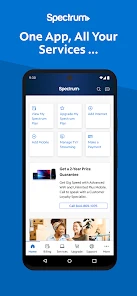


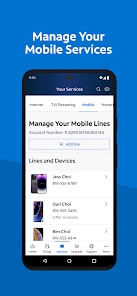




Analysis by Reviewed
Let me tell you about an app that has truly changed my digital experience: My Spectrum. As someone who relies heavily on stable internet and seamless connectivity, I was keen to explore what this app had to offer. Spoiler alert—it did not disappoint. So, if you're a Spectrum user, stick around as I take you through my journey with the app, highlighting why it's worth every megabyte of space on your phone.
Getting Started with Ease
Jumping into the My Spectrum app is like a breath of fresh air. The installation process was straightforward and within minutes, I was navigating through its sleek and intuitive interface. The login was a breeze, and I was immediately greeted with a dashboard that was not only visually appealing but also packed with all the features a tech-savvy individual like myself could ask for.
All-In-One Management
One of the first things that caught my attention was the comprehensive service management it offers. Whether you need to check your internet speed, pay your bills, or troubleshoot connectivity issues, the app has got you covered. I was particularly impressed with the Wi-Fi management feature. It provides an overview of all connected devices, and with just a few taps, I could prioritize bandwidth for my work laptop during peak hours. This level of control is not just convenient; it's empowering.
Customer Support at Your Fingertips
Another standout feature of the My Spectrum app is its robust customer support options. We all know the frustration of waiting on hold when trying to resolve an issue, but this app changes the game. I had a minor billing question and was able to chat with a representative directly through the app. The response was prompt, and my issue was resolved in minutes without a single "hold please" in sight. This is a game-changer for those of us with busy schedules.
Notifications and Alerts
If you're like me and appreciate staying informed, you'll love the app's notification feature. It keeps you updated with real-time alerts about service disruptions, bill reminders, and even scheduled maintenance. This way, you're never caught off guard, and you can plan your day without any unexpected hiccups.
In conclusion, the My Spectrum app is more than just a utility; it's a digital companion that enhances your Spectrum service experience. From its user-friendly interface to the extensive control it offers over your internet usage, it's clear that the developers had the user in mind every step of the way. If you haven't already, give it a try—you might find it becomes as essential to you as it has to me.
Pros
- Easy to navigate interface
- Quick and reliable connection
- 24/7 customer support
- Streamlined bill payment
- Parental control features
Cons
- Occasional app crashes
- Limited features offline
- Can be slow on older devices
- Some features require login
- Ads might be intrusive

- Category
- Tools
- Version
- 13.23.2











