Michaels Stores
- 23.50K
- 3.4
- Installs
- 5.00M
- Price
- Free

Screenshots




Analysis by Reviewed
When I look at a shopping app for crafts, I care about more than whether it can help me find glitter or a skein of yarn. I also want a clear reason to use it, a sensible way to make choices, and a shopping flow that does not turn a simple errand into a project of its own. Michaels Stores is a free lifestyle app from Michaels, aimed at people buying art and craft supplies, from occasional makers to experienced hobbyists. It has a 3.5 average from around 70,000 ratings, which suggests a mixed experience rather than one that will feel flawless for everyone.
That rating is useful context, but I would not treat it as a verdict on whether the app is right for me. A craft shopper may open it to check a deal or browse materials before a store visit, while someone expecting a full creative workspace may find the shopping focus limiting. Michaels has been available since October 6, 2011, and the current version is 25.11.1. It has over five million installs and an Everyone age rating, making it broadly accessible, though younger users should still make purchases with an adult’s involvement.
Trust begins with knowing what you are using
I see this as a retailer’s companion, not a neutral directory of every craft supply option. That distinction matters: its natural strength is connecting ideas and shopping to Michaels, rather than helping me compare every seller or build a project plan independent of a store. The app may suit me well when I already expect to shop there; if I need a supplier-agnostic catalog, a dedicated craft community, or a tool for designing patterns, I would look elsewhere.
The developer is Michaels, so I approach product discovery and recommendations as part of a store experience. That does not automatically make the app untrustworthy, but it does shape how I read suggestions: they are there to help me shop, not necessarily to tell me that a particular item is the only or best way to complete a project. I find that a useful mindset when browsing, especially if I am buying for a new hobby and do not yet know which materials are essential.
Shopping, choices, and the limits of convenience
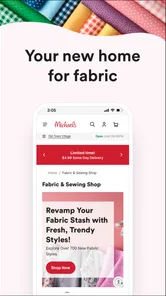
First off, the Michaels Stores app offers a seamless shopping experience. You can browse through thousands of products, from paints and canvases to yarn and sewing kits. The app's interface is super user-friendly, making it easy to find exactly what you need without any hassle. They’ve organized everything into categories, so whether you’re looking for something specific or just browsing for inspiration, you’re covered.
In practice, I would use those categories as a starting point, then narrow down with a short list of what my project actually requires. For example, if I am preparing to paint a small canvas, I would separate must-haves from nice-to-haves before browsing: the surface and paints first, optional brushes or finishing touches second. This keeps an attractive product range from quietly expanding a modest project into a much larger basket. The app can make browsing easier, but it cannot decide whether a decorative extra is worth buying for me.
That distinction is especially helpful for beginners. A large craft store can be exciting and a little overwhelming in person; browsing on a phone gives me room to compare options at my own pace. I can look through relevant product categories before leaving home, note what I still need, and avoid relying on memory once I am among the aisles. For a regular maker, the same approach can save time when replacing familiar supplies. For someone who prefers to inspect texture, color, or size in person, the app works better as preparation than as a substitute for seeing materials firsthand.
More From Our News Desk

Weather by Xiaomi Review: Clear at a Glance, Less Clear Up Close

X Under Pressure: Can It Recover When Posting Goes Wrong?

Clash of Clans Is Won Between the Battles

Android Auto Makes the Case for Quieter Car Software

MobiOffice: Transforming Mobile Productivity with Seamless Integration

EA SPORTS FC™ Mobile Soccer: Redefining Mobile Sports Gaming
Deals and coupons Galore
One of my favorite features of the app is the access to exclusive deals and coupons. Let’s be real, who doesn't love a good bargain? The app notifies you of special discounts and offers, which is perfect if you're like me and love to save a few bucks. Plus, you can use these coupons directly from your phone at checkout, which is super convenient and environmentally friendly. No more clipping paper coupons!
I would still treat a coupon as a prompt to check the final basket, not as a reason to buy something I did not need. A practical routine is to gather the planned supplies first, review which offer applies, and then decide whether an optional item belongs in the project. That small pause matters with crafts because materials are often sold in sizes or sets that outlast one activity. A discount can be worthwhile for supplies I use repeatedly, but less compelling for a specialized tool I may only try once.
For an ordinary errand, I might be getting ready for a weekend card-making session and realize I am short on paper and adhesive. I could check the app while making a list, see whether a relevant offer is available, and keep the phone ready at checkout rather than searching through messages or carrying printed coupons. That is a concrete convenience, but it depends on remembering to look before shopping and checking that the deal fits the items I intend to buy. I would not plan a project around an offer alone, since the creative choice should come first.
Ideas are useful when they lead to a realistic plan
Feeling stuck on what to create next? The app has a treasure trove of project ideas and inspiration. From seasonal crafts to home décor projects, you can find step-by-step guides and tutorials to kickstart your creativity. I found myself scrolling through and bookmarking tons of projects to try out later. It’s like having a personal craft coach right at your fingertips.
The most useful way I can see inspiration working is as a bridge between an idea and a manageable supply list. Before saving a project, I would check whether it suits the time I have, the materials I already own, and the level of detail I actually want to take on. A seasonal decoration can look simple in a picture yet involve several separate components; deciding on a smaller version before shopping can keep the activity enjoyable instead of turning it into a hunt for every pictured finishing touch.
I would also save ideas by occasion or material rather than collecting everything that catches my eye. If I am planning a children’s rainy-day activity, for instance, I can keep a few uncomplicated options together and check the needed supplies in advance. For an adult hobby session, I might save a more involved project but first confirm that I have enough uninterrupted time. This is a low-effort way to make saved inspiration actionable instead of letting it become a long, unused pile of bookmarks.
There is a trade-off here compared with independent video tutorials, craft forums, or pattern-focused apps. Those alternatives may offer broader creator perspectives or specialized instruction, while Michaels is more naturally useful when I want ideas connected to shopping for materials. I would use it to get unstuck and prepare a store trip, then seek another source if I need detailed troubleshooting, a technique demonstration from several makers, or a pattern tailored to a specific skill level. Inspiration is valuable, but it is not the same thing as hands-on instruction for every craft.
Personalized shopping and user agency
Another standout aspect of the app is its personalized shopping features. Once you log in, the app tracks your preferences and previous purchases to suggest products you might like. It’s a neat little feature that saves you time and introduces you to tools and materials you might not have considered before.
Because personalization is tied to a logged-in experience, I would make a deliberate choice about whether the convenience is worth it for my own shopping habits. If I buy the same kinds of materials often, tailored suggestions may help me rediscover relevant supplies. If I am only making a one-off purchase, I may prefer to browse categories directly and avoid treating recommendations as a project checklist. Either way, I would keep my own notes for dimensions, colors, and quantities; suggestions are a starting point, not a reliable record of what a particular project needs.
For anyone wondering whether an account is necessary, I would separate ordinary browsing from features explicitly associated with signing in. The app’s personalized suggestions are described as following login and purchase history, so an account is relevant to that experience. I would decide before creating one whether I want that continuity, and review the choices shown during sign-up and in the app’s settings rather than assuming every option is required. I cannot turn that into a promise about data handling; my practical advice is to make choices based on the prompts actually presented on your device.
Likewise, I would pay attention when the app asks for access or sends notifications. A coupon alert can be handy if I shop regularly, but it may be unnecessary noise if I only visit occasionally. I would enable only the notices I find useful and use the device’s permission controls to manage them. I do not assume that a shopping app needs access beyond what it requests for a feature I choose to use; pausing to read each prompt is the simplest way to keep control in a data-sensitive moment.
That cautious approach is not a criticism unique to Michaels. Any retailer app can bring shopping, account activity, and promotions into one place, so I find it sensible to distinguish a useful feature from a permission or notification I do not want. If I am uncomfortable signing in, I can decide whether browsing alone meets my needs; if the functions I care about require an account, I can weigh that trade-off before proceeding. The important point is that I should make the choice consciously rather than sharing information simply because a screen encourages me to move quickly.
Who will get the most from it—and who may prefer another option
I would recommend Michaels Stores most readily to someone who already shops at Michaels, wants to browse craft materials before heading out, and likes having deals and project ideas close at hand. It can also be useful to a beginner who needs a gentle starting point for choosing supplies, provided they are willing to check project requirements instead of buying every suggested extra. Experienced makers may appreciate the convenience for routine shopping, though those who need specialist technical guidance may find a dedicated resource more helpful.
I would skip it if my main goal were a completely independent comparison across retailers, a detailed inventory system for supplies I own, or a specialized tool for drafting, editing, or sharing craft designs. A general search engine, a maker community, or a dedicated pattern and tutorial resource may be better for those jobs. The app’s value is tied to its retailer context; that focus is convenient for one kind of task and a limitation for another.
It is also not the best fit for someone who finds promotional notifications distracting or does not want shopping suggestions based on account activity. They can keep the experience more deliberate by limiting alerts and browsing with a list, but if the retailer-centered approach itself feels uncomfortable, a non-retailer source for project ideas may be a better match. I would rather use a simpler option that fits my boundaries than keep an app installed for features I do not want.
A measured recommendation
All in all, the Michaels Stores app is a must-have for any craft enthusiast. Whether you're a seasoned artist or just getting started, this app is packed with features that make crafting more fun and accessible. So, what are you waiting for? Dive into the world of creativity with Michaels right at your fingertips!
My own recommendation is more conditional: I would keep it if Michaels is already part of my shopping routine and I value having product browsing, offers, and project inspiration together. I would not call it essential for every craft enthusiast, because the right choice depends on where you shop and whether you need ideas, supplies, or deeper instruction. The app is free, and its 5M-plus installs show that many people have tried it, but neither fact replaces checking whether its particular mix is useful to me.
The rating and volume of feedback also give me a reason to set expectations rather than assume the experience will suit everyone. With a 3.5 average and around 23,000 written reviews, there is a substantial body of user opinion, but ratings alone do not tell me which parts matter to my routine. I would try it for a specific task—planning a supply run or checking an offer—then decide whether the browsing and account experience feel worthwhile on my own device. Its current version is 25.11.1, and it supports devices running version 7.0 or later.
Ultimately, I see this as a practical retailer app with a creative layer, not a replacement for every tool a maker might use. Its strongest case is straightforward: it can help me prepare a Michaels shopping trip, keep an eye on coupons, and turn a saved idea into a more considered materials list. Its weaker case is when I expect neutral shopping across stores, extensive specialist teaching, or a complete project-management system. If I keep those boundaries in mind and make intentional choices about sign-in and notifications, I can use it for what it does well without asking it to be more than it is.
Michaels Stores Frequently Asked Questions
What kind of app is Michaels Stores, and who develops it?
Michaels Stores is a Lifestyle app developed by Michaels, centered on arts and crafts. Its focus on creativity and savings makes it relevant to people who enjoy making things, whether they are just starting out or already experienced. The app brings Michaels’ craft-shopping experience to a mobile device, giving users a place to explore the retailer’s offerings.
Is the Michaels Stores app compatible with my Android device?
For Android, the Michaels Stores app requires version 7.0 or later. Checking your device’s operating system before downloading is a simple way to confirm compatibility. The app is intended for a broad audience and is rated for Everyone, so its age rating is suitable for general use. Its listed current version is 25.11.1.
When was the Michaels Stores app first released?
The Michaels Stores app was first released on October 6, 2011. It has continued as a mobile option for people interested in Michaels and arts-and-crafts shopping. If you are considering installing it today, the release date can give useful context about how long the app has been available, while the current version reflects the version offered now.
Is the Michaels Stores app free to download, and who is it for?
The Michaels Stores app is free and is listed for everyone, making it suitable for kids, beginners, and experienced crafters. Its focus is on creativity and savings, with shopping features and craft inspiration in one place. The app is in the Lifestyle category and is developed by Michaels, so it is designed around the retailer’s arts-and-crafts offerings.
What is the Michaels Stores app used for?
The Michaels Stores app is a versatile platform designed to enhance your shopping experience at Michaels. It allows users to browse a wide array of arts and crafts products, access exclusive deals and coupons, and manage shopping lists. Additionally, the app provides project ideas and tutorials, making it a valuable tool for both amateur and professional crafters seeking inspiration and convenience.
Pros
- User-friendly interface for easy browsing
- Wide range of art and craft supplies
- Exclusive deals and discounts available
- Integrated project ideas and tutorials
- Convenient shopping with curbside pickup
Cons
- Limited delivery options in some areas
- App occasionally crashes on older devices
- Notifications can be overwhelming
- Account creation process is lengthy
- In-app search functionality needs improvement











