Kroger
- 59.88K
- 4.5
- Installs
- 10.00M
- Price
- Free

Screenshots
Analysis by Reviewed
I see Kroger as most useful when you treat it as a planning tool, not just a place to look for discounts. It brings store information, shopping lists and savings features together, which can make a routine grocery trip less scattered. The trade-off is that its value depends on whether Kroger is already a store you shop at: if you mainly buy groceries elsewhere, the app has little reason to become part of your routine.
A better way to plan a store trip
For me, the practical advantage is being able to make decisions before I reach the aisles. I can check advertised deals, clip relevant coupons and build a list around the ingredients I actually need. That order matters: browsing offers without a plan can tempt me to buy things simply because they look like savings. I get more from the app when I start with meals or household staples, then see whether a coupon fits.
A useful habit is to keep the list focused on the next trip rather than turning it into a permanent catch-all. If someone else is shopping, a shared list can reduce duplicate purchases and missed basics. Before leaving, I would check the list against the cupboard or fridge; the app can organize what I want to buy, but it cannot tell me whether I already have another jar of pasta sauce.
Where it fits among grocery options
Compared with a paper list, Kroger keeps coupons and store-finding tools close to the shopping plan, so I do not have to juggle separate notes and a stack of paper offers. A general-purpose list app may be simpler if all I need is a checklist, while another retailer’s app makes more sense for shoppers who do not use Kroger. The key distinction is convenience within this particular store, not a universal replacement for every grocery service.
The app is free, and it is made by The Kroger Co. It has a 4.5 average from around 373,000 ratings, with more than 10 million installs. That kind of reach suggests it is a familiar option for many shoppers, though popularity alone does not guarantee that every feature will suit my habits. Its Everyone age rating also makes it broadly accessible, while the main benefit remains tied to grocery shopping.
First Impressions
Ever found yourself wandering the aisles of a grocery store, wishing there was a way to streamline your shopping experience? Enter the Kroger app, a nifty tool that promises to make your grocery shopping as smooth as a well-churned butter. As someone who loves efficiency, I couldn’t resist diving into what this app has to offer. Here’s my take on it.
Right off the bat, the Kroger app impresses with its clean and user-friendly interface. It’s like they’ve taken the chaos of a bustling supermarket and organized it into neat and tidy sections right on your phone. Setting it up was a breeze; all it took was a quick download and a few taps to sign in. It’s as if the app knows you’re eager to start saving time and money.
You May Like

Clash of Clans Is Won Between the Battles

Android Auto Makes the Case for Quieter Car Software

MobiOffice: Transforming Mobile Productivity with Seamless Integration

EA SPORTS FC™ Mobile Soccer: Redefining Mobile Sports Gaming

How Microsoft OneDrive Became a Mobile Productivity Giant

How Google Translate Breaks Language Barriers Effortlessly
Features That Stand Out
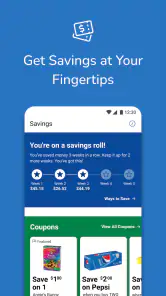
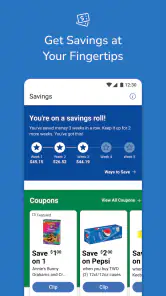
The app packs a punch with its plethora of features. One of my favorites is the shopping list functionality. You can create lists with ease and even sync them with your partner’s app, so there’s no more “Did you get the milk?” confusion. And if you’re like me, always on the hunt for deals, the app’s digital coupons section is a goldmine. Just clip the coupons to your account, and they’re ready to use at checkout—no scissors required!
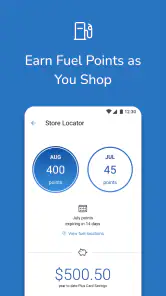
Another nifty feature is the store locator. Whether you’re in a new city or just exploring a different neighborhood, finding the nearest Kroger is as easy as pie. Plus, the app provides store hours, which is a lifesaver when you’re planning those late-night snack runs.
Shopping Experience
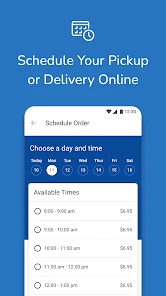
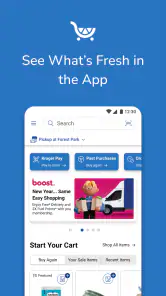
Shopping with the app is akin to having a personal assistant. As you browse the aisles, you can scan items to see if there are any discounts available. It’s almost like playing a game, trying to rack up the most savings. And for those who prefer the convenience of online shopping, the app allows you to order groceries for delivery or curbside pickup. No more lugging heavy bags around or waiting in long checkout lines!
Practical limits to keep in mind
I would still treat the savings tools as prompts to check, not a promise that every item in my basket will cost less. A coupon only helps when it applies to something I genuinely intended to buy, and it is worth reviewing clipped offers before checkout rather than assuming every deal has been applied. That small check keeps the app useful without letting bargain-hunting take over the trip.
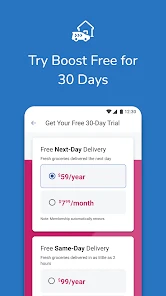
There is also a difference between using the app in the store and relying on it to complete a whole shop remotely. Delivery or curbside pickup can be convenient when carrying bags or spending time in checkout is the bigger problem, but shoppers who prefer choosing produce themselves may still want to visit in person. I would pick the option that solves the day’s actual inconvenience, rather than treating online ordering as automatically better.
Who will get the most from it
I would recommend Kroger to regular Kroger shoppers who want one place to prepare a list, check offers and find a nearby store. It is especially handy for a household where one person plans the shop and another picks up a few items, since a shared list can make that handoff clearer. Someone who shops across several unrelated chains may find separate retailer apps cumbersome and prefer a neutral checklist for the basics.
For a realistic weekday run, I might add dinner ingredients and a few staples to my list at home, check the coupons before setting off, then use the list to avoid drifting through the aisles. If plans change, the store locator and hours can help me decide whether a nearby Kroger is practical. That is a modest workflow, but it turns several small errands into a more deliberate trip.
Version and lasting usefulness
The app’s current version is 88.1.1, and it has been available since November 29, 2010. Those details place it as a long-running grocery companion rather than a new experiment, but I would still keep it updated so its tools remain current on my device. It supports operating systems from 7.1, which is useful context for people checking compatibility before installing.
The Verdict
All in all, the Kroger app feels like a must-have for anyone looking to make their grocery shopping experience more efficient and enjoyable. It’s packed with features that cater to both traditional shoppers and tech-savvy individuals. While it may not replicate the joy of finding a new snack in the wild aisles of a store, it certainly makes the essentials more accessible and convenient. So, if you’re someone who values their time and loves a good bargain, give the Kroger app a whirl. It might just become your new shopping sidekick.
My final recommendation is specific: install it if Kroger is already part of your regular grocery routine, and use the list and coupons together rather than chasing offers on their own. If you shop at a different chain or only need a simple checklist, a lighter, store-neutral option will probably suit you better. For the right shopper, Kroger earns a place on the phone by making ordinary trips easier to organize—not by making every grocery decision for you.
Making the app work around changing plans
One detail that makes a grocery tool genuinely useful is how well it handles the gap between planning at home and shopping later. I would use the list as a short, editable plan rather than a strict script. If dinner changes, remove ingredients that no longer make sense before adding replacement items; otherwise, a list built around an old meal can create needless purchases. This is a small discipline, but it makes the app’s convenience more tangible than simply collecting offers.
For a quick stop after work, I would separate the essentials from the optional items in my own planning routine, even if I keep them in one list. That helps me finish the errand when time is tight without getting distracted by appealing discounts. If I have more time, I can look through the advertised deals and decide whether anything fits the week’s meals. The useful trade-off is having promotions close at hand while still making the list—not the promotion—the anchor.
Questions worth settling before relying on it
Does installing the app mean I have to shop online? No: I would use it just as readily to prepare for an in-person visit, checking the list and offers before heading to a store. Delivery and curbside pickup are additional routes for people who want them, not the only reason to use a grocery app. If I prefer to choose every item myself, I can keep the app’s role focused on planning and shop in person.
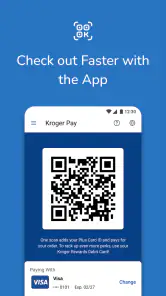
Do digital coupons remove the need to pay attention at checkout? I would not assume that. The sensible approach is to clip only offers that match the planned basket, then take a moment to check that the relevant deals are reflected as expected. That prevents a common disappointment: remembering a promotion in general but overlooking whether it applies to the particular purchase. I see the coupon tool as a way to prepare, not a substitute for checking the transaction.
Can it replace a general shopping-list app? It can if most of the list is for Kroger trips and having store-related tools beside it saves effort. If my household buys groceries from several retailers, a neutral list may be easier to maintain than splitting plans across retailer apps. I would decide based on where the list is used most often, rather than trying to make one app cover every shopping situation.
A practical choice for the right routine
The clearest audience is someone who shops at Kroger often enough to benefit from keeping trip planning, coupons and store details together. It also suits a household with a regular handoff: one person can prepare the list, while the other checks it during the shop. For someone who makes occasional visits, shops mainly at competing chains, or wants nothing beyond a bare checklist, the extra store-specific layer may not earn its place on the phone.
I would also keep expectations grounded. A list can reduce forgotten items, but it cannot make choices about quantities or tell me what is already at home. Offers can be useful, but the best savings are often the ones that fit something I intended to buy anyway. Used with that judgment, the app is a convenient companion; used as a reason to browse for deals without a plan, it can make the trip less focused.
That is why I would judge Kroger less by how many tools it puts on the screen and more by whether it removes small points of friction from my usual shop. For a frequent customer, keeping the list, store search and coupon preparation together is a convincing reason to use it. For everyone else, a simple note or the app for their regular retailer may be the more sensible choice.
Kroger Frequently Asked Questions
Can I use Kroger to check weekly ads and make a shopping list before I leave home?
Yes. Kroger brings ads and shopping-list tools together, making it easier to review shopping options and organize what you need before heading to a store. You can use the list to keep track of items for a grocery trip and browse available offers while planning. These features are useful if you prefer to prepare in advance rather than decide what to buy once you arrive.
Does Kroger include digital coupons and rewards features?
The app includes digital coupons and rewards features alongside its shopping tools. You can browse offers and use the app to access savings as part of your Kroger shopping routine. If you already use Kroger’s rewards options, having them in the same app as ads and shopping lists can make trip planning more convenient. The specific offers available can vary, so check the app as you prepare to shop.
Is Kroger free to download, and who is it designed for?
Kroger is a free shopping app from The Kroger Co., designed for people who want to plan grocery trips, browse shopping options, and access savings in one place. Its content rating is Everyone, so it is intended for a broad audience. The app is a practical choice for shoppers who already use Kroger or want to explore its shopping tools.
What is Kroger's main function as an app?
Kroger is a comprehensive grocery shopping app designed to simplify your shopping experience. Whether you're planning a weekly grocery trip or need to make a quick run for essentials, the app allows users to browse products, create shopping lists, and even order groceries for delivery or pickup. Additionally, it offers digital coupons and personalized deals to help you save money.
How can I save money using the Kroger app?
The Kroger app provides multiple ways to save money, including access to digital coupons and exclusive deals. Users can load these coupons directly onto their account and apply them during checkout. Additionally, the app features personalized offers based on your shopping habits and a rewards program that lets you earn points for discounts on fuel and other purchases.
Pros
- User-friendly interface.
- Wide range of available products.
- Convenient in-app shopping list.
- Loyalty rewards for frequent shoppers.
- Digital coupons for cost savings.
Cons
- Occasional app crashes.
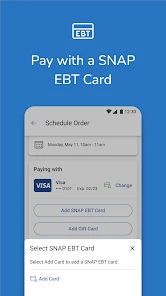
- Limited payment options.
- Slow customer service response.
- Some items unavailable online.
- Glitchy barcode scanner.

- Category
- Shopping
- Version
- 88.1.1