Journey: Diary, Journal
- 11.26K
- 4.3
- Installs
- 5.00M
- Price
- Free

Screenshots


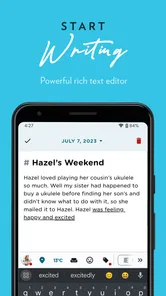





Analysis by Reviewed
I approached Journey: Diary, Journal as a daily writing companion rather than a simple notes app. Its purpose is quiet and personal: giving me a place to record thoughts, moments, plans, and emotional clutter without turning journaling into another demanding task. That distinction matters because the best journal is usually the one I can open quickly and use consistently, not the one with the longest feature list.
In the lifestyle category, Journey sits between a traditional paper diary and a general-purpose notes tool. It is free to start, suitable for Everyone, and developed by Two App Studio Pte. Ltd. The app has been available since July 27, 2014, which gives it a more established feel than a brand-new journaling experiment. Its store summary describes it as a journal for the mind and soul, while the short store description simply calls it “Journey.” I found that understated presentation fairly accurate: the appeal is less about spectacle and more about making personal writing feel approachable.
How Journey feels during ordinary use
My first impression was that the app is designed around reducing resistance. When I wanted to write, I did not need to treat the moment like a formal creative session. A short entry made sense just as much as a long reflection. That flexibility is important for people who want to build a habit but often abandon journaling because every entry starts to feel like homework.
A realistic use case is the end of a busy workday. I might open the app while waiting for dinner, write down what went well, mention one frustrating conversation, and leave a note about something to handle tomorrow. That kind of entry does not need polished language. Journey works best when I use it as a private landing place for unfinished thoughts rather than as a public-facing record of my life.
The same approach suits travel, personal goals, family memories, and mood tracking through ordinary descriptions. I can write a few lines after a walk, capture an idea before it disappears, or revisit an earlier entry when I need context about how a difficult period actually felt. The value builds gradually, so I would not judge it after one short session.
The most useful habit is to make the entry small enough that I will still write on an inconvenient day. I would begin with a single sentence or three simple prompts: what happened, how I felt, and what I want to remember. That workflow avoids the common trap of waiting for a perfect, quiet evening that never arrives.
Speed expectations when opening and writing
For basic journaling, I expect the app to feel lighter than a full productivity suite because the central activity is straightforward: open a journal, compose an entry, and move on. In my experience, that is where Journey makes the strongest impression. The writing process feels direct, and I am not pushed into arranging a complicated system before I can record something.
More From Our News Desk

Weather by Xiaomi Review: Clear at a Glance, Less Clear Up Close

X Under Pressure: Can It Recover When Posting Goes Wrong?

Clash of Clans Is Won Between the Battles

Android Auto Makes the Case for Quieter Car Software

MobiOffice: Transforming Mobile Productivity with Seamless Integration

EA SPORTS FC™ Mobile Soccer: Redefining Mobile Sports Gaming
That does not mean every action should be judged by the same standard. Starting a short entry is a different workload from searching years of writing, moving through a large archive, or handling entries that contain much more than text. If I mainly want a fast scratchpad, a minimalist notes app may feel even more immediate. Journey earns its place when I care about journal context and returning to older reflections, not merely typing the fastest possible note.
I also appreciate that the app can be used in brief bursts. A journal that requires a long setup each time would undermine its own purpose. My practical advice is to keep the first entry intentionally modest, then explore the organization tools after the habit feels natural. This separates the act of writing from the temptation to spend more time designing the journal than using it.
What happens during heavier, more demanding use
Heavy use for a journal is not the same as heavy use for a game or video editor. The pressure comes from accumulation: many entries, repeated searches, long reading sessions, and frequent switching between old memories and new writing. Someone using Journey for years will care more about finding a particular thought and staying oriented in the archive than about a flashy opening screen.
This is where I would use a simple personal filing routine. I would give entries clear, natural titles when a subject matters, keep recurring reflections consistent, and avoid turning every entry into a completely different format. That makes later browsing less tiring. It is a small discipline, but it improves the experience more than endlessly changing templates or writing elaborate introductions.
Another useful workflow is separating immediate capture from later reflection. I can write a quick factual note in the moment, then return later to add what I learned or how my view changed. This prevents the pressure to produce a complete emotional analysis while I am still busy. It also makes the journal more honest, because the first reaction and the later interpretation remain distinct.
For memory keeping, I would avoid treating every entry as equally important. A short daily note can preserve continuity, while longer entries can be reserved for events I genuinely want to revisit. That trade-off keeps the archive readable. If every day becomes a lengthy essay, the amount of material may eventually make reflection feel like administrative work.
Reliability and recovering from an interrupted routine
A journaling app has to support recovery from ordinary life. People miss days, change phones, lose motivation, and sometimes open an app with only a minute available. Journey is most useful when I treat it as a forgiving record rather than a strict streak system. Missing a week does not make the previous entries pointless, and I would not try to compensate by writing an artificial summary that says more than I really remember.
My preferred recovery method is to restart with a short “today” entry and, if useful, add a separate note about the gap. That is less intimidating than reconstructing every missing day. It also keeps the timeline truthful. The app becomes a place I can return to after disruption instead of another source of guilt.
Reliability also includes confidence in the writing process itself. I would pause before closing a long entry, especially after writing something emotionally important, and make sure the entry has finished saving before moving elsewhere. That is sensible practice for any personal writing tool. I would also keep my device software in a normal, supported state and avoid judging the app by a single interrupted session caused by the phone rather than the journal.
Journey’s current version is 5.7.0B-play, and its long presence in the store suggests an app that has had time to develop beyond an initial release. Still, an established app is not automatically perfect for every device or workflow. My recommendation is to begin with a few low-stakes entries, learn how the archive behaves, and only then make it the home for irreplaceable memories.
Resource demands and device limitations
Journey supports devices running Android 8.0 or later. That makes the compatibility question fairly practical: if my phone is older than that software requirement, this is not the right installation target, regardless of how appealing the journaling approach may be. On a compatible device, the core writing task should be easier to accommodate than a media-heavy application, but I would still leave reasonable free storage for the phone itself and for any personal material I choose to keep.
Resource use matters most for people with older hardware, limited storage, or a habit of keeping large archives. A journal can quietly become substantial because entries accumulate over time. Long sessions spent browsing personal history may also feel different from quickly adding a note. I would not open the app expecting it to behave like a disposable memo pad if I have years of material to manage.
There is also a mental resource cost. A feature-rich journal can tempt me to organize every thought, revise old entries, and search for patterns constantly. That may be useful for some people, but it can make journaling feel clinical. I get better results when I decide in advance whether I am writing to remember, understand, plan, or simply release a thought. The app is then serving a purpose instead of becoming another place to optimize myself.
Because the app includes in-app purchases ranging from $0.99 to $199.99 per item, I would pay attention to the purchase flow before committing to a long-term setup. The free starting point is helpful for testing the writing experience, but anyone sensitive to optional spending should decide what they actually need before buying. I would not purchase extras merely because I feel that a “serious” journal must use every available option.
Who will get the most from it
I would recommend Journey to someone who wants a dedicated personal journal but does not want to begin with a rigid self-improvement program. It suits reflective people, travelers, busy professionals, students, and anyone trying to remember ordinary days that would otherwise blur together. It is also a reasonable choice for someone moving away from paper while still wanting the feeling of a private, chronological record.
The app is especially useful when consistency matters more than literary quality. A person who writes two honest sentences several times a week may gain more from it than someone who downloads a complex system and uses it only for ambitious weekend reviews. I also see value for people who want to revisit changes in their thinking rather than relying on memory alone.
It is less suitable for someone who wants a pure task manager, a collaborative workspace, or an instant note surface with no interest in personal history. If my main need is shared editing, structured project planning, or rapid capture of dozens of unrelated reminders, a conventional notes or productivity app would be a better fit. Journey’s identity as a journal is a strength when that is what I want, but it is also the reason I would not use it for every kind of information.
I would also hesitate to recommend it to someone who dislikes writing on a phone. No app can remove the basic friction of expressing a thought through a small screen. Paper may feel more natural for handwriting, while a general notes app may be more convenient for people who want their personal writing beside shopping lists and work notes. The right choice depends on whether separation helps or annoys me.
How it compares with paper diaries and ordinary notes apps
Paper gives me tactile freedom and a strong sense of privacy, but it is harder to search, carry, and revisit systematically. A general notes app is usually excellent for speed and flexibility, yet its entries can become mixed with temporary reminders, copied text, and unfinished lists. Journey occupies the middle ground: it gives personal writing a dedicated home without requiring the physical commitment of a notebook.
That middle position creates a clear trade-off. A paper diary can feel more intimate because the page is fixed and handwriting records the moment visibly. A notes app can feel more practical because everything is close at hand. Journey is better when I want the emotional continuity of a diary with the convenience of digital storage and retrieval, but it will not automatically recreate the sensory experience of paper or the universal flexibility of notes.
I would compare it with other digital journals based on three questions: does the writing flow feel comfortable, can I maintain the archive without extra effort, and do the available options match my privacy and organization expectations? A higher rating elsewhere would not settle that decision for me. The best journal is the one I can use honestly and return to without friction.
My practical setup for the first week
During the first week, I would not try to document everything. I would create one entry each day using a repeatable structure: one concrete event, one feeling or reaction, and one detail worth remembering. On a difficult day, a single line would count. This test reveals whether Journey fits my routine better than a paper notebook or a regular notes app.
I would then revisit the entries at the end of the week and notice which ones were easiest to write. If factual summaries came naturally, I would keep them short. If questions led to better reflection, I would use one question per entry. This experiment is more useful than copying a complicated journaling method because it adapts the app to my actual behavior.
For longer-term use, I would keep sensitive thoughts specific but not needlessly exposed in notifications or visible previews. I would also avoid using the journal as the only place for urgent reminders. A personal reflection and a time-critical task have different jobs, and mixing them can make both harder to manage.
Overall performance and value judgment
Journey feels strongest as a calm, dedicated space for building a record of everyday life. Its performance appeal is not about demanding visual effects; it is about whether I can open it, write without ceremony, and return to my thoughts later. For that purpose, the focused design is more valuable than a crowded toolbox.
The app has a 4.3 average from around 94 thousand ratings, with over 5 million installs and about 11 thousand written reviews. Those figures indicate a well-established audience, but they should be treated as context rather than a guarantee that it will suit my habits. Personal journaling is unusually individual: what feels reassuringly structured to one person may feel restrictive to another.
As a free lifestyle app for Everyone, it is easy to try without making the decision feel permanent. The Android requirement of 8.0 or later is the main device checkpoint I would handle first, followed by a realistic look at how much writing I expect to keep. Optional purchases deserve deliberate consideration, particularly for anyone who wants to avoid spending simply because more customization is available.
My final view is positive, with a clear condition: I would choose Journey when I want a real digital diary, not merely a place to dump notes. It rewards small, repeatable entries and thoughtful organization, while its dedicated identity may feel unnecessary to people who already live comfortably inside a general notes app. If you want a gentle way to preserve ordinary days, process experiences, and recover from missed routines without turning journaling into a performance, I think it is worth trying. Its real strength is making reflection easy to resume.
Journey: Diary, Journal Frequently Asked Questions
Can I start using Journey without paying?
Journey is free to download, so you can try it as a digital journal without an upfront purchase. Some features may involve in-app purchases, with prices ranging from $0.99 to $199.99 per item. If you are considering a paid option, review its price and terms in your app store before buying, and decide whether the available journaling features suit your needs.
Is Journey suitable for someone who has never kept a diary?
Yes. Journey is a lifestyle app built around the idea of a journal for your mind and soul, so it can be a starting point for writing down thoughts, events, and memories. You do not need to be an experienced diarist to benefit from recording a short reflection or a longer entry. Its age rating is Everyone, though younger users should still be guided around privacy and account access.
What devices and operating systems can run Journey?
Journey is available for Android and iOS users, and it can also be considered by people looking for a journaling app across compatible devices. On Android, the minimum operating system requirement is version 8.0. Check the requirements shown for your particular device before downloading, since compatibility can affect whether the app installs and runs as expected.
Who makes Journey, and is it a widely used app?
Journey: Diary, Journal is developed by Two App Studio Pte. Ltd. It has an average rating of 4.3 from around 94,000 ratings, with roughly 11,000 written reviews and over 5 million installs. Those figures suggest that many people have tried it, but ratings are only a broad guide; it is still worth checking whether its journaling approach and available features match what you want.
Does Journey: Diary, Journal support reminders for writing regularly?
Journey is built around keeping a diary, so it can suit people who want to make journaling part of their routine. If reminders are important to you, check the app’s current settings after installing it and see which notification options are available on your device. You can also use your phone’s own reminders to create a writing habit without relying on a particular app feature.
Pros
- Clean
- calming interface that makes daily writing feel approachable.
- Supports photos and location details to enrich personal memories.
- Mood tracking helps reveal emotional patterns over time.
- Entries are easy to organize and revisit through search and timelines.
- Useful reminders encourage a consistent journaling routine.
Cons
- Many advanced features require a paid subscription.
- Some users may find the interface slower with large photo collections.
- Cloud syncing can be inconsistent when switching between devices.
- Limited customization may disappoint users wanting highly personal layouts.
- Location features may raise privacy concerns for cautious users.











