Imgur: Funny Memes & GIF Maker
- 32.34K
- 3.4
- Installs
- 10.00M
- Price
- Free

Screenshots

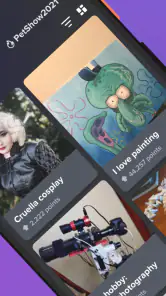


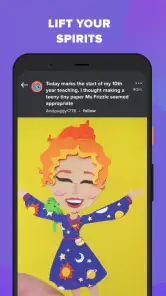
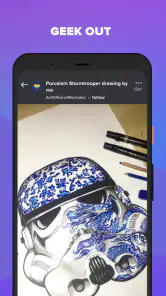

Analysis by Reviewed
Ever found yourself scrolling endlessly through your phone, looking for something fun to brighten up your day? Well, let me introduce you to Imgur: Funny Memes & GIF Maker. This little gem is like a treasure trove of hilarity, where memes and GIFs reign supreme. Whether you’re a meme connoisseur or just someone who wants a good laugh, this app has something for everyone.
A visual feed built around quick discoveries
Imgur is a free video and image browsing app from Imgur, designed for people who want to discover visual jokes and short clips without opening a full video-editing suite. It has been around since 2013, and its current version is 7.28.0.0. The scale is part of the experience: it has more than 10 million installs, alongside an average rating of 3.4 from around 252,000 ratings. That tells me it is widely used, but not universally loved; the casual, fast-moving feed is a better fit for some people than others.
The main appeal is the low-effort loop: open the app, scan images and GIFs, pause when something catches your eye, and move on when it doesn’t. Unlike a video editor that expects you to arrive with a project, Imgur gives you something to browse first. I find that useful during a short break, when I want a few amusing images rather than a carefully curated watch list. The trade-off is that an open-ended feed can easily stretch a five-minute pause into a much longer scroll.
Discover a World of Laughter
Once you open Imgur: Funny Memes & GIF Maker, you're greeted with a vibrant community of meme lovers and creators. It's like diving into a pool of creativity, where every scroll reveals something new. From trending memes to the most adorable cat GIFs, there’s no shortage of content to explore. The best part? You can easily lose track of time as you dive deeper into the meme universe.
Easy Navigation and User-Friendly Interface
One of the first things you’ll notice about Imgur is its user-friendly interface. Navigating through the app is a breeze. The layout is intuitive, and you can quickly jump between different categories. Whether you’re in the mood for something silly or want to explore the latest viral trends, it’s all just a tap away. Plus, the search function is super handy when you’re on the hunt for specific memes or GIFs.
Making something shareable, not just browsing
The maker is most useful when you have a very small idea and want to turn it into a quick visual punchline. Rather than treating it like a professional editing workspace, I’d approach it as a playful way to add a short caption or visual twist to a clip. A practical tip is to decide on the joke before you start editing: concise text is easier to read in a looping GIF, while a long setup can disappear before the punchline lands. If the result needs precise timing, layered effects, or a polished sequence, a dedicated editor is the better tool.
Create Your Own Memes and GIFs
Feeling creative? Imgur doesn’t just stop at letting you consume content; it encourages you to create your own. The GIF maker is a standout feature, allowing you to easily transform your videos into hilarious GIFs. The editing tools are straightforward, making it simple to add text, stickers, or even adjust the speed. It’s like having a mini meme factory right in your pocket!
More From Our News Desk

Weather by Xiaomi Review: Clear at a Glance, Less Clear Up Close

X Under Pressure: Can It Recover When Posting Goes Wrong?

Clash of Clans Is Won Between the Battles

Android Auto Makes the Case for Quieter Car Software

MobiOffice: Transforming Mobile Productivity with Seamless Integration

EA SPORTS FC™ Mobile Soccer: Redefining Mobile Sports Gaming
Join the Community
Another aspect that makes Imgur so engaging is its community. You can interact with other users by leaving comments, upvoting your favorite memes, or even sharing your creations. It’s a fantastic way to connect with like-minded individuals who share your sense of humor. Plus, you can follow your favorite creators to keep up with their latest posts.
Imgur also hosts various challenges and events, encouraging creativity and competition among users. Whether it's meme competitions or themed GIF battles, there's always something happening to keep the community buzzing.
Where it fits into an everyday routine
Imagine waiting for a friend at a café with a few minutes to spare. I’d open Imgur for a quick browse, save a mental note of a joke style I like, and send a suitable post to a friend if it fits the conversation. That lightweight use is where the app makes the most sense: it turns idle time into a small shared laugh without asking me to plan a viewing session. For a longer watch, a subscription video service is more intentional; for editing a clip carefully, a dedicated editor offers more control. Imgur sits between those habits, centered on community-made visual humor.
Seamless Sharing Options
Once you’ve found the perfect meme or created a GIF that’s just too good not to share, Imgur makes it easy to spread the joy. With seamless sharing options, you can send content directly to your friends via social media or messaging apps. It’s a great way to keep the laughter going beyond the app itself.
Who will enjoy it—and who may not
I’d recommend it to anyone who likes discovering internet humor, wants a source of GIFs to share in chats, or enjoys making simple, playful edits without learning a complex tool. If your main goal is to watch carefully organized videos, maintain a personal media library, or produce polished clips for work, this is not the app I’d choose first. The same is true if an unpredictable stream of jokes and images tends to distract you: search can help when you have a specific subject in mind, but browsing is naturally less focused than opening a saved playlist.
It is free to download, rated Teen, and includes in-app purchases priced at $4.99 per item. That makes it easy to try without paying upfront, though I’d treat any purchase as optional rather than necessary for casual browsing. On iOS, it requires version 9 or later. For someone deciding whether to install it, the useful question is not whether it replaces a video player, but whether a lively stream of community humor is something they’ll actually open between other tasks.
Getting more from the browsing-and-sharing loop
I find it helps to give each visit a simple purpose. Open the feed when I want to stumble across something funny; use search when I have a subject in mind; and leave once I have a post worth sending. Those are different ways to use the same app, and keeping them distinct makes browsing feel less aimless. Search is especially useful when someone mentions a familiar meme topic in a conversation and I want to find a visual reply without relying on whatever happens to be trending.
There is also a small social judgement involved in sharing. A joke that works in a public feed may not land in a family chat or work group, so I would check the image and its caption before forwarding it. The Teen rating is a useful reminder that the humor and community content are not necessarily aimed at young children. I would treat Imgur as a place to discover material and choose what to pass along, rather than assuming every post suits every recipient.
How it compares with other ways to find visual humor
Compared with a conventional video player, Imgur is less about selecting a specific title and more about browsing short visual pieces that catch your attention. Compared with a social network centered on friends, its appeal is the wider stream of community posts rather than keeping up only with people you already know. And compared with a dedicated GIF or image editor, its creation tools are best understood as a quick route from idea to joke, not a replacement for detailed editing. That mix makes it convenient, but it also means people looking for organization, a predictable feed, or production control may be happier elsewhere.
One useful way to judge the app is to ask what you want to do after opening it. If the answer is “find a funny image to send,” its browsing and sharing loop is a natural fit. If the answer is “watch a particular show,” “keep my own clips neatly filed,” or “make a carefully timed video,” I would start with a service built around that specific job. Imgur works best when discovery itself is part of the entertainment, rather than a step on the way to a more structured task.
The small creative workflow that suits it
For a quick meme, I would start with the core idea in one sentence, choose a visual that supports it, then keep the on-image wording short enough to read at a glance. This matters particularly for GIFs: movement draws the eye, but it can also compete with the caption. A useful final check is to let the loop play and see whether the joke remains clear without explaining it in a separate message. If it needs several lines of context or careful cuts, that is a sign to switch to a more capable editing tool instead of forcing the app to do a job it is not meant to lead.
The same restraint helps when browsing. Rather than expecting every post to be relevant, I treat the feed like a stream of possibilities and use search to narrow the hunt when I know what I’m after. This makes the app easier to fit into a short break and gives me a better chance of finding something shareable without endless scrolling. It does not turn the feed into a tightly controlled library, though; people who need that level of predictability should choose a more organized source.
What the rating and audience suggest
The average rating is 3.4, based on roughly 252,000 ratings, and there are around 32,000 written reviews. I read that as a reason to approach it with realistic expectations, not as proof that one person’s experience will match another’s. The app’s broad appeal is easy to understand, but an open community feed and casual browsing style will not suit everyone. If you like discovering varied posts, that looseness can be the point; if you want consistent curation, it can feel like friction.
Imgur is developed by Imgur and belongs to the video player and editing space, though its most distinctive role here is as a place to browse images, GIFs, and short clips. The current version is 7.28.0.0, and the app is free to install. Its Teen content rating also matters when deciding whether it belongs on a younger person’s device. These details do not change the central question: whether you enjoy community-driven visual humor enough to return to it.
For a first try, I would keep the decision simple: browse a little, test search with a topic you genuinely enjoy, and see whether you naturally find something you want to share or create. If the feed feels entertaining without demanding too much attention, it has found its place. If you keep wishing for a saved viewing plan, tighter editorial control, or more elaborate editing, that reaction is useful too—it points toward a different kind of app rather than a problem you need to work around.
In conclusion, Imgur: Funny Memes & GIF Maker is a must-have app for anyone who enjoys a good laugh. Its vast collection of memes, user-friendly design, and community-driven features make it a standout choice for meme enthusiasts. So, if you haven’t already, give it a try and dive into the world of endless humor and creativity!
Imgur: Funny Memes & GIF Maker Frequently Asked Questions
Can Imgur help me make memes and GIFs, or is it mainly for browsing?
Imgur works as both a place to browse visual content and a tool for making it. The app includes a meme generator, alongside images, GIFs, funny pictures, and viral videos to explore. If you enjoy creating humorous posts as well as looking through other people’s creations, those features make it more than a simple viewing app.
Is Imgur appropriate for younger users?
Imgur is rated Teen, and its feed includes memes, funny pictures, GIFs, and viral videos. That mix can cover a broad range of humor and topics, so it may suit older children and adults better than very young users. Parents considering the app for a teenager may want to discuss what kinds of content and community interactions they might encounter.
What is Imgur and what can I do with it?
Imgur is a popular platform that allows users to explore, upload, and share humorous images, memes, and GIFs. The app provides a wide array of content, including funny images, trending memes, and creative GIFs. Users can also create their own memes and GIFs using the app's built-in tools, making it a versatile platform for entertainment and creativity.
What kind of content should I expect to find on Imgur?
Imgur is centered on images, GIFs, funny pictures, viral videos, and memes, so it is suited to browsing quick, entertaining visual posts. Its meme generator also gives users a way to make their own humorous content. The app is rated Teen, so it may include material that is better suited to older children and adults rather than very young users.
Is Imgur free to use, and are there any in-app purchases?
Yes, Imgur is free to download and use. However, it offers optional in-app purchases for users who want to enhance their experience. These purchases are listed at $4.99 per item. Users can choose to enjoy the free version without spending money or opt for available paid features through in-app purchases.
Pros
- User-friendly interface for easy navigation.
- Massive collection of memes and GIFs.
- Fast content loading and sharing features.
- Active community with diverse content.
- No account needed to browse content.
Cons
- Contains ads that can be intrusive.
- Limited editing tools for GIF creation.
- Some NSFW content may appear.
- Occasional app crashes reported.
- Requires internet connection to use.
- Category
- Video Players & Editors
- Version
- 7.28.0.0