HaloVPN Pro: Fast VPN Proxy
- 4.38K
- 4.5
- Installs
- 5.00M
- Price
- Free

Screenshots


Analysis by Reviewed
I judge a mobile VPN less by promises of a borderless internet than by what happens when the network gets awkward: a station’s Wi-Fi asks me to sign in, a café signal wavers, or I switch from Wi-Fi to cellular halfway through a task. That is the practical lens I bring to HaloVPN Pro: Fast VPN Proxy, a free Android tools app from Halo Online. It has an average rating of 4.5 from around 47,000 ratings, and more than 5 million installs suggest plenty of people have tried it. My main advice is simple: treat a VPN as one layer of protection, not a guarantee that every connection will be private, fast, or suitable for every service.
When the connection is the whole experience
A VPN depends on an internet connection to do its job, so weak public Wi-Fi can make the experience feel less dependable even when the app itself is straightforward. If I were opening a banking app or checking work messages on a shared network, I’d first make sure the Wi-Fi login page had been completed, then connect the VPN and check that the connection is active before sending anything sensitive. That small pause is more useful than assuming the VPN has already protected traffic from the moment the app opens.
For everyday browsing, the trade-off is less dramatic but still worth noticing: routing traffic through a VPN can affect responsiveness, especially on a crowded or distant network. I wouldn’t plan a video call or time-sensitive game around the assumption that a VPN will leave performance unchanged. If a page stalls, comparing the experience on a stable home connection can help distinguish a poor public network from a VPN-related slowdown.
Unlock the Web with Ease
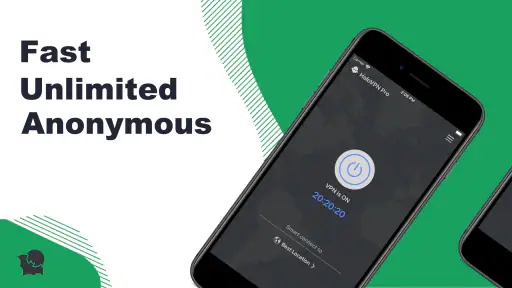
Right off the bat, HaloVPN Pro impresses with its intuitive interface. I’m no tech wizard, but setting this app up was a breeze. It’s like the designers knew exactly how to cater to both VPN newbies and seasoned users. After a quick download and a few taps, I was ready to explore!
That low-friction setup makes the app a reasonable starting point if you have never used a VPN and want to understand the basic routine: connect, use your apps, then disconnect when you no longer need the tunnel. I’d still take a moment to learn what the connection indicator means rather than treating a single tap as proof that every app is protected. A VPN is most useful when I know when it is active and can tell when the underlying connection has failed.
Speed and Security: A Perfect Match
Speed is where many VPNs tend to falter, but not this one. I was streaming videos, gaming, and browsing with zero lag. Seriously, it’s like I wasn’t even using a VPN! The app uses top-notch encryption to keep your data secure, and honestly, it feels good knowing that your online activities are under wraps from prying eyes.
For a realistic mobile routine, imagine connecting in a café, reading a few articles, then moving outside where the phone switches to cellular. I’d check whether the VPN is still connected before continuing with sensitive browsing, because network changes can interrupt a tunnel. If an app or page stops responding, I’d disconnect and reconnect only after confirming the underlying internet works; repeatedly tapping connect while Wi-Fi itself is down won’t fix the root problem.
More From Our News Desk

Weather by Xiaomi Review: Clear at a Glance, Less Clear Up Close

X Under Pressure: Can It Recover When Posting Goes Wrong?

Clash of Clans Is Won Between the Battles

Android Auto Makes the Case for Quieter Car Software

MobiOffice: Transforming Mobile Productivity with Seamless Integration

EA SPORTS FC™ Mobile Soccer: Redefining Mobile Sports Gaming
I’d also separate “secure connection” from “anonymous browsing.” A VPN changes the route your traffic takes, but it cannot make a suspicious link safe or prevent a service from identifying you through an account you have signed into. For a quick errand, that distinction is practical: I might use the VPN on café Wi-Fi, but I would still avoid entering credentials on a page whose address or appearance seems wrong. The app is a tool for a network situation, not a reason to lower my guard.
A Global Experience
With servers dotted across the globe, you can virtually hop from one country to another in seconds! This feature is a game-changer if you’re someone who loves accessing content from different regions. From Netflix libraries to live sports events, the world is literally at your fingertips.
There’s a useful trade-off here: choosing a faraway location may help with a particular regional connection, but distance can add delay and some streaming services restrict VPN traffic. I wouldn’t subscribe solely on the expectation that every library or live event will work. For a nearby connection and ordinary browsing, a closer location is usually the sensible first choice; reserve location switching for a clear reason rather than changing it repeatedly.
Location switching is also not a fix for every “this page won’t load” problem. If a service is unavailable because the Wi-Fi requires a login, because the signal is poor, or because the service itself is having trouble, changing countries is unlikely to address the cause. My troubleshooting order would be to confirm internet access, reconnect once, and only then try another location if there is a specific reason to do so. That approach avoids confusing a network fault with a location issue.
What I love most is how HaloVPN Pro doesn’t compromise on connection stability. Even when I connected to servers halfway across the planet, I experienced minimal disruptions. It’s like having a passport to the digital world without the hassle of airport queues!
There is a practical exception to that smooth experience: a stable session on one network does not guarantee the same result after a handoff, in a crowded venue, or on a distant route. I’d avoid starting a task that cannot tolerate interruption just as I leave Wi-Fi coverage. For a short message or ordinary reading, reconnecting is a minor nuisance; for a live call, upload, or payment flow, the timing of a network change matters much more.
User-Friendly Features
The app comes packed with handy features, like automatic server selection and a kill switch for those "just in case" moments. Plus, it supports multiple devices, so my phone, tablet, and laptop are all covered with one subscription. Talk about convenience!
On a phone, I’d use automatic server selection when I want a quick, low-effort connection, and switch locations only when I have a specific need. That keeps troubleshooting simpler: if a site fails, I can first test whether the connection itself is stable instead of cycling through locations without a clear plan. The listed Android minimum is version 8.0, while the app is currently at version 14.2.0, so it’s worth checking that an older device meets the requirement before trying to install it.
HaloVPN Pro is aimed at Android users; if you need protection across an iPhone, laptop, and tablet, confirm that each device is supported and how the subscription applies before relying on one purchase to cover them all. The app is free to download, but it offers in-app purchases ranging from $7.99 to $47.99 per item. I’d try the free option first and only pay if the available connection experience meets my needs. It is rated for Everyone, though that age label is not a substitute for checking whether a VPN fits a child’s online routine.
The kill switch deserves a little care in how you rely on it. It is intended for situations where the VPN connection drops, but I would not assume it behaves identically across every phone, app, and network without testing it. If uninterrupted internet access matters for a particular activity, try a low-stakes task first and see what happens when connectivity changes. That small test is more useful than discovering the behavior in the middle of a work call or a transaction.
For data-conscious use, I would treat the VPN as an extra routing step, not as a way to reduce mobile data consumption. If I am near my monthly limit, I would avoid assuming that encryption or location switching makes streaming cheaper; video remains data-heavy whether a VPN is on or off. A sensible routine is to use it selectively on shared networks, leave bandwidth-intensive activities for a trusted connection when appropriate, and check the phone’s own data controls rather than guessing how much a session uses.
Another feature worth mentioning is the app’s dedicated customer support. I had a couple of questions at first, and the team was quick to respond and super helpful. It’s refreshing to see an app that genuinely cares about its users.
Compared with the usual alternatives, a built-in browser’s private mode only changes what is saved locally; it does not serve the same purpose as a VPN connection. A VPN can be more relevant on shared Wi-Fi, while a reputable paid service may suit people who need detailed controls or a clearly documented privacy approach. I would not use any VPN as a replacement for strong passwords, careful app permissions, or checking that a website itself is legitimate.
That comparison helps clarify who should choose what. If your main concern is keeping browsing history off a shared phone, private browsing may be enough; if you want an encrypted route on public Wi-Fi, a VPN is the more relevant tool. If you need fine-grained settings, broad device support, or a privacy policy you can assess in detail, I would compare established alternatives on those points rather than choosing on convenience alone. The simplest app is not automatically the best fit for every privacy need.
Where it fits—and where I’d look elsewhere
This is most appealing if you want a simple VPN to try on an Android phone, especially for routine browsing while away from home. I’d be more cautious if uninterrupted calls, low-latency gaming, or dependable access to a particular streaming catalog is essential. In those cases, test the service with the exact network and app you rely on, and keep a non-VPN connection available as a fallback when the VPN causes a site or service to misbehave.
A useful everyday test is a short café visit: finish the Wi-Fi sign-in, connect the VPN, open a few ordinary sites, then move to cellular and check the connection again before doing anything sensitive. If the VPN drops or browsing becomes unreliable, first confirm that the phone still has internet without it. This gives you a simple way to learn how the app handles your actual route and habits, without making a critical task the first test.
I’d skip it if you are looking for a guaranteed fix for restricted streaming, a promise of uninterrupted performance, or a replacement for careful account security. It may also be the wrong choice if you need verified support across several different operating systems and devices; check compatibility and subscription terms before paying. For someone who mainly wants a straightforward Android VPN to try on public networks, though, the low barrier to entry makes it easier to evaluate for themselves.
Halo Online released the app on June 8, 2021, and its 4.4 thousand reviews offer another place to weigh user experiences alongside the 4.5 average. I’d read recent comments for clues about the kinds of connection issues people encounter, rather than treating a rating as proof that performance will be identical on every phone and network.
My connectivity verdict
In a nutshell, HaloVPN Pro: Fast VPN Proxy is a stellar choice for anyone looking to enhance their online experience. Whether you’re streaming your favorite shows, gaming, or just browsing, this app delivers on all fronts. So, if you’re on the hunt for a reliable VPN, give this one a go. Trust me, you won’t regret it!
My more measured recommendation is to start with the free experience, test it on the networks you actually use, and pay attention to what happens after a Wi-Fi-to-cellular handoff. If the connection is steady enough for your ordinary needs, it may be a convenient tool to keep around. If you need predictable performance, extensive device coverage, or certainty about how a VPN handles your data, compare alternatives carefully before committing. A VPN is useful when it suits the moment; it should not make you stop thinking about the network underneath it.
For me, the deciding question is not whether a VPN can make every online activity faster or more private; no single app can promise that in every setting. It is whether this one fits the networks I actually use, without adding more friction than protection. Start with low-risk browsing, learn how reconnection behaves, and decide from that experience. If the app suits those ordinary mobile moments, keep using it thoughtfully; if not, choose an alternative whose controls and device support better match what you need.
HaloVPN Pro: Fast VPN Proxy Frequently Asked Questions
Is HaloVPN Pro available for Android and iOS?
HaloVPN Pro is listed as an Android app, and its minimum operating-system requirement is Android 8.0. If you use an iPhone or iPad, check the Apple App Store for availability and compatibility before proceeding, rather than assuming that the Android version can be installed on iOS. On Android, confirm your device meets the operating-system requirement and has enough available space for an installation.
Who develops HaloVPN Pro, and what kind of app is it?
HaloVPN Pro is a Tools app developed by Halo Online. Its short description is HaloVPN Pro, while its store summary presents it as an unlimited VPN and WiFi security app. That gives you a quick idea of its purpose: it is intended for people looking for a VPN-style tool and added security when connecting through WiFi. Consider whether those functions match what you want before downloading.
Does HaloVPN Pro support my device, and what should I check before installing it?
HaloVPN Pro is a Tools app from Halo Online. Before downloading, check that your device meets the app’s operating-system requirement: Android 8.0 or later. The app is free to install, and its content rating is Everyone. It has more than five million installs, so it has reached a broad audience, though your own experience will depend on your device and connection.
What is HaloVPN Pro and how does it work?
HaloVPN Pro is a virtual private network (VPN) application that provides users with secure and private internet access. It works by encrypting your internet connection, allowing you to browse the web anonymously and securely. This is particularly useful when using public Wi-Fi networks as it protects your data from hackers and other malicious entities. HaloVPN Pro ensures that your online activities are hidden, offering a fast and reliable connection to various servers worldwide.
Is HaloVPN Pro free to use?
HaloVPN Pro is free to download and use, with in-app purchases available for users who want paid options. The app’s purchases range from $7.99 to $47.99 per item. Before choosing a paid option, review the purchase details shown in the app so you understand what it includes and whether it suits your needs. You can start with the free app and decide whether to make a purchase later.
Pros
- Easy to use
- no setup needed
- High-speed connection for seamless browsing
- Supports multiple devices and platforms
- Offers unlimited bandwidth
- Strong privacy protection with no logs
Cons
- Occasional connection drops
- Limited free version features
- May slow down internet speed
- Ads in the free version
- Not available in all countries
- Category
- Tools
- Version
- 14.2.0









