HaloVPN: Fast Secure VPN Proxy
- 11.61K
- 4.6
- Installs
- 10.00M
- Price
- Free

Screenshots


Analysis by Reviewed
I judge a VPN less by a grand promise than by whether it fits the moment I need it: a quick layer of protection on unfamiliar Wi-Fi, a simple way to route everyday browsing, or a tool I can understand without fiddling with settings. HaloVPN: Fast Secure VPN Proxy is a free Android tools app from Halo Online, and its straightforward, tap-to-connect approach is its clearest appeal. It suits someone who wants a VPN within easy reach, rather than a project that requires networking know-how.
Choosing a VPN for the task
Before making any VPN my default, I would decide what I actually need it to do. If my priority is a quick, uncomplicated connection for ordinary browsing, an easy-to-use app is a sensible place to start. If I need detailed control over connection settings, a specific location, or documented protections for work, I would compare services on those requirements instead of assuming that every VPN offers the same things.
I would also separate a VPN from other privacy tools. A browser’s privacy settings can help with activity inside that browser, while a VPN app is intended to route a broader range of the device’s internet traffic. Neither replaces careful account security or makes every online action private. Thinking through that distinction first keeps me from expecting a simple connection toggle to solve problems it was not designed to address.
What I would check before relying on it
A VPN can change how your internet traffic is routed, but that alone should not be confused with complete anonymity or a guarantee that every website will work. I would treat it as one part of sensible browsing: use secure account passwords, avoid entering sensitive information on pages you do not trust, and remember that a VPN does not make a risky download safe. For banking, work accounts, or other high-stakes activity, I would first check that the service meets the rules and protections required by that particular organization.
That distinction matters when evaluating any easy-to-use VPN. HaloVPN presents itself as a way to establish a protected connection without a complicated setup, which can be useful for routine use. I would not assume that a connection is suitable for every task simply because the app connects; performance and access can depend on the network, destination, and service involved.
Why HaloVPN Stands Out
First things first, let's talk about speed. I know, I know—VPNs have a reputation for slowing down your internet, but HaloVPN really kicks that stereotype to the curb. The app promises a quick connection, and I was pleasantly surprised to find that it delivers. Streaming my favorite shows or engaging in online gaming felt just as seamless as if I weren't using a VPN at all.
Where the simple approach helps
The practical win is reducing the number of decisions between opening the app and getting online through a VPN. I can see this being useful when I arrive at a café, connect to its Wi-Fi, and want to switch on protection before checking messages or browsing. My habit would be to connect first, confirm the VPN is active in the app, and only then open the sites or apps I need. If a connection seems slow, I would try the same task again on my normal network before blaming the VPN; that quick comparison helps separate a local Wi-Fi problem from a VPN-related slowdown.
More From Our News Desk

Weather by Xiaomi Review: Clear at a Glance, Less Clear Up Close

X Under Pressure: Can It Recover When Posting Goes Wrong?

Clash of Clans Is Won Between the Battles

Android Auto Makes the Case for Quieter Car Software

MobiOffice: Transforming Mobile Productivity with Seamless Integration

EA SPORTS FC™ Mobile Soccer: Redefining Mobile Sports Gaming
For occasional use, that low-friction workflow may matter more than advanced controls. On the other hand, someone who regularly needs to choose a precise server location, tune connection behavior, or troubleshoot network settings should compare the available controls carefully before making this their main VPN. A one-tap experience is convenient, but it is not automatically the best fit for people who want detailed control.
Making a shared-network routine work
A useful habit is to decide what you want protected before you connect, rather than opening several apps and then trying to remember whether the VPN was on. For example, if I am waiting at a station and need to check a booking email, I would join the network, connect through the VPN, verify the active state, and then open the email. When I leave, I would check whether I still need the VPN instead of assuming the connection has ended just because I have changed locations.
If a site or app stalls, I would avoid repeatedly tapping connect without diagnosing the cause. I would first check whether ordinary browsing works, then compare the same task with the VPN disconnected if the task is not sensitive. If it works only without the VPN, the route may be the issue; if it fails both ways, the local network or service may be responsible. This simple sequence is more useful than treating every interruption as a reason to reinstall or change phone settings.
Your Privacy Matters
Now, onto a topic that's on everyone's mind these days: privacy. With HaloVPN: Fast Secure VPN Proxy, your data is encrypted, keeping it safe from prying eyes. This is particularly reassuring if you're like me and find yourself frequently connecting to public Wi-Fi hotspots. The peace of mind knowing that your personal information is shielded is truly priceless.
I would still make privacy a deliberate choice rather than a feeling. Before using any VPN for sensitive browsing, I would read its current privacy terms and decide whether they match my needs; encryption and a VPN connection do not by themselves answer every question about how a service handles information. If you need a VPN for regulated work or have strict privacy requirements, that closer review is more important than convenience.
What to do when a connection is inconvenient
A VPN can occasionally get in the way of a task that normally works. A site may reject a connection, an app may load more slowly, or a network may behave differently once traffic is routed through a VPN. I would test a non-sensitive task with the VPN off to narrow down the cause, then reconnect when I return to browsing that benefits from the extra layer. That is a practical compromise, though it does mean the app is not a set-and-forget answer for every person or every network.
For video or games, I would judge the experience by the activity I actually use, not by a general claim about speed. A short test on my home connection can tell me whether the added route introduces lag or buffering before I rely on it for a long session. If timing matters, such as in a competitive game, a direct connection may be preferable; if I am simply watching or browsing, I may be more willing to accept some variation.
Ease of Use
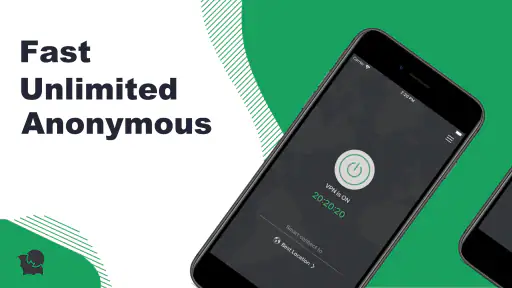
One of the things I love about HaloVPN is its user-friendly interface. Even if you're not the most tech-savvy person out there, you'll find it incredibly easy to navigate. Just a few taps and you're connected. Plus, there's a handy guide for those who might need a little extra help getting started.
That simplicity also makes it easier to build a repeatable routine: connect before using a shared network, then disconnect when you no longer need the VPN if you want to return to your usual connection. If a particular app stops behaving as expected, I would test it both with the VPN on and off. That small check can show whether the issue is tied to the VPN route, rather than prompting unnecessary changes to the phone or app.
And let's not forget the app's design. It's sleek and modern, making the whole experience feel premium without any cost to you, since it's free to use. That’s right, you’re getting all these features without reaching for your wallet.
Who benefits most, and who should look elsewhere
I see the best fit as someone who wants an accessible VPN for occasional public Wi-Fi, travel browsing, or a straightforward extra layer during everyday use. It may also suit a less technical phone user who values a clear connection flow more than a long list of settings. The free price lowers the barrier to trying it, but I would still take time to review the privacy terms and test the apps I use most.
I would look elsewhere if I needed a particular server location on demand, advanced configuration, or service details that I could verify against strict workplace or personal requirements. A VPN approved by an employer or school is the better choice for managed accounts and devices. Likewise, if a particular game, work tool, or streaming service is essential, I would test compatibility before making this my everyday route; convenience is not worth losing reliable access to a service I depend on.
How it compares with other VPN choices
HaloVPN has a 4.6 average from around 155,000 ratings, and it has passed 10 million installs. Those figures suggest that it has reached a broad audience, but popularity is not a substitute for checking whether a VPN suits your own needs. Its Everyone age rating and free price make it approachable for general use, while its current version, 17.2.0, runs on Android 8.0 and newer.
Compared with browser-only privacy tools, a VPN app is the more relevant option when you want VPN protection beyond activity inside one browser. Compared with more configurable VPN services, HaloVPN’s appeal is its accessible, direct approach; the trade-off is that a user who wants to inspect detailed connection choices may prefer an alternative built around customization. I would also choose a service specifically approved by my employer or school rather than assuming a general-purpose VPN is suitable for managed accounts or devices.
The app is best for people who want a simple option for casual browsing and occasional public Wi-Fi use, and who are comfortable checking privacy terms for themselves. I would skip it if you need a VPN with documented features or controls that you can verify in advance, or if you require guaranteed access to a particular streaming library. VPN routes can be blocked or changed by online services, so I would not make a subscription decision based only on the hope that a specific site will always work.
Global Access
Whether you’re trying to catch up on a TV series that's only available abroad or access a website that's blocked in your region, HaloVPN has got you covered. With servers spread across the globe, you can virtually transport yourself to different countries with ease. It's like having a digital passport!
For travel, I would think of that as a possible convenience, not a guarantee. A VPN may help when a network or location affects access, but it cannot promise that every service will permit a connection from every region. Before depending on it for a particular site, I would test that site while there is still time to use another route. For ordinary travel browsing, the more dependable value is having a familiar way to connect on networks I do not know.
The small costs of switching
Moving from another VPN is not only a matter of installing a new app. I would need to build a new habit, check how my usual apps behave, and decide whether the privacy terms suit me. If I rely on a specific location or a stable route for work, I would not remove my existing setup until the replacement had passed those tests. For casual use, I would start with one low-risk task on a network I know, then try it on public Wi-Fi once I understand the basic connection flow.
Halo Online is the developer, and the app was released on April 12, 2021. I would keep the app updated and revisit its behavior if a phone or network changes, rather than treating one successful setup as proof that it will always fit every situation.
In conclusion, if you're looking for a reliable VPN solution that doesn’t compromise on speed or security, then HaloVPN: Fast Secure VPN Proxy is definitely worth a try. Whether you're streaming, gaming, or just browsing, this app ensures you're doing so safely and efficiently. So go ahead, give it a spin and enjoy the freedom it brings to your online world. Your future self will thank you!
HaloVPN: Fast Secure VPN Proxy Frequently Asked Questions
Does HaloVPN need any setup before I can browse?
A VPN app is generally used by opening it and establishing a connection before browsing, so you can review HaloVPN’s on-screen prompts and settings when you first launch it. Its store summary describes a secure and limitless online world. Take a moment to understand the connection controls and any permissions requested, then decide whether the app’s options fit the way you use your device.
Can HaloVPN help when I use public Wi-Fi?
A VPN can be useful when connecting through public Wi-Fi because it routes internet traffic through the VPN service rather than leaving the connection unprotected in the same way as ordinary browsing. HaloVPN is presented as a secure VPN proxy, but a VPN is only one part of staying safe online. Continue to use strong account passwords and be cautious with unfamiliar websites and messages.
Will HaloVPN work on my device?
HaloVPN is an app in the Tools category, and its minimum operating system requirement is version 8.0. Before downloading, check that your device meets that requirement and that the app is available for your device through its app store. The age rating is Everyone, so it is presented as suitable for a broad audience.
What is HaloVPN and how does it work?
HaloVPN is a virtual private network (VPN) service designed to provide fast and secure internet access by encrypting your online activities. It works by masking your IP address and rerouting your internet traffic through its secure servers, ensuring privacy and security. This makes it ideal for accessing restricted content, protecting personal information, and maintaining anonymity online.
Is HaloVPN free to use, and are there any subscription plans?
HaloVPN is free to download and use. Its store summary describes a secure and limitless online world, but that wording does not establish specific subscription options or feature tiers. Before relying on any particular capability, review the app’s current details and terms in the app store. The free price makes it possible to try the app without paying to download it.
Pros
- High-speed connections for streaming
- Intuitive and user-friendly interface
- No-log policy ensures privacy
- Wide range of server locations
- Unlimited bandwidth for users
Cons
- May experience occasional connection drops
- Limited free version features
- Ads present in free version
- Customer support can be slow
- Not all servers are optimized for speed
- Category
- Tools
- Version
- 17.2.0









