GPS Navigation Maps Directions
- 580.00
- 4.0
- Installs
- 10.00M
- Price
- Free

Screenshots
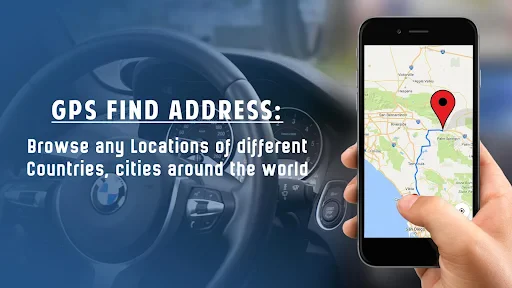
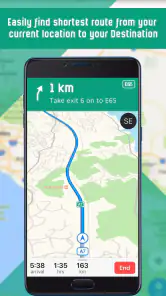
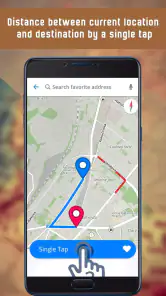
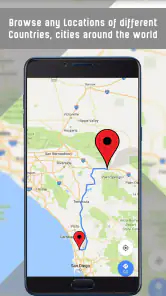
Analysis by Reviewed
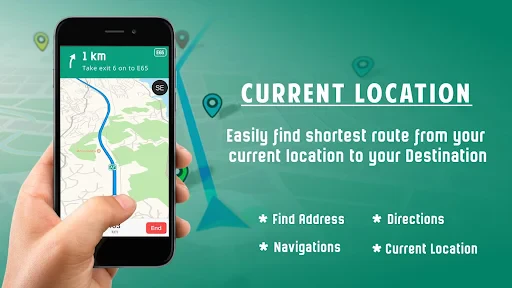
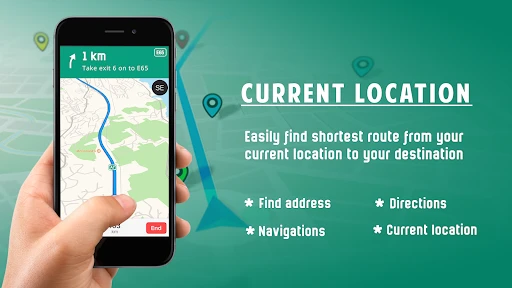
When I choose a navigation app, I care less about a crowded feature list than about whether I can find a destination quickly, follow directions without fuss, and still make progress when mobile service drops. GPS Navigation Maps Directions is a free maps and navigation app from SaaAneeDroid that brings those needs together with offline maps, traffic information, transit options, and directions. I see its main appeal in having several kinds of guidance in one place, though the practical value depends on how well its maps and routing suit the places I travel.
Check your routes before committing
For me, the right navigation app is the one that handles the places and journeys I actually have, not the one that sounds impressive in a short description. Before making it my only map, I would test a familiar route, a destination I have not visited, and a trip that crosses an area where reception can be unreliable. Those checks reveal different things: whether the directions feel clear, whether the suggested roads make sense, and whether offline preparation is practical for my plans.
It is also worth deciding how you usually travel. A driver may care most about turn guidance and traffic, while someone combining a bus ride with walking may value having transit and directions available alongside the map. Having several modes in one app can reduce the need to jump between tools, but it does not guarantee that every mode will suit every local journey equally well. I would treat it as a flexible option to evaluate rather than assume it will replace every specialist service I use.
Who will get the most from it
I would consider this app if I drive in unfamiliar areas, take occasional road trips, or want a map ready before entering a weak-signal stretch. The useful habit is to prepare the area you expect to visit while you still have a dependable connection, then check that the route makes sense before setting off. Offline access is most reassuring as a backup: it can help you keep your bearings when service falters, but it is sensible not to assume every live feature will behave the same way without a connection.
For a realistic everyday use, imagine leaving work for an appointment across town while traffic is building. I would check the route before pulling away, compare the suggested direction with the roads I already know, and let voice guidance handle turns while I concentrate on driving. If I am heading beyond town afterward, I would prepare the relevant offline map in advance rather than wait until the signal becomes unreliable. That small bit of planning is more useful than treating offline maps as something to sort out in the middle of a trip.
A less obvious use is as a fallback for a journey with several legs. I might check a driving route before leaving, then use the available transit guidance for the next part of the day rather than reopen a separate map app immediately. I would still verify important connections before setting out, particularly if arriving at a specific time matters. The advantage is convenience and continuity; the trade-off is that a tool built for several travel styles may not offer the depth a dedicated service provides for one particular mode.
Choosing between navigation styles
Compared with a basic map app, this one aims to combine route guidance with traffic, transit, and offline use, so it may suit someone who wants one tool for different journeys. A dedicated transit app may be a better fit if your day revolves around public transport details, while a navigation service you already know may feel more dependable if you rely on familiar local information. I would judge it by trying a few ordinary routes in the places I actually travel, not by assuming that a longer feature list automatically means better directions.
More From Our News Desk

Weather by Xiaomi Review: Clear at a Glance, Less Clear Up Close

X Under Pressure: Can It Recover When Posting Goes Wrong?

Clash of Clans Is Won Between the Battles

Android Auto Makes the Case for Quieter Car Software

MobiOffice: Transforming Mobile Productivity with Seamless Integration

EA SPORTS FC™ Mobile Soccer: Redefining Mobile Sports Gaming
The comparison depends on what you want to replace. If you mostly need to look up a location once in a while, a simpler map may be enough and require less adjustment. If you are already comfortable with a navigation app whose route choices you trust, changing just for the sake of change is hard to justify. GPS Navigation Maps Directions has a clearer case when you want offline preparation and different travel modes in one place, and when its results prove useful on your own streets.
For public transport, I would use it as a starting point if I want to see how a trip fits into a broader route, then check the details that matter to my day before relying on them. For driving, I would pay more attention to whether the route instructions are understandable at junctions and whether traffic suggestions lead somewhere I would actually choose. This is a practical distinction: the same app can be convenient for casual trip planning yet not become my preferred tool for every commute.
One practical trade-off is that offline maps need forethought: downloading an area before travel is safer than expecting a map to appear after you have lost service. I would also treat traffic-based rerouting as advice, not an unquestionable command; on a road I know well, a suggested detour may be less convenient than staying on the main route. For a passenger, exploring route choices is easy. For a driver, I would set the destination and review the route while parked, then leave the screen alone as much as possible.
Planning offline use and managing the switch
To make offline access genuinely useful, I would prepare more than the exact point-to-point route: I would consider the wider area around my destination, including the roads I might use if plans change. A wrong turn, a closed entrance, or a last-minute stop can take me beyond the neat route I first expected. Preparing with a little margin is a simple way to make an offline map more useful without assuming that it can replace live information.
That preparation also answers a common practical concern: can I rely on the app after losing service? I would rely on an offline map for orientation and basic progress only after checking the area is ready, while treating traffic and other connection-dependent guidance as potentially different when offline. For a remote drive or a time-sensitive trip, I would keep a backup plan, such as knowing the main roads or having another navigation option available. That is not a criticism unique to this app; it is sensible planning whenever a journey depends on a phone.
The app is rated for Everyone and has a 4.0 average from around 16,000 ratings, with more than 10 million installs. It was released on June 30, 2017, and its current version is 1.90, with Android 6.0 or later required. Those details suggest it has reached a broad audience, but they do not replace checking how it performs in your own area. The app is free to download, with in-app purchases ranging from $3.99 to $9.49 per item, so I would look at what is offered before paying and avoid assuming a purchase is necessary for basic navigation.
If you are wondering whether you need to pay to try it, the sensible first step is to use the free download and see whether its maps and directions work for your routine. I would only consider an in-app purchase after checking what it unlocks and deciding that it addresses a real need. That keeps the decision grounded in your experience rather than the assumption that a paid option must improve everyday navigation.
Switching has a small but real cost: you need time to learn where to search, how to prepare offline areas, and how much you trust its route choices. I would not uninstall a familiar navigation app on day one. Keep both available while testing a few journeys, especially routes you know well enough to spot an odd detour. Once the new app has earned your confidence in ordinary conditions, you can decide whether it deserves a regular place on your home screen.
If you are switching from another navigation app, keep your old option available for a few trips. Try a familiar commute first, then a less familiar destination, and compare whether the route instructions, traffic choices, and map coverage work for you. This is a low-risk way to find out whether the interface suits your habits before you depend on it for a long drive. If your current app already handles your routes well, switching may not be worthwhile; if offline preparation and having multiple travel modes together matter to you, this one deserves a fair test.
What the app feels like in everyday use
Have you ever found yourself lost in a new city or struggling to find the fastest route to your destination? Well, let me introduce you to GPS Navigation Maps Directions, the app that might just become your new best travel buddy. This app promises to make navigating a breeze with its advanced features and user-friendly interface.
First Impressions
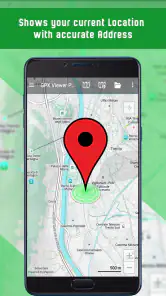
Upon launching the app, you're greeted with a sleek and modern interface. The layout is intuitive, making it easy to find your way around the features without a hitch. The main screen offers a search bar at the top, which is pretty handy for quickly finding addresses or places. Plus, there's a nifty little button that lets you switch between different types of maps, like satellite or terrain view. It's clear from the get-go that GPS Navigation Maps Directions is designed with the user in mind.
Features That Stand Out
One of the standout features is the real-time traffic updates. I mean, who doesn't want to avoid getting stuck in traffic, right? The app provides live traffic information and suggests alternative routes to save you time. It even alerts you to speed cameras and traffic jams, which is a lifesaver for those of us with a heavy foot on the gas pedal.
Another cool feature is the voice-guided navigation. It's like having a personal co-pilot who never gets tired or distracted. The directions are clear, and you can choose from different voice options, which is a fun touch. The offline maps feature is also worth mentioning. You can download maps for specific areas and use them without an internet connection. This is perfect for those road trips where cell service is spotty at best.
User Experience
The usability of this app is top-notch. It's fast, responsive, and doesn't drain your phone's battery like some other navigation apps tend to do. I also appreciate the customization options. You can change the app's theme, set preferred routes, and even adjust the navigation settings to suit your driving style.
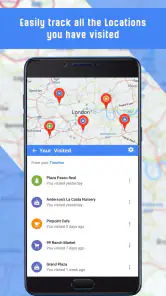
There's also a community aspect to the app. Users can leave reviews and ratings for places, which adds an extra layer of information when deciding on a pit stop or restaurant. It's like having a friend who's been everywhere and knows all the best spots.
Who should keep looking
I would skip it as my sole navigation tool if I depend on highly detailed local transit planning, have a route that changes minute by minute, or cannot afford to test directions before an important trip. In those situations, a specialist app or the navigation service I already trust may be the safer choice. A second app can also be useful when I travel somewhere unfamiliar, since route coverage and useful local detail matter more than having every travel mode gathered in one interface.
There is also a difference between a helpful map and a complete travel plan. I would not let any navigation app replace checking opening hours, confirming a meeting address, or leaving enough time for an unfamiliar journey. With this one in particular, the best approach is to use its route and map features as practical support, while applying my own judgment when a detour, transfer, or offline stretch could affect the day.
Final Thoughts
In conclusion, GPS Navigation Maps Directions is a solid choice for anyone in need of a reliable navigation app. Its combination of real-time traffic updates, offline maps, and user-friendly design makes it stand out in a crowded market. Whether you're planning a cross-country road trip or just finding a new coffee shop in town, this app has got you covered. So, next time you hit the road, why not give it a try? It might just make your journey a whole lot smoother.
My recommendation is to try it alongside your usual option rather than making an immediate switch. It is most compelling if you want to prepare maps before a low-signal drive and appreciate having driving, transit, and other directions under one roof. If your current app is already dependable and you rarely need offline access, there may be little reason to change. But if you are curious about a broader navigation tool, a few familiar routes will quickly show whether its guidance fits your habits.
GPS Navigation Maps Directions Frequently Asked Questions
Does GPS Navigation Maps Directions work on both Android and iOS?
GPS Navigation Maps Directions is an Android app, and its current version requires Android 6.0 or later. Before downloading, check that your phone or tablet meets that requirement. The app is free to download, and its Everyone rating makes it suitable for a broad audience. If you use an iPhone or iPad, check the relevant app store for availability before proceeding.
Can I use GPS Navigation Maps Directions for trips in unfamiliar places?
The app is built around GPS navigation, directions, traffic, transit, and offline maps, which can be useful when you are finding your way around somewhere new. Its offline map feature may be particularly helpful when connectivity is limited. As with any navigation app, it is sensible to review the route and remain attentive to your surroundings rather than relying solely on on-screen guidance.
Who is GPS Navigation Maps Directions designed for, and what should I know before downloading it?
GPS Navigation Maps Directions is a Maps & Navigation app for people who want help finding routes and navigating while traveling. It is rated for Everyone, so it is presented as suitable for a broad audience. The app is free to download, and its current version requires Android 6.0 or later. It is developed by SaaAneeDroid and has been available since June 30, 2017.
Does GPS Navigation Maps Directions offer navigation for driving, public transit, and other trips?
The app’s summary highlights realtime navigation, traffic, transit, and directions, suggesting it is intended to support more than simply viewing a map. Its main focus is helping users navigate routes, while the listed features also cover traffic and transit information. If you are choosing an app for a particular kind of journey, consider which of these navigation options best matches how you usually travel.
What features does the GPS Navigation Maps Directions app offer?
The GPS Navigation Maps Directions app provides users with real-time GPS navigation, voice-guided driving directions, and offline maps to ensure seamless navigation even without an internet connection. It also includes features like live traffic updates, speed limit alerts, and points of interest to enhance the user experience. Additionally, users can access route planning and multiple map views including satellite and street views.
Pros
- Easy-to-use interface simplifies navigation
- Provides real-time traffic updates
- Offers offline maps for data saving
- Incorporates voice-guided navigation
- Supports multiple languages for accessibility
Cons
- Consumes significant battery life
- Frequent ads can be distracting
- Limited customization options
- Occasional map inaccuracies
- Requires constant internet for updates
- Category
- Maps & Navigation
- Version
- 1.90











