FREECABLE© TV App: Shows, News
- 97.95K
- 4.6
- Installs
- 10.00M
- Price
- Free

Screenshots



Analysis by Reviewed
When I first open a broad TV app, I want to find something watchable without spending the evening sorting through categories. That is the appeal of FREECABLE© TV App: it brings live television, news, sports, films, shows, and series into one place. I’d treat it as a convenient sampler rather than a guaranteed replacement for every channel or streaming service I already use.
Where browsing can get frustrating
A large catalogue can be both the attraction and the first snag. With so many kinds of programming sharing the same app, deciding what to watch may take longer than expected, especially when I arrive with no particular title in mind. I find it helps to begin with a purpose: check a news update, look for a live event, or browse films for a short evening watch. That turns an open-ended search into a manageable one.
It is also worth separating the promise of a wide selection from the experience of finding one specific programme. A service that gathers many channels and titles is useful for exploration, but it may not feel as focused as a dedicated app for a particular broadcaster or a subscription library built around a show you already know. If I need one exact programme, I would search with that title in mind rather than assume a broad catalogue will make it immediately obvious.
Getting more from a broad TV catalogue
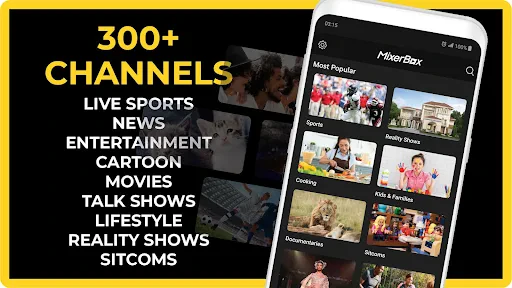
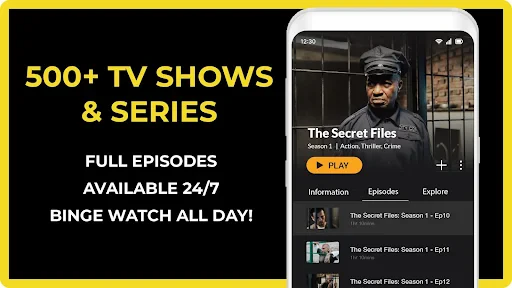
The first thing that caught my eye was the sheer variety of content available on FREECABLE© TV App. Whether you’re into binge-watching TV shows, catching up on the latest news, or simply enjoying some old-school movies, this app has got it all. It’s like having an all-access pass to a world of entertainment, right in your pocket!
Setup checks before you settle in
It’s a free app in the news and magazines category, developed by TV App: News, TV Shows, TV Series & Moviesテレビ. It has a 4.6 average from around 254,000 ratings, and more than 10 million installs. The Teen rating is useful context if you are choosing an app for a shared family device; I would still check what is on screen before handing it to a younger viewer, since a broad catalogue can span very different subjects.
The current version is 12.02, and it runs on Android 5.0 or later. If it will not install or open, I’d first check that the device meets that minimum and that the download completed properly, then close and reopen the app. Those are simple checks, but they can save time before assuming the service itself is broken. The app is free, which makes it easy to try, though free access should not be confused with a promise that every programme will suit every viewer.
One of the coolest features? It’s totally free. That’s right, no sneaky subscription fees lurking around the corner. You can dive straight into your favorite shows without the usual hassle of setting up an account. Just download, open, and start watching. Simple as that.
More From Our News Desk

Weather by Xiaomi Review: Clear at a Glance, Less Clear Up Close

X Under Pressure: Can It Recover When Posting Goes Wrong?

Clash of Clans Is Won Between the Battles

Android Auto Makes the Case for Quieter Car Software

MobiOffice: Transforming Mobile Productivity with Seamless Integration

EA SPORTS FC™ Mobile Soccer: Redefining Mobile Sports Gaming
Navigation, connection, and recovery
Let’s talk about the user interface for a minute. It’s sleek, intuitive, and downright user-friendly. Within seconds, I was navigating through the app like a pro, effortlessly finding what I wanted to watch. The layout is clean, making it easy to jump from news clips to sitcoms without any hiccups.
And if you’re worried about buffering issues, fear not! The streaming quality is top-notch, with minimal interruptions. It’s perfect for those times when you just want to unwind with a good show, without the technical glitches.
Streaming trouble is not always an app problem. If a programme stalls, I would try another stream and check whether other apps on the same connection are also slow. If everything is struggling, the network is a more likely place to start; if only one item fails, switching to another listing and returning later is a practical workaround. For a commute, I would test playback before leaving home rather than count on a live stream working smoothly on the move. Live viewing is especially sensitive to a changing connection, so a stable Wi-Fi connection is the safer choice when picture continuity matters.
For everyday use, I can imagine checking headlines over breakfast, then opening the app later to browse a film without changing services. If I only have a few minutes, I’d choose a short news update rather than start a series I cannot finish. That small decision makes a large, mixed catalogue feel more useful and keeps browsing from taking over the time I meant to spend watching.
What the variety is good for—and where it falls short
The diversity of content is seriously impressive. From local channels to international news, and even some hidden gems from indie filmmakers, there’s something for everyone. You can keep up with current events, delve into some classic films, or explore new series that you’ve never heard of before.
If you love discovering new content, you’ll appreciate the curated playlists and recommendations based on your viewing habits. It’s like having a personal assistant who knows your taste better than you do!
My main trade-off with a broad viewing app is focus: when I already know exactly what I want, a broadcaster’s own app or a dedicated streaming service may get me there more directly. I would use this one when I want variety, casual discovery, or a quick switch from news to entertainment—not as my only option for a particular series or a carefully organized watchlist. If a title is hard to locate, I would move on rather than spend a long session searching; the app’s strongest use is having different kinds of viewing close at hand.
Choosing the right moment to use it
I see the app working best as a flexible option for people whose viewing changes from day to day. Someone who follows a live event occasionally, likes to check news, and sometimes wants a film without committing to a single streaming service may appreciate having those choices together. It is also a sensible app to try if you are curious about browsing beyond the familiar shows you already follow. The breadth is more useful when you arrive open to options than when you have a strict, must-watch list.
A realistic routine might be to open it while making breakfast, spend a few minutes checking the news, and then leave it alone until the evening. Later, if friends are deciding what to put on, browsing a few different kinds of programming can help break a stalemate without switching between several apps. I would still agree on a time limit before browsing together: with a broad catalogue, the risk is not having nothing to watch, but taking so long to choose that the shared viewing time disappears.
For a household, I would treat the Teen rating as a prompt to make a quick check before leaving the app open for younger viewers. A mixed entertainment and news destination can move between very different subjects, so I would not assume that a familiar-looking title or channel makes every item suitable for everyone. If the device is shared, it also helps to make the viewing choice together rather than hand over the app with no context.
Small habits that make browsing easier
One practical tip is to decide what kind of session you want before opening the catalogue: a live channel, a news check, or something longer for a relaxed evening. That sounds simple, but it changes how I judge the app. I stop expecting it to behave like a tightly organized subscription library and use it as a starting point for discovery. If the first choice is not right, I switch categories instead of repeatedly searching for the perfect title.
I would also separate a quick information check from a longer watch. For headlines, I would open the app with enough time to check whether a stream is playing properly, then leave once I have what I need. For a film or series, I would choose a stable place to watch and avoid starting just before I have to leave. This is especially useful for live viewing, where a changing mobile connection can interrupt the experience even when the app itself is functioning normally.
When something does not play, changing one thing at a time is more useful than immediately reinstalling the app. I would try another item, then check the same connection with a different app. If other services are also slow, I would wait for the connection to improve; if only one listing is affected, I would choose something else and try again later. These steps do not guarantee a fix, but they help distinguish a general connection problem from an issue limited to one stream.
How it compares with other ways to watch
Compared with a broadcaster’s own app, a broad catalogue is attractive when I do not want to stay within one channel or network. A broadcaster app may be the clearer choice if I follow its particular programmes and want a direct route to them. Compared with a subscription service organized around a paid library, this app’s free entry point makes casual exploration easier, while a focused service can be more convenient when I already know the series or film I want.
It also serves a different purpose from a dedicated news app. If my goal is simply to scan headlines quickly, a news-first service may keep that task more focused. Here, news sits alongside entertainment, which is handy when I want to move from an update to something lighter, but less ideal if I want a streamlined routine for reading or tracking news throughout the day. I would choose based on the task, not assume one app must replace every other viewing habit.
That distinction matters for expectations. A large selection does not automatically mean every familiar title will be easy to locate, and a free app is not necessarily the best match for someone who values a specific service’s organization or a particular programme above everything else. I would keep a specialist option for must-watch content and use this as a second place to explore. That combination is more realistic than expecting one broad app to do every job equally well.
A practical verdict
In a world crowded with streaming platforms, the FREECABLE© TV App offers a refreshing change. The combination of its extensive content library, user-friendly design, and zero-cost barrier makes it a must-have app for any entertainment enthusiast. So, next time you’re stuck in a viewing rut, give it a go. You might just find your new favorite show!
Whether you’re killing time on your commute or chilling on your couch, this app is a trusty companion for anyone who loves good TV. After all, who doesn’t enjoy a quality binge-watch session every now and then?
My recommendation is to try it when you want a free, all-purpose place to explore live channels and on-demand entertainment, while keeping your expectations practical. If you need dependable access to one specific programme, prefer a tightly curated library, or do not want to rely on streaming over your current connection, a more specialized alternative may suit you better. For casual browsing and a mix of news and TV in one app, I think it is worth a look.
FREECABLE© TV App: Shows, News Frequently Asked Questions
Can I watch FREECABLE TV on a television, or is it meant for mobile devices?
FREECABLE TV is designed for viewing on mobile devices, including Android and iOS smartphones and tablets. If you want to watch on a television, first check whether the app is supported on your TV or streaming device. You can also confirm whether your device offers a way to display mobile content on a larger screen, since compatibility and setup can differ from one device to another.
Does FREECABLE TV offer live programming as well as on-demand shows and movies?
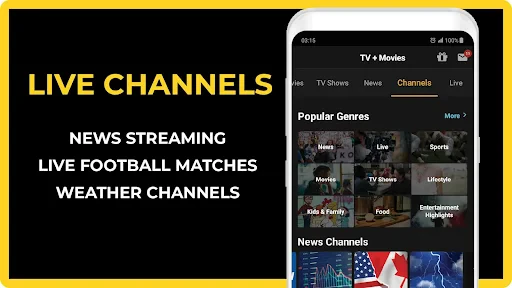
Yes. FREECABLE TV brings together live channels and a selection of TV shows, series, movies, news, and sports. That mix can suit viewers who want to tune in to ongoing programming as well as people looking for something to watch on their own schedule. The available selection may vary across channels and programs, so browsing the app is the best way to see what interests you.
What should I consider about internet access and mobile data before streaming?
Streaming video requires an internet connection, and a stable connection can help playback run more smoothly. If you watch using mobile data, video streaming may use a substantial amount of your data allowance, so consider connecting to Wi-Fi when available. Connection quality and device performance can affect the experience, particularly when watching live channels or other video content.
What devices and operating systems are compatible with FREECABLE TV App?
FREECABLE TV is available for Android and iOS devices, including smartphones and tablets. On Android, the app requires version 5.0 or later, so check your device’s operating system before downloading. Compatibility can vary across devices, and the app’s performance may depend on your hardware and connection. If you plan to watch on a TV or another streaming device, confirm that the app is supported on that platform before relying on it.
What content can I access with the FREECABLE TV App?
The FREECABLE TV App provides users with access to a wide range of content, including live TV, news updates, and popular TV shows. With this app, you can watch your favorite series, catch up on the latest news, or explore new programs across various genres. Its selection also includes movies and sports, alongside thousands of live channels. The app continuously updates its library, so there is a broad mix of programs and current events to explore.
Pros
- Wide variety of TV shows available.
- User-friendly interface design.
- Regular updates with new content.
- Option to create custom watchlists.
- High-quality streaming available.
Cons
- Ads can be intrusive at times.
- Limited offline viewing options.
- Some content requires a subscription.
- Occasional buffering issues.
- Not available in all regions.
- Category
- News & Magazines
- Version
- 12.02











