Download Video & Player
- 665.00
- 4.6
- Installs
- 10.00M
- Price
- Free

Screenshots
Analysis by Reviewed
I usually turn to Download Video & Player when I want a video saved locally rather than buried in a stream of links. It combines downloading and playback in one Android app, so the useful question is whether that simple workflow fits your habits. My take is that it can be handy for casual offline viewing, but it is not automatically the best choice for every source or every kind of video library.
What the free price does—and does not—tell you
The app is free to install, with optional in-app purchases listed from $0.49 to $1.49 per item. That makes it easy to try the basic experience without paying upfront; I’d only consider a purchase after checking what it unlocks in the app and whether I actually need it. The listed purchase range alone does not tell me which extras are included, so I wouldn’t treat it as proof that a particular feature is paid or free.
It is developed by DevAppAndroid128 and sits in the video player and editing space. The app has a 4.6 average from around 533,000 ratings and over 10 million installs, which suggests it has reached a broad audience, though popularity is not a substitute for checking whether its workflow suits you. It is rated for Everyone, and the current version is 65 19.10.25 for Android 8.0 and later.
How the download-and-watch workflow holds up
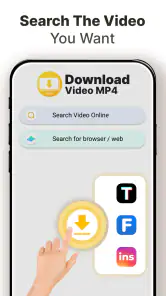
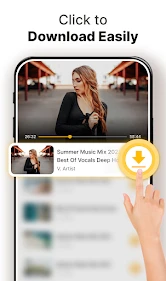
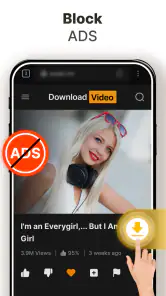
The first thing that caught my attention was the ease with which the app lets you grab videos from various platforms. Whether it’s a hilarious TikTok video or an inspiring YouTube tutorial, this app has you covered. Once you’ve installed it, downloading is as simple as copying the video link and pasting it into the app. Voila! The video is ready for offline viewing in no time.
Seamless User Experience
One of the standout features is its user-friendly interface. Navigating through the app feels like a breeze, thanks to its intuitive design. You won’t find yourself lost in a maze of options; everything is laid out clearly, making the downloading process swift and straightforward. Trust me, even if you're not tech-savvy, you'll find yourself downloading videos like a pro.
A practical use is saving a permitted how-to clip before a commute, then opening it from the app’s player when the connection is patchy. I’d keep the original link or source in mind as well: a downloader cannot make every online video available, and access can depend on the platform and its rules. For anything protected or restricted, I’d use the service’s own offline option instead of trying to work around it.
Choosing quality with storage in mind
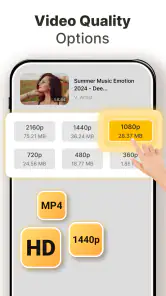
Another aspect where this app shines is in offering multiple download options. You can choose the video quality and format that best suits your needs. Whether you want high definition for your tablet or a smaller file size for your phone, the app gives you the flexibility to decide. This versatility ensures that you’re not compromising on quality or storage space.
More From Our News Desk

Weather by Xiaomi Review: Clear at a Glance, Less Clear Up Close

X Under Pressure: Can It Recover When Posting Goes Wrong?

Clash of Clans Is Won Between the Battles

Android Auto Makes the Case for Quieter Car Software

MobiOffice: Transforming Mobile Productivity with Seamless Integration

EA SPORTS FC™ Mobile Soccer: Redefining Mobile Sports Gaming
In practice, I’d choose a smaller file for a short clip I only need once, and reserve higher quality for material I expect to revisit on a larger screen. That small decision can keep a phone’s storage from filling with videos that are easy to stream again later. If you are preparing several clips for travel, it also helps to download only what you expect to watch, then review your saved files afterward rather than treating the app as an unlimited archive.
Playback, editing, and everyday trade-offs
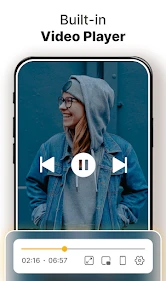
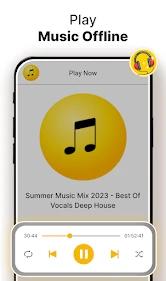
What’s more, the app comes with a built-in video player, which means you don’t have to switch between apps to watch your downloaded videos. The player supports a wide range of formats, ensuring smooth playback. Plus, the controls are so intuitive that you’ll find yourself navigating through your video collection with ease.
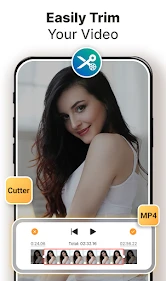
The app’s broader toolset also includes video cutting and video-to-MP3 conversion. Those options may be useful when I want a shorter clip or audio extracted for a legitimate personal project, but they do not replace a dedicated editor when I need a detailed timeline, precise audio work, or layered effects. I’d treat this as a convenient utility for quick jobs, not a full production workspace.
Compared with the usual alternatives, the all-in-one approach is the main draw: a dedicated media player may offer a more focused library experience, while a platform’s own offline feature is often the safer choice for content tied to that service. This app makes more sense when I want a straightforward place to download, trim or convert, and then watch a file. It is less appealing if I mainly stream, already rely on another player, or need dependable access to content from every website.
Who is likely to get the most from it?
I’d recommend giving it a try if you regularly save videos you are allowed to keep, value quick link-based downloading, and want playback close at hand. Someone who only watches occasional clips may not need a separate downloader at all, while a creator doing serious editing will probably prefer a specialist editor. Before relying on a saved video, I’d test the exact source and playback format with one small file; that catches compatibility or workflow snags before a long trip or a low-connectivity day.
In conclusion, the app is a must-have for anyone who loves watching videos on the go. It’s efficient, user-friendly, and offers a plethora of options to enhance your video downloading and viewing experience. So, if you haven’t tried it yet, give it a shot and transform the way you enjoy videos. Happy downloading!
A sensible first test before depending on it
I would start with one short video that I have permission to save, rather than building a whole offline collection straight away. That lets me see whether the source works with the link-pasting flow, whether the resulting file plays as expected, and whether the chosen quality feels right on my phone. If one source fails, I would not assume every source will behave the same way; availability can vary, so a small trial is more useful than planning around an untested batch.
There is also a practical distinction between downloading something and organizing it for later. If I save a clip for a specific task, I would give myself a simple routine: download only the useful items, check them in the built-in player, and remove files once I no longer need them. That keeps local storage from quietly becoming a pile of forgotten copies. For a long journey, I would verify the files before leaving rather than discovering on the way that a particular video did not save in a usable form.
Where an all-in-one tool helps—and where it adds friction
Putting download, playback, cutting, and audio conversion in one place is convenient for small, practical jobs. For example, I might save a permitted demonstration, trim away an unneeded opening, and keep the shortened version available to watch later. The advantage is fewer app switches for a basic task. The trade-off is that a utility with several purposes may not offer the depth or polish I would want from a specialist player or editing app.
I would also separate convenience from guaranteed compatibility. A built-in player can make saved files easy to open, but it does not mean every online source, format, or download route will work in every circumstance. If a file is important, I would test playback before deleting another copy or relying on it away from home. And if I need careful editing, captions, a complex soundtrack, or a well-managed catalogue, I would choose a dedicated tool instead of expecting this app to cover every professional or library need.
Everyday situations that suit the app
The clearest fit is a person who occasionally needs a few lawful videos offline: a student keeping a permitted lesson for a weak-connection commute, a home cook saving a technique clip to follow in the kitchen, or someone collecting short personal-reference videos for later. In each case, the value is not simply having another player; it is reducing the steps between finding a suitable video and watching a local copy. For material that is already available offline through its original service, that service’s own feature may be simpler and more dependable.
It can also suit someone who wants quick conversion or trimming without opening a full editing suite. I would keep expectations modest: a short cut or an audio file for an appropriate personal use is a different job from producing a polished video project. If my needs grow into detailed edits, repeatable workflows, or a carefully curated media library, moving to specialized apps would be a sensible next step rather than a failure of this one.
What I would check before paying or making it a habit
Because the app is free to install and lists optional purchases, there is little reason to pay before I understand the basic workflow. I would first try the tasks I actually care about, then inspect any purchase prompt closely to see what it offers. The listed range of $0.49 to $1.49 per item makes the optional items relatively low-cost in absolute terms, but price alone does not establish their usefulness. I would spend only if an identified extra solves a real problem for me.
I would also consider whether I want another app in my routine at all. If I mostly watch streams, save only a clip now and then, or already have a player that handles my local files comfortably, the extra download-and-convert tools may sit unused. If I regularly prepare a handful of permitted videos for offline viewing and appreciate having basic media tools together, the free starting point makes it easy to judge the fit without committing upfront.
My final recommendation
My recommendation is to treat it as a practical Android utility, not as a universal video service or a replacement for a serious editor. Its strongest appeal is the compact workflow: save a suitable video, play it locally, and use simple cutting or audio conversion when those jobs are enough. The broad user base and positive average rating may reassure someone considering a trial, but my decision would still come down to whether my own sources work and whether I like managing files this way.
I would try it if offline clips and quick, uncomplicated media tasks are part of my routine. I would skip it if I rarely download anything, need a dependable solution for every platform, or want advanced editing and library controls. That is the clearest way to judge its value: start free, test one real task, and only keep it if it genuinely saves time compared with the player or official offline options you already use.
Download Video & Player Frequently Asked Questions
Is Download Video & Player free to install, and are purchases required?
Download Video & Player is free to download, so you can install it without an upfront purchase. The app also offers optional in-app purchases, with individual items ranging from $0.49 to $1.49. These purchases are not a requirement for downloading the app. Before buying anything, review the purchase details shown in the app so you can decide whether an option suits your needs.
What Android version do I need to install Download Video & Player?
The app requires Android 8.0 or later, so check your device’s software version before downloading. It is an Android app in the video players and editors category, and its content rating is Everyone. The current version is 65 19.10.25. Keeping your device’s operating system up to date can also help you get the best compatibility with apps you choose to install.
What is Download Video & Player, and who develops it?
Download Video & Player is a video-focused app from DevAppAndroid128, combining video downloading and playback with editing-related tools. Its store summary also highlights video cutting and video-to-MP3 conversion. It is listed in the Video Players & Editors category and is free to download, with optional in-app purchases. The app is rated for Everyone and requires Android 8.0 or later.
What features does the Download Video & Player app offer?
The Download Video & Player app provides users with a comprehensive media management solution, allowing them to download videos from various sources directly to their device. It supports numerous video formats, offers a built-in media player, and includes features such as playlist creation, subtitle support, and video playback speed control. This makes it a versatile tool for video enthusiasts.
Is Download Video & Player app safe to use on my device?
Yes, the Download Video & Player app is designed with user safety in mind. It ensures secure downloading by using encrypted connections and does not contain any malware or adware. However, it's always recommended to download apps from official app stores and keep your device's security software updated for added protection.
Pros
- Supports various video formats.
- Easy-to-use interface.
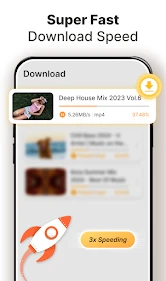
- Fast download speeds.
- Allows background downloading.
- Built-in media player.
Cons
- Contains ads.
- Limited features in free version.
- No playlist support.
- Requires internet to download.
- Occasional app crashes.
- Category
- Video Players & Editors
- Version
- 65 19.10.25