Discord - Talk, Play, Hang Out
- 312.05K
- 4.3
- Installs
- 500.00M
- Price
- Free

Screenshots
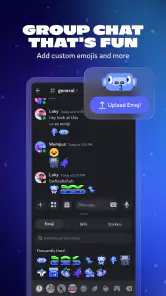





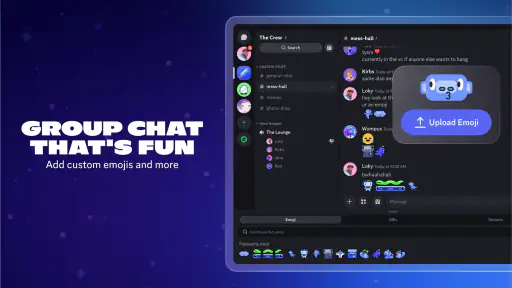
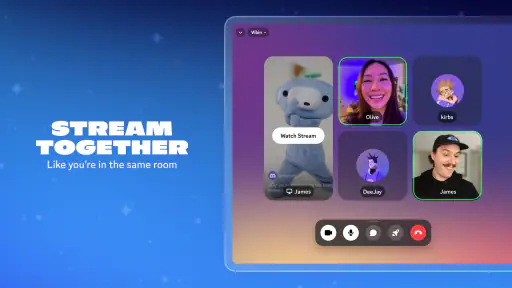
Analysis by Reviewed
I first notice Discord’s value when a group has outgrown a single, fast-moving chat. Plans, questions, jokes, and live conversation can all compete for attention in one thread; Discord gives them separate places without making the group split across several unrelated apps. I find that useful for gaming friends, clubs, study groups, and hobby communities that return to the same conversations. If I only need to send a quick note to one person, though, a simpler messenger is usually less work.
From a scattered group chat to a shared space
When I join a new community, I first look at how it has separated its conversations. A server can have different text channels for distinct topics, which helps keep a question about a game, a plan for the weekend, and an off-topic joke from crowding into one feed. I would start with only a few channels if I were setting up a small group: too many rooms make it harder to know where to post, especially for people who are new.
That structure also changes how I’d use Discord compared with ordinary group messaging. A familiar chat app is often the better choice when everyone already knows each other and wants a single, straightforward thread. Discord makes more sense when discussions recur, several topics need separate homes, or people want to drop into voice without arranging a formal call. Its strength is the ongoing shared space, not simply sending a message.
A practical routine for everyday use
For a realistic evening with friends, I might open the relevant server, check the text channel for the plan, and then join a voice channel when people are ready to play. If someone has trouble following a setup instruction, screen sharing can make the explanation visible rather than turning it into a chain of vague messages. Afterwards, the group can return to text for details that are useful to find later. That handoff from written planning to live conversation is where I think the app earns its place.
There are smaller habits that make a busy server easier to live with. I’d set notifications deliberately rather than allowing every active conversation to interrupt me; a community can be lively without every post needing an immediate response. I’d also make channel names plain and purposeful, so members can guess where a question belongs. These choices matter more than adding lots of rooms or bots: organization is helpful only when the group can understand it at a glance.
What to expect before joining
Discord is a free communication app from Discord Inc., and it has a 4.3 average from around 6.5 million ratings, with over 500 million installs. Its Teen age rating is worth keeping in mind when choosing a space for younger users. The current stable version is 307.8, and the app’s minimum OS requirement is 7.0. Optional in-app purchases range from $1.99 to $274.94 per item, so I’d check the purchase details before spending; I wouldn’t assume that joining a conversation requires buying anything.
The app is not friction-free. A server with many channels, active members, and bots can feel noisy until you learn its layout, while a quiet community may not justify the extra structure at all. Voice and screen sharing are most useful when the people involved are available at the same time, so they won’t solve every coordination problem. And although Discord works on mobile as well as desktop, I find a larger screen more comfortable for navigating a busy server or following a shared screen closely.
My recommendation is for people who want a persistent place to talk with a group, especially gaming friends and interest-based communities that move between chat and voice. I’d choose a conventional messaging app for a small, casual conversation that needs no channels, and a dedicated meeting tool when a formal work call is the main goal. If you like the idea of a community with separate rooms and flexible ways to join in, Discord - Talk, Play, Hang Out is worth trying. Just start with the conversations you actually need, keep notifications under control, and let the server grow only when the group has a reason for it.
That distinction is useful when deciding whether to invite everyone you know. Discord works best when members share a reason to return: a weekly game, a club project, or a hobby where questions and recommendations continue over time. For a one-off event, I would keep the setup lightweight and avoid building a complicated server that people will visit only once. For a recurring group, I’d agree on a simple convention—where announcements go, where casual chat belongs, and whether voice is drop-in—before activity grows. A little shared etiquette prevents the app’s flexibility from becoming clutter.
Making the handoffs feel natural
One useful workflow is to treat text as the place for context and voice as the place for back-and-forth. I can post the details of a plan in the relevant channel, let friends respond when they have time, then move to voice when a decision or live session benefits from talking. If someone joins late, the written conversation can help them catch up without asking the group to repeat everything. That does not make Discord a project manager; it simply gives a group a practical way to shift between asynchronous messages and real-time conversation.
For a server I manage, I’d also think carefully before adding automation. Bots can help with recurring tasks or add entertainment, but each extra tool introduces another thing members must understand and trust. I’d add one only to solve a specific nuisance, then see whether people actually use it. The same principle applies to channels: create a new one when a conversation has enough activity to deserve its own space, not just because the option exists.
Who will feel at home—and who may not
I’d recommend Discord to people who enjoy joining communities, want their group discussions organized by topic, or regularly switch between typing and speaking. It can also suit a friend helping someone troubleshoot a problem, since showing a screen may be clearer than trying to describe every click. On the other hand, someone who dislikes busy online communities, wants the simplest possible private messaging, or needs a formal meeting environment may be happier elsewhere. The right choice depends less on a feature checklist than on whether the group wants an ongoing shared space.
Discovering a community is also different from joining a private group of friends: a public or larger server may have its own norms and a faster pace. I’d spend a moment reading the available channel descriptions and observing how members communicate before posting. If a server feels overwhelming, I would mute or leave it rather than trying to keep up with every conversation. Personal boundaries are part of making a communication app useful, not a failure to participate.
Where the experience can fall short
Discord’s flexibility can make the first visit feel like work. A newcomer may not know which room to use, and a poorly organized server can bury useful information under casual chatter. Group owners can reduce that friction with clear names and a small number of purposeful channels, but individual users cannot make every community well run. If I am joining mainly to contact one person, I would not choose a server-based setup just for the sake of having more options.
There is a trade-off between staying connected and being constantly available, too. I would decide which conversations deserve alerts and check the rest on my own schedule; otherwise, an active server can pull attention away from whatever I am doing. Screen sharing and voice are valuable when they remove confusion, but they rely on people being present together and may be unnecessary for a simple answer. Knowing when to stay in text is part of using the app well.
The Ultimate Hangout Spot
Imagine walking into a virtual room where you can talk to anyone, anytime, and about anything. That's the magic of Discord. Whether you're a gamer looking to strategize with your team or someone just wanting to catch up with friends, this app has got you covered. The voice channels are seamless, providing crystal-clear audio that's perfect for those late-night gaming sessions or casual chats. Plus, there's no need to worry about dropped calls or laggy connections; Discord handles it all like a pro!
Features That Stand Out
One of the standout features of Discord is its server-based structure. You can create your own community or join existing ones tailored to your interests. Whether you're into anime, coding, or knitting, there's a server for you. And if not, you can easily create your own! The app also supports text channels for those times when typing is more convenient than talking. Plus, the integration of bots can automate tasks or simply add a bit of fun to your server. How cool is that?
Another brilliant feature is the screen sharing capability. Gone are the days of explaining something complicated over a call. With Discord, you can simply share your screen and show exactly what you mean. It's a game-changer for both personal and professional use. Whether you're troubleshooting a friend's PC or conducting a remote work meeting, Discord's got your back.
Customizable and User-Friendly
Now, let's talk customization. Discord offers a plethora of settings to tailor your experience. From changing themes to setting up notifications, you have full control. Not to mention the user-friendly interface that makes navigation a breeze even for the least tech-savvy among us. Everything is intuitively placed, so you can focus on what truly matters: connecting with others.
And let's not forget about the mobile version of Discord. It's as powerful as its desktop counterpart, ensuring that you can stay connected on the go. Whether you're using Android or iOS, the app's performance remains top-notch, allowing you to switch between devices without skipping a beat.
Choosing the right communication rhythm
For a study group, I’d use separate channels for shared notes and casual conversation, then reserve voice for the moments when a topic is easier to explain aloud. That way, a student who checks in later can follow the written thread without needing to attend every live discussion. The trade-off is that someone still has to keep the channels tidy; Discord can make information easier to sort, but it does not decide what belongs where.
Compared with a standard messaging app, Discord asks for more orientation but gives an active group more room to organize itself. Compared with a meeting-focused service, it feels less like scheduling a call and more like keeping a common space open. I would pick the simpler option if my group rarely talks, and a meeting tool if the call itself—not the continuing community—is the main event.
Small choices that prevent avoidable friction
If I am joining a new server on my phone, I would first identify the one or two channels I actually need and adjust alerts around those conversations. I would not try to read every room just because it is visible. For a group owner, a short welcome message explaining where to ask questions and how to join voice can save newcomers from guessing. These modest choices make the first visit less intimidating without turning setup into a project of its own.
It is also worth deciding how the group will handle information that should remain easy to find. A fast voice discussion is good for resolving confusion, but a final decision is easier to revisit if someone posts a concise written summary in the relevant text channel. That small handoff helps people who were unavailable during the call and prevents the same question from restarting. I find this especially useful for recurring plans, where the outcome matters more than the conversation that produced it.
Wrapping Up
In a world where digital communication is king, Discord - Talk, Play, Hang Out reigns supreme. It's more than just an app; it's a community, a hub for connection, and a platform where everyone can find their space. If you haven't tried it yet, what are you waiting for? Dive into the world of Discord and discover a new way to stay connected with your friends and communities. Trust me, once you do, you'll wonder how you ever managed without it!
Discord - Talk, Play, Hang Out Frequently Asked Questions
Is Discord free to download, and what does the app offer at no cost?
Discord is free to download and use for core communication, including text, voice, and video chat. That gives you a way to keep in touch with friends or participate in communities without paying for basic conversations. Optional in-app purchases are available, but they are not required to use the main communication features. If you prefer not to spend, review your purchase settings before using optional items.
What age is Discord intended for, and should families review it first?
Discord is rated Teen, and the experience can vary depending on the communities a person joins and the people they interact with. It is sensible to discuss online privacy, respectful communication, and caution around unfamiliar users before joining new communities. Reviewing server rules and choosing communities thoughtfully can help teenagers approach the app more comfortably, while families can talk through which interactions and settings feel appropriate.
Who makes Discord, and how long has the app been available?
Discord is developed by Discord Inc. and has been available since May 7, 2015. It is a communication app for people who want to talk, play, and spend time in communities. Its long-running presence may appeal to users looking for a familiar place to organize group conversations or meet around shared interests. As with any community app, the experience depends in part on the spaces you choose.
Will Discord run on my Android device?
Discord supports Android devices running version 7.0 or later, as well as iOS and other platforms. Before downloading, check the Android version on your phone or tablet to make sure it meets that requirement. The app is designed for communication, so it can be useful if you want to keep up with conversations while away from a computer. Your device’s available storage and settings can also affect installation.
Can I use Discord on a phone, computer, and web browser?
Yes. Discord is available on Android and iOS, desktop platforms, and web browsers. You can sign in to your account on the devices you use, and conversations and data can synchronize to support a consistent experience as you switch between them. This is convenient if you prefer using a computer at home but want to keep in touch from your phone when you are away.
Pros
- User-friendly interface for easy navigation
- Supports both text and voice communication
- Highly customizable server settings
- Integration with various third-party apps
- Strong community and support
Cons
- Can consume significant battery life
- Notifications can be overwhelming
- Requires stable internet for optimal use
- Audio quality may vary on different devices
- Complex permissions system for new users

- Category
- Communication
- Version
- 307.8 - Stable











