

Design Maker For Space Art
- 95.00
- 4.4
- Installs
- 100.00K
- Price
- Free
Screenshots
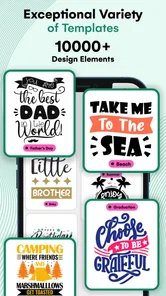
Analysis by Reviewed
I approached Design Maker For Space Art as a quick creative tool rather than a full illustration studio. It belongs to the Art & Design category, is free to install, and is made by Cards. The idea is straightforward: help you create artwork around mug designs and space-inspired visuals without requiring the patience or technical background that a more advanced editor demands. After spending time with it, I found its appeal strongest when I wanted a fast visual result, not a carefully constructed professional composition.
That distinction matters. If you are choosing between a simple phone-based design app and a large desktop editor, this app sits firmly on the simpler side. It is aimed at people who want to experiment, make a themed image, or prepare a personal concept directly from a mobile device. I would recommend trying it if you enjoy decorative design and prefer guided creative tools. I would be more cautious if you need precise print preparation, detailed layer management, or complete control over every element.
How the design experience feels in everyday use
I find that the app’s focused, space-inspired design direction is most useful when I already have a small idea and want to see it take shape without starting from a blank canvas. In everyday use, that can make a casual creative session feel approachable rather than technical. It also gives me a clear point to judge before choosing a workflow that suits the project.
Readability and navigation come first
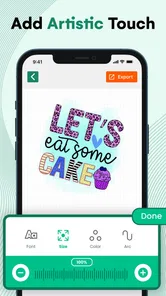
The first thing I noticed is that the app’s value depends heavily on how quickly you can understand its creative path. A design maker should let you move from idea to finished image without making you decode a complicated workspace. Here, the space-art and mug-design focus gives the experience a clear identity. You are not opening an empty professional canvas and wondering where to begin; the app points you toward a specific kind of visual project.
That focus is useful for beginners. Someone making a themed gift concept, a playful mug image, or a personal space illustration can start with a narrower goal. I found that less intimidating than opening a general-purpose drawing application filled with tools I might never use. The trade-off is that a focused app can feel restrictive when your idea moves outside its preferred style.
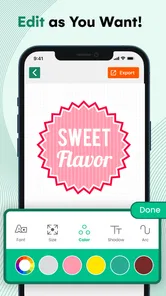
For readers who rely on clear visual organization, the practical test is whether the controls remain understandable while you are editing. I recommend taking a slow first pass instead of tapping through every option immediately. Identify the main design area, find the controls that change the artwork, and make one small adjustment at a time. This approach is especially helpful on a phone, where crowded controls can become tiring even when the underlying task is simple.
The app is rated for Everyone, which makes its subject matter approachable for a broad audience. That does not automatically mean every person will find the interface equally comfortable, but it does suggest that the intended creative activity is casual rather than specialized or mature. I can imagine it working for a family member who wants to explore visual design without being sent into a complex technical workflow.
More From Our News Desk

 Gmail
GmailGmail in a Busy Inbox: Who Benefits Most?
From first account to crowded workday, Gmail earns its place through dependable search and flexible sorting—but its best fit depends on how much inbox maintenance you can tolerate.

 Prime Video
Switching to Prime Video: What Changes in Your Viewing Routine
Prime Video can make a compelling second home for streaming, but switching means learning a different catalog, rental layer, and route from browsing to playback.

 Universal TV Remote Control
Universal TV Remote Control Works Best as a Reliable Backup
A phone remote earns its place through quick setup and reliable habits. Here is how to get more from Universal TV Remote Control—and where its limits show.

 Weather - By Xiaomi
Weather by Xiaomi Review: Clear at a Glance, Less Clear Up Close
Xiaomi’s weather app makes everyday forecasts quick to scan, but its calm surface can leave useful details and recovery paths harder to find than they should be.

 X
XX Under Pressure: Can It Recover When Posting Goes Wrong?
A resilience-focused review of X, examining setup, mistaken posts, interruptions, weak connections, and the gaps that matter when recovery needs to be dependable.

 Clash of Clans
Clash of Clans Is Won Between the Battles
Its raids are quick; its community is a long-term project of coordination, teaching, rivalry, and shared responsibility—with all the friction that entails.
Latest News



Where it fits beside ordinary alternatives
Compared with a general drawing app, this tool has a more defined purpose. A general drawing app usually gives you a blank canvas and expects you to build the image from the ground up. That is better when you want freehand control, detailed brush work, or a personal illustration style. This app is more attractive when the theme itself is part of the appeal and you want help getting to a recognizable result quickly.
Compared with a dedicated professional design editor, the difference is even clearer. Professional tools are stronger for exact alignment, typography, export preparation, reusable brand assets, and multi-stage revisions. I would choose one of those alternatives for a business order or a design that must match strict production specifications. I would choose this app for a casual concept, a novelty image, or a first attempt at a mug-themed project.
That makes the app less of a replacement for every other design tool and more of a low-pressure starting point. Its strongest advantage is reduced commitment: you can try an idea without learning an entire creative suite. Its weakness is the same thing in reverse. A simplified workflow may not give you the precision you eventually want.
Motor comfort and sensory load
Touch-based design can be welcoming because it removes the need for a mouse, keyboard shortcuts, or drawing hardware. I found that appealing for short sessions. You can work from a sofa, at a kitchen table, or while commuting, assuming you have enough attention and a stable device. For someone who is comfortable with tapping and swiping, that immediacy is a genuine strength.
There is also a practical advantage for people who do not want to hold a stylus. A mug concept does not necessarily require delicate freehand drawing, so the experience can suit users who prefer selecting and adjusting rather than making continuous hand movements. I would still avoid treating it as effortless for everyone. Repeated tapping, small controls, and touch gestures can be difficult for people with tremors, limited reach, or reduced fine-motor control.
My advice is to work in short stages. Decide on the visual direction first, make the major choices second, and leave small refinements until the end. This reduces unnecessary gestures and makes it easier to undo a mistake mentally, even if the app’s editing flow feels unfamiliar. If you find yourself repeatedly missing a control, that is a sign the app may not be the right tool for a highly precise workflow.
Sensory comfort is equally personal. Space-themed artwork often relies on strong contrast, glowing colors, and busy visual detail. That can be exciting, but it may also feel visually intense for users who are sensitive to bright or crowded imagery. I would approach the app with the device’s own display settings adjusted to your comfort level and avoid long sessions if the compositions begin to feel tiring.
Using it in different situations
The most convincing everyday use case for me is a small personal project. Imagine wanting to give a friend a playful mug concept with a space theme. Instead of opening a desktop editor, searching for separate assets, and learning a complicated layout system, you can use a phone-based design app to explore the idea while it is still fresh. Even if the final image needs more work elsewhere, the app can help you decide whether the concept is worth pursuing.
It also suits a quick creative break. I can see someone using it to make a visual for a personal message, test a color direction, or create a themed image for a social post. The free entry point makes experimentation easier because you do not have to commit before discovering whether the style matches your taste. In-app purchases range from less than a dollar to nearly a hundred dollars per item, so I would pay close attention before confirming anything beyond the free experience.
That pricing range is important for families and for anyone sharing a device. A free app can still lead to unexpected spending if purchase prompts are not handled carefully. I recommend checking what is available without payment, reviewing the purchase screen before tapping, and using the device’s purchase controls when children may access the app. This is not a reason to reject the app, but it is a reason to treat the free label as an invitation to explore rather than a promise that every option is free.
The app requires Android version eight or newer, so compatibility is reasonably broad among modern Android phones and tablets. If you use an older device, the operating-system requirement becomes the first practical check. On a supported device, your comfort will still depend on screen size. A larger display should make visual adjustments easier, while a compact phone may make small design decisions more tiring.
Useful habits for better results
One of the best ways to get more from a themed design app is to begin with the intended object in mind. A mug is not just a flat image: the design will eventually be viewed as part of a curved surface. I would avoid placing the most important detail too close to an edge in your concept, even if you are only experimenting. Keeping the focal point comfortably centered gives you more flexibility if you later move the artwork into another tool for production.
A second useful habit is to separate idea testing from final production. Use this app to decide whether the combination of space imagery, color, and composition feels right. Then, if the project becomes important, inspect the result in a more exact editor before ordering or printing anything. This two-step workflow prevents a common mistake: assuming that a visually pleasing phone preview automatically meets the technical requirements of a finished product.
I also recommend saving your creative decisions outside the app in a simple note. Record the colors you liked, the general layout, and what you would change next time. That may sound basic, but it turns a one-off experiment into a repeatable process. It is particularly helpful if you are comparing several mug ideas or working with someone who has difficulty remembering visual preferences from one session to the next.
For users who find touch navigation tiring, prepare before opening the editor. Decide on the message, theme, and rough arrangement first. The fewer exploratory taps you need, the more manageable the session becomes. This is a small adjustment, but it makes a difference when the app is being used by someone with limited stamina or who prefers predictable steps.
Remaining barriers and honest limitations
The biggest limitation is that a focused mobile design app should not be confused with a complete production environment. I would not rely on it alone for professional branding, exact print dimensions, complex typography, or detailed image correction unless the finished workflow clearly supports those needs for your particular project. The app is better at helping you create and explore than at replacing every stage that follows.
Another barrier is the gap between visual simplicity and physical accessibility. A clean-looking interface can still be difficult if buttons are small, gestures require accuracy, or important feedback is communicated mainly through color and imagery. I would like users with different motor or sensory needs to test a short session before investing time in a larger project. If the basic controls already feel uncomfortable, a more advanced design app with stronger customization may actually be easier despite its complexity.
People who need keyboard-first operation may also prefer a desktop alternative. Mobile touch interaction is convenient, but it does not offer the same kind of physical separation between navigation and editing that a keyboard and mouse can provide. Likewise, anyone who depends on highly structured, text-led workflows should compare the app carefully with tools designed around accessible document or layout editing rather than visual browsing.
There is a further practical issue with expectations. The store summary presents the app as a way to make art with a mug design maker and space-art direction, but a short description cannot tell you whether the available creative choices match your personal style. If you dislike cosmic themes, decorative templates, or guided design approaches, the app may feel narrow very quickly. Its identity is an advantage only when that identity overlaps with what you want to make.
Who should try it, and who should skip it?
I would suggest trying it if you are new to digital design, want a themed starting point, or need a quick concept on an Android device. It is also a reasonable choice for casual creators who enjoy experimenting without opening a professional editor. The combination of a free starting point, an Everyone age rating, and a clear space-art direction makes it approachable for low-stakes projects.
I would be more selective if you are preparing artwork for a paid merchandise order. In that situation, I would use this app for brainstorming and then move to a tool that gives you stronger control over dimensions, placement, text, and final file preparation. The same advice applies to designers who already work comfortably with advanced software: the app may be fun for rapid ideas, but it is unlikely to replace your established workflow.
Its audience numbers show that it has reached more than a hundred thousand installs, while its average rating is 4.4 from roughly seven hundred ratings. Those figures suggest a healthy level of interest, but they should not decide the matter for you. I would give more weight to whether you want a guided space-art experience and whether touch editing suits your hands, eyes, and working environment.
My inclusive verdict
After reviewing it as an everyday creative app, I see Design Maker For Space Art as a friendly entry point rather than an all-purpose art studio. The strongest experience comes from quick, themed experimentation: making a mug concept, testing a space-inspired composition, or turning a passing idea into something visible without a long learning curve. That is a useful role, especially for people who feel blocked by blank canvases.
Its inclusive value is more nuanced. The mobile format can lower barriers for users who prefer touch interaction and short creative sessions, and the Everyone rating keeps the concept broadly approachable. At the same time, touch precision, visual intensity, screen size, and purchase prompts may affect people differently. I would not recommend assuming that a simple design app is automatically accessible; I would recommend testing the actual controls in a calm, short session.
The current version is 13.1.0, and the app was released on November 8, 2023. I mention that context because the product feels like something to evaluate through its present workflow rather than through the promise of becoming a professional editor. My final recommendation is simple: use it as a low-pressure idea builder, not as the only step in a demanding print project.
For the right person, that is enough. If you want a fast way to explore space-themed mug artwork and you are comfortable creating on a phone, I think it is worth trying. If you need highly controlled production files, keyboard-centered navigation, or a broad illustration toolkit, choose a more specialized alternative. The app succeeds when its focused scope matches your goal, and it becomes frustrating only when you ask it to be something much larger.
Design Maker For Space Art Frequently Asked Questions
Do I need an internet connection to use Design Maker For Space Art?
An internet connection may be useful for browsing or downloading design materials and for sharing finished artwork, while some editing tasks may work without one once assets are available on your device. If you expect to create designs while offline, check how the app behaves after installation and whether the templates and elements you want are accessible without a connection.
Is Design Maker For Space Art free to download?
Yes, Design Maker For Space Art is free to download, so you can try the app without paying an upfront price. It also offers optional in-app purchases, with items ranging from $0.99 to $99.99. Before buying anything, review the purchase details in the app and make sure the selected content or feature is worth the cost to you.
What is Design Maker For Space Art?
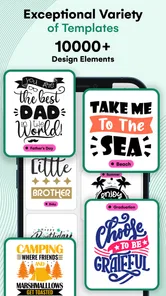
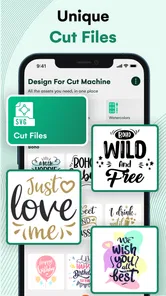
Design Maker For Space Art is a creative design app focused on producing space-themed artwork, posters, wallpapers, social media graphics, and other visual projects. It typically combines ready-made templates, cosmic backgrounds, decorative elements, text tools, and editing controls so users can create designs inspired by planets, stars, galaxies, astronauts, and futuristic environments without needing advanced graphic-design experience. The app is in the Art & Design category and is made by Cards.
Is Design Maker For Space Art suitable for beginners?
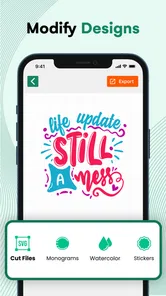
Yes, the app is generally designed to be approachable for beginners. Its template-based workflow allows users to start with an existing space composition and customize the background, colors, text, stickers, and layout. More experienced users may also appreciate the freedom to build a design from scratch, although the available tools and precision can vary depending on the device and the specific version installed.
What can I create with Design Maker For Space Art?
The app can be used for a variety of space-inspired projects, including phone wallpapers, digital posters, invitations, profile images, social media posts, banners, and personal artwork. You can usually combine galaxy backgrounds with typography, illustrations, planets, stars, and other visual effects. Before downloading, check the current template library and export options to confirm that they match the type of design you want to produce.
Pros
- Simple tools make space-themed designs accessible to beginners.
- Supports creative experimentation with colors
- planets
- stars
- and cosmic effects.
- Useful for creating wallpapers
- posters
- and social media visuals.
- Quick editing workflow is convenient for short creative projects.
- Space-focused assets help users build a consistent visual style.
Cons
- Some advanced design controls may be missing for professional users.
- The space-themed content can feel repetitive after extended use.
- Complex compositions may require patience on smaller phone screens.
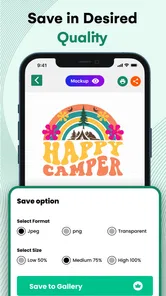
- Export options and image quality may vary by device or version.
- Some features or assets may require in-app purchases.













