Copy My Data: Transfer Content
- 4.08K
- 4.3
- Installs
- 50.00M
- Price
- Free

Screenshots
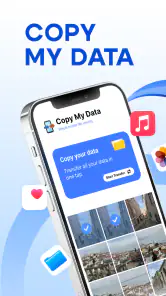
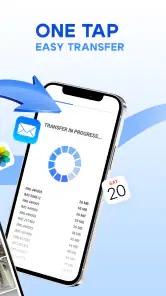
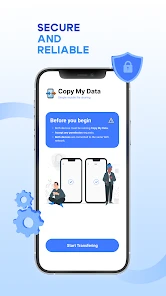
Analysis by Reviewed
Changing phones is one of those jobs that sounds simple until you start wondering what will make the move and what will be left behind. I like the idea of using a direct transfer app for that moment: it can feel less daunting than setting up a cloud backup or sorting files manually. Copy My Data is a free tools app from Red Sky Labs, and its focus is on moving selected kinds of content between phones over Wi-Fi.
A practical role in a phone switch
The app is aimed at a specific task rather than managing your phone day to day. That focus is useful when you have both devices in front of you and want a guided way to copy contacts, calendars, photos, or videos. It is less compelling if you only need to move one or two carefully chosen files, or if your priority is a complete device restore with settings and app data.
For a routine upgrade, I would prepare both phones before starting: charge them, connect them to a dependable Wi-Fi network, and check that the new phone has enough room for the material you intend to copy. These small checks matter because a wireless transfer depends on the connection and the amount of content. If a move is interrupted or takes longer than expected, having the old phone available gives you a practical fallback while you decide what to retry.
Getting Started with Ease
First things first, setting up Copy My Data is a breeze. You just download the app on both devices, and you're almost halfway there. The interface is super straightforward, which I absolutely appreciate. No complicated steps, no unnecessary permissions. Just pure, simple functionality. You’ll need a Wi-Fi connection, but let’s face it, that’s a small ask for the convenience it offers.
How Does It Work?
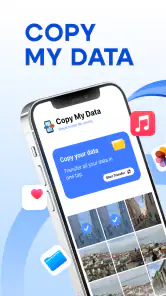
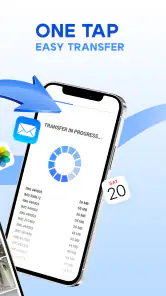
Once you’ve got it on both phones, the app guides you through the process. You can choose what you want to transfer—be it contacts, calendars, photos, or videos. It’s all done wirelessly, which feels like magic the first time you see your data zipping through the airwaves. The transfer speed is quite impressive, although, of course, it depends on the amount of data and your Wi-Fi strength. But in general, it’s faster than expected.
A useful detail is that choosing a category is not the same as choosing individual items inside it. Since the app doesn’t allow for selective transfer of specific files within categories, I’d review large photo and video collections before beginning and make sure the destination has room. If you only want a few recent pictures, sending those separately may be more sensible than copying a whole category. For contacts or calendars, moving the category as a set can be a better fit than trying to rebuild it by hand.
One thing to note is that the app doesn’t allow for selective transfer of specific files within categories, but if you’re looking to copy everything wholesale, it’s absolutely perfect. I transferred my entire contact list and photos in less time than it took me to make a cup of coffee.
You May Like

Clash of Clans Is Won Between the Battles

Android Auto Makes the Case for Quieter Car Software

MobiOffice: Transforming Mobile Productivity with Seamless Integration

EA SPORTS FC™ Mobile Soccer: Redefining Mobile Sports Gaming

How Microsoft OneDrive Became a Mobile Productivity Giant

How Google Translate Breaks Language Barriers Effortlessly
Trust, choices, and the moments that matter
Moving personal material calls for a little care, even when the process is straightforward. I would check what categories I have selected before starting, especially if the phone contains private images or work-related contacts. The useful control here is choosing what kind of content to transfer; the trade-off is that the app does not offer fine-grained selection within those categories. That makes a quick whole-category move convenient, but it is not the right workflow when you need to exclude particular items.
In an everyday scenario, imagine setting up a replacement phone at home before handing the old one down to a family member. I would transfer the contacts and calendar first, confirm that they appear on the new device, and then decide whether the photo and video collections belong there too. Checking the result before wiping or passing on the old phone is a sensible safeguard, whichever transfer method you use.
Keeping the transfer predictable
I would treat the move as a small checklist rather than one long, all-or-nothing task. Start with a category whose result is easy to verify, such as contacts, then check the destination before deciding whether to move larger collections. This does not give you file-level control, but it can make it easier to notice a problem early and avoid waiting through a large transfer before finding out that the new phone is not ready.
It is also worth thinking about what “copied” means for your own setup. A contact or calendar may be connected to an account or sync service on the old phone, while the new phone may use a different account arrangement. Before transferring, I would make sure I know which copy I intend to keep and where I expect it to appear. Otherwise, it can be confusing to see duplicates or to assume that a transfer has replaced an existing entry when it has simply added another one.
Trust without guesswork
My trust assessment is deliberately practical: I look at the choices I can see during a transfer, rather than assuming anything about behind-the-scenes data handling. Selecting content categories gives me some control over the scope of the move, but it is not the same as reviewing every item or setting detailed privacy rules. For sensitive material, that distinction matters. I would leave out a whole category if I could not comfortably move it as a group.
Before beginning, I would also pause on any system prompts and read what the phone is asking me to allow. Access to a category is relevant to the transfer I am trying to make, so I would consider each prompt in that context instead of approving everything automatically. If the requested access does not make sense for the content I selected, I would stop and reassess rather than pressing through just to finish quickly.
Who benefits, and what to compare
This is a good fit for someone who wants a guided, wireless way to move common personal content and prefers not to rely on a cable. It can also help a less confident phone user complete a focused transfer with both devices nearby. By contrast, the built-in migration or backup tools offered with a phone may be a better choice when you want a broader setup, such as restoring apps, device preferences, or a more complete snapshot. A cloud service can suit someone who already keeps files synced and wants access across devices, while manual sharing is often easier for just a handful of items.
The choice also depends on how much oversight you need. This app keeps the task centered on content categories, so it is convenient when you know what you want to move but less flexible when you want to inspect every file in advance. I would avoid treating any transfer as a substitute for a separate backup: a phone-to-phone copy is best seen as one step in a switch, not as a long-term archive.
When a different approach is the safer fit
If I were moving to a phone from the same platform and wanted the broadest possible setup, I would first compare the built-in migration option with this app. The native route may cover more of the device experience, while this tool is best considered for the familiar personal categories it handles. If I were changing platforms, I would check what the destination’s setup process can bring across before running two migration methods in parallel. Duplicating the same contacts or media through separate routes can create avoidable cleanup.
For a small transfer, a manual method may actually be less work. Sending a few pictures or sharing a single contact does not justify preparing both phones for a category-based session. The balance changes when the task involves several categories and a sizeable collection: that is where a guided transfer can be more convenient than handling everything item by item. I would choose based on the amount and type of material, not simply because a transfer app is available.
Why You Might Love It
If you’re like me and dread the thought of setting up a new phone, then this app is your new best friend. It takes away the stress of losing important data and lets you dive right into enjoying your new device. It’s especially useful for those who aren’t particularly tech-savvy—no need to mess around with cables or cloud services.
Another thing I really liked is the app’s minimalistic design. It’s not bogged down with ads or unnecessary features, which is a refreshing change from many apps out there. It does what it says on the tin, and sometimes that's exactly what we need.
There are a few details worth weighing before downloading. The app is rated Everyone, has a 4.3 average from around 248,000 ratings, and has passed 50 million installs, so it is clearly used by many people. It is free to install, with optional in-app purchases listed from $2.99 to $79.99 per item. I would check the purchase screen carefully if it appears and continue only if its options suit me; the transfer task itself is the main reason I would try it.
Compatibility is another practical check: the current version is 5.1.1 and the minimum operating system is 7.0. I would confirm both phones meet the requirement before planning a transfer, and I would install the app on each device in advance rather than waiting until the old phone is ready to be erased. For a cross-platform move, I would also verify the destination afterward instead of assuming every item will appear exactly as expected.
Questions to settle before moving
Do both phones need the app? Yes: plan to have it installed on the source and destination so they can take part in the wireless transfer. Does it need Wi-Fi? Yes, so I would not leave the setup until I am somewhere with an unreliable connection or limited time. Can I choose only particular photos from a category? The workflow described here is category-based, not a file-by-file picker, so I would use another method for a tiny, carefully curated selection.
What if the transfer is interrupted? I would keep the old phone intact, check what arrived on the new one, and retry only after confirming the connection and available space. Will it recreate the whole phone, including apps and settings? I would not count on it for that; its useful role is moving the listed kinds of personal content, while a device migration or backup is the better comparison for a broader restore. Those expectations make the app easier to use without asking it to do a job outside its focused purpose.
Final Thoughts
In a world where we’re constantly upgrading our devices, Copy My Data is a lifesaver. It's reliable, straightforward, and genuinely useful. Whether you’re switching from Android to iOS or vice versa, this app makes sure your precious data isn’t left behind. It’s definitely worth a download if you want to save time and avoid the usual headaches of phone upgrades.
So, if you're in the market for a hassle-free way to transfer your data, give Copy My Data a shot. You'll thank me later!
My cautious recommendation is to use it for a planned transfer of the categories it handles, while keeping the original phone untouched until I have checked the new one. If you need precise file-by-file control, a full device restore, or a lasting backup, I would choose a different method for that job. But when the goal is a straightforward wireless move of familiar personal content, its simple approach can save time and make a phone change feel much less intimidating.
Copy My Data: Transfer Content Frequently Asked Questions
Can I use Copy My Data: Transfer Content when setting up a replacement phone?
Yes. Copy My Data: Transfer Content is intended to help move selected information from one smartphone to another, which can be useful when you are replacing a phone or switching between devices. Before you begin, install the app on both phones and keep them close together so you can follow the connection steps and choose the content you want to transfer.
Do both phones need to be connected to Wi-Fi to use Copy My Data: Transfer Content?
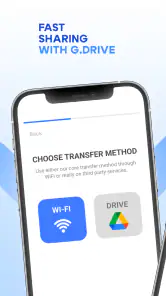
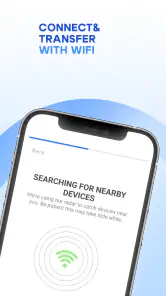
The app’s summary describes Wi-Fi transfer, and its transfer flow can connect the two devices through Wi-Fi or a QR-code method. Have both phones ready to follow the same connection instructions, and use a network you trust. A stable connection can make the process easier to manage, especially when you are moving photos or videos.
Can I choose which information to copy instead of transferring everything?
Copy My Data: Transfer Content focuses on selected types of information, including contacts, calendar events, photos, and videos. You can review the available content and choose what you want to move, rather than treating the app as a complete phone-cloning tool. Check the choices on both devices before starting so the transfer matches what you need.
What should I prepare before transferring data with Copy My Data: Transfer Content?
Before starting, keep both phones nearby and make sure they are ready to connect through the app’s Wi-Fi or QR-code method. Check that the information you want to move is available on the old device, and allow the app to access the relevant contacts, calendar, photos, or videos. Preparing both phones first can make the transfer easier to follow.
What is Copy My Data: Transfer Content and how does it work?
Copy My Data: Transfer Content is a mobile application designed to facilitate the transfer of contacts, calendar events, photos, and videos from one smartphone to another. It works by establishing a connection between the two devices, either through a Wi-Fi network or by scanning a QR code, allowing users to seamlessly copy their data with minimal effort. This app is ideal for users looking to switch phones without losing their important information.
Pros
- Simple interface for easy navigation
- Quick transfer process between devices
- Supports multiple content types
- No need for cables or complex setup
- Compatible with both Android and iOS
Cons
- Requires internet connection for setup
- Limited advanced features
- Ads may interrupt usage
- Not suitable for large data transfers
- Occasional connectivity issues

- Category
- Tools
- Version
- 5.1.1












