Chrome Dev
- 4.66K
- 4.4
- Installs
- 10.00M
- Price
- Free
Screenshots
Analysis by Reviewed
If you’re like me and enjoy getting your hands on the latest tech before it hits the mainstream, then Chrome Dev might just be your new best friend. This nifty little app is Google’s way of letting us tech enthusiasts take a sneak peek at upcoming features in the Chrome browser. Let’s dive into what makes Chrome Dev worth your time and data.
Getting Started with Chrome Dev
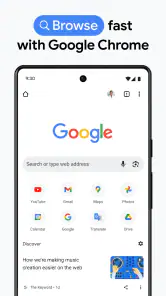
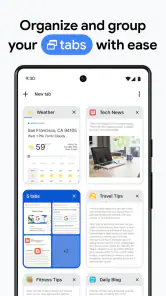
First things first, downloading the app is as straightforward as it gets. Head over to the Play Store or App Store, search for Chrome Dev, and with a couple of taps, you’re ready to explore. Once installed, the app welcomes you with a familiar interface, mirroring the standard Chrome browser but with a twist. You’ll notice a few experimental features sprinkled throughout, giving you a taste of the future of browsing.
The Exciting Features
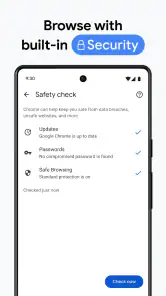
Now, let’s talk about what you’re really here for – the features. One of the standout aspects of Chrome Dev is its constant updates. Google rolls out new features regularly, so you’re always on the front line of innovation. Whether it’s a slick new user interface tweak or enhanced security measures, there’s always something fresh to test out.
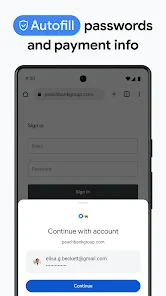
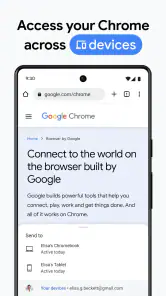
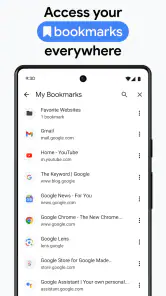
Another cool feature is the ability to sync your data across devices seamlessly. This means your bookmarks, passwords, and settings are always in sync, making the transition between devices a breeze. Plus, if you’re a developer or just someone who loves to tinker, the app provides an excellent playground for experimenting with new web technologies.
Performance and Usability
Performance-wise, Chrome Dev holds its ground pretty well. Of course, since this is a testing ground for new features, you might encounter the occasional bug or glitch. But hey, that’s part of the fun, right? It’s like being part of an exclusive club where you get to see the magic happen before anyone else.
Usability is another area where Chrome Dev shines. The app maintains the simplicity and ease-of-use that Chrome is known for, so you won’t feel lost navigating through its various options and settings. It’s intuitive enough for casual users while still offering depth for those who want to dig deeper.
Final Thoughts
In conclusion, if you’re someone who loves staying ahead of the curve and doesn’t mind a bit of trial and error, Chrome Dev is definitely worth a download. It’s a fantastic way to experience new features and provide feedback that could shape the future of web browsing. Just remember, while it’s fun to play with new toys, it’s always good to have a stable browser version as a backup. So, go ahead and give Chrome Dev a spin – who knows, you might just find your new favorite feature before anyone else!
Pros
- Fast and responsive browsing experience.
- Offers experimental features for testing.
- Developer tools for debugging websites.
- Syncs across devices with Google account.
- Supports WebAssembly for performance.
Cons
- Some features may be unstable.
- Consumes more battery than regular Chrome.
- Lacks some extensions available in regular.
- Not recommended for non-developers.
- Frequent updates may be disruptive.

- Category
- Communication
- Version
- 145.0.7561.0











