Chrome Beta
- 19.54K
- 4.4
- Installs
- 50.00M
- Price
- Free

Screenshots
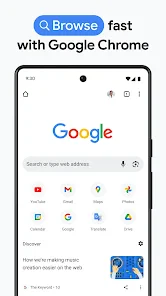
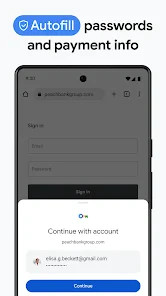
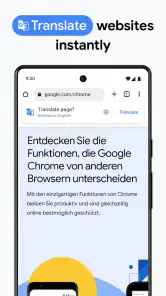


Analysis by Reviewed
I often judge a browser by what happens when someone else needs my phone for a moment. A child checking a school page, a partner looking up a recipe, or a guest searching for directions can turn one device into several people’s workspace. Chrome Beta is useful in that setting as a capable browser to hand over, but I would not treat a shared phone as a shared account: the person using it may encounter the signed-in user’s browsing context, so I make the boundary clear before passing it across.
When one phone serves several people
For a quick household task, a browser is often the fastest route to a timetable, recipe, or product page. Chrome Beta suits that kind of flexible use because it is a general-purpose browser rather than an app tied to one person’s project. The practical catch is that convenience does not create separate identities. If I am lending my phone, I stay nearby when the page or account matters, and I avoid leaving sensitive tabs open for the next person to pick up.
A useful detail is to decide who is driving the task before opening the browser. If my partner is reading a recipe while I am preparing dinner, I hand over the phone with that page already displayed instead of asking them to search from my open tabs. For directions, I check that the destination is the one we agreed on before the phone changes hands. These small steps reduce accidental exposure and avoid overwriting or losing the page someone else is using.
That distinction also helps answer who should skip it. If several people regularly use the same device and need reliably separate browsing histories, saved pages, or account sessions, I would choose a device setup designed around distinct users where available, or keep each person on their own device. A browser alone is not a household profile manager, and I would not rely on it to provide boundaries it does not promise.
Why Choose Chrome Beta?
Let’s face it, Google Chrome has been a staple in the browser world for years. But Chrome Beta offers something a little bit special for those who can’t wait to try out new features before anyone else. The beta version is like having a sneak peek into the future of web browsing, with all the latest updates and features that Google is cooking up.
Setup boundaries before sharing
Chrome Beta is a free productivity app from Google LLC, and its current version is 144.0.7559.3. I would install it for someone who wants to try a developing browser experience, not as a way to create a controlled family environment. Before handing over a phone, I check which account is active and close pages that should remain private. That small habit is more dependable than assuming a browser’s beta status adds any special household safeguards.
On a personal device, signing in can make a browser more convenient when you want your activity and preferences connected to your Google account. On a shared device, the same convenience deserves more thought: the next user may not be the person who expects those connections. I keep account choices deliberate and avoid mixing someone else’s searches into my own session. If separation is essential, a separate browser profile or another device is a better fit than an informal handoff.
I also avoid treating a quick handoff as a good time to change account settings or experiment with unfamiliar options. I handle those choices when I have the phone to myself, can read each screen, and can decide what I want connected. If someone needs to look up a one-off answer, a direct search for that task is easier to supervise than letting them browse through my existing session.
Coordination without extra assumptions
In an everyday scenario, I might use the browser to find a recipe while someone else checks the ingredients on the same phone. The simplest coordination is to say which page is open and wait until the other person is done before switching tasks. That sounds basic, but it prevents a shared screen from becoming a confusing jumble of tabs and account activity. For a family coordinating plans, I would share the actual information through a suitable messaging or calendar tool rather than expect the browser itself to organize everyone’s responsibilities.
That distinction matters when a task has several steps. I can use the browser to find a venue’s opening details, then send the useful information to the people who need it instead of leaving the browser open as the household’s shared record. A page can change, get closed, or be hard to find again; a message or calendar entry is easier for others to refer to later. I see the browser as a way to gather information, not as the place to coordinate a group.
Compared with a stable, everyday browser release, the appeal here is the chance to encounter changes earlier; the trade-off is that experimental software can be less predictable. If I need a dependable browser for a time-sensitive form, a school payment, or a work task, I would favor the stable version I already trust. If I enjoy testing browser changes and can switch tools when something feels off, the beta channel is a more reasonable choice.
Compared with a privacy-focused browser, Chrome Beta is not my first choice when the main goal is to keep different people’s activity apart. A standard browser is often the simpler option for someone who just wants familiar, predictable browsing, while a privacy-oriented alternative may suit a person whose priority is limiting tracking. Those choices involve different trade-offs; I would not install a beta build expecting it to solve an account-sharing problem.
Speed and Performance
One of the first things you’ll notice when using it is its speed. It feels like it’s on steroids! Pages load almost instantaneously, which makes for a smooth and seamless browsing experience. The team at Google has clearly put a lot of work into optimizing performance, and it shows. Whether you're streaming videos, shopping online, or just browsing through your social media feeds, everything feels lightning fast.
In day-to-day use, the part I value most is avoiding extra steps when I need to look something up and move on. If I am comparing a product while standing in a shop, for example, I want to open the relevant pages, check the details, and get back to what I was doing. The beta label still matters, though: I would not assume every page or task will feel identical across updates, so I keep a stable option available for anything where an interruption would be costly.
User Interface and Experience
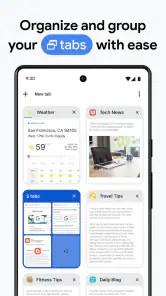
The interface is what you’d expect from a Chrome product – clean, intuitive, and easy to navigate. But with this beta, you get to see some of the UI tweaks that Google is experimenting with. These changes are generally subtle, but they make a big difference in terms of usability. For instance, the tab management has been improved, making it easier to switch between multiple tabs without losing track of your open pages.
One useful way to approach those tabs is to keep only the pages needed for the current task open, especially when a phone is moving between household members. Before handing it over, I close anything private and leave the relevant page visible; when I get the phone back, I can resume without asking someone else to navigate through my browsing session. This is a simple workflow rather than a special sharing feature, but it makes the browser easier to use responsibly on a communal device.
When I am researching something with several pages, I try to keep the task focused: one page for the question, another for a comparison, and no unrelated personal tabs mixed into the handoff. If the phone is passed to someone else, I close the research pages first unless they are part of the shared task. That approach is more reliable than expecting another person to know which tab is safe to open or which page I still need.
Age, trust, and the beta trade-off
The app is rated for Everyone, and it has been available since December 12, 2012. That age rating is useful context, but I would not read it as a substitute for adult judgement when a child uses a shared phone. A child may still reach pages or accounts that are inappropriate for them, so I supervise according to the child’s age and the device’s broader setup. I also explain that a browser is a window onto the web, not a curated children’s space.
For a younger child who only needs a specific school page, I would open that page myself and stay available rather than hand over unrestricted browsing and assume the rating settles the question. For an older child who already understands how to use a browser, I would still make clear whose account is active and what should remain private. That is a household rule, not a feature I expect the app to enforce.
There is a trust decision for adults, too. The beta channel is intended for people willing to encounter software that is still being tested. If a change interrupts a routine or a page behaves unexpectedly, I can fall back to a more established browser rather than assume every new build will suit important tasks. That flexibility is the point of trying a beta, but it is also why I would not make it the only browser on a phone used for essential work.
Security and experimental changes
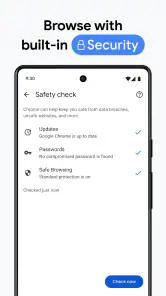
Security is a top priority for any browser, and Chrome Beta doesn’t disappoint. It includes all the robust security features you’ve come to expect from Chrome, plus additional enhancements. These updates are aimed at keeping your browsing experience safe from malicious sites and protecting your personal information.
Even when I trust the browser for ordinary browsing, I do not treat that as a reason to ignore the basics. I avoid leaving a signed-in account open for another person, and I pay attention before entering sensitive details on a page. The practical household question is not only whether a browser has security protections, but whether the person holding the phone can see or act within the account that is already open.
What I would test first
This is where the beta experience can be useful: you get to test new and experimental features before they’re rolled out to the general public. From new ways to manage your bookmarks to innovative privacy settings, there’s always something new to explore. I would treat any unfamiliar change as something to try on low-stakes browsing first, then decide whether it fits my routine. That is more sensible than depending on a newly changed workflow for a shared household task that needs to go smoothly.
My practical test is to use it for ordinary searches and pages I can reopen easily, then notice whether the interface or behavior fits the way I browse. I would not make an important deadline the first test of a changed workflow. If I find a feature confusing, I can choose a familiar browser for that particular task and return to the beta when I have time to explore. That keeps experimentation useful rather than turning it into an avoidable household problem.
The app has a 4.4 average from around 574,000 ratings, with more than 50 million installs. Those figures suggest broad interest, but they do not answer the practical question of whether a beta browser suits your particular phone habits. I would choose it for curiosity, everyday browsing, and a willingness to adapt; I would choose a stable alternative when consistency or clear separation between users matters more than seeing changes early.
My household verdict
Chrome Beta is a reasonable pick for an adult who wants to explore browser changes and can tolerate occasional friction. It is also handy for quick shared-device searches when everyone understands that the phone and account still belong to one user. The Everyone rating and free price make it easy to consider, but neither removes the need to supervise younger users or protect private sessions.
I would recommend it most to someone who already knows what they want from a browser and is curious about trying a developing version without depending on it for every important task. It is less suitable for a household looking for separate family spaces, for a child who needs a tightly guided browsing environment, or for anyone who simply wants the least changeable option. In those cases, a stable browser, separate user setup where available, or a device used by one person is the more sensible answer.
In conclusion, if you’re someone who loves to be ahead of the curve and doesn’t mind dealing with a few bugs here and there, then Chrome Beta is definitely worth a download. It’s fast, secure, and packed with exciting new features that make browsing the web a more enjoyable experience. So why not give it a try? You might just find that it’s the perfect browser for your needs.
Chrome Beta Frequently Asked Questions
Can I use Chrome Beta alongside the regular Chrome app?
Yes. Chrome Beta is installed as a separate application and does not replace your existing Chrome browser. You can keep both apps on your device and switch between them, while your regular Chrome bookmarks, history, and settings remain intact. This makes it possible to try the beta without changing your current Chrome setup, though it is still sensible to keep important data backed up.
What should I consider before choosing a beta browser?
A beta browser is intended for trying changes while they are still being tested, so the experience can shift as the app develops. Chrome Beta may suit you if you are comfortable encountering occasional bugs and want to explore new features. If you need a browser experience that stays dependable for important daily tasks, consider whether the regular Chrome app better matches your priorities.
Is Chrome Beta available for iPhone and iPad?
Chrome Beta is intended for Android devices. Its store summary describes the app as bringing the speed and simplicity of Chrome to your Android device in beta. If you are looking for a browser on an iPhone or iPad, this Android app is not the right download for that device; check the relevant app store for an iOS version of Chrome instead.
Does Chrome Beta have a broad audience, and is it free to download?
Chrome Beta is a free app from Google LLC, intended for Android devices. Its store summary describes it as bringing the speed and simplicity of Chrome to your Android device in beta. The app is rated for Everyone, so its audience is broad, though the beta nature is worth considering if you depend on a consistently reliable browser for everyday tasks.
Is Chrome Beta free, and what devices is it intended for?
Chrome Beta is a free app from Google LLC, intended for Android devices. Its store summary describes it as bringing the speed and simplicity of Chrome to your Android device in beta. The app is rated for Everyone, so its audience is broad, though the beta nature is worth considering if you depend on a consistently reliable browser for everyday tasks.
Pros
- Frequent updates with new features
- Early access to experimental tools
- Improved performance over stable version
- Better support for web apps
- Feedback directly influences final product
Cons
- Potential instability and bugs
- Not all extensions supported
- May crash on some websites
- Features can change unexpectedly
- Higher data usage than stable version

- Category
- Productivity
- Version
- 144.0.7559.3













