Cars Mod for Minecraft PE 2025
- 74.00
- 4.0
- Installs
- 5.00M
- Price
- Free

Screenshots
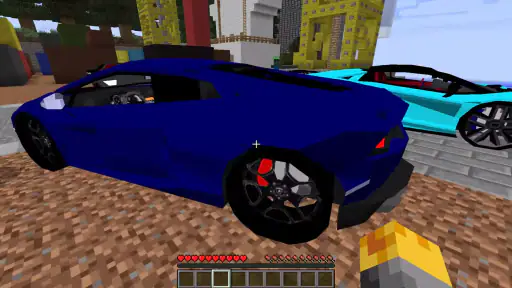
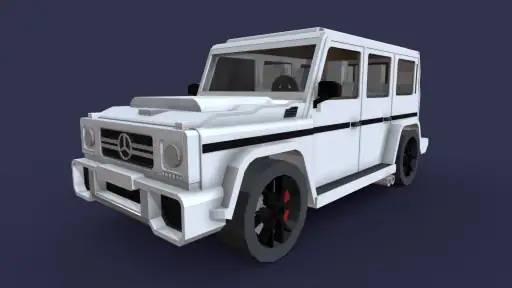
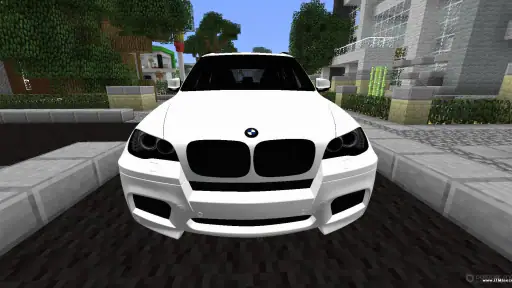
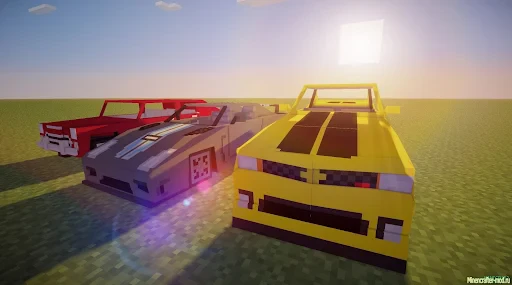
Analysis by Reviewed
As a long-time fan of Minecraft, I'm always on the lookout for ways to spice up my game. When I stumbled upon the Cars Mod for Minecraft PE 2025, I was intrigued. Who wouldn't want to cruise through their blocky world in style? After spending some time with the mod, I’m here to share my experience.
Who will get the most from it?
I’d point this toward players who already enjoy exploring Minecraft PE and want a vehicle-themed change of pace, especially people who like building roads, planning routes, or giving friends a reason to meet up in a shared world. A car can make a familiar landscape feel newly useful: a long trip between a home base and a distant build becomes an outing rather than just a walk. It also suits casual creative sessions where the goal is simply to try a different way of moving around.
For an everyday scenario, imagine opening a world after school or work, choosing a destination you already know, and using the trip to show a friend a new build or explore the surrounding terrain together. That is a more convincing use than expecting the mod to replace Minecraft’s ordinary exploration or become a complete racing game. If your main interest is elaborate vehicle construction or a deep driving simulation, a dedicated game or a different kind of add-on may be a better fit.
What to expect from the vehicle collection
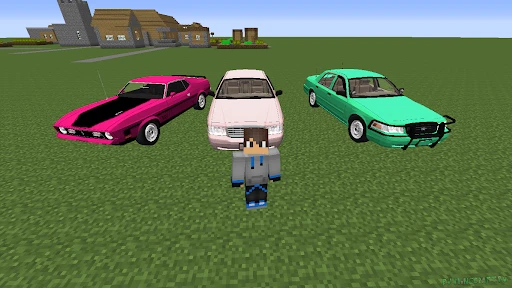
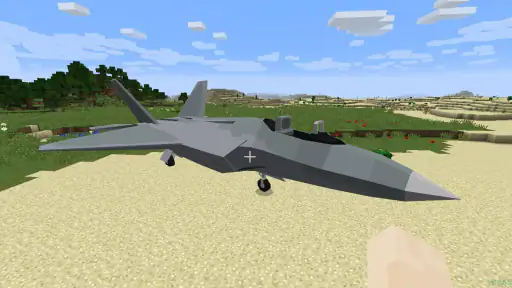
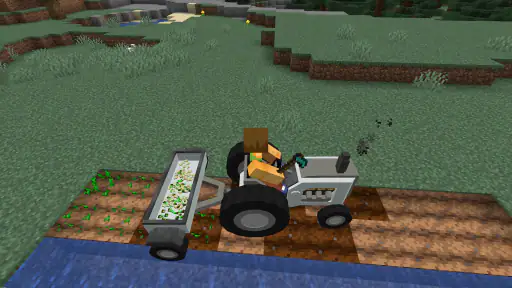
The collection gives players a broad range to browse: it includes more than 90 cars and motorcycles. That variety is useful if a group wants to pick different-looking rides or if you like matching a vehicle to a particular build. I would not treat the number as a promise that every option will feel meaningfully different in use, though. For a first session, choose by appearance or intended route, then see whether that vehicle actually suits the way you play.
It also helps to think of vehicle choice as a small creative decision rather than a major upgrade. A motorcycle may appeal when you want a compact-looking ride for a personal tour, while a car can better fit a road-building project or a shared outing. Those are role-playing choices, not a guarantee of particular handling or capacity. The value is in giving familiar worlds a new theme and reason to revisit them.
Getting Started with the Cars Mod
Installing the Cars Mod for Minecraft PE 2025 is a breeze. If you’re familiar with adding mods to Minecraft, you’ll find this process pretty straightforward. For those who are new, don’t worry! There are plenty of tutorials online to guide you through it. Once installed, you'll find a variety of cars available, each with its own unique design and features.
Features That Rev Up Your Game
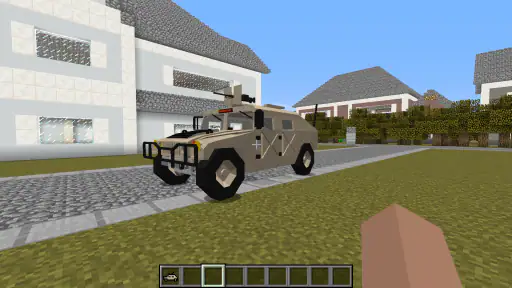
One of the first things I noticed was the attention to detail in the car designs. Whether you’re a fan of sleek sports cars or rugged off-road vehicles, there’s something here for everyone. The mod doesn’t just stop at aesthetics; each car has different performance stats, making the choice of vehicle strategic depending on your in-game needs.
More From Our News Desk

Weather by Xiaomi Review: Clear at a Glance, Less Clear Up Close

X Under Pressure: Can It Recover When Posting Goes Wrong?

Clash of Clans Is Won Between the Battles

Android Auto Makes the Case for Quieter Car Software

MobiOffice: Transforming Mobile Productivity with Seamless Integration

EA SPORTS FC™ Mobile Soccer: Redefining Mobile Sports Gaming
Driving in Minecraft has never felt so good! The controls are intuitive, and the cars handle smoothly, even over diverse terrains. It adds a fresh layer of fun and exploration to the game. I particularly enjoyed racing my friends across the vast biomes, and the competitive spirit it brought out was a blast.
Readability, controls, and different ways to play
Because this is a vehicle add-on used alongside Minecraft, the experience is shaped by both the mod and the game’s own interface. I find it easiest to learn in a familiar world rather than trying to work out driving while also navigating an unfamiliar area. Start with a short, open route, then extend it once you know how steering feels. That small choice makes the first session less demanding, particularly for younger players or anyone who finds several new controls distracting.
Different abilities and play styles matter here. Players who prefer visual exploration may enjoy choosing a vehicle and following a clear route, while those who find fast movement or competitive races stressful can use the cars for slower trips instead. In a group, it helps to agree on a destination and pace before setting off; that keeps the activity welcoming for friends who do not want a high-pressure race. The vehicles add options, but they do not remove the need to navigate Minecraft’s world.
Making a first session easier to manage
I would keep the first test deliberately small. Pick a world you already understand, choose a destination that is easy to recognize, and use a route with room to turn. This lets you judge the vehicle without also having to learn a new landscape. If you are helping a child or a friend who is unfamiliar with add-ons, explain the setup before the play session rather than asking them to troubleshoot while everyone else is waiting.
For a group, a simple point-to-point outing is often a better first activity than an improvised race. Friends can take turns choosing destinations, pause to look around, and decide whether they want to speed up. That format is easier to follow if players have different comfort levels with movement or controls, and it gives the vehicles a purpose without requiring everyone to compete.
A Seamless Integration
One of the things I appreciate most about this mod is how well it integrates with the existing Minecraft world. It's not just a standalone feature; it feels like a natural extension of the game. You can customize your cars with different colors and parts, making it a perfect blend of creativity and functionality. It’s amazing how this mod transforms the gameplay, offering new ways to engage with the Minecraft universe.
That being said, it’s worth noting that having a powerful device can enhance the experience. The cars run smoothly on most devices, but for the best visuals and performance, a newer device would be ideal.
When the setup and device matter most
The Android requirement is one practical checkpoint to consider before planning a session: the app needs Android 9 or later. If the player uses an older Android device, it is better to check compatibility before setting aside time to install and explore. The app is free, which makes it easier to try, but the add-on still needs to fit the Minecraft edition and device you actually use.
Device comfort is not only about visual polish. If a phone feels slow or the screen is difficult to follow while turning, a long drive can become tiring even when the route itself is simple. I would test a short trip first and stop if the controls or movement feel uncomfortable. A scenic walk in Minecraft remains a perfectly good alternative; the vehicle content should make play more enjoyable, not turn it into a task.
Practical trade-offs before you install
The app is free and made by Mods for MCPE Inc.; it has a 4.0 average from around 22,000 ratings, with over 5 million installs. Its Everyone age classification makes it broadly approachable, though a parent may still want to help a younger player with installation and setup. The current version is 1.1.6, and it requires Android 9 or later.
It is worth separating the app from the modded Minecraft experience: this is a way to add vehicle content, not a replacement for the base game. If you already know how to install add-ons, the path should feel familiar; if not, check that your Minecraft edition and device can use the content before spending time setting it up. The collection includes more than 90 cars and motorcycles, so I’d treat that range as a reason to browse and pick a few favorites rather than assume every vehicle will suit every world or play style.
Compared with choosing a single vehicle add-on, this broad collection gives you more styles to explore in one place. The trade-off is that a larger selection can make the first choice less obvious. I’d begin with one vehicle that matches the job—something for a route across open ground, or simply a design you like—and keep the rest for later sessions. That makes it easier to judge whether the add-on genuinely improves your world instead of turning the first visit into a long menu-browsing session.
Choosing it over other ways to play
Compared with ordinary Minecraft travel, vehicles change the feel of distance: a route between familiar places can become the activity rather than just the time spent getting there. If you prefer gathering materials, building, or exploring at walking pace, the standard game already does those things without extra setup. A vehicle add-on is most appealing when you want the journey itself to have a new look and rhythm.
Against a dedicated racing game, the trade-off is clearer. This add-on brings cars into a world you already build and explore, so the attraction is combining driving with your own Minecraft spaces. It is not the choice I would make for someone seeking a focused racing experience with a large set of race-specific modes. Likewise, someone who wants detailed vehicle engineering may be happier with an add-on built around construction rather than a broad collection of ready-to-use rides.
A practical way to decide is to ask what you want your next session to be about. If the answer is “show a friend my base, then take a different route home,” this collection has a clear purpose. If the answer is “tune a vehicle in depth” or “compete in structured races,” the usual alternatives are more likely to satisfy you. That distinction matters more than simply counting how many vehicles are available.
Remaining barriers and a fair verdict
There are practical limits to keep in mind. Setup can be the main hurdle for someone new to Minecraft add-ons, and device performance may affect how comfortable driving feels. Players who need highly adjustable controls, who dislike fast visual movement, or who want vehicles to work without any installation steps may prefer to stick with standard Minecraft play or choose a simpler activity. I would also avoid making the first drive through a crowded build: an open area gives you room to learn without turning every turn into a correction.
For younger players, the Everyone age classification is a useful sign that the app is broadly aimed at general audiences, but it does not make setup effortless by itself. I would sit with a first-time user while they work through adding the content and check that the result feels comfortable on their device. This is especially sensible when a player has limited patience for fiddly setup or prefers familiar routines; a parent or experienced friend can reduce that initial friction without taking over the fun.
It is also not the right choice for every Minecraft player. If you mainly enjoy quiet building, dislike the extra movement, or want an add-on that requires no learning at all, the standard game may be the more relaxing option. And if the vehicles do not feel comfortable on your screen, there is no need to force the fit: the collection’s appeal depends on enjoying the act of driving around your own world.
For players who enjoy Minecraft PE and want a fresh reason to explore, build routes, or share a relaxed vehicle outing, I think this is a worthwhile option. It is less suited to anyone expecting a standalone racing game or a guaranteed accessibility solution. My practical advice is to test it in a familiar world, choose a calm route, and decide from that first session whether the added driving fits the way you like to play.
Final Thoughts: Is It Worth the Download?
If you’re looking to add a new dimension to your Minecraft adventures, the Cars Mod for Minecraft PE 2025 is definitely worth checking out. It’s more than just a novelty; it’s a mod that enriches the game, offering endless hours of fun and creativity. Whether you’re a solo player or enjoy multiplayer sessions, this mod is sure to rev up your Minecraft experience.
In conclusion, the Cars Mod for Minecraft PE 2025 is a fantastic addition for anyone looking to inject some speed and style into their blocky world. So, buckle up and enjoy the ride!
Cars Mod for Minecraft PE 2025 Frequently Asked Questions
Does Cars Mod for Minecraft PE 2025 work on iPhone and iPad?
Cars Mod for Minecraft PE 2025 is intended for Android devices, with Android 9 or later as its minimum operating system. If you are using an iPhone or iPad, check that the version available to you is specifically compatible with iOS before downloading; an Android app or installation file cannot be installed directly on an Apple device. Also make sure the Minecraft edition you use supports the add-on.
Do I need Minecraft Pocket Edition to use Cars Mod for Minecraft PE 2025?
Yes, the app is designed to bring vehicle content into Minecraft Pocket Edition, rather than provide a standalone game. You should have Minecraft PE available and check that your version can use the add-on before you begin. If you are expecting a separate racing game with its own tracks and progression, this app is not aimed at that experience.
Is Cars Mod for Minecraft PE 2025 free to download?
Yes, Cars Mod for Minecraft PE 2025 is free to download, so you can try the app without paying for the download itself. It is published by Mods for MCPE Inc. and is focused on adding car-themed content to Minecraft PE. As with any app, use a trusted source and review the installation steps before adding content to your game.
Is Cars Mod for Minecraft PE 2025 a separate game or an add-on app?
It is an app in the Auto & Vehicles category that helps bring car-themed content to Minecraft Pocket Edition; it is not a separate driving game. The app’s short description is “Cars Mod,” and its purpose is to add vehicles to the Minecraft experience. Before downloading, make sure you are looking for Minecraft-related content rather than a standalone racing or vehicle game.
What is Cars Mod for Minecraft PE 2025?
Cars Mod for Minecraft PE 2025 is a modification for the popular game Minecraft Pocket Edition that introduces a variety of vehicles into the game. This mod allows players to enhance their gaming experience by adding functionalities like driving cars, customizing vehicles, and exploring the Minecraft world in a whole new way with realistic vehicle physics. It is free to download and is published by Mods for MCPE Inc.
Pros
- Easy to install and use within game
- Wide variety of car models available
- Enhances gameplay with realistic vehicles
- Regular updates with new content
- Compatible with most Minecraft versions
Cons
- May slow down game on older devices
- Some models lack detailed textures
- Occasional bugs with car controls
- Not all vehicles fit Minecraft's style
- Requires additional storage space
- Category
- Auto & Vehicles
- Version
- 1.1.6