BBC: World News & Stories
- 32.67K
- 3.1
- Installs
- 10.00M
- Price
- Free

Screenshots



Analysis by Reviewed
I judge a news app by a few practical questions: can I get a useful overview quickly, can I follow a major story without constantly searching elsewhere, and does the mix of formats suit the way I actually have time to read or listen? BBC: World News & Stories is strongest when I want one familiar place to check international coverage, then choose whether to stay with a headline, watch a report, or listen while doing something else. It is a free News & Magazines app from BBC Studios Distribution Ltd., rated Teen, and its 3.6 average from around 438,000 ratings suggests a mixed reception rather than universal approval.
Choose it for breadth, not just breaking alerts
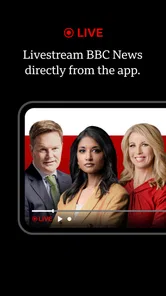
The useful distinction is between a quick alert feed and a fuller news habit. This app is better suited to the second: I can open it for a broad scan, then spend more time with a story that matters to me. Its mix of live coverage, articles, video, sport, and podcasts makes it easier to switch formats without treating every update as a notification to interrupt the day. That range is the main reason I would try it over a single-purpose headline reader.
It has been available since June 9, 2011, and has passed 10 million installs, so it is a well-established option rather than a new experiment. The current version is 9.0.8.2, and the minimum operating-system requirement is 7.0. Those details matter if you are checking compatibility before installing it on an older device. The app is free to download, while in-app purchases are listed from $8.99 to $89.99 per item; I would check the purchase screen carefully before confirming anything, especially if you only want to read the free news experience.
Discovering a World of News
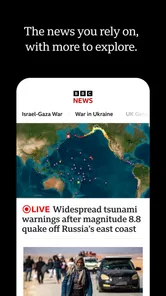
When I first downloaded BBC: World News & Stories, I was immediately impressed by its sleek and user-friendly interface. Navigating through the app felt as effortless as flipping through a glossy magazine. You've got your main headlines, but delve deeper, and you'll find a treasure trove of stories covering everything from politics to entertainment. The app's layout is intuitive, ensuring that even a first-time user can find their way around without a hitch.
Content That Captivates
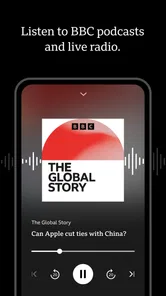
The diversity of content is where this app truly shines. Whether you're interested in hard-hitting journalism or lighter lifestyle pieces, BBC: World News & Stories has you covered. The app features articles, videos, and podcasts, providing a multimedia experience that caters to different preferences. Personally, I find the podcasts a fantastic way to catch up on the news during my morning commute.
Moreover, the app offers personalized recommendations based on your reading habits. It's like having a personal assistant who knows exactly what stories will pique your interest, ensuring you never miss out on important updates.
Use it around your actual routine
For a realistic morning routine, I would scan the main headlines over breakfast, save a longer article for a train ride, and switch to a podcast when reading is inconvenient. That sequence makes the different formats useful rather than decorative. If I am following a developing story, I would also return to the app’s live coverage for a running view, while treating notifications as prompts to check in rather than a complete account of what happened.
More From Our News Desk

Weather by Xiaomi Review: Clear at a Glance, Less Clear Up Close

X Under Pressure: Can It Recover When Posting Goes Wrong?

Clash of Clans Is Won Between the Battles

Android Auto Makes the Case for Quieter Car Software

MobiOffice: Transforming Mobile Productivity with Seamless Integration

EA SPORTS FC™ Mobile Soccer: Redefining Mobile Sports Gaming
A small but worthwhile habit is to save only the pieces I genuinely expect to revisit. Offline reading is handy when a connection drops, but a saved article is not a substitute for a live update: the version already on your device may not reflect later developments. For fast-moving news, I would check the current story again once I am back online. This distinction helps avoid relying on an old saved page as if it were the latest report.
Stay Updated Anytime, Anywhere
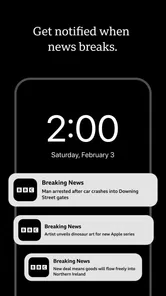
One of the standout features of this app is its ability to send real-time notifications. This means you're always in the know, whether it's breaking news or live updates on ongoing events. The notifications are timely and informative, but not overwhelming, striking the perfect balance between keeping you informed and bombarding you with information.
In practice, I would be selective about alerts. If every breaking item competes for attention, even a well-made news app can become another source of interruption. I would keep notifications for the kinds of developments I truly want to catch quickly, then use a deliberate headline check for everything else. That approach is particularly useful during work or family time, when a stream of alerts can make it harder to separate urgent news from stories that can wait.
For those moments when you want to dive deeper, the app allows you to save articles for offline reading. Perfect for when you're on a long flight or in an area with patchy internet connection.
A Personal Touch
Another aspect I appreciate about BBC: World News & Stories is the integration of community features. Users can engage with stories by leaving comments, sharing their thoughts, and participating in discussions. It's a great way to feel connected to a global community and understand different perspectives on various issues.
That said, I would not choose a news app mainly for its comment threads. Discussion can add context or show how readers interpret a report, but it is still reader conversation, not a replacement for the reporting itself. When I need to understand a complicated issue, I would read the article first and use comments only as an optional extra. Readers who prefer a quiet, streamlined feed may find this social layer less valuable.
And let's not forget about the app's customization options. You can tailor the app's appearance to suit your personal style, from choosing the font size to switching between light and dark modes. It's these little touches that make the app feel like it's truly yours.
What to check before making it your main source
A broad international news app is useful partly because it can expose me to stories I would not have searched for by name. The trade-off is that a large mix can make it harder to maintain a clear sense of what matters most to me. I would use the recommendations as a discovery tool, not as a complete picture of my interests or a promise that every important development will appear in my feed. If a subject is central to my work, community, or daily decisions, I would follow it deliberately rather than waiting for it to surface among general headlines.
Readers often ask whether they can use it without turning news into an all-day habit. I think so, provided they set a boundary: check the main coverage at a chosen time, then open live reporting only when a specific event warrants it. Podcasts and saved articles can fit around other tasks, but they can also make it easy to keep consuming updates without deciding what you actually need to know. A short, intentional visit is more useful than repeatedly reopening the app out of habit.
Another practical question is whether the app can replace a newspaper, a broadcaster, or a local outlet. I would not expect one app to do all three jobs equally well. It gives me a convenient mix of formats and topics, while a local publication may offer more detail about nearby decisions and services, and a specialist source may go deeper on a particular subject. I would keep those distinctions in mind rather than judging the app by whether it covers every niche equally.
When another news habit works better
If your priority is a tightly curated local briefing, a dedicated local-news source may be a better fit than a broad international app. If you want a feed assembled from many publishers, an aggregator is the more natural choice; it can put different outlets side by side, though that also means you may need to judge the sources and context yourself. For a reader who mainly wants one specific topic, such as sport, a focused publication can make that subject easier to follow without the broader mix.
I see the BBC app as a useful starting point, not a reason to stop checking other perspectives on consequential stories. Its editorial selection gives the experience a clear point of view about what deserves attention. Comparing coverage elsewhere can be worthwhile when a story affects you directly or remains disputed. That is not a flaw unique to this app; it is simply a sensible habit for anyone using a single news source.
Switching from another app should be fairly low-effort if all you need is a second place to browse headlines: try it for a few days alongside your existing routine and notice whether its mix of live reporting, sport, video, and audio fills a real gap. The harder change is habit, not setup. If you already rely on saved stories or carefully tuned alerts elsewhere, keep those routines until you know this app’s approach suits you. There is little benefit in replacing a source that already serves your needs just because another one offers more formats.
How I would test the fit
Rather than judging it after one glance, I would give it a few ordinary days and ask three concrete questions: did I find a story worth following, did I use more than one format for a genuine reason, and did the alerts add information without disrupting me? This is a better test than counting how many times I opened it. A news app earns a regular place on my phone when it helps me understand events or use my time more thoughtfully, not simply when it keeps me scrolling.
I would also check the purchase prompt before making any decision tied to paid content. The app is free to download, but the listed in-app purchase range is broad enough that I would not assume every optional item is relevant to a reader who only wants news. If a prompt appears, I would read what it applies to and whether it is a one-time or continuing commitment before proceeding. That simple pause avoids confusing access to the app itself with any optional purchase.
Compatibility is another straightforward question for anyone installing it on an older phone: the stated minimum operating system is 7.0, so I would check the device’s software before planning to make it part of a daily routine. The app has a long history, having first appeared on June 9, 2011, but age alone does not tell me whether a particular device will run the current release comfortably. A quick install-and-browse trial is the practical way to judge performance on your own hardware.
Who I would recommend it to
I would recommend it to readers who want international reporting in a few formats and are happy to make their own choices about alerts, saved stories, and how deeply to follow a topic. It is especially practical if your day alternates between short reading breaks and stretches when audio is easier. I would skip it as a primary source if you need a narrowly local perspective, want every publisher gathered into one neutral-looking feed, or do not want a broad news mix. For everyone else, my advice is simple: install it as a trial alongside your current source, use it through an ordinary week, and keep it only if its coverage and formats make you better informed without adding noise.
My recommendation
My overall recommendation is to treat it as a strong candidate for a second source or a central general-news app, depending on what you already read. Its greatest practical advantage is the option to move between a quick scan and longer listening or viewing without changing services. Its limits are just as relevant: a broad editorial selection will not replace local expertise, an aggregator’s range of publishers, or a specialist’s depth, and no notification feed can tell me everything I need to know about a complex story.
The app has more than 10 million installs, but its average rating of 3.6 from around 438,000 ratings is a reminder that a familiar name and wide reach do not guarantee that every reader will like the experience. I would start with the free download, keep the alert settings restrained, and see whether its reporting and formats earn a place in my routine. If they do, it is a useful way to stay in touch with world news; if not, a local source, a topic-specific publication, or a multi-outlet reader may suit you better.
BBC: World News & Stories Frequently Asked Questions
Is BBC: World News & Stories suitable for teenagers?
The app is rated Teen, so its news coverage is intended for a teenage audience and adults. News can include serious or upsetting events, as well as discussions of politics and other complex topics. Parents may want to consider whether that material is appropriate for a particular teenager. The app is a news service rather than a game or entertainment-only experience.
Can I use BBC: World News & Stories to follow live coverage, sports, podcasts, and video?
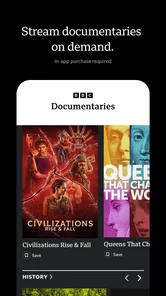
Yes. The app’s summary highlights live content, sport, podcasts, and video, alongside its news coverage. That mix makes it relevant if you want more than written news articles in one place. It is still a news-focused app, so the available formats are presented as ways to follow news and related media rather than as a standalone entertainment service.
What is BBC: World News & Stories, and who publishes it?
BBC: World News & Stories is a news and magazines app published by BBC Studios Distribution Ltd. Its short description is simply “BBC,” while its store summary highlights live content, sport, podcasts, and video. It is designed for people who want to follow news and related media in one app, with coverage and formats that extend beyond written articles.
What types of news content does the BBC: World News & Stories app provide?
The BBC: World News & Stories app offers a comprehensive range of news content, including breaking news, in-depth analysis, and feature stories covering global events across politics, business, technology, science, and entertainment. Users can access video reports, live radio broadcasts, and text articles, ensuring they are well-informed about the latest happenings worldwide.
Is the BBC: World News & Stories app available for free, or are there any in-app purchases?
The BBC: World News & Stories app is free to download, but it also offers in-app purchases. The listed purchase range runs from $8.99 to $89.99 per item, so check the purchase details shown in your app store before confirming anything. The free download and optional purchases are separate, and users should review their store account settings if they want to manage spending.
Pros
- Comprehensive global news coverage
- User-friendly interface
- Live news updates
- Customizable content sections
- Offline reading mode
Cons
- Limited video content
- Occasional ad interruptions
- Requires internet for updates
- Some sections load slowly
- Limited regional news













