

Hey Duggee: The Big Badge App
- 12.00
- 3.7
- Installs
- 10.00K
- Price
- $2.99

Screenshots
Analysis by Reviewed
If you're a parent looking for a fun and educational app for your little ones, let me tell you about Hey Duggee: The Big Badge App. This app is a delightful blend of entertainment and learning, all wrapped up in the charming world of Duggee and his friends, the Squirrel Club. Now, if you've ever watched the TV show, you know how addictive it can be, and this app brings that same magic to your fingertips.
A small first step into play
The appeal is easiest to judge by watching what a child does after you hand over the device. The activities described here give them a clear starting point: tap or swipe, see what happens, and keep trying until they reach a badge. That simple action-and-response pattern suits preschool play better than menus full of choices. I’d sit nearby the first time, not to steer every move, but to see whether your child understands how to begin and can continue without help.
For a child who already recognizes Duggee, that first action may feel less like learning a new game and more like joining a familiar setting. I’d still resist doing the tapping for them. Letting a child test a gesture, notice the response, and try again makes it easier to tell whether the activity is genuinely accessible or whether the character familiarity is doing all the work. That distinction matters if you’re choosing an app for independent play rather than a shared moment on the sofa.
What's All the Buzz About?
So, here's the scoop. Hey Duggee: The Big Badge App is designed for kids aged 2-5, and it's packed with interactive games and activities that encourage them to earn badges, just like in the show. The app's vibrant colors and lively animations are sure to captivate any child's attention, plus, the original voice actors lend their talents, making it feel like an extension of the cartoon itself.
Exploring the App
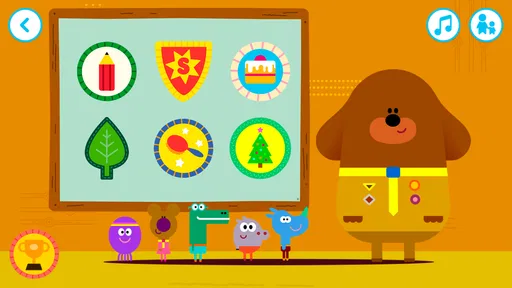
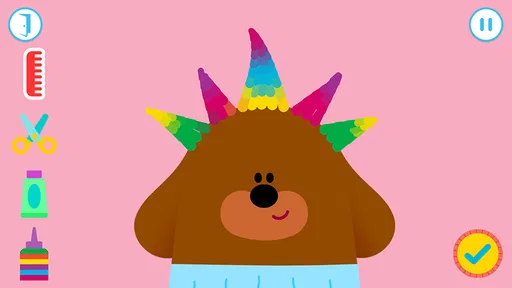
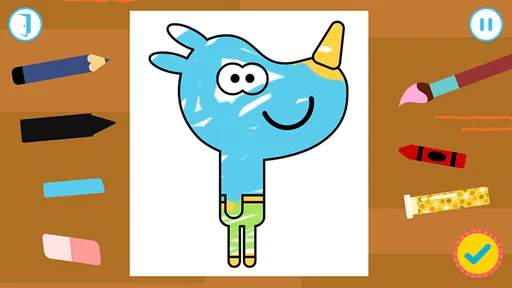
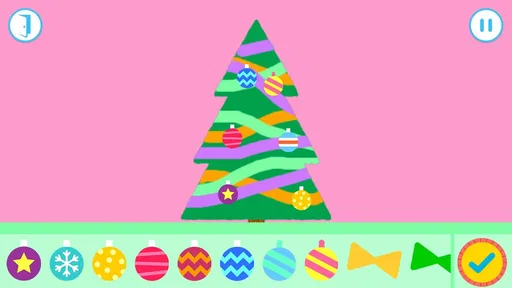
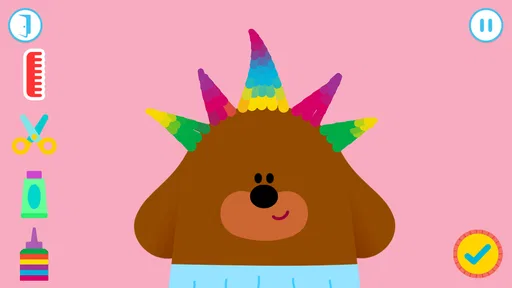
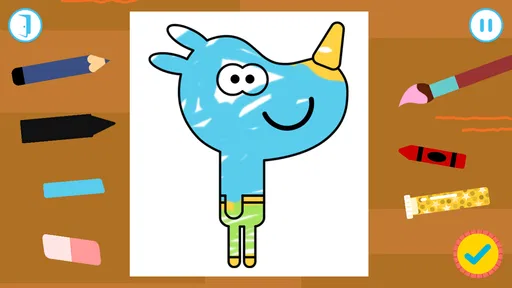
Once you dive into the app, you're greeted by Duggee and the gang, who guide you through a series of mini-games. Each game is focused on a specific skill, like memory, creativity, or problem-solving. For instance, kids can help Duggee water plants in the garden to earn the Gardening Badge or try their hand at some painting to snag the Art Badge. The variety is impressive, and it's a great way to keep young minds engaged while they learn.
The app is intuitive, with simple tap and swipe controls that even the youngest users can master. And let's be honest, as a parent, there's something incredibly satisfying about watching your child figure out a game on their own. Cue proud parent moment!
One practical tip is to treat the first session as a chance to observe, not as a test of whether your child can finish every activity. A preschooler may enjoy watching the characters and exploring a screen before they understand the goal. If you show one gesture and then hand control back, you can see whether they can repeat it independently. That gives you a more useful sense of fit than judging the game by how quickly a badge appears.
More From Our News Desk

 Gmail
GmailGmail in a Busy Inbox: Who Benefits Most?
From first account to crowded workday, Gmail earns its place through dependable search and flexible sorting—but its best fit depends on how much inbox maintenance you can tolerate.

 Prime Video
Switching to Prime Video: What Changes in Your Viewing Routine
Prime Video can make a compelling second home for streaming, but switching means learning a different catalog, rental layer, and route from browsing to playback.

 Universal TV Remote Control
Universal TV Remote Control Works Best as a Reliable Backup
A phone remote earns its place through quick setup and reliable habits. Here is how to get more from Universal TV Remote Control—and where its limits show.

 Weather - By Xiaomi
Weather by Xiaomi Review: Clear at a Glance, Less Clear Up Close
Xiaomi’s weather app makes everyday forecasts quick to scan, but its calm surface can leave useful details and recovery paths harder to find than they should be.

 X
XX Under Pressure: Can It Recover When Posting Goes Wrong?
A resilience-focused review of X, examining setup, mistaken posts, interruptions, weak connections, and the gaps that matter when recovery needs to be dependable.

 Clash of Clans
Clash of Clans Is Won Between the Battles
Its raids are quick; its community is a long-term project of coordination, teaching, rivalry, and shared responsibility—with all the friction that entails.
Latest News



What the feedback and badges add
The badge idea gives each activity a child-friendly finish line. A useful way to play is to let your child choose one activity, try it, and talk about what they noticed before moving on. The response is part of the fun: a young player can connect an action, such as helping with the garden, to a visible achievement. That can make a short session feel complete without turning play into a lesson or a test.
For a rainy afternoon or a few quiet minutes while dinner is underway, I’d offer the app as a focused activity rather than an open-ended substitute for play. A parent can ask the child to describe what they did to earn a badge, then let them decide whether they want another go. This keeps the adult involved without taking over, and it gives the child a natural chance to practise explaining a choice or retelling a small sequence of events.
The rhythm is especially useful when a child has a short stretch of waiting to get through, such as sitting with you before a meal is ready. I’d agree on one activity before handing over the device, then use the badge as a natural stopping point. That way, the reward marks the end of a small bout of play instead of becoming a reason to keep scrolling indefinitely. It also gives you a calm way to transition back to the room: ask what happened, put the device away, and move on to dinner.
Badges can also prompt a conversation without requiring a parent to turn the game into a lesson. If a child earns one, you might ask what they tried or what they would do differently next time. The point isn’t to quiz them; it’s to make the play memorable and let them put their own experience into words. For children who prefer to repeat a familiar task, the badge may be satisfying on its own, while others may want to move straight to another activity.
Why It's Worth the Download
Now, you might be wondering, "Why should I download yet another kids' app?" Well, aside from the fact that it's based on a wildly popular children's show, this app is genuinely educational. It subtly teaches kids about teamwork, perseverance, and creativity, all while keeping them entertained. It's like sneaking veggies into a delicious smoothie - they won't even realize they're learning valuable lessons!
Moreover, the app doesn't bombard you with ads or in-app purchases, which is a huge relief. You can hand your phone or tablet to your child without worrying about any surprise charges or inappropriate ads popping up. It's a safe space for kids to explore and learn at their own pace.
That makes it a different proposition from free games built around frequent prompts to watch something, buy something, or jump between unrelated activities. I value a focused experience for a young child, but the one-time price still deserves a little thought: this is most appealing when the characters and the badge structure are likely to hold your child’s interest. If they aren’t already drawn to this world, a free activity you already own or a simple offline game may be the more sensible first choice.
How it fits a family’s routine
Hey Duggee is an educational game from BBC Studios Distribution Ltd. It costs $2.99, so I’d treat it as a paid, specific choice rather than assume it is a free trial of a larger collection. It has an Everyone age rating, a 3.6 average from around 200 ratings, and over 10,000 installs. Those figures suggest a modest audience and mixed reactions, so I’d use the child’s interest in Duggee and the first play session as the deciding factors instead of expecting every family to respond the same way.
The practical trade-off is focus. Compared with broad preschool learning apps that offer many subjects or a rotating catalogue of activities, this one is built around familiar characters and badge-earning mini-games. That makes it a better fit for a child who already enjoys the show and likes a clear goal; a family looking for a wide range of early-learning topics may prefer a more general learning app. It is also less suitable if you want a game with deep progression or a challenge aimed at older children.
There’s a second comparison worth making: it is not trying to replace a drawing table, pretend play, or a stack of picture books. Those options are better when you want your child to move around, make something tangible, or share a story away from a screen. The game’s advantage is convenience and a familiar character-led prompt; its limitation is that the activity remains on the device. I’d use it as one small choice in a routine, not as the default answer whenever a child is bored.
For a first try, keep the session short and let your child make the taps and swipes rather than completing a task for them. If they get stuck, give them a moment to explore before offering a small hint. That approach lets you see whether the controls and activity rhythm work for them, and it avoids turning badge collection into pressure. If your child enjoys repeating a favourite activity, that repetition can be the point; if they lose interest once they have seen the basic interaction, another kind of game may hold their attention longer.
It is also worth thinking about who will be holding the device. A child who is comfortable with basic touch controls may be able to explore with an adult nearby, while a younger child may need help at the start or at moments when they are unsure what to do. I’d check the fit on the device you plan to use and stay within reach for the first play, especially if you’re hoping to use it during a busy part of the day. A game that works well as a shared activity may not automatically work as a hands-off distraction.
The game was released on February 17, 2016, and its current version is 1.10.1. It supports Android 4.1 or later, so families using an older Android device have a clear compatibility point to check before buying. The age rating is Everyone, but that describes the content classification rather than guaranteeing that every child will find the controls or pace right for them. I’d still base the decision on your child’s ability to use the device comfortably and your own preference for supervised screen time.
Parents may also wonder whether this is best treated as a one-off purchase or a regular activity. I’d think of it as a small, character-specific game to return to when the mood fits, rather than something that needs to become part of every day. A child may enjoy the familiar badges over several short visits, but the value depends on whether they want to revisit the activities. If you prefer apps that continually add new material or cover a broad set of learning goals, a larger preschool collection is likely a better match.
Final Thoughts
In a nutshell, Hey Duggee: The Big Badge App is a fantastic tool for parents seeking a balance between fun and learning. It's engaging, safe, and wonderfully educational, making it a worthwhile addition to your child's app collection. Whether your little one is a seasoned Squirrel Club member or new to the world of Duggee, this app is sure to bring a smile to their face and maybe even yours too.
My verdict is that the loop works best when a child enjoys the characters, understands the simple controls, and is happy to try a small activity for its own sake. Completing a badge provides a satisfying pause; choosing whether to start another one is the reset that can lead to a fresh round. I wouldn’t buy it as a replacement for varied hands-on play or as a learning curriculum, but as a compact, character-led option for an occasional quiet moment, it has a clear place. The game is version 1.10.1 and supports Android 4.1 or later, which is useful to check before installing it on an older device.
For me, the strongest reason to choose it is the combination of recognizable characters and a simple goal that can fit into a brief family moment. I’d skip it if your child has little interest in Duggee, if you want an app that teaches a broad sequence of academic skills, or if your priority is keeping screen time entirely out of the routine. If you do buy it, start with one activity together and watch what happens after the badge: enthusiasm for another round is a good sign, while a quick loss of interest is a useful answer too. That small trial tells you more than the game’s concept alone, and it helps keep the purchase tied to how your child actually plays.
Hey Duggee: The Big Badge App Frequently Asked Questions
Who makes Hey Duggee: The Big Badge App, and what kind of app is it?
Hey Duggee: The Big Badge App is an educational game from BBC Studios Distribution Ltd., based on the CBeebies show. Its focus is play and learning through activities inspired by the world of Duggee and the Squirrel Club, making it a choice for families looking for a game with a child-friendly theme.
What is Hey Duggee: The Big Badge App all about?
Hey Duggee: The Big Badge App is an interactive and educational game designed for young children, inspired by the popular children's television show 'Hey Duggee.' The app allows children to join Duggee and the Squirrel Club in earning badges through fun activities and games that promote learning and creativity. The app aims to foster skills like problem-solving, teamwork, and creativity in a playful environment.
Is Hey Duggee: The Big Badge App safe for children?
Yes, Hey Duggee: The Big Badge App is designed with children's safety in mind. It contains no in-app purchases or third-party advertising, ensuring a safe and uninterrupted play experience. The app is also compliant with privacy regulations, meaning it does not collect or share personal information about the users. Parents can feel confident in letting their children explore the app independently.
What age group is Hey Duggee: The Big Badge App suitable for?
Hey Duggee: The Big Badge App is best suited for children aged 2 to 5 years old. The app's content is tailored to preschoolers, featuring age-appropriate games and activities that encourage learning through play. Its intuitive design and engaging tasks are perfect for young children, providing them with a stimulating and educational experience that aligns with their developmental stage.
What activities are available in Hey Duggee: The Big Badge App?
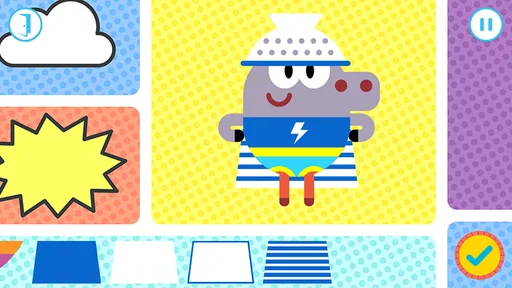
The app offers a variety of interactive activities that align with the theme of earning badges, similar to the TV show. Children can participate in games that involve creativity, problem-solving, and teamwork. Activities include arts and crafts, simple puzzles, and mini-games that mimic real-life scenarios. Each activity is designed to be fun while also educational, helping children develop important skills.
Pros
- Engaging educational content
- Colorful
- kid-friendly graphics
- Interactive badge system
- Simple user interface
- Encourages creativity
Cons
- Limited free content
- Requires internet connection
- In-app purchases available
- Repetitive tasks
- Not suitable for older kids













