Band Live Rock
- 435.00
- 4.2
- Installs
- 10.00M
- Price
- Free
Screenshots
Analysis by Reviewed
Ever found yourself daydreaming about jamming out on stage, guitar in hand, with thousands of fans cheering your name? Well, while we can't all be rock stars, Band Live Rock might just be the next best thing. This app is your ticket to experiencing the thrill of being part of a rock band without ever leaving your room. As someone who’s always had a soft spot for music apps, I was excited to give this one a spin.
A practical starting point for musical ideas
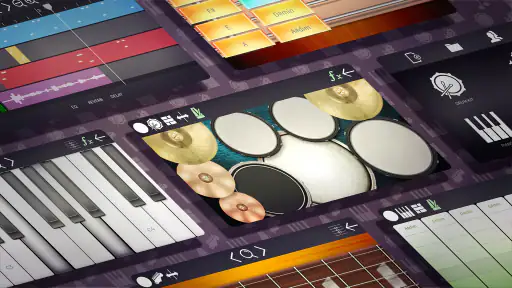
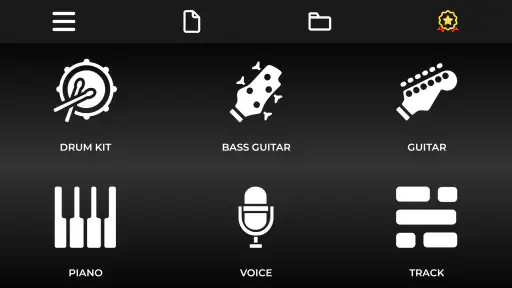
That stage fantasy is fun, but I’d judge this app most usefully as a place to try out musical ideas on a phone. Batalsoft Music Apps presents it as a multi-instrument music tool, with drum, piano, bass, guitar and voice parts in the mix. That range makes it more appealing for sketching a rough band arrangement than an app focused on just one virtual instrument. I’d reach for it when a melody or rhythm arrives at an inconvenient moment and I want to explore it before it disappears.
It is free to install, with in-app purchases listed at $10.99 per item, and it is rated for Everyone. Its average rating is 4.2 from around 25,000 ratings, with over 10 million installs. Those figures suggest plenty of people have tried it, but they don’t tell me whether its workflow will suit a particular musician. I’d treat the app as a convenient creative workspace, not assume that popularity makes it a replacement for a full recording setup.
Getting into the Groove
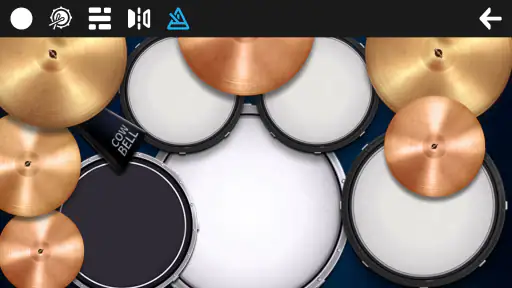
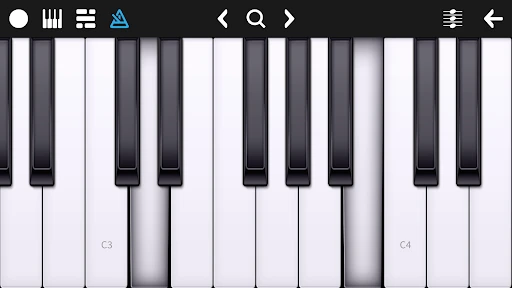
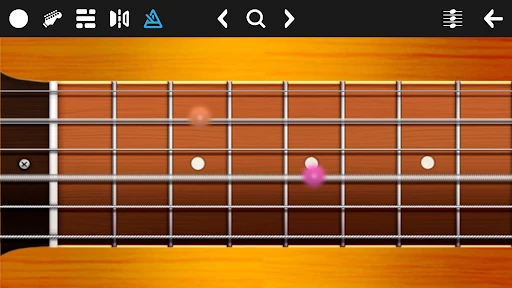
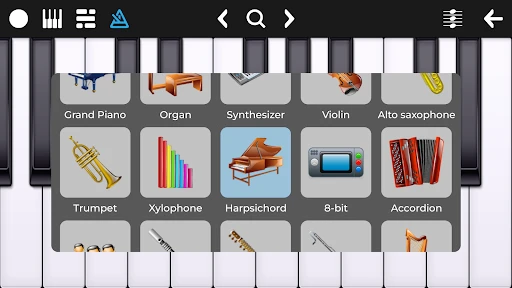
From the moment you open Band Live Rock, you're greeted with a sleek interface that screams "rock and roll." It's intuitive and easy to navigate, which is perfect for those of us who are more musically inclined than tech-savvy. The app provides a variety of instruments to choose from, including guitars, drums, and keyboards. Each instrument is meticulously designed to give you the most authentic sound and experience possible. And let me tell you, the sound quality is pretty top-notch.
Turning a first idea into a workable sketch
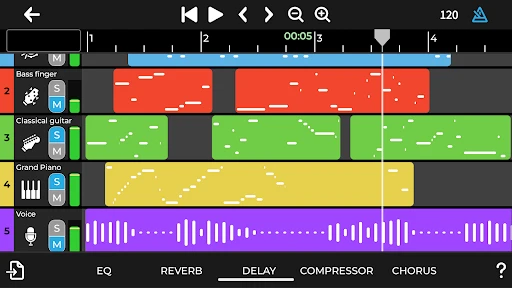
The practical advantage of a multi-track approach is that you can think in layers: establish a beat, add a bass line, then see whether a guitar or keyboard part helps the idea take shape. I find that more useful than endlessly polishing one sound in isolation, especially when the goal is a quick demo rather than a finished release. A sensible workflow is to keep the first pass simple, listen back, and add only the parts that actually improve the arrangement. That makes it easier to hear whether a riff carries the song or is merely distracting from it.
For an everyday example, imagine humming a chorus on the way home and wanting to test whether it works over a steady rhythm. I’d capture the basic structure first, then use separate parts to try a different bass movement or a lighter drum feel. Even if the final track later moves to another recording tool, a phone-made sketch can give bandmates something concrete to react to. It is a useful bridge between “I have an idea” and “here is roughly what I mean.”
Strike a Chord with Customization
One of the coolest features of this app is its customization options. You can tweak your instruments to fit your personal style, whether you're into classic rock, punk, or heavy metal. The app offers a range of effects and amp styles, letting you experiment and create a sound that's uniquely yours. I spent hours fiddling with different settings, and it was a blast finding the perfect combination.
More From Our News Desk

Weather by Xiaomi Review: Clear at a Glance, Less Clear Up Close

X Under Pressure: Can It Recover When Posting Goes Wrong?

Clash of Clans Is Won Between the Battles

Android Auto Makes the Case for Quieter Car Software

MobiOffice: Transforming Mobile Productivity with Seamless Integration

EA SPORTS FC™ Mobile Soccer: Redefining Mobile Sports Gaming
There is a trade-off in that kind of freedom: experimenting can become the whole session. I’d settle on a rough sound for each part before recording a full idea, rather than changing effects after every take and losing track of what worked. A small note beside the project—such as “brighter guitar, restrained drums”—can also help when returning to it later. That is a simple way to make the customization serve the song instead of turning into an endless search for a perfect tone.
Jam with Friends
What’s a band without its members, right? Band Live Rock lets you collaborate with friends, making it a social experience. You can invite your buddies over for a virtual jam session, or even form a band and record your own tracks. It’s a fantastic way to connect with fellow music enthusiasts and share your creations with the world. Plus, it’s a great excuse to catch up with friends you haven’t seen in a while.
For collaboration, I’d use a simple handoff: share the central riff or arrangement idea, agree on who is adding which part, and avoid having everyone change the same element at once. That keeps a casual session focused and makes feedback more actionable. If your group needs detailed project management, precise editing controls, or a dependable professional delivery pipeline, a dedicated desktop DAW or a collaboration service built around shared sessions is likely the better fit. This app makes more sense as an accessible place to build and exchange a musical starting point.
Rockstar in the Making
The app also offers a variety of tutorials and challenges to help you improve your skills. Whether you're a beginner looking to learn the ropes or a seasoned musician wanting to refine your technique, there's something for everyone. I found the challenges particularly engaging, as they pushed me to step out of my comfort zone and try new things. It’s like having a personal music coach at your fingertips.
I’d approach the learning side with one clear goal per session: practise a rhythm, test a chord idea, or work out how a part fits into a short arrangement. That makes the app more useful than opening it without a plan and hopping between instruments. Beginners who want guided practice and a low-pressure way to experiment are the clearest match. More experienced players may still enjoy quick sketches, but those who need detailed audio editing, exact timing tools, or a polished mastering workflow should use a more capable DAW for the later stages.
Keeping a session useful on a small screen
A phone is good at catching an idea quickly, but it can make longer arranging sessions feel cramped. I’d use Band Live Rock for short, purposeful passes rather than trying to produce an entire record in one sitting: lay down the central hook, add only the parts that clarify it, and stop when the sketch communicates its point. This is especially helpful if you are working between other tasks, because a small project is easier to revisit than an ambitious arrangement with no clear direction.
One practical habit is to decide what you want to learn from each playback. Listen once for whether the rhythm supports the melody, then again for whether the bass and drums feel like they belong together. That is more useful than changing several parts at once, since you can identify which adjustment actually helped. If you are sharing a draft, leave space for the listener to imagine alternatives; a sketch does not need every sound polished to invite useful feedback.
From sketch to shareable result
When a musical idea starts to feel complete, I’d listen through the parts in context before deciding it is ready to share. A rough recording can communicate a groove or song structure well, but a demo and a release-ready master are different things. For a handoff, it helps to tell listeners what kind of feedback you want—melody, arrangement, or energy—rather than asking for a vague verdict. If the aim is distribution, I’d expect to move the work into a dedicated recording and publishing workflow; if the aim is getting a bandmate excited about a chorus, a quick sketch may already do the job.
The app is listed as version 5.2.16 and requires Android 7.0 or later. It sits between a single-purpose virtual instrument and a more involved music-production suite: broader than tapping out one drum part, but not the option I’d choose when detailed editing and final delivery are the priority. That distinction matters before investing time in a project. It can be a useful place to begin, while a more specialized tool can take over when the arrangement grows beyond a convenient mobile session.
Choosing the right tool for the next stage
Compared with a basic instrument app, the appeal here is the chance to develop an idea across several musical roles instead of treating each part as a separate experiment. Compared with a full DAW, the attraction is a less intimidating place to start, while the compromise is that serious editing and finishing are better handled elsewhere. I would not switch tools just because a rough demo sounds rough; I would switch when the next task requires control the phone workflow does not provide, such as detailed mix decisions or a more deliberate release process.
That makes the handoff itself part of the workflow. Before moving a sketch, I’d write down the tempo feel, the order of the sections, and which instrument carries the hook. Even a short note can prevent the original idea from getting lost when rebuilding it in another app. For a bandmate, the arrangement’s purpose matters more than a polished sound: say whether you want them to respond to the chorus melody, the groove, or the overall energy. This keeps the phone session useful even when it is only the first step.
Who will get the most from it
I’d recommend it to curious beginners, songwriters who want to capture rough ideas, and friends who enjoy building a casual rock arrangement together. It is less suited to someone who already depends on meticulous editing, complex mixing, or a complete professional production chain. The key question is not whether it can replace every music app; it is whether its combination of instruments and an approachable recording workflow helps you make progress on the kind of idea you actually have.
It is also worth thinking about how you prefer to make music. If you play an instrument and mainly want a quick backing idea to explore a riff, this multi-part setup may be more useful than a practice app devoted to one instrument. If you want to record a clean live performance, edit detailed audio, or prepare a finished release without changing tools, I’d choose a dedicated recording setup instead. The free starting point makes it easy to see whether its casual workflow suits you, while the listed in-app purchases are worth considering only if you find yourself returning to it and want what they offer.
In conclusion, Band Live Rock is an absolute gem for anyone who loves music and dreams of being in a band. It's fun, engaging, and offers a level of customization that keeps you coming back for more. So, if you're ready to unleash your inner rockstar, give this app a try. Who knows, maybe you'll end up headlining your own virtual concert someday!
Band Live Rock Frequently Asked Questions
Can I use Band Live Rock to make music without an internet connection?
Band Live Rock is a mobile music-making app centered on instruments and multitrack recording, so it is worth considering if you want to work on musical ideas directly on your device. Whether you plan to practice, play with sounds, or record a session, the app’s core appeal is having music tools in one place. Check your device’s settings and app permissions before you begin.
Does Band Live Rock include tools for recording more than one instrument?
Yes. Band Live Rock is presented as an easy-to-use multitrack recording studio and DAW, with drum, piano, bass, guitar, and voice among the musical elements it highlights. That makes it a practical option for trying out arrangements with several parts rather than focusing only on a single instrument. The approach is suited to experimenting with musical ideas on a mobile device.
Is Band Live Rock free to download, and are optional purchases available?
Band Live Rock is free to download, so you can try its music-making tools without paying upfront. Optional in-app purchases are available at $10.99 per item, which may suit users who want to expand their experience. You can begin with the free app and decide whether any paid options are worthwhile for the way you use it.
What kind of app is Band Live Rock, and who makes it?
Band Live Rock is a Music & Audio app from Batalsoft Music Apps, intended for people interested in creating music on a mobile device. Its store summary highlights drum, piano, bass, guitar, voice, and multitrack recording tools. The app has a 4.2 average from around 25,000 ratings, offering a useful snapshot of how users have responded to it.
What features does Band Live Rock offer for music enthusiasts?
Band Live Rock is a dynamic music application designed for budding musicians and rock enthusiasts. It offers users the ability to create and play with a virtual band, complete with a variety of instruments like guitar, bass, drums, and keyboards. The app provides realistic sound effects and a user-friendly interface, allowing users to experiment with different sounds, record their sessions, and share their music creations with friends. It's perfect for both beginners looking to practice and seasoned musicians wanting to explore new musical ideas.
Pros
- Realistic sound quality enhances the playing experience.
- Wide range of instruments available.
- User-friendly interface for easy navigation.
- Regular updates with new features.
- Supports recording and sharing performances.
Cons
- Limited free features
- many are paid.
- Occasional app crashes reported.
- Requires stable internet for some features.
- High battery consumption during use.
- Ads can be intrusive at times.
- Category
- Music & Audio
- Version
- 5.2.16











