background video recorder
- 3.85K
- 4.1
- Installs
- 10.00M
- Price
- Free
Screenshots
Analysis by Reviewed
I’d treat a background recorder as a tool that needs a little more thought than an ordinary camera app. Its appeal is obvious when holding up a phone would interrupt what you’re doing, but discreet recording also raises questions about consent and expectations. Background Video Recorder is aimed at that specific job: recording while the phone is being used for other things. I’d use that convenience carefully, and not assume that a low-profile setup makes recording appropriate in every situation.
Trust starts with deliberate use
The app is listed as a free video player and editor app from lock screen passcode, with optional in-app purchases priced from $1.49 to $49.99 per item. It has a 4.1 average from around 196,000 ratings, and more than 10 million installs. Those figures suggest that many people have tried it, but popularity alone doesn’t tell me how a particular recording is handled or whether it suits a sensitive task. I’d make my decision based on the choices I can see on my own device, not on assumptions about privacy.
Before recording anything personal, I’d check the permission prompts the app presents and review the phone’s own app-permission settings. I wouldn’t grant access just because a feature sounds useful; I’d consider whether camera and microphone access make sense for the recording I intend to make. If the phone shows an active-use indicator or other recording notice, I’d treat it as a meaningful cue, rather than trying to work around it.
What I would verify before trusting a recording
There is an important difference between deciding to grant a permission and knowing what happens to a finished video. I’d look at the app’s visible settings and the phone’s privacy controls, then use a harmless test clip to learn where the result appears and how I can manage it. That test answers practical questions without putting someone else’s privacy at risk. If I couldn’t confidently locate and delete the clip, I would not use the app for anything sensitive.
I’d also separate device access from permission to record people. A phone setting may allow camera or microphone use, but that does not settle whether filming is welcome in a home, workplace, classroom, or public venue. When another person may be identifiable, I’d explain what I’m doing and ask first. For documentation that needs to be shared later, I’d decide in advance who needs the file and avoid keeping extra copies simply because storage is available.
How it fits into everyday recording
I find the background approach most useful when recording is a small part of a task, rather than the task itself: the phone can stay available for instructions, notes, or another step while the camera captures a reference clip. Before relying on that convenience, I’d decide what I need the footage for and how long I actually need to record. That purpose-first check also makes it easier to judge whether the app’s visible controls are enough for the situation.
What the background approach is for
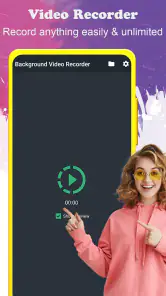
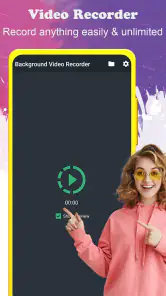
Basically, the Background Video Recorder app allows you to record videos in the background while you continue to use your phone for other tasks. It’s like having a secret videographer in your pocket. The app runs quietly and doesn’t interrupt what you're doing, which is super handy if you’re trying to capture something without making it obvious.
More From Our News Desk

Weather by Xiaomi Review: Clear at a Glance, Less Clear Up Close

X Under Pressure: Can It Recover When Posting Goes Wrong?

Clash of Clans Is Won Between the Battles

Android Auto Makes the Case for Quieter Car Software

MobiOffice: Transforming Mobile Productivity with Seamless Integration

EA SPORTS FC™ Mobile Soccer: Redefining Mobile Sports Gaming
That workflow is different from opening the built-in camera, framing a shot, and keeping the camera interface in view. A conventional camera is usually the better pick when I care most about composing a scene, checking framing as I record, or quickly reviewing a shot. A background recorder is more suited to situations where I need the phone available for another task at the same time. The trade-off is that reduced attention to the recording can also mean less control over what ends up in frame.
When hands-free recording is genuinely useful
The clearest fit I see is a task where the phone is already part of the workflow but the camera screen would get in the way. For example, someone following repair instructions might want a record of which step they completed, while still needing to consult the instructions on the same device. A short clip can also help capture the sequence of a craft or cooking technique so the person can review the hand movements afterwards. In both cases, the phone needs a stable place to sit, and the camera should be aimed before attention moves elsewhere.
For a practical routine, I’d prepare the scene first, confirm that recording is appropriate, make a brief test, and play it back before committing to a longer session. I’d check that the important area is visible and that the sound is usable if I need it. This is more than a quality check: background recording reduces how often I look at the screen, so a small setup mistake can go unnoticed until the task is over. A clamp, stand, or secure shelf may matter more to the outcome than another minute spent exploring settings.
It is less compelling when the phone must be moved frequently. If I’m walking through a space, changing angles, or following fast action, a normal camera interface gives me clearer feedback and faster opportunities to correct framing. For a planned interview or a presentation, I’d favour a visible, agreed recording setup and a camera app that keeps composition in view. The background approach is about freeing the screen for another task, not automatically producing better video.
Features and practical trade-offs
Now, let’s talk features. One of the coolest things about this app is its ability to record with the screen off. This means you can save battery life and avoid drawing attention. Another feature I found useful is the option to schedule recordings. You can set it up to start and stop at certain times, which is perfect if you’re trying to catch something specific without being glued to your phone.
A schedule is most useful when the timing is predictable, not when a moment could happen at any time. I’d test the start and stop behavior with a short, unimportant recording before relying on it for an appointment or a one-off event. That small trial can also help me check whether the phone has enough free space and whether the chosen camera view is pointed where I expect. Scheduling saves attention, but it doesn’t replace checking the setup.
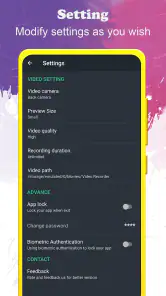
On top of that, the app supports multiple languages, making it accessible to a wider audience. The user interface is pretty intuitive. Even if you’re not tech-savvy, you’ll find your way around it in no time. Plus, it supports both front and back cameras, so you can be flexible depending on what you need to capture.
Those camera choices are useful for different purposes, but I’d treat them as a decision to make before starting rather than something to leave to chance. The rear camera makes sense for a work surface or a view ahead; the front camera may be the right option when I need to include myself. Either way, a short playback check can reveal a lens pointed at the ceiling, a blocked view, or an unexpectedly distant subject. When the phone is being used for another task, that quick check is an easy safeguard against collecting a file that is technically recorded but practically useless.
For an everyday example, I can imagine wanting to document a hands-on task while following instructions on the same phone. A background recording could keep the process on camera while I switch between what I’m doing and the guidance I need. I’d first place the phone securely, choose the camera deliberately, and make a brief test clip; otherwise, the convenience of multitasking could leave me with a recording of the wrong angle or an obstructed view. For a polished tutorial, though, a standard camera setup with deliberate framing would be the stronger choice.
What to check before a longer recording
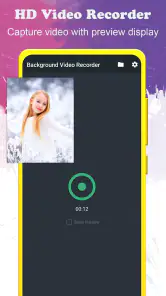
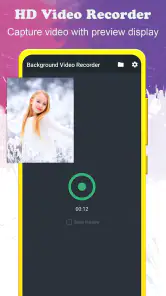
In terms of performance, the Background Video Recorder delivers smooth video without any noticeable lag or stutter. I tested it in various settings and the quality held up quite well, even in low light. The audio capture is also decent, which is a plus if you’re trying to record conversations or ambient sounds.
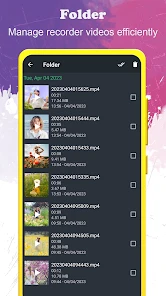
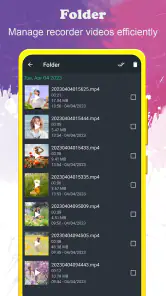
Even when a short clip looks fine, I wouldn’t assume that a long session will be equally convenient. Video files can grow quickly, and the app does take up a fair amount of storage space, especially if you’re recording in high definition. So, make sure you have enough memory available or be prepared to do some file management to keep things running smoothly. I’d also check the result before deleting anything from the phone, particularly if the recording matters to me.
One useful habit is to decide on a stopping point before pressing record. If I only need evidence of a particular step or a short reference clip, I can end the session as soon as that purpose is met rather than leave the phone recording while I move on. That reduces the amount of footage I need to review and makes it easier to identify the file I actually want. For a longer task, I’d pause to check the phone and available storage when it is safe to do so, instead of assuming a background process will take care of every practical detail.
Battery use is another practical consideration whenever a phone records for an extended period. The screen-off option may help avoid keeping the display lit, but I’d still start with a charged phone and avoid depending on a long session without testing it first. If I need reliable, carefully framed footage for an event, a dedicated camera or a conventional camera app is a safer fit than expecting a background workflow to handle every detail.
Controls, privacy, and who should choose it
The app is free to install, is rated for Everyone, and its current version is 7.0.2; it requires Android 6.0 or later. I’d still look over the available in-app choices and the phone’s system controls before using it, especially if someone else shares the device. I’d also keep recordings organized and remove clips I no longer need. Those are straightforward habits, but they matter more when an app is designed to capture video while attention is elsewhere.
The purchase range is worth considering as well. Since the app can be installed for free but offers optional purchases, I’d start by seeing whether the basic workflow suits me before spending money. I would not buy an item just to solve a problem I hadn’t identified. If I need a particular capability, I’d first confirm that the option is visible in the app and understand what it changes; if the free setup already handles an occasional, simple clip, paying may not add meaningful value to my use.
I think it makes most sense for someone who has a clear, lawful reason to record hands-free or while switching between phone tasks, and who is willing to check the setup and manage the resulting files. I’d skip it for covertly filming people who have not agreed to be recorded, or for any situation where privacy rules make the recording questionable. It also isn’t my first choice for action footage, carefully composed video, or a critical recording where I need constant visual confirmation.
It may also be the wrong choice for someone who wants a familiar point-and-shoot camera experience, immediate visual feedback, or an easy way to adjust a shot while recording. Those needs favour the phone’s regular camera app. Likewise, if I were capturing an important event where missed footage would be costly, I’d use a setup designed around monitoring and framing, and test it well ahead of time. This app is most persuasive when the background workflow itself solves a real problem, not merely because it is available.
A cautious verdict
Overall, I found the Background Video Recorder to be a nifty little app that does exactly what it promises. It’s easy to use, packed with features, and doesn’t skimp on performance. Whether you’re a journalist, a detective, or just someone who likes to have videos for personal reasons, this app has got you covered. Just remember to use it responsibly and respect privacy laws wherever you are.
My recommendation is conditional rather than automatic: I’d try it for a low-stakes, consent-based task, learn where recordings are saved, and make sure I can stop and remove them comfortably. I’d keep the built-in camera as my fallback whenever composition or immediate feedback matters more than multitasking. That simple distinction makes it easier to choose the right tool without expecting a background recorder to replace every camera workflow.
So, if you’re looking for a reliable way to record videos without being obvious, give the Background Video Recorder a shot. You might just find it becoming one of your go-to apps on your phone.
background video recorder Frequently Asked Questions
What permissions should I consider before installing Background Video Recorder?
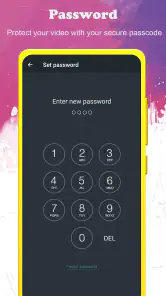
Because Background Video Recorder is a camera-recording app, camera access is central to its purpose. Before installing, consider whether you are comfortable granting the permissions it requests and review those choices in your device settings. Permissions can affect which features work, so check them thoughtfully and use recording features in ways that respect other people’s privacy and applicable rules.
Can I use Background Video Recorder for ordinary video recording, or is it only for background use?
The app is described as a video recorder that records in the background, so its defining purpose is background recording. It falls into the video players and editors category, which may suit people looking for a camera app with recording controls rather than a dedicated editing workflow. Consider whether background recording is the feature you need before downloading.
Is Background Video Recorder free to download, and are there in-app purchases?
Background Video Recorder is free to download, so you can try its central background-recording function without an upfront purchase. The app also offers in-app purchases, with prices ranging from $1.49 to $49.99 per item. If you prefer to avoid spending, review any purchase prompts carefully and check your device’s purchase settings before using the app.
Will Background Video Recorder work on my Android device?
The app requires Android 6.0 or later, so check your device’s operating system before downloading. It is listed for everyone and belongs to the video players and editors category. If your phone meets the minimum system requirement, you can consider whether background video recording fits your needs; compatibility alone does not guarantee that every device will behave identically.
Who makes Background Video Recorder, and when was it released?
Background Video Recorder is developed by lock screen passcode, and it was released on October 31, 2016. Its current version is 7.0.2. Those details can help you identify the app and its development history before installing it. The app has an average rating of 4.1 from around 196,000 ratings, giving prospective users a broad snapshot of how it has been received.
Pros
- Easy to use interface
- even for beginners.
- Records high-quality video in the background.
- Supports multiple video formats.
- Runs smoothly without lags.
- Offers scheduled recording options.
Cons
- Consumes significant battery power.
- Limited features in free version.
- May not work on all devices.
- Requires permissions that may concern privacy.
- Some users report occasional crashes.
- Category
- Video Players & Editors
- Version
- 7.0.2











