Baby Rattle: Giggles & Lullaby
- 292.00
- 4.8
- Installs
- 100.00K
- Price
- Free

Screenshots
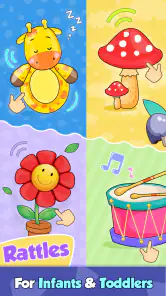
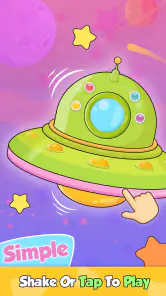

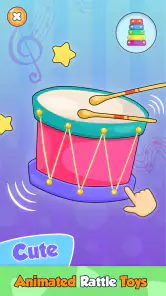
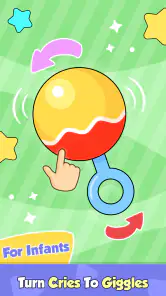
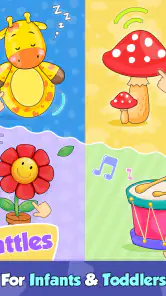

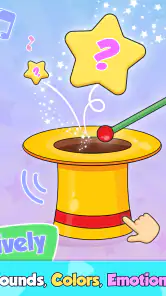
Analysis by Reviewed
When I first opened Baby Rattle: Giggles & Lullaby, I understood the appeal immediately. It is a simple parenting app built around bright animated characters, playful sounds, and the kind of quick interaction that can hold a baby’s attention for a few minutes. There is no complicated setup to learn, and the free download makes it easy to try without turning the decision into a major commitment.
My first impression was positive, but this is not an app I would judge only by its first entertaining session. Baby apps often feel charming for a few days and then disappear from a family’s routine. The more useful question is whether this one can remain a practical little tool after the novelty fades. In my experience, its strongest role is not as a complete activity program, but as a convenient source of short, sensory moments when a parent needs something gentle and immediate.
What the first week feels like
The app is aimed at toddlers and infants, and its Everyone content rating matches that straightforward purpose. The presentation is lively without asking a young child to understand rules, read instructions, or complete a difficult task. Animated characters and sounds do most of the work. That matters with very young children, because the parent can introduce the app without having to explain a goal or correct mistakes.
I found the short-session design more useful than a traditional game structure in everyday situations. A child may be waiting while a parent finishes a phone call, sitting in a stroller, or becoming restless during a quiet moment at home. In those cases, a few taps and familiar sound effects can provide a small change of focus. It is not trying to replace conversation, floor play, books, or physical toys, and I would not use it as though it were a full developmental curriculum.
The first-week appeal comes from low friction. A parent can open it, hand over the device briefly, and see whether the child responds to the colors, movement, or audio. That makes it easier to test than an app that requires an account, a long tutorial, or a sequence of lessons before anything interesting happens. The developer, Bebi Family: preschool learning games for kids, has clearly positioned this as an accessible early-childhood experience rather than a demanding game.
One practical strength is the advertised no-ad experience. For a baby-focused app, that is especially important because unexpected advertising can interrupt the moment, expose a child to unsuitable material, or encourage accidental taps. Removing that kind of distraction gives parents a more controlled experience. It does not make screen time automatically ideal, but it does remove one common source of annoyance and risk in this category.
I would still sit with a baby during the first uses. Very young children can press buttons repeatedly, turn the volume up, or lose interest and start tapping elsewhere on the device. The app may be simple, but the surrounding device is not designed specifically for infants. Using it at a comfortable volume and keeping the session within reach of an adult is more sensible than treating it as an unattended activity.
The sound design is central to the experience, so the first-week reaction depends heavily on the child. Some babies respond quickly to cheerful noises and repeated animation; others prefer a quiet book, a real rattle, or a parent’s voice. I would try it at different times rather than assuming a single session proves its value. A tired child may become overstimulated by lively audio, while a bored child may enjoy exactly that energy.
A realistic use at home
Imagine a parent preparing a bottle while a baby is safely seated nearby and beginning to fuss. Baby Rattle can work as a brief bridge while the parent completes that small task. I would use it for a few minutes, then put the device away and return attention to the child. That is a healthier way to view the app than expecting it to solve prolonged restlessness or serve as a substitute caregiver.
Another useful moment is a short wait in a place where bringing several toys is inconvenient. The phone or tablet is already available, and the app takes up less physical space than a bag of rattles. That convenience is real, but it comes with a trade-off: a physical rattle offers touch, movement, and interaction away from a screen, while this app offers portability and quick access. Families who already carry a favorite toy may find the traditional option more calming and more reusable.
During the first week, I would test three things deliberately: whether the child looks toward the animation, whether the sounds remain pleasant after repeated use, and whether the app helps with a specific routine rather than merely filling silence. That small test prevents a common mistake—keeping an app installed because it was amusing once, even though it never becomes useful in daily life.
Does it keep earning a place over time?
The month-to-month value is more limited than the immediate charm, and that is not necessarily a flaw. Baby Rattle is a focused tool. Its value depends on having occasional moments when a short burst of visual and audio stimulation is appropriate. It is unlikely to become a daily learning destination for a child who is ready for stories, puzzles, drawing, or more varied preschool activities.
For infants, repetition can be part of the appeal. A familiar character or sound does not need to be understood as a challenge; it can simply be recognizable and comforting. That gives the app some recurring value for younger children, especially when a parent uses it in predictable, brief situations. However, repetition also creates the main long-term weakness. Once a child has seen the same interactions many times, the experience may feel less special.
I would not measure success by how long the app keeps a child occupied. Longer is not automatically better, particularly for an infant. A better measure is whether it supports a small, intentional moment: a distraction during a transition, a playful pause after waking, or a short shared activity with a parent. Used this way, it can remain useful even when the child no longer reacts with the same excitement as during the first few sessions.
The free price makes that modest role easier to accept. There is no purchase required simply to find out whether the child likes it. At the same time, in-app purchases range from $1.99 to $4.99 per item, so I would check the available options carefully before allowing a child to handle the device. The free entry point is convenient, but parents should keep purchasing decisions adult-controlled rather than letting curiosity turn into an unplanned expense.
The app has reached over 100 thousand installs and holds a 4.8 average from around 1.7 thousand ratings. Those figures suggest that many users find the basic idea appealing, but they do not tell me whether it will suit a particular child or remain interesting for months. A high average can support confidence in trying it; it should not replace observing how your own child responds.
Its release date, March 2, 2021, also helps frame expectations. This is an established app rather than a brand-new experiment, but I would still approach it as a compact utility, not a constantly expanding platform. The current version is 3.01.08, and it requires Android 6.0 or later. That makes it accessible on many older Android devices, which is useful for families using a spare phone or tablet, although device age can affect responsiveness and sound quality.
How it compares with ordinary alternatives
Compared with a physical baby rattle, the app wins on convenience and variety of animated feedback, while the toy wins on tactile exploration and independence from a screen. Compared with nursery videos, it is more contained and interactive, with less of the passive, continuous viewing pattern that can make video apps difficult to stop. Compared with structured early-learning apps, it is easier for an infant to approach but offers less depth and progression.
That comparison clarifies who should choose it. I would recommend trying it if you want a small, ad-free-feeling distraction with playful sounds and do not expect a lesson plan. I would look elsewhere if your main goal is language development, fine-motor practice, bedtime stories, or activities that grow substantially with a preschooler. A parent who wants rich variety may get more lasting value from a broader educational app, while a parent who wants a quick digital rattle may appreciate this narrower focus.
The best long-term workflow is to rotate it rather than rely on it. Keep it available for occasional use, but alternate it with singing, picture books, stacking objects, sensory play, and ordinary conversation. Rotation protects the app from becoming background noise and gives the child a reason to notice it again. It also makes the device feel like one tool among many instead of the default answer whenever boredom appears.
Maintenance, fatigue, and everyday friction
There is not much maintenance inside the app itself. Its simplicity means I would not expect a parent to spend time organizing profiles, building lesson schedules, or adjusting complicated settings. That is a genuine advantage during busy family life. The maintenance burden is mostly behavioral: deciding when to offer it, when to stop, and where it fits without taking over a routine.
Parents should also remember that a no-ad environment does not remove every source of interruption. Notifications from the device, low battery, incoming calls, or a child switching away from the app can still break the session. I would prepare the device before handing it over, especially if the app is being used during a wait. A quick volume check is worthwhile too, because sounds that seem cheerful in a quiet room may feel harsh in a busy car or public space.
The biggest source of fatigue is repetition. Adults may find the same animation and audio tiresome before a baby does, and that matters because parents are the ones deciding whether the app stays in the routine. If you notice yourself opening it automatically whenever the child makes a sound, that is a sign to pause and reconsider the habit. The app is more valuable when it solves a specific short-term need than when it becomes an automatic reflex.
Another limitation is developmental timing. A baby who enjoys simple animation today may soon want more control, more movement, or more meaningful interaction. As children grow, an app centered on immediate reactions can feel shallow beside drawing tools, matching activities, stories, or open-ended play. I would reassess its usefulness every few weeks rather than assuming that a good first response means it will remain suitable indefinitely.
There is also a social trade-off. If a parent taps along, names the characters, copies the sounds, or turns the moment into a shared game, the app can become a prompt for interaction. If the device is simply placed in front of the child, the experience is more passive. That difference is not a hidden feature of the software; it is a choice in how the family uses it, and it strongly affects whether the app feels worthwhile.
For that reason, I would avoid using it immediately before sleep unless the child clearly finds the experience calming. Lively animation and sound may be a poor fit for a bedtime routine, even though the title includes “Lullaby.” A quiet song, dim lighting, or a familiar book may be better when the goal is winding down. The app can be pleasant without being the right tool for every emotional state.
Who will get the most from it?
This app makes the most sense for parents of infants or very young toddlers who want a quick, uncomplicated activity and prefer to avoid advertising interruptions. It is also a reasonable option for a family that needs something portable for occasional waiting periods, provided an adult manages the device and keeps expectations modest.
I would skip it if you are searching for a complete preschool program, detailed progress tracking, extensive creative tools, or a replacement for physical play. I would also skip it if your child consistently becomes frustrated by repeated sounds or prefers hands-on objects. In those cases, a real rattle, a board book, or a more interactive learning app will probably offer better recurring value.
My practical recommendation is to install it, try it during a calm moment, and observe the child rather than the screen. If the app creates a short shared smile and then makes it easy to move on to another activity, it has done its job. If it becomes the only reliable way to settle the child, I would reduce its role and rebuild a wider set of routines around it.
My long-term verdict
Baby Rattle: Giggles & Lullaby earns a place as an occasional parenting helper, not as a permanent centerpiece of a child’s playtime. Its strongest qualities are the approachable design, lively audiovisual feedback, free starting point, and the absence of ordinary ad interruptions. Those details make the first week easy and pleasant, especially for families that need a quick digital distraction.
Its lasting value depends on restraint. The app does not need to be used every day to be useful, and I think it works better when saved for particular moments. Short sessions, adult supervision, controlled purchases, and regular rotation with offline activities keep its convenience from turning into fatigue. That approach also exposes its limits honestly: it is a digital rattle, not a comprehensive learning environment.
With that expectation, I would recommend giving it a try. The developer has made a focused parenting app that can fit neatly into small gaps in the day. Just do not confuse immediate engagement with unlimited replay value. Its real strength is being ready when you need a brief, cheerful interruption—not demanding a permanent place in the routine.
Pros
- Bright
- friendly visuals are easy for babies to focus on.
- Simple tap controls make it accessible for very young children.
- Lullabies can help create a calming bedtime routine.
- Variety of sounds keeps short play sessions engaging.
- Works well for supervised tummy-time entertainment.
Cons
- Some babies may find the sound effects overstimulating.
- Limited activities can become repetitive after frequent use.
- Requires careful supervision to prevent accidental device taps.
- Audio may be difficult to hear in noisy environments.
- Not a substitute for interactive play with a caregiver.

- Category
- Parenting
- Version
- 3.01.08











