Baby Games for 1-3 Year Olds
- 23.43K
- 4.6
- Installs
- 10.00M
- Price
- Free
Screenshots
Analysis by Reviewed
Parenting can be quite a rollercoaster, right? One moment you're wondering how on earth to entertain your toddler, and the next you're marveling at how quickly they learn new things. Enter Baby Games for 1-3 Year Olds, an app that might just become your go-to for keeping your little one engaged and learning at the same time. I recently gave this app a whirl, and here's my take on it.
The first-week appeal
For a family trying it for the first time, the main attraction is the range of short activities in one place. The game is listed as educational and offers 15 activities for preschool toddlers, which gives a parent more choice than a single-purpose matching or tracing app. That variety can help when a child loses interest in one kind of play, though I would still treat it as a shared activity rather than a substitute for conversation, toys, or outdoor play.
A realistic use is a brief wait at an appointment: I would choose one activity, sit nearby, and let the child explore while I name what appears or ask what they notice. That small bit of adult participation makes the screen time more purposeful and gives me a chance to see whether the activity is genuinely holding their attention. For a child who is not yet comfortable tapping accurately, sitting together also helps avoid frustration.
In the first few sessions, I would resist the temptation to show a toddler every activity at once. Letting them try one, then returning to it another day, makes it easier to tell whether they enjoy the activity itself or are simply reacting to a new screen. It also gives a caregiver a chance to notice practical details: whether the child understands what to tap, whether they can follow the sounds, and whether they want help or prefer to explore independently. Those observations are more useful than treating a quick burst of attention as proof that the game will become a lasting favorite.
Engagement Like Never Before
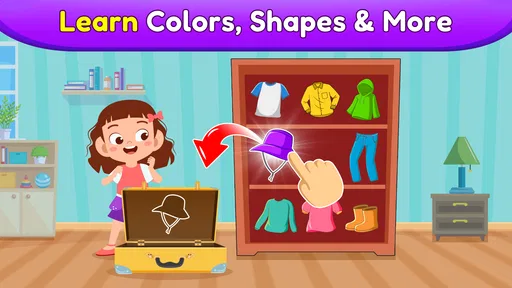
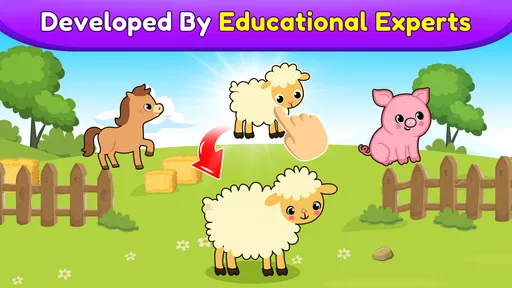
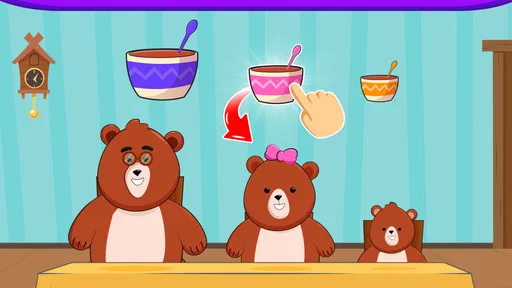
With screen time being a bit of a controversial topic, finding educational content that's also entertaining is key. Baby Games for 1-3 Year Olds does a stellar job at blending learning with fun. As soon as I fired up the app, I noticed how vibrant the colors were. I mean, who wouldn't be drawn to such a lively interface? The little ones are naturally curious, and this app plays right into that curiosity.
Features That Stand Out
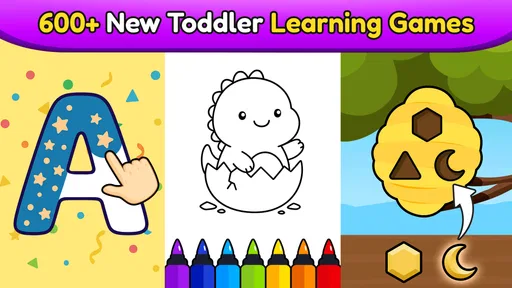
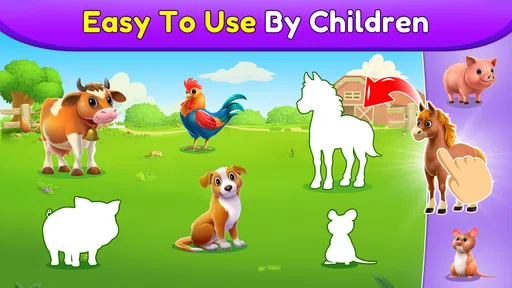
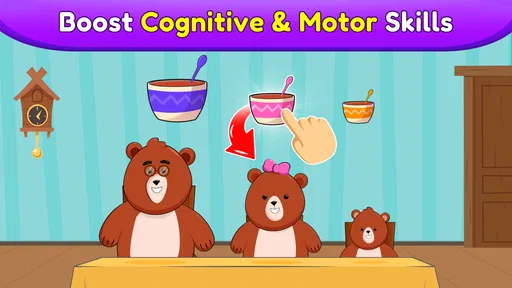
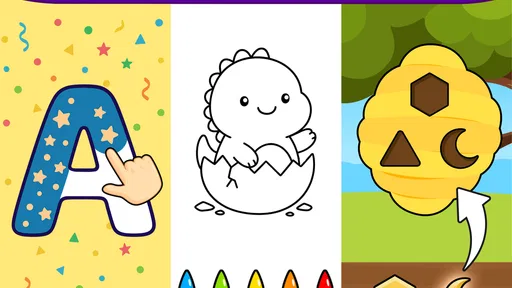
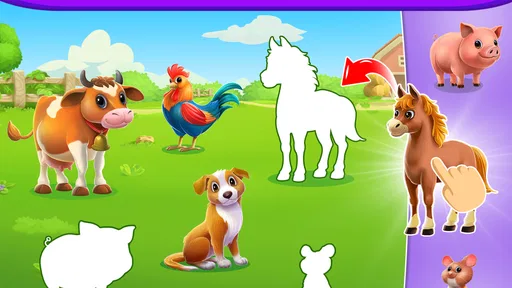
What’s really cool about this app is its variety of games. It’s not just one of those apps where you get bored after five minutes. Nope, this one keeps the kiddos hooked with different activities. From matching shapes to recognizing animal sounds, there's a whole lot packed into this digital playground. The developers really put thought into making sure the games are age-appropriate and help develop those ever-important cognitive skills.
Now, we all know that toddlers have the attention span of, well, a toddler. But the app cleverly mixes things up enough to keep them interested without overwhelming them. It’s like having a bunch of mini-games at your fingertips. Plus, the audio feedback is gentle and encouraging, which is a real plus.
More From Our News Desk

Weather by Xiaomi Review: Clear at a Glance, Less Clear Up Close

X Under Pressure: Can It Recover When Posting Goes Wrong?

Clash of Clans Is Won Between the Battles

Android Auto Makes the Case for Quieter Car Software

MobiOffice: Transforming Mobile Productivity with Seamless Integration

EA SPORTS FC™ Mobile Soccer: Redefining Mobile Sports Gaming
That variety makes the game useful in a narrow but common parenting moment: when a child is tired of one kind of activity but still has a little patience for another. I would offer a choice between two activities rather than hand over the device and invite endless browsing. A limited choice gives the child some agency while keeping the session manageable. It is also a simple way to see what draws them in—matching, listening, or another kind of play—without turning the moment into a lesson with a right or wrong outcome.
Making it work beyond the first few days
The useful question is whether it earns a regular place in a toddler’s routine after the novelty of bright visuals and new activities wears off. I would keep it as an occasional option rather than make it a daily lesson plan. A familiar activity can still be worthwhile when a child wants to repeat it, but repetition alone does not show that they are progressing; I would use their play as a prompt to practise the same idea away from the screen, such as sorting household objects by shape or talking about animal sounds during a book.
Compared with a single-skill learning app, this one is more suited to switching between different kinds of play when attention shifts. A focused app may be a better choice if a parent specifically wants practice with one skill, while a physical puzzle is preferable when the aim is hands-on manipulation. This game’s advantage is convenience and variety; its trade-off is that a phone or tablet cannot offer the same tactile experience or social back-and-forth as playing together.
For families deciding between this and a video, the difference is that a game asks a child to respond rather than simply watch. That does not automatically make every session more educational: a toddler may still tap without noticing the idea behind an activity, and an adult’s occasional question can make the play more meaningful. I would choose this when I have enough attention to stay close and talk, and choose a story, toy, or quiet break when I cannot supervise or when the child needs a change away from the screen.
Usability for Both Kids and Parents
The best part? It's super easy to navigate. I didn’t have to worry about my little one accidentally purchasing a year's supply of bananas or something. The parental controls are straightforward, allowing moms and dads to feel at ease handing over their phones for a bit. Plus, there's a handy guide for parents that explains how each game contributes to your child's development, which I found quite enlightening.
And let’s not forget the offline mode. Whether you're on a long car ride or stuck in a waiting room, the app functions without needing an internet connection, meaning your child stays entertained wherever you are.
One practical tip is to decide in advance who is holding the device. If a toddler is still learning to tap gently and accurately, a caregiver can keep the tablet steady and let the child make the choices. That small adjustment can prevent accidental exits and reduce the chance that a child becomes upset because the activity changed unexpectedly. I would also keep the volume at a comfortable level and use the sounds as prompts for conversation, rather than letting audio alone run the session.
Keeping the routine manageable
For everyday use, I would set up the session before handing over the device: open the game, choose an activity together, and agree that it is a short break rather than an open-ended distraction. On a trip, checking that the game is ready before leaving is a simple way to make offline play useful instead of discovering a connection problem when a child is already restless. A parent guide can also help adults choose an activity with a purpose, rather than cycling through games without knowing what the child is responding to.
There are limits to how much convenience can solve. Even a well-designed toddler game can become tiring if a child is asked to use it whenever they are bored, and a screen may be the wrong tool when they need movement, sleep, or attention from an adult. I would also avoid assuming that a high level of engagement means every activity suits every child; at this age, comfort with touch controls and interest in sounds or colors varies widely. If your child becomes frustrated, I would stop and try again another time rather than turn play into a test.
The app is easiest to maintain when it has a clear job in the household: a brief activity during a necessary wait, a shared moment after a meal, or a small option for travel. If it is expected to cover every difficult transition, its appeal can wear thin and it can become harder to put the device away. I would make the ending predictable by telling the child which activity is last, then moving straight to something tangible, such as a snack, a book, or getting ready to leave. That routine is not a feature of the game; it is a way for adults to keep the game in proportion.
Who it suits, and what to expect
This is a reasonable fit for caregivers of preschool-age toddlers who want a free starting point for educational screen play and value having several activities together. It is also practical for travel or brief waits because it can work offline. The game is free, rated for Everyone, and developed by Bebi Family: preschool learning games for kids. It has a 4.7 average from around 109,000 ratings, with over 5 million installs, so it has reached many families, though popularity cannot tell me whether it will suit a particular child.
It is less compelling for families who want a completely hands-off learning program, a curriculum built around measurable progress, or a screen-free activity. The app is free to start, but it includes in-app purchases ranging from $5.99 to $49.99 per item, so I would check the purchase options with an adult before a child uses the device. The current version is 7.01.18 and requires Android 6.0 or later; those details are useful to check before installing on an older device.
For a caregiver wondering whether it is suitable for a very young toddler, I would base that choice on the child’s ability to stay calm with touch-based play and on whether an adult can remain nearby, rather than on the age range alone. Some children will enjoy tapping and listening; others may need help understanding what the screen is asking them to do. If the child is not ready, there is no benefit in pushing through confusion—simple toys, board books, or play with an adult may be a better fit until they are more comfortable.
It also makes sense to consider the purchase setup before a child gets the device. The game costs nothing to begin, but optional purchases are available, so I would review those settings and keep adult control of purchasing. The listing describes it as ad-free, which is a welcome point for a toddler-focused game, but that does not remove the need for supervision or make every moment with a screen worthwhile. A parent still decides when to start, when to stop, and whether the child is enjoying the activity.
What may lose its appeal
The same variety that helps in the first week can become less persuasive over time if a child settles on only one activity or wants novelty every time. I would not respond by making the game a longer or more frequent fixture. Instead, I would put it away for a while and bring it back when it suits a particular situation. A familiar game can be comforting, but no app needs to carry the burden of keeping a toddler entertained every day.
There is also a real difference between “the child is occupied” and “the child is learning something they can use elsewhere.” The best sign for me would be a moment that continues after the screen—for example, a child noticing a shape on a toy or imitating an animal sound in conversation. If all the interest stays tied to tapping through the app, I would treat it as entertainment with an educational angle, not as a substitute for practice with real objects and people.
Final Thoughts
All in all, Baby Games for 1-3 Year Olds is a fantastic tool for parents looking to incorporate some educational screen time into their toddler's day. It’s user-friendly, packed with a variety of games, and has a way of keeping those tiny hands busy while nurturing their minds. If you're on the lookout for an app that's both fun and beneficial, this might just be it. Give it a go, and watch your little one learn and play in harmony!
My longer-term recommendation is to keep expectations modest: think of it as a handy collection of short activities, not a replacement for play with people or objects. The app was released on August 27, 2019, and its lasting value will depend less on its age than on whether your child continues to enjoy dipping into its games. I would keep it installed if those moments are useful and the child stays engaged, but remove it from the routine if it becomes another source of bargaining or overstimulation. In that sense, it earns its space when it makes a small everyday gap calmer without taking over the day.
My verdict is that it can earn a place on a family device, but only as a tool with a defined purpose, not as an automatic fix for every quiet moment. I would keep it if my child returns to a few activities happily, the offline option proves useful, and sessions end without a struggle. If the novelty fades, if the child mostly taps without engaging, or if a hands-on activity works better, there is no reason to keep it in regular rotation simply because it is already installed. That flexibility is what makes its long-term value feel realistic: it can be handy when needed without becoming a household habit that is difficult to maintain.
Baby Games for 1-3 Year Olds Frequently Asked Questions
Who develops Baby Games for 1-3 Year Olds, and what kind of app is it?
Baby Games for 1-3 Year Olds is an educational game developed by Bebi Family: preschool learning games for kids. It is built around playful activities for young children, offering families a way to add simple learning games to a toddler’s screen time. If you are choosing an app for a child, it can help to explore the activities together and see how they fit your family’s routine.
How popular is Baby Games for 1-3 Year Olds?
The game has a 4.7 average rating, based on around 109,000 ratings, and has been installed over 5 million times. Those figures suggest that many families have tried it, though every child responds differently to games and learning activities. Reading a range of user reviews and trying the free download can help you decide whether its approach suits your child.
What age range is Baby Games for 1-3 Year Olds designed for?
Baby Games for 1-3 Year Olds is an educational game intended for toddlers and preschool-age children. Its activities are presented for young players, making it a potential fit for families looking for simple play-and-learn experiences. The app is rated Everyone, but a parent or caregiver should still choose activities that suit the child and supervise their use of a device.
Is Baby Games for 1-3 Year Olds free to download?
Yes, Baby Games for 1-3 Year Olds is free to download. It also offers in-app purchases, with items priced from $5.99 to $49.99, so it is worth reviewing purchase settings before handing the device to a child. The free download lets families try the game, while any optional paid content should be considered separately.
What types of games are included in Baby Games for 1-3 Year Olds?
Baby Games for 1-3 Year Olds includes a variety of interactive and educational games designed to stimulate young minds. These games cover basic skills such as color recognition, shapes, numbers, simple puzzles, and musical activities. They are crafted to engage toddlers through fun animations and sounds that help in cognitive development. The game describes its collection as 15 educational games for preschool toddlers.
Pros
- Engaging and colorful graphics.
- Simple and intuitive user interface.
- Variety of educational mini-games.
- Parental control options available.
- No in-app purchases or ads.
Cons
- Limited content for older toddlers.
- Requires internet for some features.
- May drain battery quickly.
- No multilingual support.
- Occasional app crashes.













