Balloon Pop Kids Learning Game
- 6.65K
- 4.3
- Installs
- 5.00M
- Price
- Free

Screenshots
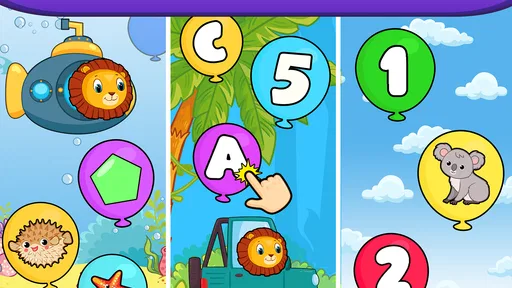
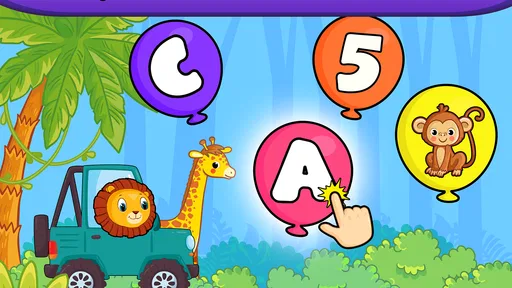
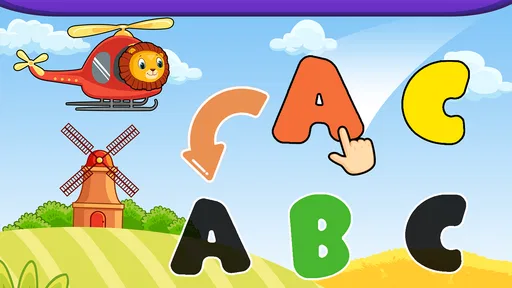
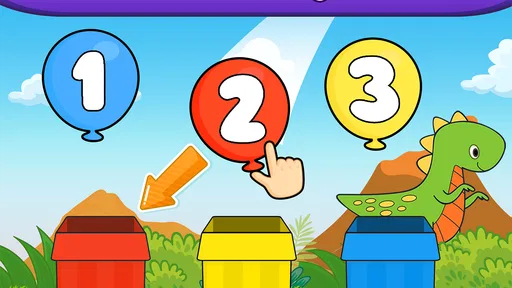
Analysis by Reviewed
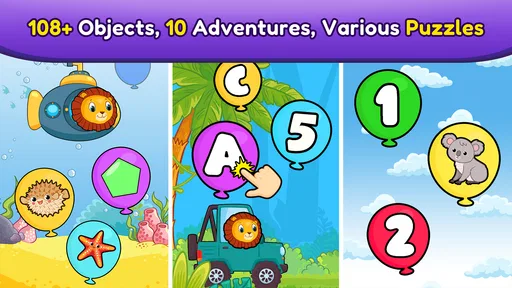
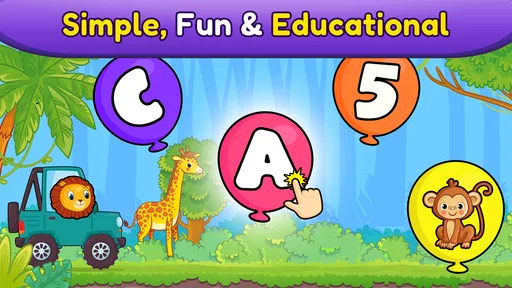
For a young child who is drawn to quick, colorful games, balloon popping can be a surprisingly useful starting point for learning. I’d treat Balloon Pop Kids Learning Game as a short, hands-on activity rather than a complete preschool curriculum: its appeal is the simple action, while its learning focus includes early numbers, letters, and shapes. The challenge is whether that loop stays worthwhile once the novelty wears off.
Small goals make it easy to begin
The opening goal is refreshingly clear: spot a balloon and pop it. That low barrier matters for toddlers who are not ready to follow a long explanation or navigate a complicated game. The app comes from Bebi Family: preschool learning games for kids, and it is an educational game with an Everyone age rating. I can see it working well when a child has a few quiet minutes and an adult wants an activity that gives the play a learning angle without turning it into a lesson.
A practical way to use it is to sit nearby at first and connect what appears on screen to something familiar: count a number aloud, name a shape, or ask the child to find the same color in the room. That turns a quick round into a little conversation. It also gives a parent a better sense of whether the child is recognizing the idea or simply enjoying the popping motion.
What the simple loop does well—and what it cannot do
Balloon popping gives a preschooler an immediate, understandable action: notice something, reach for it, and see a response. That can make the first few minutes less intimidating than an app that starts with menus, instructions, or a sequence of choices. The simplicity is especially useful for a child still learning to coordinate taps on a touchscreen. I would introduce it on a device with enough room for the child to hold comfortably, then watch whether they can make deliberate taps rather than swipe or hit the screen at random.
That direct loop is also the main limitation. A child who enjoys sorting, building, pretend play, or making choices may find repeated popping less satisfying than an open-ended activity. I would not mistake the ease of starting for depth: the game can help create a moment of recognition practice, but it is not a replacement for books, conversation, hands-on toys, or a preschool teacher’s guided activities.
Engaging Gameplay That Educates
The first thing that struck me about the Balloon Pop Kids Learning Game is how it cleverly combines play with education. Kids are naturally drawn to the vibrant colors and the simple act of popping balloons, but hidden beneath this playful facade is a well-thought-out educational tool. As children pop balloons, they are introduced to numbers, letters, shapes, and even colors. It’s like sneaking veggies into a smoothie – the kids are having so much fun, they don’t even realize they’re learning!
User-Friendly Interface
One thing I really appreciate is the app’s user-friendly interface. It’s designed with young users in mind, meaning it’s straightforward and easy to navigate. No endless menus or complicated instructions—just a simple, intuitive design that allows kids to jump right in and start playing. This simplicity not only keeps the kids engaged but also makes it easy for parents to set up and let their little ones explore independently.
More From Our News Desk

Weather by Xiaomi Review: Clear at a Glance, Less Clear Up Close

X Under Pressure: Can It Recover When Posting Goes Wrong?

Clash of Clans Is Won Between the Battles

Android Auto Makes the Case for Quieter Car Software

MobiOffice: Transforming Mobile Productivity with Seamless Integration

EA SPORTS FC™ Mobile Soccer: Redefining Mobile Sports Gaming
Interactive Learning Features
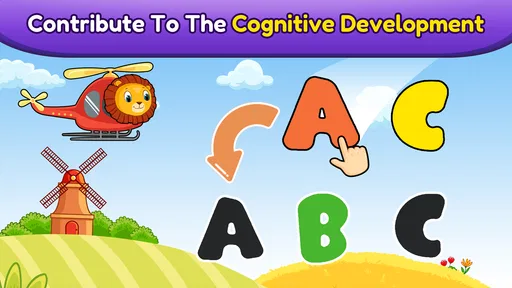
What sets this app apart from other educational games is its interactive features. The app doesn’t just flash numbers and letters at kids; it involves them in the learning process. For example, when a child pops a balloon, they might hear the sound of the letter or number, reinforcing their learning through auditory cues. These interactive elements are crucial for young learners, as they help to reinforce concepts through multiple senses.
Moreover, the app adjusts the difficulty based on the child’s age and skill level, ensuring that it remains challenging and engaging as they grow. This means that the app can grow with your child, providing value over a longer period.
Progress that is easiest to notice together
For this kind of game, useful progress is not necessarily a score or a long report. I’d look for small, observable changes: whether a child begins naming a letter without prompting, counts along, or recognizes a shape away from the screen. The review experience is more meaningful if an adult occasionally joins in and asks the child to say what they see. That is also a sensible way to check that the educational content is landing, instead of assuming that repeated tapping equals learning.
One helpful routine is to keep a session brief and end while the child is still enjoying it. If they get tired or start tapping without looking, a pause is likely more useful than pushing through another round. This approach keeps the game in the role of a light practice tool, not a substitute for shared reading, toys, or everyday counting.
Difficulty and pacing: a useful promise, not a reason to rely on it alone
The claim that difficulty adapts to age and skill suggests a way to keep play approachable, but I would still watch how a particular child responds. A preschooler who already knows many letters may want more variety than balloon popping provides, while a younger toddler may benefit from an adult naming each item slowly. Children also differ in how long they can focus, so the same activity may feel engaging one day and repetitive the next.
Compared with flashcard apps, this game makes the child act rather than simply look at a prompt; compared with open-ended drawing or building apps, it offers a narrower, more directed task. That focus is helpful when you want a quick recognition activity, but less suitable if your priority is creativity, storytelling, or a structured sequence of lessons. I would pair it with those alternatives rather than expect one small game to cover every kind of early learning.
Turning a quick play session into a useful routine
The most practical way I’d use the game is as a bridge between screen activity and something tangible. If a child pops balloons associated with numbers, for instance, I might follow up by counting blocks or fruit together. If letters are the focus, we could look for one on a book cover or a familiar sign. This doesn’t require a worksheet or a formal lesson; it simply gives the child a chance to connect what appeared on screen with something in their day.
A realistic routine might be a few minutes while waiting for food at a café. I’d start the game together, let the child take the lead, and use a question or two to keep attention on the learning prompt rather than the tapping alone. When the child begins to rush or loses interest, I’d close it and return to the surroundings. That makes the app a convenient filler with a purpose, rather than the default way to occupy every wait.
For a child who is still getting used to touchscreens, an adult’s presence can also prevent a frustrating first session. I would demonstrate one deliberate tap, then give the child time to try. If they repeatedly miss the balloons or appear confused, I’d pause instead of interpreting that as a lack of interest in learning. The device size, hand control, and familiarity with tapping can all affect how enjoyable the activity feels.
Where it fits among preschool alternatives
Parents choosing between early-learning apps usually face a trade-off between a quick, playful interaction and a more structured path through lessons. This game’s appeal is the immediacy of its balloon action and its emphasis on early recognition. A flashcard-style activity may be better for calmly naming items one by one; a drawing or building app is a stronger fit when the goal is imagination and open-ended exploration. A book or a physical counting game offers a screen-free way to practice and gives an adult more room to follow a child’s questions.
I would choose this one when a child responds well to visual prompts and short actions, especially if the adult can join in occasionally. I would look elsewhere if the child needs a clear curriculum, varied problem-solving, or a longer activity with several kinds of play. The useful question is not whether balloon popping is better than every alternative, but whether its narrow focus matches the moment and the child in front of you.
It can also work as one option in a small rotation rather than a daily expectation. Switching between this, a story, and a hands-on activity helps avoid asking a single simple game to hold attention indefinitely. If the child begins to treat the screen as a race to tap rather than a chance to identify things, changing activities is a sensible response—not a reason to keep extending the session.
Safe and Parent-Friendly
As a parent, safety is always at the forefront of my mind, especially when it comes to digital content. I was relieved to find that the Balloon Pop Kids Learning Game is ad-free and doesn’t require any in-app purchases, making it a safe environment for kids to explore. Plus, the app doesn’t collect personal data, so you can rest assured that your child’s privacy is protected.
The app also includes a handy parent section where you can track your child’s progress. It’s a great way to see which areas your child excels in and where they might need a little extra support, making it a useful tool in your educational arsenal.
Keeping expectations and spending clear
The game is free to download, but optional in-app purchases are available, so “free” does not mean every possible item is automatically included. The listed prices run from $1.49 to $4.99 per item. Before letting a child play alone, I’d check the device’s purchase settings and explain that purchases are an adult decision. That small bit of preparation helps avoid an unexpected prompt becoming part of the play session.
The game has a 4.7 average from around 38,000 ratings, and more than a million installs. Those figures suggest that many families have tried it, but they cannot predict whether a particular child will enjoy its focused, repetitive action. I’d use them as background, then judge fit by how the child responds during a short, supervised session.
It is currently version 18.01.14 and requires Android 5.1 or later. If you plan to use it on an older device, checking compatibility before settling on it as a travel or waiting-room activity can save frustration. The Everyone age rating is also a useful starting point for families, though I would still stay nearby with very young children and manage the device’s broader settings myself.
Who is likely to enjoy it, and who may outgrow it quickly
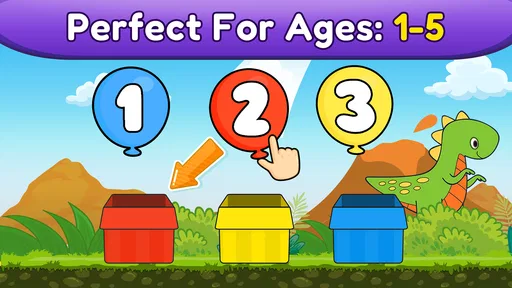
I think it is best suited to toddlers and preschoolers who like bright visual prompts, are beginning to recognize basic symbols, and benefit from an uncomplicated way to interact with them. It may be particularly convenient for a caregiver who wants a short activity that can be started without setting up a lesson. The adult can make it more worthwhile by joining in, asking the child to name what they see, and then carrying the idea into a real-world object or conversation.
It is less compelling for children who already recognize the material and want deeper challenges, or for those who prefer imaginative play to tapping targets. It is also not my pick for a parent looking for progress reports as the main measure of learning, a comprehensive preschool program, or an app that occupies a child for a long stretch without adult involvement. In those situations, a structured learning resource, a creative activity, or a shared book may be a better match.
Families often wonder whether an adult needs to guide every round. I would not expect constant coaching, but I would be present for the first few sessions to see whether the child understands the action and stays engaged with the prompts. Once the child is comfortable, short independent moments may be practical; I would still treat the game as one part of a wider mix of play rather than a stand-in for interaction.
What to expect before installing
A realistic use case is a short wait at a café or a calm moment before dinner: open the game, play together briefly, then ask the child to count real objects or identify a shape nearby. I would skip it if you need a full lesson plan, detailed teaching guidance, or a more varied game loop for a child who quickly tires of tapping balloons. For a first, low-pressure introduction to number and letter recognition, though, its simple format is a reasonable fit.
In conclusion, the Balloon Pop Kids Learning Game is more than just a game—it’s an engaging, educational experience that offers a safe and interactive way for kids to learn. It’s a delightful blend of fun and education, cleverly designed to keep kids coming back for more. If you’re looking for an app that combines entertainment with learning, this one is definitely worth checking out.
Balloon Pop Kids Learning Game Frequently Asked Questions
What does the Everyone age rating mean for Balloon Pop Kids Learning Game?
Balloon Pop Kids Learning Game has an Everyone content rating, making it suitable for a broad audience. Its activities focus on simple educational play with numbers, letters, and shapes, so young children are likely to be the main audience. Parents can still decide whether the game suits their child and supervise play as needed, particularly when a child is using a device independently.
How much storage space does Balloon Pop Kids Learning Game need?
The amount of storage an app uses can vary with the device and the version installed, so it is sensible to check the available space shown on your device before downloading. Balloon Pop Kids Learning Game is a preschool learning game centered on balloon-popping activities, and leaving some room for app updates and other device needs can help avoid storage problems later.
Is Balloon Pop Kids Learning Game suitable for children who are just beginning to learn letters and numbers?
The game is designed around early learning concepts, including numbers, letters, and shapes, presented through balloon-popping play. That makes it a straightforward option for a child beginning to recognize these basics. A parent or caregiver can play alongside the child, name the items on screen, and turn each round into a chance to talk about what the child is seeing.
Does Balloon Pop Kids Learning Game work on older Android devices?
On Android, the game requires version 5.1 or later. If a device runs an older version, it will not meet that minimum requirement, so checking the system version before downloading is worthwhile. The game is listed as free to download, but optional purchases are available, which parents may want to consider when setting up a device for a child.
What is the latest version of Balloon Pop Kids Learning Game?
The current version is 18.01.14. Keeping an app up to date can help ensure that you are using its current release, so check for updates through the store on your device. The game’s central appeal remains its simple educational format: children pop balloons while practicing early concepts such as numbers, letters, and shapes.
Pros
- Engaging educational content.
- Colorful and vibrant graphics.
- Easy to navigate interface.
- Improves hand-eye coordination.
- Suitable for preschoolers.
Cons
- Limited free content.
- May contain ads.
- Requires internet access.
- In-app purchases available.
- Can be repetitive.













