AI Video Generator, Kiss Video
- 1.13K
- 4.4
- Installs
- 5.00M
- Price
- Free

Screenshots
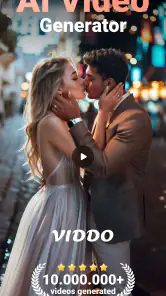


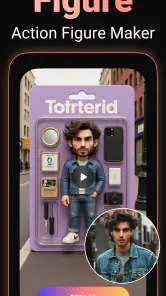
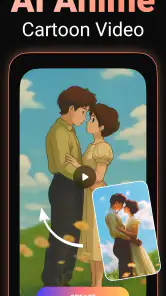
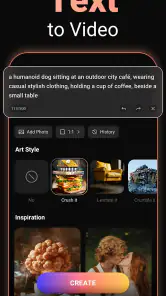
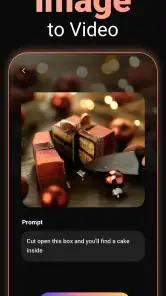
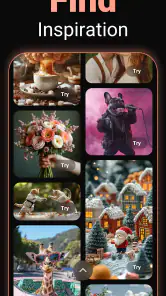
Analysis by Reviewed
Have you ever wanted to create stunning video content without having to spend hours editing or learning complex software? If yes, then Kiss Video is the app that might just change the game for you. With the rise of social media and the need for quick, engaging content, Kiss Video is a breath of fresh air for both amateurs and professionals looking to create high-quality videos with minimal effort.
Getting Started with Kiss Video
When you first open Kiss Video, you're greeted with a user-friendly interface that makes it easy to dive right into video creation. The app doesn't overwhelm you with too many options, which is perfect if you're someone who gets easily lost in the labyrinth of features that some video editing apps offer. Instead, it provides a streamlined experience focused on getting you to your finished product as quickly as possible.
Features and Functionality
Kiss Video offers a variety of templates and themes that you can use to jumpstart your project. Whether you’re creating content for a birthday celebration, a travel vlog, or even a professional presentation, there's a template for every occasion. The app also integrates AI technology to help you with editing, suggesting cuts, transitions, and effects that enhance your video with minimal input from you. This AI-driven approach means that even if you're not a video editing whiz, you can still create something that looks professionally done.
One feature I found particularly impressive was the app's ability to automatically sync music to the video cuts, ensuring that your content not only looks good but sounds great too. You can choose from a library of tracks or upload your own, giving you flexibility in how you want your final product to feel.
User Experience
As someone who has dabbled in video editing software before, I found Kiss Video to be a refreshing change. The learning curve is practically non-existent, making it accessible for users of all skill levels. The app is designed to be intuitive, with drag-and-drop functionality that simplifies the process of adding clips, images, and music.
Moreover, the app runs smoothly without any noticeable lag or crashes, which is always a plus! There’s nothing more frustrating than losing your progress due to an unexpected glitch, but with Kiss Video, you can rest easy knowing your work is safe.
Final Thoughts
In a world where content is king, having a tool like Kiss Video in your arsenal can be incredibly empowering. It bridges the gap between creativity and technology, allowing anyone to produce eye-catching videos regardless of their technical expertise. If you're looking to enhance your content creation game without the hassle of learning complicated software, then Kiss Video is definitely worth a try. It's a tool that not only saves you time but also enhances your creative output.
So, what are you waiting for? Dive into the world of video creation with Kiss Video and see just how easy it can be to bring your ideas to life.
Pros
- Intuitive user interface
- easy to navigate.
- Offers a variety of video templates.
- Fast rendering and export speeds.
- High-quality output
- suitable for professionals.
- Regular updates with new features.
Cons
- Limited free version capabilities.
- Occasional crashes on older devices.
- Requires internet connection for full features.
- Some features locked behind paywall.
- Customer support response time can be slow.

- Category
- Video Players & Editors
- Version
- 4.1.3.2