AI Chat Launcher: AI Assistant
- 970.00
- 4.5
- Installs
- 100.00K
- Price
- Free

Screenshots
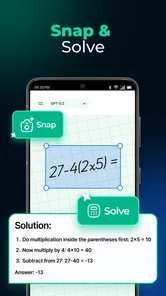
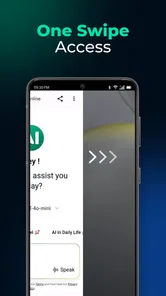
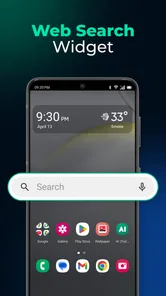
Analysis by Reviewed
I usually judge an AI tool by what happens after the first enthusiastic week. Many assistants feel impressive when I am testing prompts, comparing answers, and showing them to friends, but fewer become part of my routine. AI Chat Launcher: AI Assistant caught my attention for a practical reason: it places a chatbot entry point close to the rest of my phone activity instead of asking me to build a separate habit around a full productivity suite. That small change makes the app easy to try, although it also raises the more important question of whether a launcher remains useful once the novelty of switching between AI services wears off.
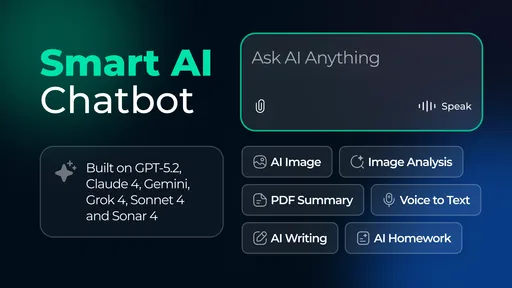
Developed by AtomApplications, this free productivity app is aimed at people who want quick access to conversational AI. Its store summary presents it as a smart assistant launcher powered by GPT-5.2, Gemini and Claude, while the short description keeps the promise simple: AI Chat Launcher. I see the distinction as important. This is not something I would install expecting a complete task manager, document editor or personal knowledge system. I would install it to reduce the friction between having a question and opening an AI chat.
The app has a 4.5 average from around 2.4 thousand ratings, with roughly 966 written reviews and over 100 thousand installs. Those figures suggest that the idea is reaching a real audience, but they do not remove the need to test whether it fits a particular routine. I found its strongest case in short, repeated interactions: rewriting a message, making a rough plan, checking an explanation, or asking for a second way to approach a problem.
What feels useful at first, and what survives regular use
I’d use this section to separate the launcher’s initial appeal from the habits that make it worthwhile over time. The useful test is whether I can name a few recurring moments when opening it saves effort, rather than simply enjoying the chance to compare assistants. That distinction also makes it easier to judge which changes in the current version matter to an existing routine.
The first-week appeal is speed and choice
During the first few days, the most appealing part is the feeling that several well-known AI options are gathered behind one starting point. Instead of deciding which separate app to open before I have even formed the question, I can begin with the launcher mindset: identify the kind of help I want, open the available chat route, and continue from there. That is a modest improvement, but modest improvements are often what make a utility stick.
I particularly like the launcher concept for unfinished thoughts. If I am halfway through writing an email, I do not necessarily want to enter a large workspace, create a project and organize the result. I want to paste a paragraph and ask for a clearer version. Likewise, when I need a quick comparison or a plain-language explanation, the value is not in building a permanent AI workflow. It is in shortening the distance to a useful first answer.
The presence of GPT-5.2, Gemini and Claude gives the app a more interesting role than a shortcut to one chatbot. Different assistants can produce noticeably different styles of explanation, structure and caution. I would not treat that variety as a guarantee that one answer is correct, but it is useful when the first response feels vague, overconfident or poorly suited to the task. Asking another model to reframe the same question can expose assumptions I would otherwise miss.
More From Our News Desk

Weather by Xiaomi Review: Clear at a Glance, Less Clear Up Close

X Under Pressure: Can It Recover When Posting Goes Wrong?

Clash of Clans Is Won Between the Battles

Android Auto Makes the Case for Quieter Car Software

MobiOffice: Transforming Mobile Productivity with Seamless Integration

EA SPORTS FC™ Mobile Soccer: Redefining Mobile Sports Gaming
That is also where I found a non-obvious benefit: the launcher encourages comparison before I become attached to one assistant’s habits. For brainstorming, I may prefer a response that produces many directions. For editing, I may prefer a restrained answer that preserves my voice. For a difficult concept, a different explanation may finally make the subject click. The practical tip is to compare models by task rather than trying to declare one permanent winner.
The free price makes this experimentation approachable. I can test the workflow without first deciding whether the app deserves a subscription or a place in a paid productivity stack. It is also rated for Everyone, which makes the presentation feel broadly accessible. That should not be confused with every possible AI response being suitable for every age or situation, but the app is easy to understand for a general phone user rather than only for technical enthusiasts.
A realistic daily scenario
Imagine that I receive a long message from a colleague late in the afternoon. I understand the request, but my reply is too blunt and disorganized. I open the launcher, provide the relevant text, and ask for a concise response that keeps two specific points and sounds friendly without promising more than I can deliver. I then edit the result myself. The app earns its place in that moment because it helps me move from a blank reply to a workable draft without turning a small task into a project.
The same pattern works for planning a weekend, turning scattered notes into a checklist, preparing questions before an appointment, or asking for three explanations of a technical term. In each case, I would keep the final judgment in my own hands. The assistant is most valuable as a fast first pass, not as an authority that eliminates checking.
One useful habit is to include the desired format in the first prompt. Asking for “five short bullets,” “a neutral reply under one paragraph,” or “a step-by-step explanation for a beginner” is more effective than asking a vague question and repeatedly correcting the output. Since the app is designed around quick access, prompt discipline matters even more: the launcher can save opening time, but it cannot rescue an unclear request.
Why the second month is the real test
After the initial excitement, the app’s recurring value depends on whether it changes how I handle small decisions. If I only use it to test the three named AI services, the experience can become repetitive. If I use it as a dependable doorway for distinct jobs, it has a better chance of becoming part of my phone routine.
I would divide those jobs into three groups. The first is drafting: messages, outlines, captions, notes and alternative wording. The second is thinking support: breaking a large question into smaller parts, identifying missing information, or asking for opposing viewpoints. The third is learning support: requesting examples, simpler explanations and practice questions. These uses are different enough to keep the launcher relevant, while still fitting its central purpose.
For month-to-month use, I recommend creating a personal rule for when to switch models. For example, I might start with the assistant whose style suits the task, then use another only when I need a contrasting explanation or a critique. Without a rule, model choice can become its own distraction. The app’s variety is a strength when it improves the result, but a weakness when I spend more time choosing a chatbot than completing the task.
Another durable workflow is the “draft, challenge, edit” sequence. I ask for a first draft, ask a different assistant to point out weaknesses or missing assumptions, and then make the final changes myself. This is more useful than simply collecting several polished answers because it gives each model a defined role. It also reduces the temptation to accept the first fluent response as finished work.
The launcher is less compelling for tasks that depend on deep continuity. If I need a carefully maintained project archive, a structured database, or a long-running knowledge system, I would rather use a dedicated productivity application. A quick chat entrance does not automatically provide the organization, retrieval and review habits that those tasks require. This is one of the clearest boundaries of the product: it improves access to AI conversation, but access is not the same as a complete productivity method.
Maintenance is light, but attention still costs something
The app does not ask me to maintain a complicated workspace just to receive value from it. That is a genuine advantage. I can keep using it for occasional questions without arranging folders, templates or elaborate automations. For someone who wants a low-commitment AI utility, that simplicity is more attractive than a system that demands setup before it becomes useful.
At the same time, a launcher still needs a little personal maintenance. I have to remember which assistant is best for which kind of request, avoid pasting sensitive material casually, and check important outputs. I also need to notice when a quick answer is no longer enough. A recommendation about health, money, legal matters or work policy deserves independent verification and, where appropriate, a qualified human source. The convenience of opening a chat can make a serious question feel less serious than it is.
My practical maintenance routine would be simple: keep a short list of prompt patterns that work, review whether the app is actually saving time, and remove it from my daily flow if I am only opening it out of habit. The best productivity tools should earn repeated use through results, not through notifications or novelty. In this case, the app’s value is easy to measure personally: did it help me finish a small task faster or think more clearly?
Privacy awareness is part of that routine even when a task seems harmless. I would remove names, account details, private correspondence and confidential work information before sending text to an AI service unless I fully understand the relevant handling arrangements. A launcher that makes several assistants convenient also makes it easier to forget that the text is leaving the immediate context of the original app. Convenience should not replace judgment.
Where fatigue begins
The first source of fatigue is choice overload. Having GPT-5.2, Gemini and Claude available sounds liberating, but three routes can become unnecessary mental overhead for a simple request. If I need a sentence rewritten, I do not want to conduct a model-selection exercise. The app works best when I use the options intentionally and ignore the rest for routine tasks.
The second source is uneven output. Even when a response sounds polished, it may misunderstand the request, invent a detail, or produce generic advice. That is not a unique flaw of this app; it is a basic limitation of conversational AI. Still, a launcher can make the process feel so frictionless that I am tempted to trust the answer too quickly. I found it important to treat every response as a draft until the subject is clearly low-risk.
A third issue is that repeated AI assistance can flatten my own thinking. If I ask for every message, idea and decision to be generated, I may become faster at accepting suggestions but worse at forming a first draft myself. I get more lasting value when I use the app at specific bottlenecks: starting a difficult document, finding alternative approaches, or testing whether my explanation is understandable. I would not use it to outsource every small act of judgment.
There is also a difference between a useful shortcut and a distracting shortcut. If opening the launcher interrupts a task that I could finish in thirty seconds, it is not helping. I would skip it for tiny edits, familiar calculations and information I already know. I would reach for it when the task involves ambiguity, wording, structure or a need for another perspective.
Who should install it, and who should skip it
I think AI Chat Launcher: AI Assistant is a good fit for people who regularly use more than one conversational AI service and want a quicker starting point. Students can use it to request explanations and practice material, writers can use it for alternative phrasing, and busy phone users can use it for short drafts and planning prompts. It is especially suitable for someone who wants to explore AI without committing to a large productivity platform.
I would be more cautious about recommending it to someone who wants one deeply integrated assistant with a carefully organized history, project files and dependable long-term context. That person may be happier with a dedicated chatbot or a full notes and task system. I would also skip it if I already have a reliable workflow that opens my preferred assistant instantly and I rarely need a second opinion. Adding another layer would then create clutter rather than remove it.
People who handle confidential work should evaluate their own rules before using any AI launcher. The app may be convenient, but convenience does not make sensitive text appropriate for a chat prompt. Likewise, anyone expecting guaranteed factual answers, professional advice or automatic task completion is likely to be disappointed. The product is strongest as an access tool and thinking aid, not as a substitute for expertise or personal responsibility.
Version, compatibility and the decision to keep it
The current version is 3.6.0, and the app requires Android 10 or newer. That makes compatibility a practical check before installation, particularly on an older phone. I would also keep expectations realistic about updates: a launcher tied to several AI services can remain useful only while those connections and the surrounding experience stay dependable. Its long-term appeal therefore depends not just on the idea, but on how consistently the app remains convenient to open and use.
For me, the lasting test is not whether I enjoy comparing assistants during the first week. It is whether, several weeks later, I still have a handful of repeatable tasks where this launcher is faster than opening separate apps. Drafting a tactful reply, requesting a second explanation and challenging a rough plan are strong candidates. Browsing through models without a clear purpose is not.
My final view is positive but measured. AI Chat Launcher: AI Assistant earns lasting space when it becomes a deliberate doorway, not another app I open just to experiment. The free entry point, multi-assistant approach and quick conversational workflow give it real everyday value. Its limitations are equally clear: model choice can become tiring, answers still require judgment, and it does not replace a structured productivity system.
I would recommend trying it to a friend who wants practical AI access on an Android phone and is willing to develop a few sensible habits around prompts, verification and privacy. I would tell that friend to keep it only if it repeatedly shortens real tasks. The app is not valuable because it puts several names in one place; it is valuable when that arrangement helps me think, write or decide with less friction month after month.
AI Chat Launcher: AI Assistant Frequently Asked Questions
Is AI Chat Launcher: AI Assistant compatible with my phone?
Compatibility is worth checking before you download, particularly if you use an older device. AI Chat Launcher: AI Assistant requires Android 10 or later, so phones running an earlier Android version are not supported. The app is a mobile productivity tool, and its AI chat experience is intended for use from a compatible phone. Check your device’s Android version first to avoid installing an app you cannot run.
Who makes AI Chat Launcher: AI Assistant, and is it widely used?
AI Chat Launcher: AI Assistant is developed by AtomApplications. It has received an average rating of 4.5 from around 2,400 ratings, with roughly 966 written reviews, and has passed 100,000 installs. Those figures can offer a useful sense of its reach and user feedback, though individual experiences may differ. Reading recent reviews can help you decide whether its approach to AI access suits your needs.
What is AI Chat Launcher: AI Assistant, and what can it do?
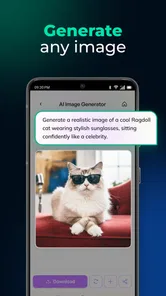
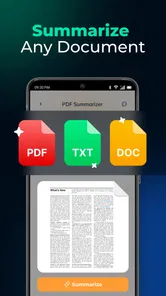
AI Chat Launcher: AI Assistant is designed to provide quick access to AI-powered conversations and assistance from your mobile device. Its store description presents it as an AI chat and smart assistant chatbot launcher powered by GPT-5.2, Gemini, and Claude. Depending on the available version and connected AI service, it may help with answering questions, writing and rewriting text, summarizing information, brainstorming ideas, translating content, and generating suggestions. It is best viewed as a convenient shortcut to AI tools rather than a replacement for professional advice or independent research.
Does AI Chat Launcher: AI Assistant work without an internet connection?
Most AI chat features require an active internet connection because requests are generally processed through online servers. Without Wi-Fi or mobile data, the launcher may still open or display its interface, but responses and other cloud-based functions may not work properly. Users should also consider data usage when chatting frequently over a mobile network, especially when sending long prompts or receiving extensive answers.
Is AI Chat Launcher: AI Assistant free to download and use?
AI Chat Launcher: AI Assistant is free to download. However, some features can depend on advertising, usage limits, subscriptions, or access to an external AI platform. Before using it regularly, check the current store listing for in-app purchases, premium plans, trial conditions, and renewal details. Free access does not necessarily mean that every assistant feature is unlimited or available without restrictions.
Pros
- Quick access to AI tools directly from the launcher
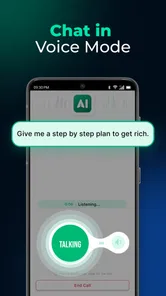
- Supports voice input for more convenient hands-free queries
- Can help organize frequently used apps and shortcuts
- Useful for drafting messages
- notes
- and everyday text
- Simple interface makes AI features approachable for beginners
Cons
- AI responses may occasionally be inaccurate or outdated
- Some advanced features may require a subscription
- Voice interactions can be affected by background noise
- Launcher permissions may raise privacy concerns for some users
- Performance may vary on older or less powerful devices













