2nd Line - Second Phone Number
- 5.20K
- 4.3
- Installs
- 10.00M
- Price
- Free

Screenshots
Analysis by Reviewed
I often want to share a contact number without handing out the one tied to family, friends, and everyday accounts. A second line can make that boundary easier to manage, especially for work enquiries, dating, or a short-term project. 2nd Line - Second Phone Number is a communication app from Dingtone Communications Ltd that puts calling and texting through another number on your phone. I see its main value as separation: it gives you a different number to share, while leaving your usual line in place.
From choosing a number to handling a reply
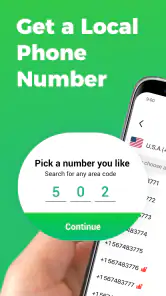
Getting started with 2nd Line - Second Phone Number is incredibly easy. I downloaded the app, and within minutes, I was up and running with a brand new number. The app guides you through the process smoothly, ensuring you’re never left scratching your head. Just a few taps, and you’re good to go. It feels almost magical how seamlessly it integrates with your existing phone setup.
Choosing a number and setting expectations
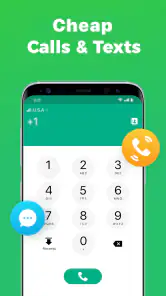
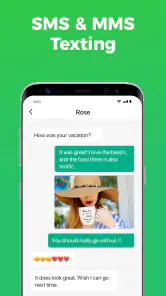
One of the standout features of this app is the ability to choose your own number. I loved scrolling through the options and picking a number that felt right for me. It’s a small touch, but it adds a personal feel to the app. Plus, the app allows for unlimited calls and texts within the U.S. and Canada, which is perfect for keeping in touch without worrying about extra charges.
That calling and texting detail matters when deciding how to use the line. For example, I’d give it to someone arranging a local service appointment rather than share my primary number on an online form. If the contact turns into an ongoing conversation, I can keep replying from the same app; if it stays a one-off, I haven’t exposed my everyday number. For verification, I’d treat it as a useful option to try, not a guarantee that every service will accept a second number.
A practical habit is to decide what the number is for before sharing it. Keeping one line for a side job or marketplace conversations makes incoming calls easier to recognize and gives me a reason to let that line go quiet outside the relevant hours. It is not a replacement for a full work phone with separate device controls, but it can create a simple boundary without carrying another handset.
Following up without losing the thread
Another feature worth mentioning is the voicemail transcription. It’s incredibly handy for those moments when you can’t listen to a voicemail. Instead of guessing what someone said, I could just read it. This feature saves time and makes communication much more efficient.
That can be especially useful when a caller leaves details while I’m in a meeting or somewhere I cannot play audio. I can scan the message, decide whether it needs a quick response, and return the call through the second line when appropriate. Transcription is a convenience rather than a reason to ignore the original message entirely: if a name, number, or instruction is unclear, listening back is the safer way to check it.
You May Like

Clash of Clans Is Won Between the Battles

Android Auto Makes the Case for Quieter Car Software

MobiOffice: Transforming Mobile Productivity with Seamless Integration

EA SPORTS FC™ Mobile Soccer: Redefining Mobile Sports Gaming

How Microsoft OneDrive Became a Mobile Productivity Giant

How Google Translate Breaks Language Barriers Effortlessly
The handoff between the app and the rest of my phone is also worth thinking through. People can call or text the second number, but I need to remember to check the app for those replies rather than assume every message will arrive in the same inbox as my usual texts. Saving the contact with a clear label, such as “project” or “seller,” helps me remember which line to use when I call back and avoids mixing a personal conversation into the wrong thread.
Everyday handling and privacy boundaries
The user interface is intuitive and straightforward. Navigating through the app feels natural, and everything is where you’d expect it to be. I appreciate how the developers kept things simple but effective, focusing on functionality without unnecessary fluff.
In an age where privacy is paramount, 2nd Line - Second Phone Number offers a reassuring level of security. The app ensures that your personal number stays hidden, giving you peace of mind. Whether you’re using it for business or personal reasons, it's comforting to know your primary number remains private.
Moreover, the app boasts a solid level of encryption, ensuring that your calls and messages are secure. In my experience, everything ran smoothly without any hiccups, which is a testament to the app’s reliability.
I would still use a second number as a privacy boundary, not as a promise of complete anonymity. A separate number changes what you share with a caller; it does not remove the need to be careful about what you say or send. For sensitive business records or conversations that require a dedicated, managed phone system, I’d choose a service built specifically for that job instead.
Making the number work in a daily routine
A useful way to test the setup is to treat the extra line as a small workflow rather than simply another number. I would first decide which people or activities belong there, then save those contacts with labels that make the context obvious. When a reply arrives, that label helps me choose the right number to call back from. This small bit of housekeeping matters most when a conversation stretches over several days and I am switching between personal and practical tasks.
For example, imagine I am selling a desk locally while also handling messages from family. I can put the second number in the listing, answer questions about collection in its app, and use voicemail transcription to check a message when I cannot listen. If the buyer calls back, I can return the call from the same line. Once the sale is finished, I can stop sharing that number for new enquiries, while my ordinary number has stayed out of the exchange. The benefit is not just privacy; it is knowing which conversation belongs to which part of my day.
I would also avoid using the second line as a catch-all for every temporary interaction. A number shared across unrelated situations can become harder to manage, and it weakens the useful mental cue that an incoming call belongs to a particular activity. One clear purpose—such as marketplace sales, a side project, or public-facing enquiries—makes it easier to decide when to check the app and when to let it wait.
Where a second line may not fit
Compared with carrying a second SIM or a separate phone, an app-based line is convenient because it keeps both numbers on one device. A carrier-provided second line may suit someone who wants both numbers handled through the phone’s built-in calling setup, while a dedicated business service may be better for a team or formal call management. I’d choose this app for a lightweight personal boundary, not assume it offers every control of those alternatives.
There are a few trade-offs to weigh before relying on it. The app is free to install, but it includes in-app purchases ranging from $0.99 to $89.99 per item, so I’d check the current options and costs before making it part of a routine. Its free positioning does not mean every use or add-on is necessarily cost-free. I’d also keep the app available and check its messages regularly; a second number is only useful if I remember where incoming replies land.
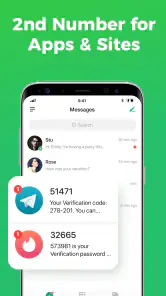
If a verification text is the only reason you need another number, consider whether the service you are signing up for accepts app-based numbers before you depend on it. If you need a permanent, carrier-backed contact for critical calls, your normal mobile line or a second SIM may be the safer choice. The app makes more sense when flexibility and keeping your primary number private matter more than having every communication in one native phone inbox.
There is a practical difference between using a second line to screen ordinary enquiries and relying on it as the only route for urgent or essential contact. For the former, I can check messages when it suits me and return calls in context. For the latter, I would want a setup I already know I will monitor consistently, with the reliability and account arrangements that fit the consequences of missing a call. If I am often away from my phone or do not want to open a separate app to catch replies, the convenience of keeping two lines on one device may not outweigh that extra step.
It is also worth thinking about what happens when a number is shared widely. The more places I give it out, the less useful it becomes as a narrow boundary. I would keep the number for the intended activity, avoid adding it to unrelated accounts by habit, and review whether I still need it before continuing to hand it out. That approach makes the second line a deliberate tool instead of another inbox that accumulates messages without a clear purpose.
Who I’d recommend it to
All in all, 2nd Line - Second Phone Number is a fantastic app for anyone in need of an additional phone number without the hassle of another device. Its blend of user-friendly design, robust features, and a strong focus on privacy makes it a top choice in its category. If you’re juggling multiple aspects of your life and need that extra layer of communication, this app is definitely worth a try.
It is aimed at adults and families looking for an extra communication option, with an Everyone content rating. The app has a 4.3 average from around 47,000 ratings and over 10 million installs, which suggests it has reached a broad audience, though popularity alone cannot tell me whether it fits a particular workflow. It is free to get, runs on Android 6.0 and newer, and its current version is 2.5.1.
So, if you're like me and value convenience and privacy, give this app a spin. You might find it becomes an indispensable part of your daily routine.
My recommendation is to start with one clear purpose, such as separating a side project from personal calls, then see whether the app’s calling, texting, and voicemail flow suits you before sharing the number widely. If you want a simple extra line on the same phone, it is a sensible option to consider; if you need guaranteed acceptance for every verification or a fully managed business phone setup, I’d look elsewhere.
2nd Line - Second Phone Number Frequently Asked Questions
Is 2nd Line - Second Phone Number a good choice for a separate work or personal line?
2nd Line is designed to add another phone number for calling and texting, which can help keep different kinds of communication apart. For example, you might use one number for work and another for personal conversations, or use the additional line when interacting online. It is still worth considering how you plan to use the number and whether the services you contact support it.
Can I use 2nd Line over Wi-Fi, or does it require a mobile carrier connection?
2nd Line is a communication app for calling and texting with a local phone number. Before relying on it for a particular situation, consider the internet and phone access available on your device and test the app with the kind of communication you expect to use. A separate app-based number can be useful, but it should not automatically be treated as a replacement for every carrier service.
Does 2nd Line include voicemail and call forwarding?
The app includes voicemail and offers options such as custom voicemail and call forwarding, so it can help you manage calls on the additional number. These features may be useful if you want callers to hear a greeting or have calls routed elsewhere. Check the settings after installing to see how the options fit your routine and whether they meet your communication needs.
What devices and software versions can run 2nd Line - Second Phone Number?
2nd Line is a communication app for Android and iOS users who want a second phone number for calling and texting. On Android, it requires version 6.0 or later. The app is rated Everyone, so its age rating is intended for a broad audience. Check that your device meets the operating-system requirement before downloading.
What is 2nd Line - Second Phone Number?
2nd Line - Second Phone Number is an application designed to provide users with an additional phone number that can be used for calling, texting, and voicemail. This app is particularly useful for separating business and personal communications, managing online transactions, or maintaining privacy while interacting online. It offers features such as call forwarding, custom voicemail, and adjustable ringtones.
Pros
- Easy to set up and use.
- Affordable pricing plans.
- Good call quality.
- No SIM card required.
- Supports international texting.
Cons
- Occasional app crashes.
- Limited customer support.
- Ads in free version.
- Some numbers may be recycled.
- Limited features in the free version.

- Category
- Communication
- Version
- 2.5.1












