Solitaire - Classic Card Game
- 8.33K
- 4.8
- Installs
- 10.00M
- Price
- Free
Screenshots
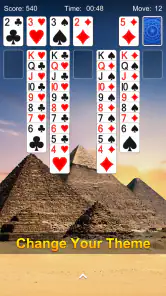
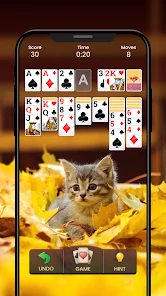


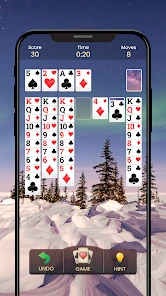
Analysis by Reviewed
I find this kind of solitaire most useful in the small gaps of a shared day: a quiet turn while someone else makes tea, a short break between chores, or a few minutes beside a family member who is watching a different show. Solitaire - Classic Card Game suits that stop-and-start rhythm because the familiar card layout is easy to return to, rather than asking everyone to learn a new ruleset before playing.
Taking turns on a shared device
On a household phone or tablet, I would treat a game as one person’s session at a time. Solitaire is a good fit when people simply want to pass the device around for separate, casual play; it is not a substitute for a shared multiplayer game where everyone takes part in the same match. If several people care about personal progress, agree whose session is active before starting. That small boundary avoids confusion over whose run or challenge someone else has continued.
A practical tip is to finish a move and leave the board in a clear state before handing over the device. That makes it easier for the next person to understand what they are looking at, especially if they are new to solitaire. I would also avoid treating a shared screen as a private account space: keep personal device access and purchases under the device owner’s supervision, rather than assuming a card game creates separate household profiles.
Choosing the right kind of card break
The choice between Draw 1 and Draw 3 changes the feel more than a quick glance at the board might suggest. Draw 1 is the gentler option when I want to think through the tableau without adding as much pressure from the stock pile; Draw 3 asks me to plan around a more constrained sequence. I use the easier mode when I’m interrupted often, and the tougher one when I can give a game more attention. Switching modes is a useful way to match the game to the moment rather than expecting one setting to suit every player.
Compared with word puzzles or match-style mobile games, this is a quieter, more deliberate choice: the challenge comes from reading the cards and deciding what to uncover, not reacting quickly. Compared with a physical deck, it removes the need to lay out and collect cards, which is handy in a waiting room or on a crowded table. The trade-off is that a screen cannot replace the social feel of playing cards face to face, and solo solitaire is not the right pick when the household wants conversation and team play.
Latest News
Age, spending, and expectations
The game is rated for Everyone, so its card play is suitable for a broad age range. I would still supervise younger children using a shared device, particularly around device access and in-app purchases. The game is free to download, with optional purchases priced from $2.49 to $11.99 per item, so it is sensible to review purchase settings on a family device before handing it over. The free entry point makes it easy to try, but it does not mean every part of the experience is necessarily free of interruptions or prompts.
Playvalve’s card game has a 4.8 average from around 275,000 ratings, and it has passed 10 million installs. It was released on February 16, 2021; version 2.1.0 requires Android 7.0 or later. Those details make it a well-established option rather than an unknown experiment, though popularity alone cannot tell you whether its pacing or presentation suits your household.
Getting Started with Solitaire
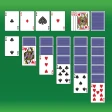
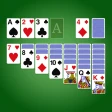
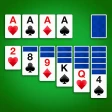
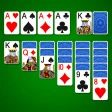
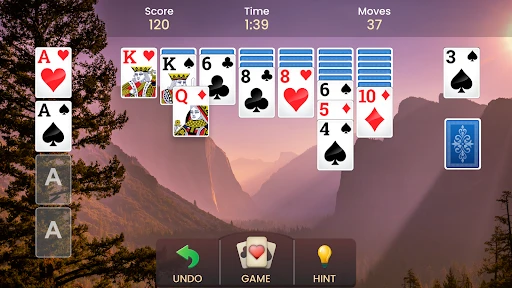
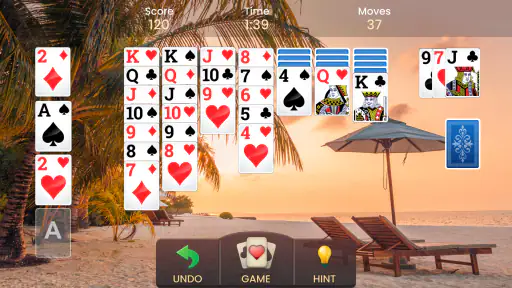
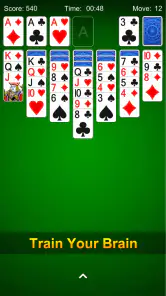
First things first, this app is available on both Android and iOS, so no matter your device, you’re in for a treat. The installation process is a breeze, and before you know it, you’ll be flipping cards and stacking suits. The interface is super user-friendly, with a clean layout that stays true to the classic PC version we all know and love. It’s like having a little piece of nostalgia right in your pocket!
Features That Keep You Hooked
What’s cool about the Solitaire - Classic Card Game is its ability to adapt to your playing style. Whether you’re a fan of Draw 1 or Draw 3, there’s an option for you. Plus, you can choose between a right-handed or left-handed layout, which is a thoughtful touch. Another feature I love is the daily challenges. They add a layer of excitement and give you a reason to come back every day. Completing these challenges earns you crowns and trophies, and who doesn’t love a little friendly competition?
Visuals and Sound
Now, let’s talk about the visuals. The graphics are crisp and the animations smooth, making every move satisfying to watch. The developers have done a great job of keeping the visuals modern without losing that classic feel. As for the sound, the background music is subtle and relaxing, which is perfect for those long playing sessions. You can also toggle the sound effects if you prefer a quieter experience.
Performance and User Experience
In terms of performance, this app runs like a dream. I’ve played on both a high-end smartphone and an older model, and the game remained smooth and responsive on both. The ads are present but not intrusive, which is a huge plus in my book. The game saves your progress automatically, so you can easily pick up where you left off if you’re interrupted.
Making short sessions work
For a realistic everyday use, I’d open a Draw 1 game while waiting for an appointment, make a few moves, then return to it after the interruption. That is where an automatically saved game is more useful than a flashy feature: I don’t have to plan a long, uninterrupted block of time. If I know I may need to hand the phone to someone else, I finish the move I’m considering first. That simple habit keeps a half-read board from becoming someone else’s puzzle to decipher.
The left- or right-handed layout is worth choosing deliberately before a longer session, rather than discovering halfway through that card movement feels awkward. On a small phone, I would also play at a pace that leaves time to check the tableau before moving a card; quick taps can make a familiar game feel needlessly fussy. On a tablet, the larger view can make the arrangement easier to scan, though it still remains a solo activity rather than a shared tabletop game.
Where it sits among card games
Among mobile card options, this is best understood as a convenient take on classic Klondike-style solitaire, not as a broad card-game collection. Its appeal is the quick setup and the ability to choose between two draw styles, while a physical deck offers more tactile satisfaction and multiplayer card apps are better when you want opponents or a conversation. If you enjoy experimenting with several solitaire variants, a game focused on a larger range may suit you better. Here, the attraction is familiar play with a few practical ways to shape a session.
Daily challenges provide a reason to revisit the game, but I would not make them the measure of whether a session was worthwhile. A challenge can add a clear target for someone who likes a little routine; it can also turn a relaxing pastime into an obligation if you feel you must return every day. I treat the daily goal as optional structure and use a regular deal when I simply want to unwind. That keeps the reward loop from setting the pace for me.
Who will enjoy it—and who may not
I’d recommend it to anyone who wants a familiar solo card game that can fit into short breaks, especially players who like adjusting the challenge between Draw 1 and Draw 3. The hand-specific layout is also a practical comfort choice, not just a novelty: choose the side that makes card movement feel natural before settling in for a longer session. If you are looking for live opponents, a cooperative household activity, or a game built around a fresh strategic system, this is probably not the one I’d choose.
It is also a reasonable option for someone returning to solitaire after years away: the core decisions are recognizable, and the daily challenges can provide a prompt to play without requiring a group. People who dislike ads or want a completely uninterrupted screen experience may find the interruptions frustrating, even if they are not especially intrusive in my experience. And if you prefer a game with changing mechanics, a deeper campaign, or a social layer, this straightforward format may feel repetitive once the familiar card decisions stop being enough.
Keeping expectations clear at home
For a family phone, the key question is less about who can learn the rules and more about who controls the device and its spending settings. The Everyone age rating makes the game broadly suitable, but it is not a replacement for adult oversight when children can use a shared device. I would check the device’s purchase controls before letting a child play unsupervised, and make it clear that a session belongs to whoever is currently using the game. Those are sensible household boundaries, not special family tools inside the game.
It is free to start, while optional in-app purchases range from $2.49 to $11.99 per item. That makes trying a few games low-commitment, but households should not assume that free download means there can never be a purchase decision. I would let each player enjoy the basic card game without making purchases part of the handover routine. This is especially useful when different ages share one screen and the device owner wants spending to remain their responsibility.
A relaxed household choice
My household verdict is that this is a dependable option for quiet, individual play on a device people already share, provided everyone respects whose session they are using and an adult manages purchase access for children. The game’s familiar rules make it approachable, while the daily goals add something for returning players. I would pick a multiplayer card game instead when the point is to play together, and a different solo game when I want a more varied puzzle. For a straightforward solitaire break, though, its combination of selectable draw style, left- or right-handed play, and easy pick-up-and-resume appeal is convincing.
One thing I would keep in mind is that passing a device around is not the same as sharing progress in a coordinated way. If one person is working through a challenge, another player can simply choose a separate casual session later rather than continuing that board. That avoids turning an informal household game into a disagreement about who made which move. The app works best when the arrangement is simple: one player, one session, and no expectation that the game will manage household identities.
Overall, Solitaire - Classic Card Game is a delightful nod to the original, bringing everything you loved about the desktop version to your mobile device. Whether you’re a seasoned player or new to the game, it offers a fun, relaxing way to pass the time. So, go ahead and give it a try - you might just find yourself getting lost in the cards!
Solitaire - Classic Card Game Frequently Asked Questions
Can I adjust the look of the cards and playing background?
Yes. Solitaire - Classic Card Game lets you customize card faces and backgrounds, so you can choose a look that feels comfortable for your games. These options add a personal touch without changing the familiar solitaire format. If you prefer a clean table or simply want the cards to stand out more clearly, the customization features can help make each session feel more suited to you.
Does the game include daily goals or challenges?
Yes, the game includes daily challenges. They offer a reason to return for a short session and give you something specific to work through beyond starting a standard solitaire game. If you enjoy having a small, regular card-playing goal, this feature can add variety to the experience while keeping the focus on the relaxing, familiar rhythm of solitaire.
Is Solitaire - Classic Card Game suitable for someone new to solitaire?
Yes. Solitaire - Classic Card Game is described as accessible for both seasoned players and newcomers, so it can be a straightforward choice if you are learning the card game. Its clean, user-friendly interface helps keep the focus on the cards, while hints can guide you when you are unsure of a move. You can take your time and play at your own pace.
What features does the Solitaire - Classic Card Game offer?
Solitaire - Classic Card Game offers a variety of features to enhance your gaming experience. It includes daily challenges, unlimited undo and hints, customizable card faces and backgrounds, and a clean, user-friendly interface. Whether you're a seasoned player or new to Solitaire, these features make the game accessible and enjoyable for everyone.
Is Solitaire - Classic Card Game free to play?
Yes, Solitaire - Classic Card Game is free to download and play. However, it offers optional in-app purchases priced from $2.49 to $11.99 per item, including options for additional features or removing ads. You can enjoy the game without spending money, while purchases are available if you want to enhance your experience.
Pros
- Intuitive user interface
- Smooth gameplay mechanics
- Offline play available
- Multiple game modes
- Customizable card designs
Cons
- Contains ads during gameplay
- Limited free features
- Occasional in-app purchases
- Not suitable for younger kids
- May drain battery quickly
- Category
- Card
- Version
- 2.1.0