Spelling Quiz - Word Trivia
- 9.82K
- 4.8
- Installs
- 10.00M
- Price
- Free
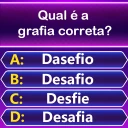
Screenshots
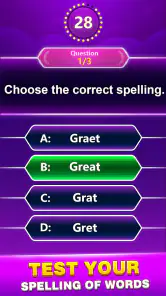
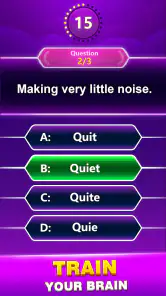
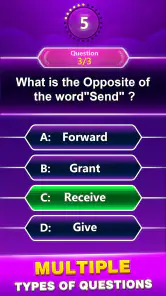
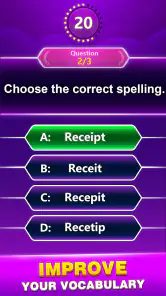

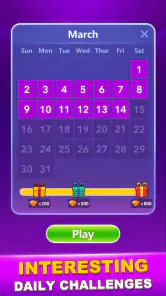

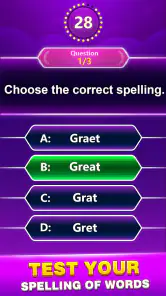
Analysis by Reviewed
I like spelling games best when they fit into the small pauses of a normal day: waiting for a ride, taking a break, or winding down for a few minutes. Spelling Quiz - Word Trivia is aimed at exactly that sort of quick mental workout, giving word-focused play a light, accessible feel. I’d treat it as a casual way to practise noticing letter patterns and recalling spellings, rather than as a replacement for reading or a structured language course.
What the free price means for value
The game is free to download, so it is easy to try without paying upfront. It also offers in-app purchases, with items priced from $0.99 to $49.99, so the free starting point and optional spending are worth keeping distinct. I would begin with the free experience and decide for myself whether anything extra seems worthwhile; the range alone does not tell me what a particular purchase includes.
That makes the value question fairly personal. If a short word quiz is enough to make you think more carefully about spelling, the no-cost entry can be appealing. If you expect a complete vocabulary curriculum, detailed progress tracking, or a guaranteed learning plan, I would look for a tool built specifically around those needs instead.
Getting Started with Spelling Quiz
Firing up Spelling Quiz - Word Trivia for the first time, I was greeted with a vibrant and user-friendly interface. The app makes it super easy to dive right into the action. With a quick tap, you're off to test your spelling prowess across a variety of levels and challenges. The game cleverly starts with simpler words, gradually increasing the difficulty as you progress, which is perfect for keeping both beginners and spelling aficionados engaged.
How It Works
The app is structured into various levels, each filled with a series of words that you need to spell correctly. What I love about it is the mix of formats it offers. Sometimes you'll be asked to complete a word with missing letters, other times you'll need to choose the correct spelling from a list of options. It’s like a mini spelling bee in your pocket! This variety keeps the gameplay fresh and interesting.
As you move through the levels, you earn points and unlock achievements, adding a delightful gamification element to the learning process. Trust me, the satisfaction of nailing a particularly tough word is quite gratifying!
Building a useful practice habit
For a better learning payoff, I’d pause after a wrong answer and say the correct spelling aloud or jot it down before moving on. That small extra step turns a quick guess into deliberate practice. When I have only a minute, I can play a short stretch; when I have longer, I can revisit words that made me hesitate rather than rushing through simply to clear levels.
More From Our News Desk

Weather by Xiaomi Review: Clear at a Glance, Less Clear Up Close

X Under Pressure: Can It Recover When Posting Goes Wrong?

Clash of Clans Is Won Between the Battles

Android Auto Makes the Case for Quieter Car Software

MobiOffice: Transforming Mobile Productivity with Seamless Integration

EA SPORTS FC™ Mobile Soccer: Redefining Mobile Sports Gaming
A realistic use is a student doing a brief round before homework, or an adult taking a screen break and testing familiar words that autocorrect usually fixes automatically. The game’s quiz format can make this feel lighter than opening a dictionary, but it is not a substitute for looking up a word’s meaning, pronunciation, or use in context. I’d pair it with reading or a dictionary when the goal is broader language learning.
Features That Stand Out
One of the features that really stands out is the app’s ability to adapt to your skill level. If you're breezing through the words, the app will start throwing more challenging ones your way. On the flip side, if you’re struggling, it’ll offer hints and gently guide you to the right answer. This adaptive learning approach ensures that you're always in the sweet spot of learning—challenging, but not frustratingly difficult.
The app also boasts a neat feature that allows you to compete against friends or other players worldwide. It’s a fun way to see how your spelling stacks up and adds a competitive edge to your learning journey. Plus, with regular updates and new words being added, there’s always something new to learn.
Where the trade-offs matter
Competition can add motivation, but it changes the feel of practice: if I focus too much on speed or comparing scores, I may pay less attention to why a spelling is correct. I’d use the social side as an occasional challenge, not as proof that I’ve mastered a word. Likewise, hints help keep a round moving, but relying on them too quickly can reduce the value of recalling the spelling unaided.
Compared with a crossword or word-search game, this is more directly about spelling choices and letter recall. Compared with a flashcard app or a dictionary, it is more game-like but less suited to building a carefully organized personal study plan. That distinction matters: it works best when I want a lively quiz, while a learner preparing for a spelling test may benefit from targeted word lists and deliberate review alongside it.
Topy Games’ word game has a broad audience: it is rated for Everyone, and its store presence shows a 4.8 average from around 91,000 ratings, with over 10 million installs. Those figures suggest that many players have tried it, though popularity cannot tell me whether its style suits a particular learner. Version 3.3 requires Android 5.0 or later, so Android users can check that requirement before installing; the game is also free to start, with optional purchases.
Who is likely to get the most from it?
I’d recommend it to casual players who enjoy word quizzes, families looking for a simple spelling activity, and learners who want a low-pressure prompt to pay attention to familiar spelling patterns. It may also suit someone who likes short, repeatable challenges more than long lessons. For younger players, the Everyone age rating is reassuring as a content guide, though I’d still choose play time and difficulty to fit the individual child.
I would skip it if I needed a formal teaching sequence, detailed explanations of spelling rules, or a dependable way to study a specific vocabulary list. It is also a weaker fit for someone who dislikes quizzes, hints, or competitive play. Before spending on an in-app item, I’d make sure the free play already feels useful and check the purchase details presented in the app rather than assuming what a price tier provides.
Choosing the right kind of word practice
It helps to decide what you want from a word game before opening it. If your aim is to notice whether a familiar word looks right, the quiz format keeps the task focused. If you want to solve clues, build a themed word list, or learn why a spelling follows a particular rule, a crossword, flashcard tool, or teaching resource may be more satisfying. I see this game as a quick check of recall, not a complete learning system.
One useful way to play is to treat hesitation as the signal to slow down. Instead of tapping quickly whenever an option looks familiar, I’d pause and mentally spell the word first, then compare it with the choices. That makes multiple-choice rounds less about spotting a lucky answer and more about retrieving the spelling. When a hint is available, I’d save it for a word I genuinely cannot work through, rather than using it just to keep a streak moving.
Another practical habit is to keep a tiny list outside the game of words that repeatedly catch you out. A quiz can make you notice a weak spot, but a note gives you a way to return to it later in a different context. I would not assume the game itself keeps a personal study list; the simple workaround is to write down a troublesome word and check it in a dictionary after the round. That pairs the game’s pace with the accuracy and explanation a quiz may not provide.
When a quick round fits the day
Picture a parent waiting outside a lesson or a commuter with a few spare minutes and no appetite for a long reading session. A short spelling challenge can make that idle stretch feel purposeful without requiring a desk, notebook, or planned lesson. If playing with a child, I’d turn missed answers into a calm conversation—ask which letters seemed uncertain and invite them to spell the word aloud—rather than making the score the main event. That keeps the activity light and avoids treating a game result as a measure of ability.
For an adult, the best use may be less formal: take a round during a break, then look up one unfamiliar or uncertain word afterward. The quiz can prompt curiosity, but knowing a spelling is not the same as knowing how the word works in a sentence. This distinction is especially useful if you are learning English or brushing up after years of relying on autocorrect. I’d use the game to spot questions, then use reading or a dictionary to answer them.
Keeping expectations realistic
A spelling quiz can make repeated practice feel more inviting, but a correct answer does not automatically mean a word will stick. Recognition is often easier than producing a spelling from memory, particularly when a list of choices is visible. I’d occasionally cover the options with a hand or look away and try to spell the word first. That small adjustment makes the challenge more demanding without needing a separate mode or a longer session.
There is also a difference between increasing difficulty and learning a rule. A harder word may stretch recall, yet it does not necessarily explain why its spelling works. If you are preparing for a test, working through a teacher’s vocabulary list remains the safer core routine; the game can add variety around it. If you are playing for amusement, on the other hand, you may not need every answer unpacked—the short quiz itself can be enough.
Who is likely to get the most from it?
I’d recommend it to casual players who enjoy word quizzes, families looking for a simple spelling activity, and learners who want a low-pressure prompt to pay attention to familiar spelling patterns. It may also suit someone who likes short, repeatable challenges more than long lessons. For younger players, the Everyone age rating is reassuring as a content guide, though I’d still choose play time and difficulty to fit the individual child.
I would skip it if I needed a formal teaching sequence, detailed explanations of spelling rules, or a dependable way to study a specific vocabulary list. It is also a weaker fit for someone who dislikes quizzes, hints, or competitive play. Before spending on an in-app item, I’d make sure the free play already feels useful and check the purchase details presented in the app rather than assuming what a price tier provides.
Questions worth settling before you play
Can it replace a spelling workbook? I would not use it as the only study method when accuracy matters for a class, exam, or work task. Its short quiz rounds are better as a supplement: they can make practice less dull, while a workbook or teacher-selected list can keep attention on the exact material you need to learn.
Is it suitable for a family? The Everyone rating makes it broadly appropriate as a content category, and a parent can make a round more useful by discussing uncertain answers instead of focusing on winning. I’d still check that the pace and challenge feel comfortable for the child using it, and keep any competitive element friendly rather than turning scores into pressure.
Do you need to pay to try it? No upfront payment is needed to download the game, while optional in-app purchases are available. I’d first play enough to judge whether the quiz style fits your routine, then inspect the details of any purchase inside the app. The price range alone cannot tell you which item, if any, is good value for your needs.
Will it help with vocabulary as well as spelling? It can encourage attention to written words, but spelling practice by itself does not teach every meaning or usage. When a word is new, I’d look it up and read an example sentence rather than relying on a correct quiz answer to provide the full lesson.
Final Thoughts
In a world where autocorrect often does the heavy lifting, Spelling Quiz - Word Trivia is a breath of fresh air for anyone looking to improve their spelling in a fun and engaging way. Whether you're a student wanting to sharpen your skills for school, or an adult looking to brush up on your vocabulary, this app has something for everyone. So why not give it a go? You might just find yourself hooked on spelling!
With its user-friendly design, adaptive learning features, and competitive elements, this app is more than just a quiz—it's a comprehensive tool for learning and having fun. So go ahead, download it, and start spelling your way to victory!
My buy-or-skip verdict
My recommendation is to try the free game if you want spelling practice that feels like a quick diversion, and to keep expectations modest about how far a quiz alone can take your vocabulary. I’d pay only if an optional item clearly adds something I personally want; the listed purchase range runs from $0.99 to $49.99 per item, but that is not a reason by itself to buy. For a focused, structured study routine, I’d choose a dedicated learning resource instead.
Spelling Quiz - Word Trivia Frequently Asked Questions
Can I play Spelling Quiz - Word Trivia in short sessions?
Spelling Quiz - Word Trivia is built around spelling and word trivia challenges, making it a straightforward choice when you want a focused language game. You can pick it up for a quick round or spend longer working through its word challenges. Its emphasis on vocabulary practice also suits players who like combining casual play with a bit of mental exercise.
Does Spelling Quiz - Word Trivia help with spelling and vocabulary practice?
Spelling Quiz - Word Trivia centers on spelling and word trivia, so its challenges give players a chance to engage with words while playing. The game is described as a fun way to expand vocabulary, and correctly spelling words is part of progressing through its quizzes. It can be an enjoyable supplement to language practice, though it is primarily a game rather than a formal learning course.
Is Spelling Quiz - Word Trivia suitable for children and families?
The game has an Everyone content rating, and its focus on spelling and word trivia makes it approachable for a broad range of players. It can be a light activity for families or anyone who enjoys language challenges. As with any game that offers optional in-app purchases, parents may want to check purchase settings on the device before children play.
Who makes Spelling Quiz - Word Trivia, and how popular is it?
Spelling Quiz - Word Trivia is developed by Topy Games. It has an average rating of 4.8 from around 91,000 ratings, with about 9,800 written reviews and over 10 million installs. Those figures suggest that many players have tried it, though your own experience will depend on whether you enjoy short spelling and vocabulary challenges.
What is Spelling Quiz - Word Trivia all about?
Spelling Quiz - Word Trivia is an engaging mobile application designed to test and enhance your spelling skills through fun and interactive quizzes. The app offers a wide variety of word trivia challenges where users must spell words correctly to progress. It’s suitable for all age groups and provides a fun way to improve vocabulary and spelling abilities. The game is categorized as a word game, with vocabulary practice at its center.
Pros
- Engaging word challenges
- Expands vocabulary
- User-friendly interface
- Variety of difficulty levels
- Educational and fun
Cons
- Occasional ads
- Limited hints
- In-app purchases
- Requires internet connection
- Repetitive questions
- Category
- Word
- Version
- 3.3













