Point Out: Color Escape Puzzle
- 8.23K
- 4.6
- Installs
- 10.00M
- Price
- Free

Screenshots
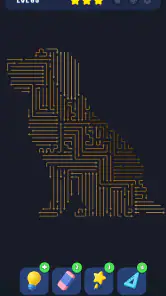
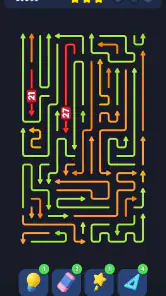
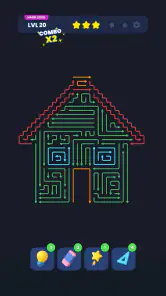
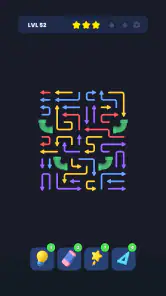
Analysis by Reviewed
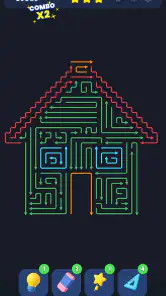
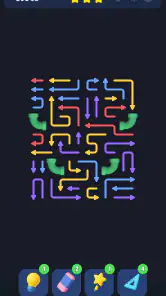
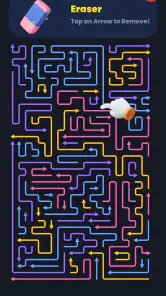
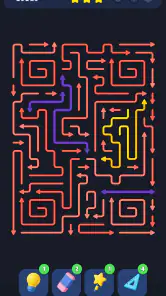
I like puzzle games that give me one clear problem to think about rather than a long list of chores, and Point Out: Color Escape Puzzle is built around that kind of focus. Its central challenge is to work through an arrow maze by tapping arrows and clearing a route. The idea is easy to understand, but the useful question is not simply which arrow to tap first: it is how each choice changes the space available for the next one. That makes it a tidy fit for a short break, especially if you enjoy pausing to spot a path before committing.
This is a free puzzle game from Lion Studios Plus, rated Everyone. It has a 4.6 average from around 620,000 ratings and more than 10 million installs, so it has clearly found a sizable audience. I would describe its appeal as focused rather than expansive: the pleasure comes from reading the board and making a sequence of sensible moves, not from a story or a sprawling set of systems. If that is the kind of mental reset you want, it is an inviting place to start.
Who will enjoy this kind of focused puzzle?
I would put it on the shortlist for someone who likes visual logic but does not want to learn a complicated control scheme before getting started. The arrow layout gives the task a clear visual language, and the main decision is about order: which route can be cleared now, and what will that leave for later? That makes it approachable for casual players while still giving attentive ones a reason to think ahead.
It is also a reasonable choice for a small shared challenge. If a friend is nearby, you can each suggest a next move and explain the route you noticed. I would keep that informal rather than turn it into a race; comparing reasoning is more interesting than tapping quickly, and it helps reveal how differently two people can read the same crowded arrangement.
Start by reading the whole arrow maze
I find it useful to treat the opening scan as a way to make a small plan, not as a search for one perfect sequence. In this section, I look at how noticing open routes and likely bottlenecks can help me choose a sensible first move, then adjust as the board changes. That habit is especially valuable when the layout looks crowded at first glance.
Make the first move a scan, not a guess
My most useful habit with an arrow puzzle like this is to resist tapping the first arrow that looks convenient. I take a moment to inspect the layout, notice which directions appear open, and look for arrows whose path may be blocked by another part of the arrangement. The goal is to understand the local traffic before I start clearing it. Even a brief scan can prevent a move that seems productive but leaves a more awkward route behind.
That approach also makes the game feel less like trial and error. Instead of tapping repeatedly and hoping the maze resolves, I treat each move as a small decision in a sequence. I ask: if this arrow goes now, what space or route might it affect next? That question is especially helpful when several arrows seem equally available. The best opening is not necessarily the one that clears something immediately; it may be the one that makes the remaining board easier to read.
More From Our News Desk

Weather by Xiaomi Review: Clear at a Glance, Less Clear Up Close

X Under Pressure: Can It Recover When Posting Goes Wrong?

Clash of Clans Is Won Between the Battles

Android Auto Makes the Case for Quieter Car Software

MobiOffice: Transforming Mobile Productivity with Seamless Integration

EA SPORTS FC™ Mobile Soccer: Redefining Mobile Sports Gaming
In an everyday setting, this is the kind of game I would open while waiting for a coffee or sitting through a short gap between tasks. A single board can give my attention something concrete to work on without requiring me to remember a plot or manage a lengthy session. I would still avoid starting a puzzle when I need to switch attention instantly, though: the logic is simple to enter, but a satisfying solve benefits from a little uninterrupted thought.
Use a repeatable move-check rhythm
Experienced play is often less about tapping faster and more about making the same quick checks each time. Before a move, I look for a clear direction; after it, I reassess the routes that remain rather than continuing with an old plan. That second check matters because clearing one arrow can change what appears possible elsewhere. A plan that made sense at the start may no longer be the best plan after the board has shifted.
A practical rhythm is to identify the easiest safe move, make it, and then pause long enough to read the new arrangement. If I see a cluster of arrows competing for space, I work from the clearest outer route inward instead of attacking the most visually crowded area first. This is not a guaranteed formula for every board, but it gives me a way to avoid random tapping while keeping the game brisk.
It also helps to distinguish a genuinely blocked-looking route from one that simply needs another arrow cleared first. I check nearby directions before assuming the puzzle has trapped me. That small discipline reduces unnecessary reversals in my thinking and turns a messy-looking board into a series of manageable questions. The reward is not only finishing a puzzle; it is understanding why the order worked.
Keep sessions short when the board stops making sense
Because the game is built around a compact logic problem, I find it better to pause briefly than to keep tapping when I have lost track of the layout. Looking away for a moment and returning with a fresh scan can make a route stand out. This is a useful, repeatable habit rather than a special feature: it costs nothing, and it prevents frustration from turning a simple puzzle into a hurried guessing session.
If you are playing in a noisy place or have only a few seconds, choose a moment when you can give the board at least a little attention. The game’s straightforward premise makes it approachable, but it does not remove the need to think. I would recommend it for short, deliberate breaks, not as background entertainment while following a conversation or watching something else.
Settings, pacing, and what the game does best
A comfortable setup and a steady pace matter more here than any trick for tapping quickly. I’ll look at how I approach device and purchase settings cautiously, then weigh the game’s focused arrow logic against other puzzle styles. From there, I’ll turn that comparison into repeatable ways to make each short session more thoughtful.
Check the practical details before settling in
On Android, the current version is 2.0.1 and the listed minimum operating-system requirement is Android 7.0. The game is free to download, with optional in-app purchases priced from $1.99 to $199.99 per item. That range is broad, so I would treat purchases as something to review carefully rather than assume they are necessary to enjoy the core puzzle. If you are setting it up for someone else, particularly a younger player, it is sensible to check purchase controls on the device before handing it over.
I would also take a moment to check the game’s available settings on your own device before beginning a longer session. Display and sound preferences can matter in a puzzle game you may open in public or in a quiet room, but I would not assume a particular setting or control exists without seeing it in the version you are using. The practical point is simple: make the experience comfortable for your surroundings, then let the board—not the interface—hold your attention.
The age rating is Everyone, which makes the basic puzzle approachable across a wide range of players. Still, the right fit depends more on temperament than age. Someone who likes quiet visual reasoning may enjoy it, while a player looking for character-driven progression, a strong narrative, or elaborate controls may find the experience too narrowly focused.
Why this feels different from familiar puzzle alternatives
Compared with a traditional jigsaw, Point Out asks for a sequence of decisions rather than patient piece matching. Compared with a word puzzle, it relies on spatial reading instead of vocabulary. And beside match-based casual games, its appeal is less about making a colorful combination and more about predicting how an arrow’s direction interacts with the maze. That gives it a distinct niche: it suits people who like to inspect a board and reason through a path.
The trade-off is that this focused design may not provide the variety some puzzle fans want from one app. If you like switching between logic, wordplay, physics challenges, and longer campaign stages, a broader puzzle collection may keep you engaged for longer. Here, I would come for the arrow-maze problem itself. Its simplicity is a strength when I want a clear mental task, but it is also the limit if I am craving a change of pace.
The most effective way I have found to make the format feel fresh is to vary the question I ask myself. On one board, I may focus on the cleanest first move; on another, I may look for the route that could become blocked if ignored. That changes how I read the same basic kind of challenge without pretending there is a hidden mode or secret mechanic. It is a small mental adjustment, but it makes repeat play feel more intentional.
Where impatience and uncertainty can get in the way
The main friction is the temptation to tap before the whole arrangement has registered. When I do that, I spend more effort reconstructing the board than solving it. Players who prefer instant action may find the pauses between moves dull, while players who enjoy deliberate logic will likely see those pauses as the point. The game rewards attention, not speed for its own sake.
Another limitation is that a compact puzzle premise has a narrow ceiling for people who want substantial narrative context or long-term strategic depth. I would not choose it as a substitute for a story-rich adventure or a complex strategy game. Nor would I recommend it to someone who dislikes visual pathfinding. The arrows may look straightforward, but the enjoyment depends on being willing to think about order and consequences.
For anyone concerned about spending, the free entry point makes it easy to try the basic experience, while the listed purchase range is a reason to keep an eye on optional transactions. I would not make a purchase simply to get past a moment of impatience; first, I would step back, scan the board again, and test a more deliberate sequence. That advice applies especially well here, where careful observation is the central skill the game asks you to use.
A better fit for focused breaks than marathon sessions
I see this as a good choice for a few puzzles when I want to shift my attention away from work without committing to a large game. It can also suit someone who enjoys comparing possible move orders or solving visual puzzles with a friend nearby, each person suggesting what to clear next. That turns the board into a small shared reasoning exercise, although the core experience remains designed around the individual player’s decisions.
It is less suitable if you want an app to occupy a long commute with a constant stream of different activities, or if you need a game that remains engaging while your attention is divided. Its strongest use case is modest and specific: open it, study the arrows, make a considered move, and see whether the route becomes clearer. Knowing that in advance helps set fair expectations.
What to expect from repeat play
If you are wondering whether it works better as a one-off diversion or something to return to, I see it as a small repeatable habit rather than a game that needs a long commitment. The appeal is revisiting the same type of visual problem with a more disciplined eye. A useful personal routine is to finish a board, briefly identify the move that most changed your options, and then carry that observation into the next one. It gives each short session a modest learning payoff without adding a separate task list.
There is a trade-off to that approach: if you need every session to introduce a different activity, repeating a central arrow-and-route idea may feel limited. For me, the format works best when I arrive with a clear expectation—one focused puzzle, not an all-purpose entertainment hub. That also answers the practical question of whether it is suitable for a quick waiting-room visit: yes, if you are happy to give a board your attention and stop when your turn is called.
My verdict on getting better at Point Out
Point Out: Color Escape Puzzle is an easy recommendation for friends who like compact logic puzzles and enjoy finding order in a crowded-looking board. I would start with a full scan, favor a clear route over a flashy-looking move, and reassess after every tap. Those habits make the puzzle feel fairer and help me learn from each decision instead of relying on guesswork.
Released on October 10, 2025, it has already drawn a large audience, but popularity is not the reason I would suggest trying it. I would recommend it because its central task is easy to grasp and offers a satisfying little challenge when I have a few minutes to spare. If you want narrative, varied puzzle types, or constant action, choose something broader. If you want a focused arrow-maze problem that rewards patience, Point Out: Color Escape Puzzle is worth a look, with the sensible caveat that its optional purchases and deliberate pace may not suit everyone.
Point Out: Color Escape Puzzle Frequently Asked Questions
What is Point Out: Color Escape Puzzle?
Point Out: Color Escape Puzzle is a casual puzzle game built around navigating a path through color-based challenges. Players must work out how to move or guide a point through each level while avoiding obstacles and meeting the puzzle’s visual rules. Its simple premise makes it approachable, though later stages may require more careful planning. Check the store listing for the latest description, screenshots, and supported features before downloading.
How do you play Point Out: Color Escape Puzzle?
The game focuses on solving short escape-style puzzles using color cues and movement. A typical level asks you to identify a safe route, avoid hazards, and reach the goal; the precise controls and rules can vary by stage. Take a moment to study the layout before acting, since a wrong move may force you to retry. The app’s opening levels or in-game instructions should explain the mechanics and controls.
Is Point Out: Color Escape Puzzle free to download?
Whether the game is free, paid, or supported by optional purchases can depend on the platform, region, and current store listing. Even when an app is free to install, it may include advertising or in-app purchases, so review those details before downloading. The official Google Play or Apple App Store page is the best place to confirm the current price, purchase options, and any age or content information.
Can I play Point Out: Color Escape Puzzle offline?
Offline availability is not guaranteed and may depend on how the current version handles ads, level data, and other online features. If you plan to play without internet access, check the store description and try opening the game after installation while connected, then test whether levels remain accessible offline. An internet connection may still be needed for initial setup, updates, purchases, or features that rely on online services.
Which devices support Point Out: Color Escape Puzzle, and is it suitable for children?
Compatibility depends on the device and operating-system requirements shown on the game’s store page; confirm these before installing, especially on an older phone or tablet. The color-focused puzzles may suit players looking for a light, easy-to-learn challenge, but difficulty and accessibility can vary. Parents should also check the listed age rating, privacy information, advertising, and in-app purchase details before letting a child play.
Pros
- Quick-to-learn controls make it easy to start playing.
- Short levels suit brief play sessions.
- Color-based puzzles offer a clear visual challenge.
- Restarting a level makes it easy to try a new approach.
- The simple premise works well for casual players.
Cons
- Some puzzles may feel repetitive over longer sessions.
- Color-dependent gameplay may be difficult for color-blind players.
- Later levels can require trial and error.
- Frequent interruptions may disrupt the puzzle-solving flow.
- The minimalist presentation may lack variety for some players.
- Category
- Puzzle
- Version
- 2.0.1