Arrow Puzzle: Tap Puzzle Games
- 6.03K
- 4.8
- Installs
- 50.00M
- Price
- Free

Screenshots
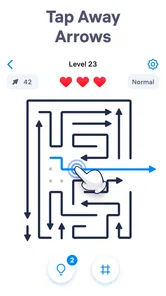
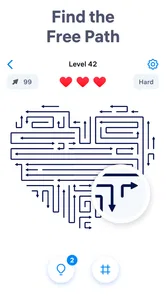
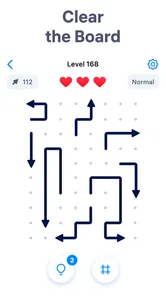
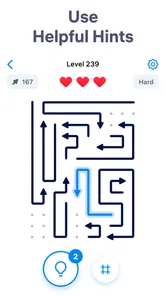
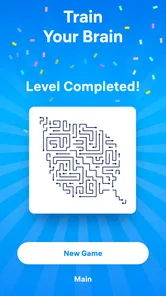
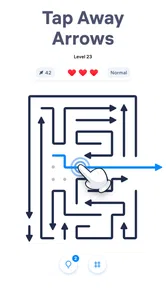
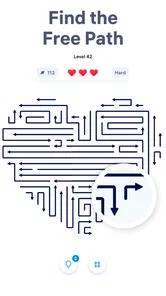
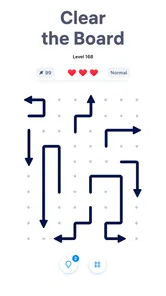
Analysis by Reviewed
I like puzzle games that ask for a little attention without demanding a long, uninterrupted session. Arrow Puzzle: Tap Puzzle Games is built around that kind of quick-thinking break: you study a crowded arrangement, work out which arrow can move safely, and tap through the puzzle until the way out is clear. Its appeal is easy to understand, but the satisfying part is not simply tapping quickly. It is noticing how one move changes the options for the next.
This is a puzzle game from Easybrain, and it suits players who enjoy visual logic more than wordplay, trivia, or elaborate stories. I would reach for it while waiting for a coffee, taking a short pause between tasks, or winding down when I want something more active than scrolling but less involved than a full-length game. The central idea is approachable; the challenge comes from planning rather than learning a complicated control scheme.
Quick rounds, with room to think
I find the appeal of these rounds is that a spare moment can become a small planning exercise rather than a test of how quickly I can tap. In the next section, I’ll look at when that focused pace works well for longer play—and when repeating the same kind of challenge may start to feel limiting.
What the pace feels like
The basic interaction is immediately legible: look at the arrows, decide what can be tapped, and try to clear the puzzle without making a move that blocks your plan. That makes the opening experience feel brisk. You do not need to memorize a roster of characters or spend time navigating a complicated interface before getting to the actual thinking.
That simplicity does not mean every board is a reflex test. In fact, I think the game is at its best when I slow down for a moment and scan the whole arrangement. A move that seems obvious in isolation may affect the route available to another arrow. Treating each tap as part of a sequence is more reliable than tapping whatever looks easiest first.
A useful habit is to identify the arrows that appear to have the clearest path, then check whether removing them opens space for others. I also try to pause before a tap when several arrows seem equally available. That small bit of discipline turns the game from casual clicking into a compact planning exercise, and it helps reduce the frustration of realizing that an early choice made the remaining layout harder to read.
Because a puzzle is built around a visual arrangement, the experience depends on being able to inspect the board comfortably. If I am distracted, rushing, or looking at a small screen from an awkward angle, I am more likely to misread the layout. This is a game for short focused bursts, not something I would choose when I cannot give the screen even a little attention.
More From Our News Desk

 Gmail
GmailGmail in a Busy Inbox: Who Benefits Most?
From first account to crowded workday, Gmail earns its place through dependable search and flexible sorting—but its best fit depends on how much inbox maintenance you can tolerate.

 Prime Video
Switching to Prime Video: What Changes in Your Viewing Routine
Prime Video can make a compelling second home for streaming, but switching means learning a different catalog, rental layer, and route from browsing to playback.

 Universal TV Remote Control
Universal TV Remote Control Works Best as a Reliable Backup
A phone remote earns its place through quick setup and reliable habits. Here is how to get more from Universal TV Remote Control—and where its limits show.

 Weather - By Xiaomi
Weather by Xiaomi Review: Clear at a Glance, Less Clear Up Close
Xiaomi’s weather app makes everyday forecasts quick to scan, but its calm surface can leave useful details and recovery paths harder to find than they should be.

 X
XX Under Pressure: Can It Recover When Posting Goes Wrong?
A resilience-focused review of X, examining setup, mistaken posts, interruptions, weak connections, and the gaps that matter when recovery needs to be dependable.

 Clash of Clans
Clash of Clans Is Won Between the Battles
Its raids are quick; its community is a long-term project of coordination, teaching, rivalry, and shared responsibility—with all the friction that entails.
Latest News



When a quick session becomes a longer one
The short-session format is useful, but it can also encourage “just one more” play. I may open the game intending to fill a spare minute, then stay longer because a board looks close to solved and I want to see whether my next idea works. That is a natural fit for a puzzle game, though it is worth noticing if I am trying to keep a break genuinely brief.
Heavier use is most likely to expose the game’s main practical trade-off: the same basic action stays familiar across sessions, so the pleasure comes from solving the particular arrangement rather than from collecting a broad set of different activities. Players who enjoy refining their approach to a repeated kind of logic problem may find that focus comforting. Anyone who needs frequent changes of pace, a narrative to follow, or several distinct modes may find the experience narrow.
For a better run of puzzles, I would avoid playing while multitasking. If I leave the board mentally half-read and return to it later, I have to reconstruct which arrows I considered and why. A more effective routine is to finish a puzzle before switching tasks, or to stop at a clean break rather than leaving a half-planned sequence hanging. That is not a special feature; it is simply the way this visual format rewards attention.
Reliability and the value of a clear board
The game’s design makes the core loop easy to understand, which is important for reliability in the everyday sense: I can tell what I am trying to do without needing a long refresher each time I return. The interaction is direct enough that the challenge belongs to the puzzle itself, rather than to learning a pile of controls. For a casual title, that low barrier is a real strength.
Still, a simple control scheme does not make every mistake feel harmless. When I tap too quickly, I can lose track of the logic I meant to follow. I recommend scanning for the consequences of a move before committing, especially when several arrows overlap visually or the remaining route is less obvious. That approach gives the game a more thoughtful rhythm and makes it easier to tell whether a puzzle is genuinely tricky or whether I simply rushed.
At the time of writing, the current version is 1.10.0. I would not treat a version number by itself as proof of perfect performance on every phone; how any game feels can depend on the device and its software. The sensible expectation here is to judge it by the clarity and responsiveness of the puzzle interaction on your own device, rather than assuming that a lightweight-looking game will behave identically everywhere.
If a session is interrupted, the practical question is whether you can return to the puzzle without losing your train of thought. For this style of game, I find it helpful to remember the last move I made and what it was meant to open up. That simple mental note makes resuming less confusing than trying to reconstruct an entire chain of reasoning. I would not rely on a puzzle session as a place to preserve complicated notes or plans; the board is best approached as a self-contained problem.
Device fit and everyday constraints
The listed minimum operating-system requirement is Android 8.0, so it is worth checking your device’s software before installing if you use an older Android phone. The game is free to download, and it is rated for Everyone, which makes its basic puzzle premise suitable for a broad audience. In-app purchases are listed at $14.99 per item, so I would look at the purchase details in the game before spending and decide whether any optional purchase is worthwhile for my own use.
I would not choose this title primarily to test a phone’s power or to get a graphically elaborate experience. Its attraction is the mental task, not spectacle. That makes it a reasonable candidate for someone who wants a focused puzzle break, but it does not let me make a blanket promise about battery use, storage footprint, loading speed, or performance on a particular handset. If those factors matter to you, try it on your own device and see how it behaves during the kind of session you actually plan to play.
There is also a difference between “quick to understand” and “effortless in every situation.” A board may be visually dense enough that a smaller display or poor viewing conditions make planning less comfortable. If you often play one-handed while walking, switching between apps, or dealing with interruptions, this may not be the best moment for it. I get more out of it when I can hold the device steadily and give the puzzle a brief, uninterrupted look.
How it compares with other puzzle choices
Compared with word puzzles, this game asks me to read spatial relationships rather than search for vocabulary. Compared with number-placement puzzles, it feels more immediate: the board is about the order and consequences of taps, not filling a grid with a set of symbols. And compared with action-oriented mobile games, the pressure is more about choosing carefully than reacting quickly. That makes it a good alternative when I want an active mental break but do not want twitch controls or a long match.
The trade-off is that a focused mechanic has less variety than a collection of unrelated mini-games. If you enjoy learning one clear rule and applying it in different layouts, that consistency is likely a plus. If your ideal puzzle app alternates between logic, word challenges, physics problems, and story chapters, this is probably too specialized to be your only choice. I would see it as a small, repeatable logic activity rather than an all-purpose game library.
Its reach suggests that many players have found the format appealing: it has more than 50 million installs, an average rating of 4.8 from around 1.5 million ratings, and about 6,000 written reviews. Those figures give a useful sense of its audience, but they do not tell me whether its particular style suits you. The more important question is whether you enjoy tracing possible moves and spotting how clearing one part of a board changes what becomes available elsewhere.
Who I would recommend it to
I would recommend Arrow Puzzle: Tap Puzzle Games to someone who likes visual logic, wants a game that is easy to pick up, and prefers solving a small problem over managing a large campaign. It can fit a commute while seated, a waiting-room pause, or a quiet moment at home, provided you can pay attention to the screen. It is especially appealing if you enjoy the feeling of finding a better order of operations rather than simply tapping through a board at speed.
I would steer away from it if you want a strong story, multiplayer competition, lots of distinct game modes, or constant novelty in the core interaction. I would also skip it during moments when you cannot focus: rushed taps are a poor match for a game whose satisfaction comes from thinking ahead. For younger players, the Everyone rating is reassuring as a broad content classification, while a parent can still review any in-app purchase options and device settings before handing over a phone.
Easybrain has a recognizable place in casual mobile gaming, but the developer name is less important here than the fit between this particular mechanic and your habits. If you like short, self-contained visual challenges, the game has a clear reason to stay installed. If you prefer puzzles that teach a fresh rule each time or reward a long, continuous session, another option in the genre may hold your attention better.
My performance verdict
My overall impression is that this is a focused, low-friction puzzle concept whose success depends on how much you enjoy planning a sequence of taps. It feels designed for quick access, but the most satisfying play is not necessarily the fastest play. Scan first, think about what each move clears, and treat a difficult board as a logic problem instead of a race. That approach makes the simple premise more engaging and helps avoid avoidable missteps.
Arrow Puzzle: Tap Puzzle Games is worth trying if you want a straightforward visual challenge and are comfortable with a narrow but repeatable style of play. Its strengths are the accessible premise and the room to think through each board; its limitations are the dependence on concentration and the possibility that the same central mechanic will feel repetitive over time. I would start with a few short sessions and see whether the planning itself is satisfying. If it is, this can be an easy game to return to whenever you have a quiet moment; if you want variety or a deeper campaign, I would choose a broader puzzle game instead.
Arrow Puzzle: Tap Puzzle Games Frequently Asked Questions
What is Arrow Puzzle: Tap Puzzle Games?
Arrow Puzzle: Tap Puzzle Games is a casual logic game built around clearing arrow-shaped pieces from a board. You tap an arrow to make it move in the direction it points, but another piece or obstacle may block its path. The aim is to work out which arrows can leave safely and remove them in the right order. Levels generally introduce new layouts and challenges, so careful observation matters more than quick tapping.
How do you play Arrow Puzzle, and is it suitable for beginners?
The basic controls are straightforward: inspect the board, then tap an arrow whose path to the edge is clear. Removing that piece may open a route for other arrows, letting you solve the level step by step. This makes the game approachable for new players, while crowded boards can still require planning and patience. It is a puzzle experience rather than an action game, so there is no need for fast reflexes.
Does Arrow Puzzle: Tap Puzzle Games require an internet connection?
Whether you can play offline may depend on the version, device, and features currently available in the app. Basic puzzle levels may be playable without a connection, but advertisements, store purchases, cloud saves, or other online features can require internet access. If offline play is important to you, check the app’s store listing and test a level after disconnecting before relying on it during travel or in places with limited connectivity.
Is Arrow Puzzle free, and does it include ads or in-app purchases?
The game may be offered as a free download, but that does not necessarily mean every part of the experience is free of charges or advertising. Mobile puzzle games commonly use ads and may offer optional purchases, such as hints or other extras; the exact options can vary by platform and version. Review the current Google Play or App Store listing, including its in-app purchase information, before downloading, and use device purchase controls if needed.
What should I check before downloading Arrow Puzzle: Tap Puzzle Games?
Before installing, confirm that the listing is for the intended game and check its developer, recent update date, age rating, supported device requirements, and permissions. Read recent reviews as well, since they can reveal changes to ads, difficulty, or performance that may not be obvious from the description. Availability and features can differ between Android and iOS, so use the official Google Play or App Store page for your device.
Pros
- Simple tap controls make it easy to start playing.
- Short levels fit well into quick breaks.
- Arrow paths add a satisfying logic challenge.
- No fast reactions or precise timing are required.
- A good option for fans of casual brain teasers.
Cons
- Later puzzles may feel repetitive if you play for long sessions.
- Some levels can be solved by trial and error.
- Hints may reduce the satisfaction of solving a puzzle unaided.
- Ads can interrupt the flow
- depending on the version.
- The minimalist gameplay may not appeal to players seeking a story or variety.