Paper Fold
- 14.92K
- 4.5
- Installs
- 100.00M
- Price
- Free

Screenshots
Analysis by Reviewed
When a fold seems obvious but the picture still comes out wrong, the first thing I do is stop tapping and look at the whole sheet again. Paper Fold is a puzzle game built around order: a correct move made at the wrong time can still leave the picture unfinished. That makes the small moments of uncertainty part of the appeal, though it can also be where a quick, calming session turns into a few minutes of trial and error.
Why a simple fold can feel tricky
The basic idea is easy to grasp, but the challenge is not simply spotting which corner could move. You have to consider how one fold changes the paper available for the next one, then work toward a completed image. When I get stuck, I find it more useful to examine the uncovered parts of the picture than to repeat the same gesture quickly. A visible edge or color can suggest which section needs to be brought forward, while an impatient sequence of guesses can make the layout harder to read.
This is a different kind of puzzle from a crossword or a number game. There is no long clue to decode and no board full of competing pieces. The information is visual and immediate, so the game suits short bursts of attention. The trade-off is that someone who wants a deep logic system, a story, or a steadily increasing strategic toolkit may find the core interaction too narrow. Its pleasure comes from seeing a compact image resolve, not from mastering a large set of rules.
Setup checks before you begin
It is a free game from CASUAL AZUR GAMES, and its Everyone rating makes it an easy one to consider for a shared family device. It was released on March 17, 2021, and the current version is 200365; Android support starts at version 7.0. Those details are worth checking before installing, especially if you are setting it up on an older phone or tablet. The game has an average rating of 4.5 from around 1.1 million ratings, with about 15,000 written reviews and over 100 million installs, so it is clearly familiar to a large audience without that popularity guaranteeing it will suit every puzzle fan.
When a game does not feel responsive, I start with ordinary checks rather than assuming the puzzle itself is broken: make sure the device is not struggling with several tasks at once, close and reopen the game if it appears frozen, and confirm that the operating system meets the stated minimum. For a swipe-based puzzle, it also helps to use a deliberate gesture and keep the screen clear of anything that might interfere with a touch. These are sensible first steps, not special fixes, and they can help distinguish a missed input from a move that simply was not the right one.
A calmer rhythm, with a few caveats
The absence of a timer or a penalty for mistakes gives each level a forgiving pace. I can pause to study the paper, try a move, and reconsider without feeling that I have lost a race. That makes it a reasonable choice during a commute, while waiting for food, or in the few minutes before bed, provided the phone is already in hand and the surroundings are not demanding full attention. It is less suited to moments when you need to keep listening closely to a conversation or watching what is happening around you; even a gentle visual puzzle still asks you to focus on the screen.
There is also a small practical distinction between “relaxing” and “effortless.” A level may be quiet in tone but still ask for patience, particularly when several folds appear plausible. If I notice myself making random moves, I take a short pause and restart my reasoning from the image rather than treating the puzzle like a speed test. That habit preserves the soothing side of the game and makes the eventual reveal feel earned. If you prefer puzzles where every move is explained or where hints steadily teach a formal method, this lighter, picture-led approach may leave you wanting more guidance.
More From Our News Desk

Weather by Xiaomi Review: Clear at a Glance, Less Clear Up Close

X Under Pressure: Can It Recover When Posting Goes Wrong?

Clash of Clans Is Won Between the Battles

Android Auto Makes the Case for Quieter Car Software

MobiOffice: Transforming Mobile Productivity with Seamless Integration

EA SPORTS FC™ Mobile Soccer: Redefining Mobile Sports Gaming
What the paper-folding loop offers
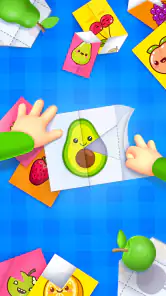
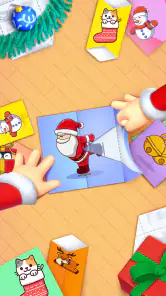
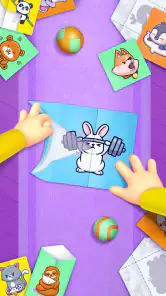
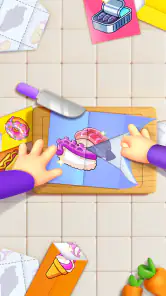
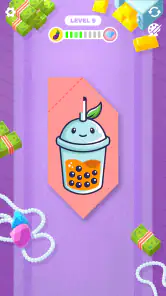
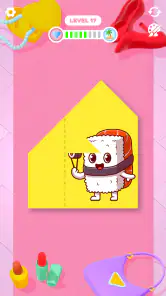
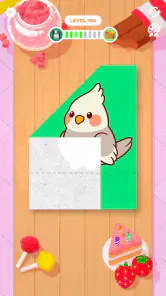
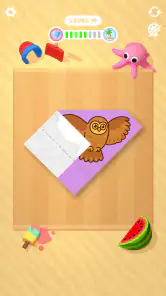
So, what exactly is Paper Fold? Imagine the satisfaction of folding paper to create intricate designs, but without the fuss of actually having to handle paper. The app brings the art of origami to your fingertips with an array of puzzles that challenge your mind while keeping you relaxed. Each level presents you with an unfolded piece of paper, and your task is to fold it in the correct sequence to reveal a hidden picture. It’s like unwrapping a present, but better, because you’re the one crafting it!
Getting Started
Once you download the app, you’ll find it’s super easy to dive right in. The interface is clean and intuitive, making it perfect even for those who aren’t tech-savvy. A brief tutorial guides you through the basics, showing you how to fold the paper by swiping in different directions. Before you know it, you’ll be navigating through levels like a pro.
The Gameplay Experience
Each level in the app is like a mini adventure. The puzzles start off simple, easing you into the mechanics, but don’t be fooled—it gets trickier as you progress. The beauty of Paper Fold lies in its balance between challenge and relaxation. You’ll find yourself lost in thought, trying to figure out the right sequence, and when you get it right, it’s incredibly satisfying.
And let’s talk about the aesthetics for a moment. The graphics are minimalist yet vibrant, and every fold is accompanied by a satisfying sound effect that makes the experience even more immersive. It’s almost like ASMR for your eyes and ears!
Keep the Zen Vibe Going
One of the things I love about this app is how it manages to keep you engaged without stressing you out. There are no timers, no penalties for mistakes—just you and your paper. This makes it a perfect game for unwinding after a long day or when you need a break from the hustle and bustle.
Another cool feature is the variety of designs. From cute animals to intricate patterns, each completed puzzle is a little work of art. And if you’re competitive like me, you’ll be happy to know there’s a leaderboard to see how you stack up against other players.
Reading the friction fairly
Between-level interruptions can be more noticeable when you are playing in very short sessions: a pause after a quick puzzle takes up a larger share of the experience than it would during a longer stretch. The game is free, and in-app purchases are listed at $3.99 per item, so I would treat any optional spending as a separate choice rather than something needed to understand the basic folding idea. If you are sensitive to interruptions, it is worth deciding before you start whether you are comfortable with the way a free mobile game breaks up play.
Another useful expectation is that a leaderboard changes the mood but not the central puzzle. It can give competitive players a reason to compare progress, while someone who wants a purely private wind-down can ignore that angle and focus on the picture. I would not choose this game mainly for social competition; its strongest moment is still the satisfying visual completion of an individual design. If ranking pressure makes a relaxing game feel like work, the leaderboard is not a reason to push yourself.
When the problem may be elsewhere
If a fold appears not to register, I first check whether my finger actually began on the paper and whether I completed a clear swipe, rather than immediately repeating the move faster. A crowded or damp screen, a device that is momentarily unresponsive, or an interrupted session can all make touch input feel uncertain in mobile games generally. Closing and reopening the game is a reasonable next step if it has stopped responding, but I avoid restarting a level until I have considered whether I simply need to inspect the remaining image more carefully.
Likewise, a puzzle that feels unusually hard is not automatically a technical problem. The game asks for an ordered sequence, so I look for the part of the final illustration that is still missing and reason backward from that area. If a session has been interrupted, returning with fresh attention can be more productive than cycling through the same guesses. This is a small but useful workflow: pause, inspect the visible shapes, try one deliberate fold, and reassess before making another move. It keeps the game from becoming a blur of taps.
Who will enjoy it, and who may prefer another puzzle
I would recommend this to someone who likes visual puzzles but does not want a complicated ruleset or a long commitment. It is particularly approachable for a person who wants a brief activity between everyday tasks, or for a parent looking for a gentle game to try with a child, while keeping the Everyone age rating in mind. A simple shared routine works well: take turns suggesting the next fold, then let one person make the move. That turns the picture into a small cooperative challenge without needing to invent extra rules or race against a clock.
By contrast, if your favorite puzzle games involve wordplay, elaborate planning, or a campaign that develops across many mechanics, this may feel slight. A traditional origami guide is better if your goal is to learn how to fold real paper; a broader puzzle collection is better if you want several types of challenge in one place. This game’s focus is its advantage and its limit. The paper-and-picture format stays readable and low-pressure, but it does not offer the variety that comes from switching between different puzzle genres.
Room for Improvement?
Of course, no app is perfect, and there are a couple of things that could make Paper Fold even better. While the game is free to play, it does have ads that pop up between levels. They’re not too intrusive, but if you’re impatient, you might find them a tad annoying. Luckily, there’s an option to remove ads for a small fee.
I also think adding more levels or a daily challenge could keep things fresh for long-time players. But honestly, these are minor quibbles in what is otherwise a delightful app.
My practical verdict
For me, the best way to try this puzzle is to treat it as a small reset rather than a game to rush through. Open it when you have a few quiet minutes, use the picture itself as a guide when a sequence becomes unclear, and stop when you begin making moves without thinking. That approach makes the low-pressure design work in its favor. If you need an involved challenge to hold your attention for a long session, you may be happier elsewhere; if you want a focused, visual diversion, its simple premise is easy to appreciate.
All in all, Paper Fold is a fantastic app that brings the ancient art of origami to the digital age in a fun and engaging way. Whether you’re a puzzle enthusiast or just looking for a new way to relax, this app is definitely worth a try. So go ahead, give it a download and see if you can fold your way to the top of the leaderboard!
Paper Fold Frequently Asked Questions
Does Paper Fold require an internet connection?
Paper Fold is designed for short, casual puzzle sessions, so it may appeal if you want a game that is easy to pick up during a break. Whether you can play without an internet connection can depend on the version and how the game handles its features on your device. Check the game’s behavior after installing it if offline access matters to you.
Is Paper Fold easy to learn for someone new to puzzle games?
Yes. The main interaction is folding parts of a paper image on the screen, so the idea is simple to understand even if you do not regularly play puzzle games. The challenge comes from working out the order and direction of the folds needed to reveal the picture. This makes it approachable while still giving you a reason to think through each level.
What kind of puzzles will I solve in Paper Fold?
Paper Fold is a picture puzzle game built around folding paper to reveal hidden objects. You work through each image by choosing folds that bring its parts together in the right order. It is a straightforward idea to pick up, with the challenge coming from judging how the pieces should line up rather than learning complicated controls.
What is Paper Fold and how does it work?
Paper Fold is a casual puzzle game where players fold paper to match the given pattern. Each level presents a new challenge, requiring strategic thinking and spatial awareness to complete the folds correctly. The game is intuitive and gradually increases in difficulty, keeping players engaged as they progress through various levels.
Is Paper Fold free to play, and are there in-app purchases?
Paper Fold is free to download and play on both Android and iOS platforms. While the game is free, it does offer in-app purchases. These purchases typically include hints or ad-free experiences, allowing players to enhance their gameplay if they choose, but are not necessary to enjoy the core game. Individual in-app purchase items are priced at $3.99.
Pros
- Intuitive gameplay that's easy to learn.
- Visually appealing with vibrant graphics.
- Lots of levels to keep players engaged.
- Smooth and responsive touch controls.
- Offline play available for convenience.
Cons
- Can become repetitive over time.
- Limited challenge for experienced players.
- Ads can interrupt gameplay frequently.
- Some levels may feel too simplistic.
- In-app purchases can be pricey.
- Category
- Puzzle
- Version
- 200365