City Patrol : Rescue Vehicles
- 26.00
- 3.5
- Installs
- 50.00M
- Price
- Free

Screenshots
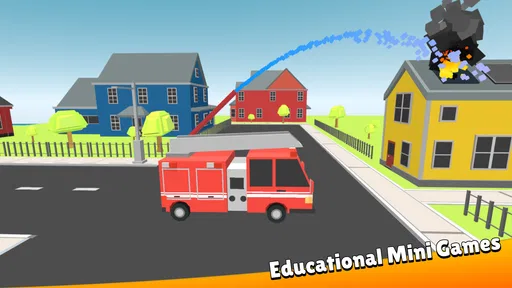
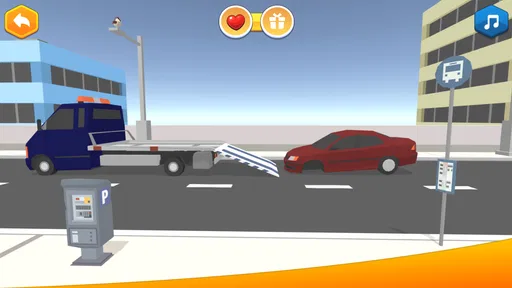
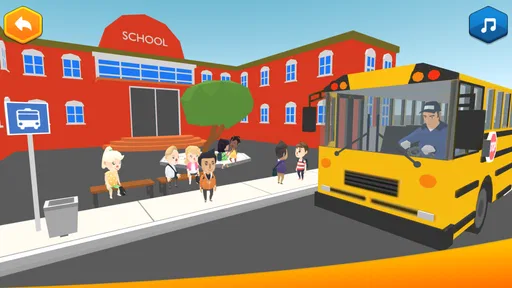

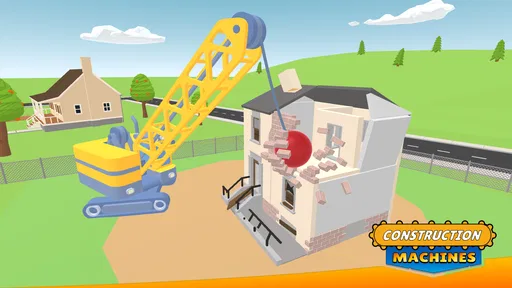
Analysis by Reviewed
I would treat City Patrol: Rescue Vehicles as a quick, child-friendly way to turn emergency vehicles into a play-and-learn theme, rather than as a serious driving simulator. It is an educational game from Edugamus, built around patrol and rescue scenarios. That focus makes it most appealing to children who already enjoy fire engines, ambulances, police cars, and the idea of helping people. I’d still plan to sit nearby at first: a child may need help understanding the controls, choosing what to do, or recovering if a level feels confusing.
Where young players may get stuck
Emergency vehicle games can look immediately familiar to children, but the goal is not always obvious just because the vehicle is. A child might expect to drive freely around town, while the activity may instead ask them to follow a particular task or reach a destination. I’d start by asking them to explain what they think the mission is before they tap around. That simple pause makes it easier to tell whether they understand the objective or are just reacting to the pictures and sounds.
There is also a difference between recognizing a vehicle and understanding its role. I’d use a moment in play to ask why an ambulance might be needed rather than a police car, or what a fire engine is meant to do. That turns the theme into a conversation without pretending the game alone teaches emergency procedure. It is a small but useful way to make play more thoughtful, especially for a child who likes naming vehicles but rushes through the activity.
Setup checks before handing over the device
The game is free to download and rated for Everyone, while optional in-app purchases are listed at $1.99 to $2.99 per item. I’d check the purchase settings on the device before a child plays independently, and explain that optional purchases are not part of the basic idea of helping vehicles. This is a practical precaution for any child-facing game with paid extras, not a reason to assume a purchase is required to play.
It runs on Android 7.0 or later, and its current version is 2.1.9. If it does not open or behaves strangely, I’d first check that the device meets that minimum and that the game has finished installing and updating. The title is also available on iOS, so a household using an iPhone or iPad can consider that route rather than assuming the Android requirement applies to every device.
A calmer way to handle a frustrating session
If a child gets stuck, I would avoid taking over the controls straight away. Ask them to look for the next clear cue, then let them try again; the point is to keep the task theirs while offering just enough help to get moving. If the game appears frozen or stops responding, close it and reopen it, then check for an available update. Those are sensible first steps for a mobile game, without assuming a particular fault or promising that they will fix every problem.
For a short play session, it can help to agree on a natural stopping point before starting, such as finishing the current activity. That avoids turning a brief bit of vehicle-themed play into an open-ended stretch of screen time. It also gives a parent a chance to ask what the child noticed: which vehicle they chose, what the task involved, and what they would do differently next time.
More From Our News Desk

Weather by Xiaomi Review: Clear at a Glance, Less Clear Up Close

X Under Pressure: Can It Recover When Posting Goes Wrong?

Clash of Clans Is Won Between the Battles

Android Auto Makes the Case for Quieter Car Software

MobiOffice: Transforming Mobile Productivity with Seamless Integration

EA SPORTS FC™ Mobile Soccer: Redefining Mobile Sports Gaming
When a problem may be outside the game
A slow or choppy experience does not automatically mean the game itself is broken. Older devices can struggle with visually busy games, and other apps running at the same time may also affect how smoothly a phone or tablet responds. I’d close unused apps, restart the device if needed, and try again before deciding whether the game is a poor fit for that hardware. If the device is already uncomfortable to use, switching to a simpler activity may be kinder than asking a child to tolerate lag.
Likewise, a child who loses interest may simply want a different kind of play. This is not a substitute for a real-world lesson about what to do in an emergency, and I would not use a game scenario as practical safety instruction. It works better as imaginative play and a starting point for an age-appropriate conversation, with an adult making clear that real emergencies are handled by trusted grown-ups and emergency services.
Playing and learning with City Patrol
If you’re a fan of action-packed, adrenaline-fueled games, then you might just want to buckle up for City Patrol: Rescue Vehicles. This game, available for both Android and iOS, offers an exhilarating blend of strategy, speed, and precision as you take control of various rescue vehicles to save the day. Let me take you through the ins and outs of this app, and see if it’s worth the download.
Gameplay and Features
In City Patrol: Rescue Vehicles, you’ll find yourself immersed in a dynamic urban environment where every second counts. You start off with basic missions, like navigating through traffic to reach a fire or aiding in a police chase. The game rewards you with points and upgrades as you successfully complete missions, allowing you to unlock new vehicles and tools. It’s not just about speed; strategy plays a big role in determining the most efficient path to your target.
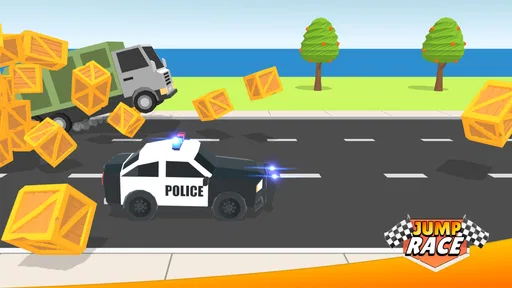
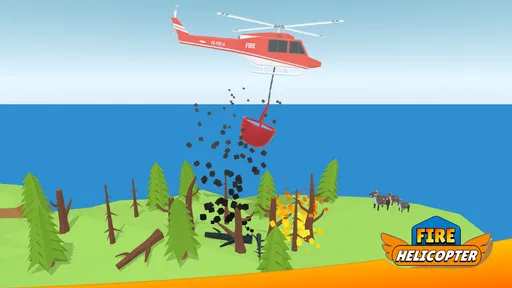
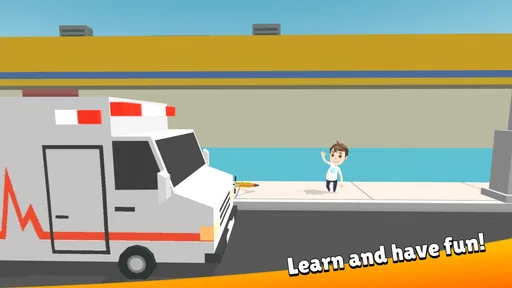
One of the coolest features is the variety of vehicles you get to operate. From fire trucks and ambulances to police cars and even SWAT vans, each vehicle comes with its own unique set of controls and abilities. The game does a fantastic job of simulating the feel of each vehicle, making the experience all the more immersive. Trust me, there’s nothing quite like the thrill of weaving through traffic with sirens blaring, knowing you’re on a crucial rescue mission.
User Interface and Graphics
The user interface is sleek and intuitive, so even if you’re new to mobile gaming, you’ll quickly get the hang of it. The graphics are another highlight. They’re not just good – they’re top-notch for a mobile game. The cityscapes are detailed, and the vehicles look almost lifelike, which adds an extra layer of enjoyment as you play. The developers have clearly put a lot of thought into making the game as visually appealing as possible.
However, while the visuals are stunning, they can be a bit demanding on older devices. So, if you’re rocking an older smartphone, you might experience some lag or frame rate drops. But hey, that’s just a small price to pay for such eye-catching graphics, right?
Sound and Music
No game is complete without a killer soundtrack, and City Patrol: Rescue Vehicles does not disappoint. The sound effects are spot on, from the wailing sirens to the crunch of tires on asphalt. The background music is perfectly suited to the high-stakes atmosphere of the game, keeping your adrenaline pumping as you race against the clock.
But if you’re someone who prefers a quieter gaming experience, you might find the constant noise a bit overwhelming. Thankfully, the settings allow you to adjust the sound levels to your liking, so you can find that perfect balance.
Choosing it over other children’s games
Its rescue-vehicle theme gives this game a narrower appeal than a general puzzle or drawing app, but that focus is also its advantage. If a child is drawn to sirens, emergency crews, and vehicle play, City Patrol gives that interest a shared activity to talk about. A toy vehicle or a picture book may be a better fit for hands-on pretend play or a quieter bedtime routine; a broader educational game may suit a child who wants numbers, letters, or varied subjects instead. I’d choose this one when the vehicle theme is what will actually hold the child’s attention.
A realistic everyday use is a short turn while a parent is preparing dinner: the child can work through a mission nearby, then describe which service vehicle they used and why. I’d keep the session brief and treat the game as a prompt for conversation, not as a lesson plan. That makes it easier to enjoy its specific theme without expecting it to replace outdoor play, reading, or adult-guided learning.
Making the vehicle theme useful beyond the screen
One way I’d get more value from a session is to let the child choose a vehicle first, then ask them to connect it to something they have seen in everyday life: a parked ambulance, a fire station on a familiar route, or a police car passing by. The point is not to quiz them or demand precise answers. It gives the game’s rescue theme a real-world anchor and lets a parent notice whether the child is interested in vehicles, helping roles, or simply the bright movement on screen.
I would also avoid treating a successful mission as proof that a child understands what to do in a real emergency. The game can prompt a gentle conversation, but a child’s actual safety guidance should come from a trusted adult and be appropriate to their age. That distinction matters especially when a game makes rescue work feel exciting: the playful version is a story, while real emergencies call for calm adult help.
Who is likely to enjoy it, and who may not
I’d recommend trying it with a child who already returns to toy rescue vehicles or asks questions about sirens and service vehicles. That existing interest gives the missions a natural hook, and an adult can join in without needing to turn the session into a formal lesson. It may also suit a child who likes short, goal-based play more than open-ended drawing or a long story, provided they can manage the touch controls with the support they need.
On the other hand, I would skip it for a child who is easily unsettled by urgent sounds, becomes frustrated when a task is not immediately clear, or wants a game that teaches a broad range of school subjects. A quieter toy-based activity may be a better choice for winding down, while a dedicated learning app is more suitable when the goal is practicing letters, numbers, or another specific skill. The narrow subject is both the game’s appeal and its main limitation.
What the audience response suggests
The game has an average rating of 3.9 from around 7,600 ratings, with 24 written reviews and over 10 million installs. I read that as a sign that plenty of people have tried it, while the middling average is a reason to keep expectations measured rather than assuming every child will love it. It was released on March 4, 2022, and Edugamus remains the developer behind the current version.
For parents wondering whether it suits a very young player, I’d focus less on the age label alone and more on whether the child can follow simple on-screen tasks and handle a touchscreen without becoming frustrated. The Everyone rating makes it broadly accessible, but adult supervision is still useful for purchases, screen-time boundaries, and explaining the difference between playful missions and real emergencies.
Questions worth settling before a child plays
Parents often want to know whether the game costs anything to start, whether paid extras are involved, and whether it is suitable for a young child. The download is free, and the listed optional purchases are separate from that initial cost; I’d still check device purchase controls before handing it over. Its Everyone rating is reassuring as a broad content indicator, but it does not tell you whether a particular child will find the controls or the pace comfortable.
Another practical question is whether a child can play without help. I would not assume that every young player will immediately understand the objective just because the vehicles are familiar. Try the first session together, watch whether the child can identify what to do next, and decide from that experience whether independent play makes sense. The game is available on Android and iOS, while the Android minimum is version 7.0, so check the requirements for the device you plan to use.
Final Thoughts
All in all, City Patrol: Rescue Vehicles is a thrilling ride that’s sure to keep you entertained for hours on end. Whether you’re a fan of racing games or just love the idea of being a city hero, this game offers a perfect blend of excitement and challenge. It’s not without its minor flaws, but the overall experience is so engaging that you’re likely to overlook them.
If you’re ready to jump into the driver’s seat and take on the role of a city savior, then give this game a spin. It might just become your new favorite pastime. So, what are you waiting for? The city needs you!
My practical verdict is more measured: I’d give City Patrol: Rescue Vehicles a try when a child already loves rescue vehicles and you want a focused activity to share or supervise. It is free to begin, has a clear theme, and can spark useful talk about different community helpers. I would not choose it as a substitute for safety teaching, a general learning curriculum, or quiet bedtime play. If the child enjoys the missions and the device handles them comfortably, it can earn a place in a short play routine; if not, a toy fire engine, a book, or a broader educational game is an easy and sensible alternative.
City Patrol : Rescue Vehicles Frequently Asked Questions
Is City Patrol: Rescue Vehicles free to download?
City Patrol: Rescue Vehicles is free to download, so families can try the educational game without an upfront purchase. It also offers optional in-app purchases, with items priced from $1.99 to $2.99. If a child will be playing, it is worth checking the device’s purchase controls beforehand so any spending is managed by an adult.
What is City Patrol: Rescue Vehicles and what can I do in the game?
City Patrol: Rescue Vehicles is an exciting mobile game where players take on the role of emergency rescue personnel. You can drive various rescue vehicles like fire trucks, ambulances, and police cars to respond to emergencies around the city. Your mission is to save lives, ensure public safety, and handle challenging scenarios in a timely manner.
Is City Patrol: Rescue Vehicles suitable for children?
Yes, City Patrol: Rescue Vehicles is suitable for children and provides a family-friendly gaming experience. The game features educational elements about emergency services and public safety, making it a great way for kids to learn while playing. Its Everyone age rating makes it suitable for a broad audience, though parents may still want to supervise play and review purchase settings.
What platforms is City Patrol: Rescue Vehicles available on?
City Patrol: Rescue Vehicles is available for both Android and iOS devices. You can download it from the Google Play Store for Android devices and the Apple App Store for iOS devices. This allows a wide range of users to enjoy the game regardless of their device preference.
What device requirements should I check before downloading City Patrol: Rescue Vehicles?
On Android, the game requires version 7.0 or later, so it is a good idea to check your device’s software before downloading. City Patrol: Rescue Vehicles is an educational game for children about emergency and other service vehicles, published by Edugamus. Checking compatibility first can help avoid download problems and make it easier to choose an appropriate device for a child.
Pros
- Realistic vehicle controls enhance user experience.
- Wide variety of rescue missions keep gameplay exciting.
- Stunning graphics and detailed environments.
- Intuitive user interface and easy navigation.
- Regular updates with new missions and features.
Cons
- Can be resource-heavy on older devices.
- Occasional in-app glitches disrupt gameplay.
- Limited customization options for vehicles.
- Requires internet connection for full features.
- Monetization can be intrusive with frequent ads.











