Baby Panda's Emergency Tips
- 131.00
- 3.7
- Installs
- 50.00M
- Price
- Free

Screenshots





Analysis by Reviewed
I find Baby Panda's Emergency Tips most useful when an adult treats it as a starting point for conversations, not as a substitute for teaching or practicing safety in real life. The cheerful presentation makes serious topics easier to approach with a young child, while a little guidance from a parent can help connect each activity to what the family would actually do.
A practical way to play together
A good first session is short and shared: let your child explore one situation, then pause to ask what they noticed and what they would do next. That turns tapping through an activity into a chance to check understanding. I would avoid turning the game into a test; if a child gets something wrong, use it as a gentle opening to explain the safer choice.
For example, during a quiet moment at home, a parent could sit beside a child and talk through a fire-safety activity. Afterward, ask the child to explain the idea in their own words, then calmly discuss the family’s real plan. The game can help begin that conversation, but adults should make sure children know that an app cannot replace an adult’s help or local emergency guidance.
A useful variation is to keep the first play session focused on what the child can explain, rather than how quickly they finish. If they can describe one safe next step in their own words, that gives you a clearer sense of what they understood than simply watching them tap through an activity. I’d also keep the conversation tied to the child’s age: younger kids may need a short reminder to find an adult, while more detailed plans belong in an adult-led discussion.
Build a repeatable routine, not a marathon
The most useful habit is to revisit a small amount of content rather than expecting one long play session to stick. Children may enjoy repeating familiar interactions, but repetition only helps when you connect the screen activity to a simple takeaway. I’d finish by asking, “What would you remember if this happened?” and keep the answer practical and age-appropriate.
It can also help to let the child choose which activity to revisit, then have the adult guide the discussion. That gives kids a sense of control without asking them to make real-world safety decisions on their own. If the child seems worried by a topic, stop and reassure them rather than pushing through for the sake of completing the game.
For a family that wants the lesson to carry beyond screen time, make the follow-up a small, ordinary habit rather than a dramatic drill. A child might explain which trusted adult they would look for, while the parent checks that the answer fits the family’s actual arrangements. I would not ask a child to memorize a complicated response from an animated scene; keeping the takeaway simple lowers the chance of confusing play with a real emergency plan.
More From Our News Desk

Weather by Xiaomi Review: Clear at a Glance, Less Clear Up Close

X Under Pressure: Can It Recover When Posting Goes Wrong?

Clash of Clans Is Won Between the Battles

Android Auto Makes the Case for Quieter Car Software

MobiOffice: Transforming Mobile Productivity with Seamless Integration

EA SPORTS FC™ Mobile Soccer: Redefining Mobile Sports Gaming
Families comparing it with children’s videos or general learning games should keep the difference in mind: emergency-themed activities invite discussion about what to do, while a video is usually easier to watch passively. A parent-led conversation or a real-world safety lesson may be better for detailed instruction. This game’s strongest role is as an approachable prompt for practice and discussion.
Compared with a general educational game, the subject matter here gives parents a more specific reason to sit alongside a child and talk through choices. Compared with a safety video, the interactive format may invite the child to participate instead of only watching. Neither comparison makes the game a replacement for hands-on instruction: if a family needs precise, local guidance, a trusted adult or safety professional is the better source. I see the app as a bridge into that conversation, not the lesson’s final authority.
It may not suit a child who becomes anxious around emergency scenarios, or a family looking for a comprehensive safety course. It is also not the right choice when a child needs an adult to explain a situation in detail; the playful format can make a serious topic feel simpler than it really is. In those cases, choose a calm conversation or guidance from a trusted local safety professional instead.
What’s the Buzz About?
So, first things first, what is Baby Panda's Emergency Tips all about? Well, this app is designed to teach children how to handle emergencies in a playful and engaging way. You know, those crucial life skills that we hope our little ones never have to use but are so important for them to know. The app is set in the adorable and colorful world of Baby Panda, a character that’s already a hit among kids.
Interactive Learning at Its Best
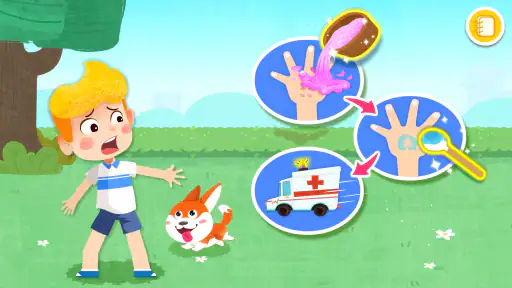
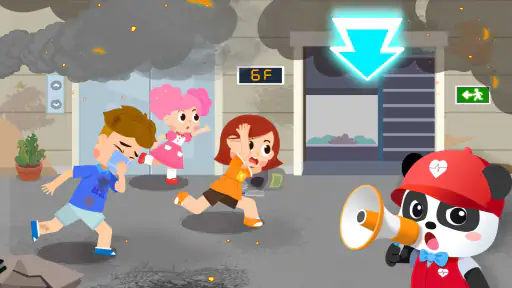
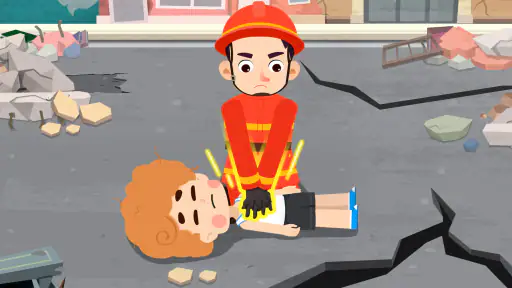
The app’s interactive nature is something I really appreciate. It’s packed with scenarios where kids can learn what to do in different emergency situations. From fire safety to handling injuries, each scenario is presented in a fun and non-threatening way. The app uses simple language and cute animations to keep the children engaged while they learn.
One of the features that stand out is the use of interactive games that allow kids to practice what they’ve learned. For instance, there’s a game where kids can help a character call for help or use a fire extinguisher. These activities are not just educational but also offer a sense of accomplishment as kids complete each task.
When a scene involves an action that would be risky for a child to copy, I would treat it as a prompt to explain the boundary, not as a practical demonstration. An animated character can make a task look easy, but a child’s real response should generally be to get a responsible adult. This small distinction matters especially when playing together: ask what the character is doing, then clarify what your child should do in your household.
Why Kids Love It
Let’s talk about the appeal factor. Kids love Baby Panda because it’s relatable and entertaining. The bright colors and cheerful sound effects make the learning process enjoyable rather than a chore. Plus, the app rewards kids with virtual stickers and badges for completing tasks, which adds an element of fun and motivation.
Another great aspect is the app’s design. It’s intuitive and easy to navigate, which is crucial for keeping the little ones engaged without adult intervention every step of the way. The developers have done a commendable job ensuring that the app is user-friendly for the intended age group.
That easy-to-follow presentation is helpful when a child wants to explore independently, but I would still decide in advance which topics are suitable to play alone. A child may be able to navigate the game without help and still need an adult to interpret a serious situation. I’d use independent play for familiar, reassuring activities and join in when a scene raises a question or seems likely to be misunderstood.
Parents, Here’s Why You’ll Appreciate It
Now, onto why parents might find this app a valuable addition to their child’s screen time. In today’s digital age, finding content that is both entertaining and educational can be a challenge. It strikes a perfect balance between the two. It’s reassuring to know that while the kids are glued to the screen, they’re learning skills that could be potentially lifesaving.
The app also provides a great opportunity for parents to discuss safety and emergency preparedness with their children in a way that’s not scary. It opens up conversations about what to do in real-life situations, making the learning process a family activity.
For a realistic everyday use, I can imagine opening it during a calm stretch at home, such as before dinner, rather than introducing it when a child is already upset or tired. One brief activity can lead into a practical family conversation without turning the evening into a lesson. If the child starts asking questions the game cannot settle, that is a good point to pause and answer in plain language instead of pressing on to another scene.
Who It Suits—and Where It Falls Short
BabyBus makes this free educational game, which is rated Everyone and has an average rating of 3.7 from around 18,000 ratings. More than 50 million installs suggest that many families have tried it, but popularity alone doesn’t tell me whether a particular child will enjoy its tone. It is best suited to younger children who respond well to colorful characters and guided activities, especially when a parent joins in for the more serious topics.
The game is free to download, with optional in-app purchases ranging from $0.99 to $2.49 per item. I’d check purchase settings before handing a device to a child, and explain that buying something is an adult decision. That small bit of preparation helps keep a child’s play session focused on the activities rather than unexpected purchase prompts.
On Android, it requires version 5.0 or later. The current version is 8.72.06.01, and it was released on July 28, 2020. BabyBus has made the experience accessible to a broad audience, but parents should still decide whether the game’s presentation and topics fit their own child’s age and temperament.
Before passing over the device, I’d also open the game myself and look at how the child is likely to move between its activities and any purchase prompts. That quick check helps a parent set expectations and decide whether to stay nearby. It is a more useful preparation than assuming that an age rating alone tells you whether every topic or interaction will suit your individual child.
Small choices that make the lesson stick
Rather than leaving a child to move quickly from one activity to another, I’d use a simple sequence: let them try, ask them to describe the choice, then connect it to a rule the family can remember. That is more valuable than collecting rewards or finishing every activity in one sitting. Stickers and badges can keep the mood light, but they are not evidence that a child can respond correctly in a real emergency.
Another useful approach is to revisit a topic later in a different setting. After playing, a parent might ask a gentle question while tidying up or getting ready to leave the house. Keep the conversation brief and reassuring; the goal is familiarity, not making a child responsible for handling danger. Any practical instruction should come from the adults responsible for the child and reflect the family’s circumstances.
There is a trade-off in the friendly style. Cute visuals and simple language help prevent the material from feeling frightening, but they can also make complicated situations seem straightforward. I would add context when needed and make clear that children should seek help from a trusted adult rather than attempt something risky because they saw it in a game.
My main recommendation is to treat the game as a repeatable conversation starter, not a checklist to complete. A parent can choose one activity, listen to the child’s explanation, and decide whether the message needs a simple correction or a reassuring follow-up. That routine makes the experience more useful without asking the app to provide a complete course or asking a child to manage danger alone.
In closing, if you’re seeking an app that combines education with fun, it is worth checking out. It’s not just a game; it’s a tool that equips children with knowledge they’ll carry with them as they grow. Give it a try and watch as your child learns important skills while having a great time. Trust me, it’s a win-win for both kids and parents!
Baby Panda's Emergency Tips Frequently Asked Questions
Is Baby Panda's Emergency Tips appropriate for a child who is just beginning to use mobile games?
Baby Panda's Emergency Tips is an educational game with a child-friendly safety focus, making it a possible introduction to learning games for young children. A parent or caregiver can sit with the child, read or discuss the instructions, and help connect the activities to everyday safety. That shared use is especially helpful when a child is still learning how to follow on-screen guidance.
What can children learn from Baby Panda's Emergency Tips?
The game’s central aim is to help children learn how to protect themselves. Its emergency-safety theme can give families a way to start age-appropriate conversations about what to do in difficult situations. Parents should treat the activities as introductory learning, talk through any instructions together, and remind children that real-life decisions should follow guidance from a trusted adult.
What devices and operating systems can run Baby Panda's Emergency Tips?
Baby Panda's Emergency Tips is a mobile game for Android devices, and it requires Android 5.0 or later. Before downloading, check that your device meets this requirement and has enough available storage for installation. The game is free to download, with optional in-app purchases, so parents may also want to review purchase controls on the device the child will use.
Who develops Baby Panda's Emergency Tips, and what kind of game is it?
Baby Panda's Emergency Tips is an educational game from BabyBus, built around the simple goal of helping children learn how to protect themselves. Its focus is safety guidance presented in a child-friendly format rather than competition or action. The game is free to download, and optional purchases are available, so families can consider both its learning purpose and its purchase settings before installing it.
What is Baby Panda's Emergency Tips app about?
Baby Panda's Emergency Tips is an educational app designed for young children to learn about safety and emergency procedures. It features interactive scenarios where kids can learn how to handle various emergencies such as fires, earthquakes, and more. The app uses engaging animations and simple instructions to teach important safety tips in a fun and interactive way.
Pros
- Engaging and colorful design for kids.
- Teaches safety in a fun way.
- Easy navigation for young users.
- Educational content with interactive elements.
- Free to download with optional in-app purchases.
Cons
- Limited language options available.
- In-app ads may interrupt play.
- Requires internet for full features.
- Some content may need parental guidance.
- Not suitable for older children.
- Category
- Educational
- Version
- 8.72.06.01













