Zoho Mail - Email and Calendar
- 1.09K
- 4.5
- Installs
- 5.00M
- Price
- Free
Screenshots
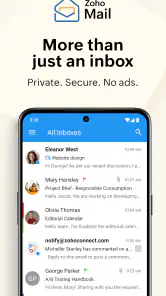
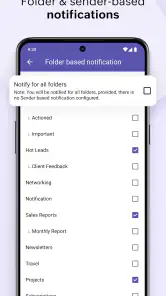
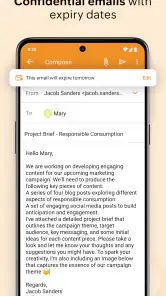
Analysis by Reviewed
I came away from Zoho Mail with the impression that it is built for people who want email to feel like an organized work tool rather than an endless stream of messages. It combines mail with calendar, contacts, and files in one communication app, and that combination is more useful than the short store label suggests. I could move between a message, a scheduled commitment, a saved contact, and an attachment without treating each task as a separate mobile routine.
My main recommendation is simple: this is a strong choice if you already use Zoho services or want a focused alternative to the most familiar email apps. It is free, rated for Everyone, and comes from Zoho Corporation, a developer with a broad productivity ecosystem. I would not choose it purely because I wanted the most fashionable interface or the deepest integration with another company’s services. Its value appears when you want a calmer, more self-contained way to handle everyday communication.
What using Zoho Mail feels like in everyday work
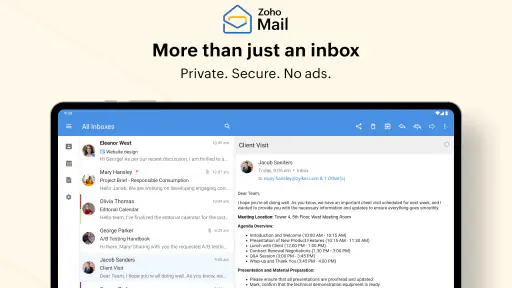
A practical inbox rather than just a message viewer
The useful difference here is the way the app treats email as part of a larger routine. A typical morning might begin with checking new messages, opening an attached document, saving a sender as a contact, and placing a meeting on the calendar. In many mobile setups, that means switching between several apps and hoping the handoff is smooth. Zoho Mail makes that sequence feel more connected, which is especially helpful when the email itself is only the starting point.
I found this approach most convincing for work messages that lead to an action. If a client suggests a time, a colleague sends a file, or a new contact needs to be remembered, the surrounding tools matter as much as the inbox. The app’s focus on email, calendar, contacts, and files gives those follow-up steps a clear place. It does not turn a phone into a full office, but it reduces the small bits of friction that make mobile communication tiring.
The app is also easier to recommend to someone who wants a dedicated communication space instead of a crowded all-purpose application. Its store summary describes email, calendar, contacts, and files on the move, and that is a fair description of the experience. I would install it for someone who regularly handles work correspondence from a phone but does not want to build a complicated collection of separate tools.
Where the connected tools make a real difference
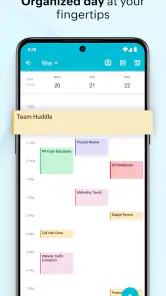
The calendar connection is particularly valuable when an email contains a commitment rather than just information. Instead of leaving a message unread as a reminder, I would rather turn the important detail into a scheduled item and keep the original conversation available for context. That workflow helps prevent the common mistake of assuming that an inbox is a reliable task list. It is not, and this app gives you a better route from “I need to remember this” to “this is on my schedule.”
Contacts are useful in a similarly quiet way. When communication becomes regular, searching through old messages for an address is inefficient. A contact area gives recurring people a more stable home, which is helpful for freelancers, small teams, and anyone managing several conversations at once. The benefit is not dramatic on the first day; it becomes noticeable after the app has become part of a routine.
You May Like

Clash of Clans Is Won Between the Battles

Android Auto Makes the Case for Quieter Car Software

MobiOffice: Transforming Mobile Productivity with Seamless Integration

EA SPORTS FC™ Mobile Soccer: Redefining Mobile Sports Gaming

How Microsoft OneDrive Became a Mobile Productivity Giant

How Google Translate Breaks Language Barriers Effortlessly
Files add another practical layer. Email attachments are often needed away from the original conversation, such as when preparing for a meeting or checking a document while travelling. Having file handling included means I can think in terms of “the document I need” rather than “the message where I think it was attached.” That small change in perspective is one of the app’s less obvious strengths.
Useful habits that make the app work better
My first tip is to separate urgent communication from future action as soon as possible. If a message only needs a reply, deal with it as mail. If it represents a date or appointment, use the calendar instead of keeping it visible as a reminder. If it contains a document that will be needed again, treat it as a file rather than relying on memory. This sounds basic, but the combination of tools makes the distinction practical.
A second tip is to use the contacts area for people you communicate with repeatedly, not for every address that appears once. A smaller, cleaner contact list is easier to use on a phone. I would reserve it for clients, colleagues, family members, or service providers whose details I expect to need again. That keeps the app from becoming another place filled with information that is technically saved but difficult to find.
A third tip is to review attachments before leaving a conversation. Mobile email encourages quick reading, and it is easy to assume that a file is safely available without checking what it contains. When a document matters, I would open it, confirm that it is the correct version, and then use the file workflow so it is easier to reach later. This is a small habit, but it makes the app more dependable for travel and busy workdays.
How it compares with familiar alternatives
The most obvious comparison is with Gmail and Outlook. Those services may be the easier choice for people already committed to Google or Microsoft accounts, especially when their calendars, storage, documents, and workplace identities are already centered there. Their familiarity also matters: colleagues often know how those systems behave, and switching can create avoidable confusion.
Zoho Mail makes more sense when you want the Zoho environment or prefer not to make a large consumer platform the center of your communication habits. Its combination of mail, calendar, contacts, and files feels deliberate rather than incidental. I would describe it as a focused alternative, not a universal replacement. Someone who lives inside Google Drive and Google Calendar may find Gmail more convenient, while someone looking for a compact Zoho-based workflow may find this app more coherent.
Compared with a basic phone email client, the advantage is clearer. A simple mail app may be quicker for checking messages, but it usually does less to connect a message with the next step. Zoho Mail earns its place through that wider workflow. The trade-off is that users who only need a lightweight inbox may see the additional sections as unnecessary.
The limitations I noticed before recommending it
The biggest weakness is not that the app lacks purpose; it is that its purpose may be broader than some people need. If I only wanted to read personal messages and send short replies, an existing system app could feel faster and less demanding. The calendar, contacts, and files sections are valuable when they match my routine, but they can feel like extra surface area when they do not.
There is also a learning cost in moving away from a familiar email service. Even when the basic actions are recognizable, habits around searching, organizing, and handling attachments do not transfer perfectly between apps. I would expect a short adjustment period, particularly for someone who has used the same inbox for years. That is not a reason to avoid it, but it is worth considering before moving important communication.
Another trade-off is ecosystem dependence. The app is most convincing when the rest of the Zoho approach suits you. If your work depends heavily on another provider’s calendar, storage, or office tools, the connected experience may be less complete than it appears at first glance. In that situation, I would compare the full workflow rather than judging the inbox alone.
I would also avoid choosing it for a team solely because it is free. The app itself costs nothing, but a communication setup involves habits, accounts, migration, and cooperation from the people involved. For personal use or a small, flexible workflow, that is manageable. For a larger organization, I would first make sure the surrounding Zoho setup fits the way the team already works.
Who should install it and who should skip it
I think Zoho Mail is a good fit for freelancers, independent professionals, small business owners, and users who want work communication separated from personal messaging. It is also suitable for people who regularly turn emails into appointments or need to retrieve attachments and contact details while away from a desk. The app is available at no cost, which makes trying that workflow relatively easy.
It is less suitable for someone who wants the absolute simplest possible inbox. If calendar and file handling are not part of your email routine, the additional organization may not justify changing apps. I would also hesitate to recommend it to a person whose entire digital life already depends on Google or Microsoft services and who has no reason to add another ecosystem.
Device compatibility is reasonably accessible for many Android users because the app requires Android 6.0 or later. That does not guarantee an identical experience on every phone, but it means the app is not restricted to only recent hardware. The current version is 3.6.2, so I would still keep the application updated through the normal store process, particularly for a tool that handles daily communication.
The audience rating of Everyone also makes it appropriate as a general communication app rather than something aimed at a narrow age group. In practice, the more important question is not age but workflow: do you need an inbox connected to scheduling, people, and documents? If yes, the app has a clear reason to exist on your phone.
What its adoption says, and what it does not
The app has reached over five million installs and holds a 4.5 average from around seventy-four thousand ratings, with roughly one thousand one hundred written reviews. Those figures suggest that it has found a substantial audience and that the overall response is positive. I see them as useful context, but not as a substitute for checking whether its organization style fits your habits.
Its release history also shows that this is not a brand-new experiment: Zoho Mail first appeared on August 25, 2014. That long presence matters for a communication tool because people generally want stability and continuity from an email app. Still, longevity alone does not make it the best choice for every user; the practical test remains whether its connected tools simplify your day.
My final recommendation
After looking at the app as a complete mobile workspace, I would recommend Zoho Mail to anyone who wants email to lead naturally into scheduling, contact management, and file access. Its strongest quality is not a single flashy feature. It is the way those four parts support a realistic chain of tasks: receive a message, understand what it requires, save the relevant person or document, and put the next commitment somewhere reliable.
My reservation is equally clear: people who only want a fast, familiar inbox may be happier with the mail service already tied to their phone or workplace. Zoho Mail is better when you value a more deliberate, connected workflow than when you want the fewest possible controls.
For me, that makes it a worthwhile free communication app rather than a universal winner. I would suggest trying it with one real routine, such as managing appointments and attachments for a week, instead of judging it after sending a single message. If that routine feels cleaner, the app has earned a permanent place. If the extra tools remain unused, staying with a simpler alternative is the more sensible decision.
Zoho Mail - Email and Calendar Frequently Asked Questions
How much space will Zoho Mail take up on my device?
App size can vary by device and operating system, so check the download screen on your phone or tablet before installing. It is also sensible to leave some free storage for updates and any files you choose to keep on your device. Zoho Mail brings email and related services to mobile, so consider your available space if your device is already close to full.
Can I use Zoho Mail without creating a Zoho account?
To use the app’s email services, you need to sign in with an account that can access Zoho Mail. If you already use Zoho, you can use the relevant account details; otherwise, you’ll need to set up an account before getting started. The account you choose determines which mail and related services you can access, so check that it suits your personal or work needs.
What devices and Android software version does Zoho Mail support?
Zoho Mail is a mobile app for Android and iOS phones and tablets. On Android, it requires Android 6.0 or later, so check your device’s software version before downloading. If you use more than one compatible device, sign in with the same Zoho account to access your mail and related services across them. Keeping your device’s software current can also help with compatibility.
Does Zoho Mail include contacts and file access?
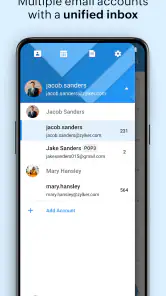
Zoho Mail’s mobile offering brings email together with Calendar, Contacts, and Files, making it useful for people who want related tools in one place. The services available to you can depend on your account and setup. If you plan to use it mainly for contacts or files, sign in and explore those sections to see how they fit into your routine alongside email.
Can I use Zoho Mail on both Android and iOS?
Zoho Mail is available as a mobile app for Android and iOS, so you can use it on a compatible phone or tablet. The Android version requires Android 6.0 or later. If you plan to use the app across multiple devices, sign in with the same Zoho account to access your mail and related services wherever you use it.
Pros
- Generous storage options for business and personal email accounts.
- Strong spam filtering helps keep unwanted messages out of the inbox.
- Supports custom domains for professional email addresses.
- Useful admin controls for managing users
- groups
- and security policies.
- Works well with Zoho Calendar and other Zoho productivity tools.
Cons
- Some advanced features require a paid Zoho Workplace subscription.
- The interface can feel less familiar than Gmail or Outlook.
- Mobile notifications may occasionally arrive later than expected.
- Migration from another email provider can require extra setup work.
- Limited third-party integrations compared with larger email platforms.
- Category
- Communication
- Version
- 3.6.2











